
Display all Python process output character-by-character

Project description
Make your Python output dramatic 🎭




The dramatic module includes utilities which cause all text output to display character-by-character (it prints dramatically).

Note: This project is based on a Python Morsels exercise. If you're working on that exercise right now, please don't look at the source code for this! 😉

Usage 🥁
The dramatic module is available on PyPI.
You can install it with pip:
$ python3 -m pip install dramatic
There are four primary ways to use the utilities in the dramatic module:
- As a context manager that temporarily makes output display dramatically
- As a decorator that temporarily makes output display dramatically
- Using a
dramatic.start()function that makes output display dramatically - Using a
dramatic.printfunction to display specific text dramatically
Dramatic Context Manager 🚪
The dramatic.output context manager will temporarily cause all standard output and standard error to display dramatically:
import dramatic

def main():
    print("This function prints")

with dramatic.output:
    main()
To change the printing speed from the default of 75 characters per second to another value (30 characters per second in this case) use the at_speed method:
import dramatic

def main():
    print("This function prints")

with dramatic.output.at_speed(30):
    main()
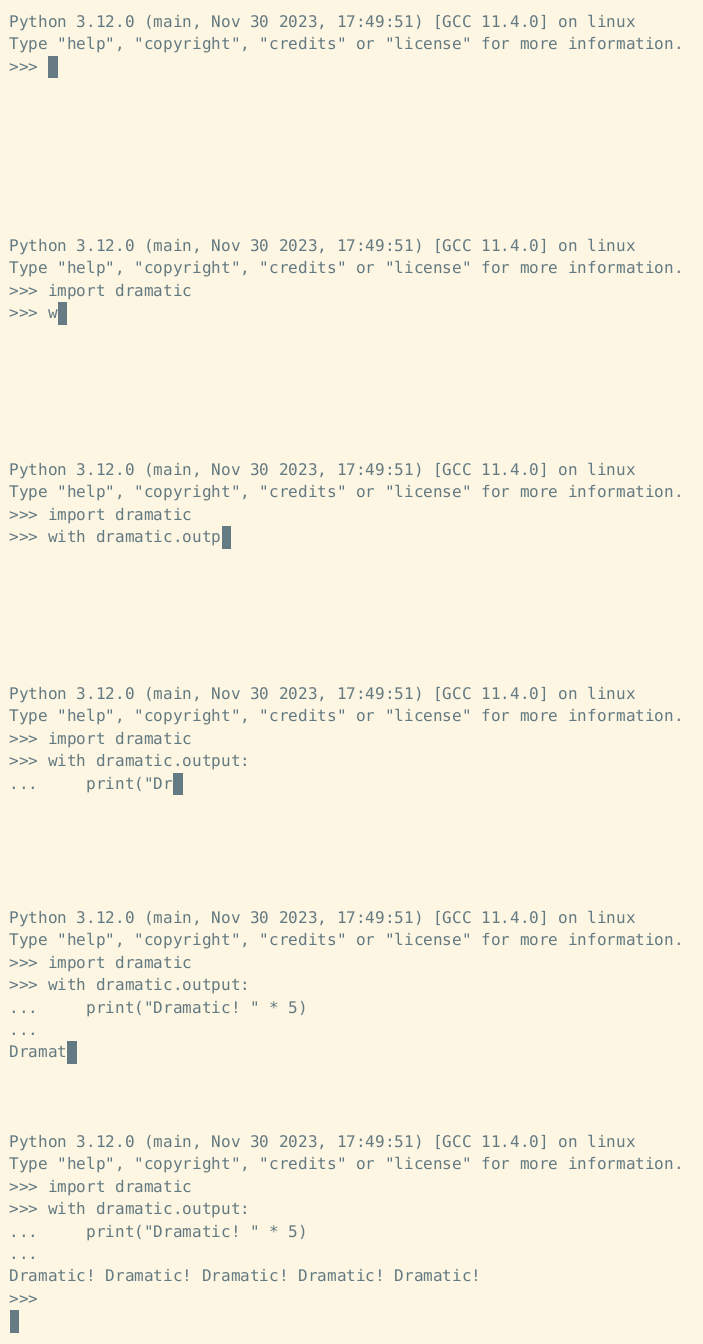
Example context manager usage:
Dramatic Decorator 🎀
The dramatic.output decorator will cause all standard output and standard error to display dramatically while the decorated function is running:
import dramatic

@dramatic.output
def main():
    print("This function prints")

main()
The at_speed method works as a decorator as well:
import dramatic

@dramatic.output.at_speed(30)
def main():
    print("This function prints")

main()
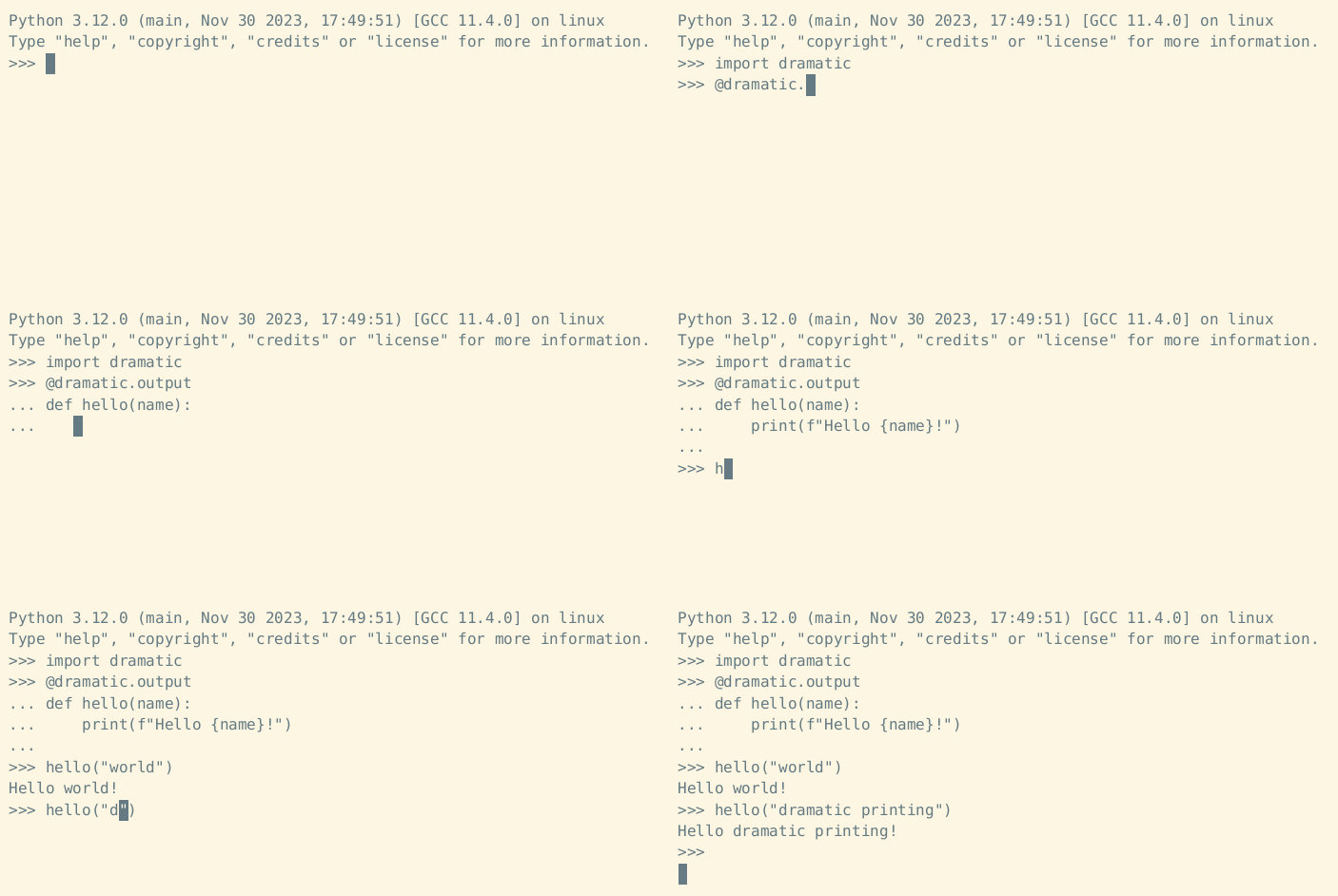
Example decorator usage:
Manually Starting and Stopping 🔧
Instead of enabling dramatic printing temporarily with a context manager or decorator, the dramatic.start function may be used to enable dramatic printing:
import dramatic

def main():
    print("This function prints")

dramatic.start()
main()
The speed keyword argument may be used to change the printing speed (in characters per second):
import dramatic

def main():
    print("This function prints")

dramatic.start(speed=30)
main()
To make only standard output dramatic (but not standard error) pass stderr=False to start:
import dramatic

def main():
    print("This function prints")

dramatic.start(stderr=False)
main()
To disable dramatic printing, the dramatic.stop function may be used.
Here's an example context manager that uses both dramatic.start and dramatic.stop:
import dramatic


class CustomContextManager:
    def __enter__(self):
        print("Printing will become dramatic now")
        dramatic.start()
    def __exit__(self):
        dramatic.stop()
        print("Dramatic printing has stopped")
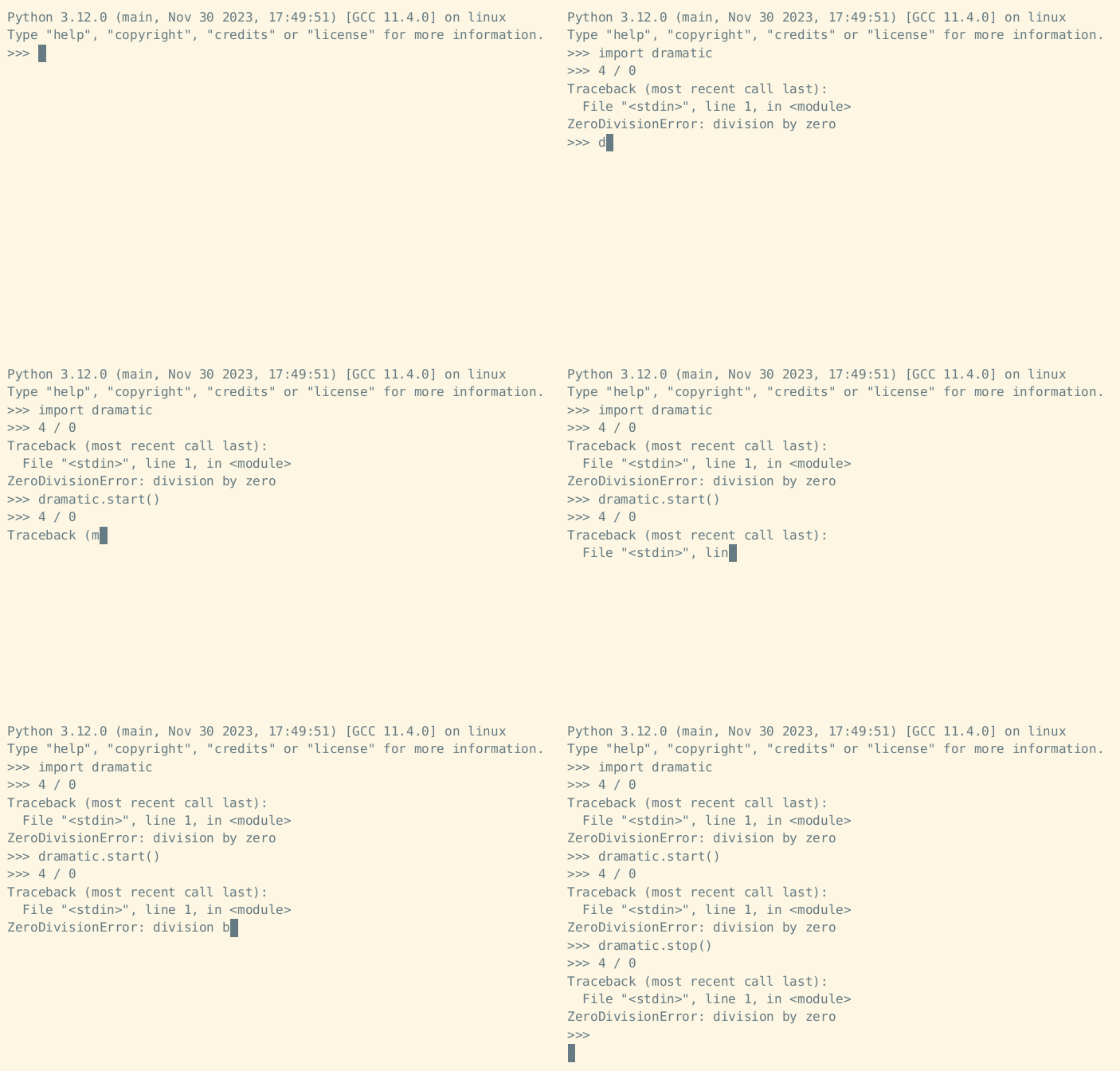
Example start and stop usage:
Dramatic Print 🖨️
The dramatic.print function acts just like the built-in print function, but it prints dramatically:
import dramatic
dramatic.print("This will print some text dramatically")
Dramatic Interpreter ⌨️
To start a dramatic Python REPL:
$ python3 -m dramatic
>>>

To dramatically run a Python module:
$ python3 -m dramatic -m this
To dramatically run a Python file:
$ python3 -m dramatic hello_world.py
The dramatic module also accepts a --speed argument to set the characters printed per second.
In this example we're increasing the speed from 75 characters-per-second to 120:

Maximum Drama (Use With Caution ⚠️)
Want to make your Python interpreter dramatic by default?
Run the dramatic module as a script with the --max-drama argument to modify Python so that all your Python programs will print dramatically:
$ python3 -m dramatic --max-drama
This will cause all Python programs to run dramatically.
Running --min-drama will undo this operation.
Are you sure? [y/N]
Example:

If the drama is too much, run the module again with the argument --min-drama to undo:
$ python3 -m dramatic --min-drama
Deleted file /home/trey/.local/lib/python3.12/site-packages/dramatic.pth
Deleted file /home/trey/.local/lib/python3.12/site-packages/_dramatic.py
No drama.
Example:

This even works if you don't have the dramatic module installed.
Just download dramatic.py and run it with --max-drama!
To disable the drama, you'll need to run python3 -m _dramatic --min-drama (note the _ before dramatic).
Warning: using --max-drama is probably a bad idea.
Use with caution.
Other Features ✨
Other features of note:
- Pressing
Ctrl-Cwhile text is printing dramatically will cause the remaining text to print immediately. - Dramatic printing is automatically disabled when the output stream is piped to a file (e.g.
python3 my_script.py > output.txt)
Credits 💖
This package was inspired by the dramatic print Python Morsels exercise, which was partially inspired by Brandon Rhodes' adventure Python port (which displays its text at 1200 baud).
Release history Release notifications | RSS feed


Download files
Download the file for your platform. If you're not sure which to choose, learn more about installing packages.
Source Distribution
Built Distribution
Filter files by name, interpreter, ABI, and platform.
If you're not sure about the file name format, learn more about wheel file names.
Copy a direct link to the current filters
File details
Details for the file dramatic-0.5.0.tar.gz.
File metadata
- Download URL: dramatic-0.5.0.tar.gz
- Upload date:
- Size: 2.4 MB
- Tags: Source
- Uploaded using Trusted Publishing? No
- Uploaded via: python-httpx/0.28.1
File hashes
| Algorithm | Hash digest | |
|---|---|---|
| SHA256 |
83114b482a857c8f507e48b082ea77919ee3a934640c9b7f5dff2130a071dd11
|
|
| MD5 |
588608b253885d2061fcce2a7d7a832a
|
|
| BLAKE2b-256 |
654e715058f54f6f99124e68306d5a0589d758239c1f51c257840a44dee04d25
|
File details
Details for the file dramatic-0.5.0-py3-none-any.whl.
File metadata
- Download URL: dramatic-0.5.0-py3-none-any.whl
- Upload date:
- Size: 6.4 kB
- Tags: Python 3
- Uploaded using Trusted Publishing? No
- Uploaded via: python-httpx/0.28.1
File hashes
| Algorithm | Hash digest | |
|---|---|---|
| SHA256 |
93f93fd852a8c5f7b8203114245e462c2448e2842780b1948e5ae76f9163a773
|
|
| MD5 |
e69a2a63c7ab481c46292b38e4d5aefd
|
|
| BLAKE2b-256 |
5dc3410cce70157bd2ffca7cd1c78372c0b3ada16053d1785c745575933bfded
|






