
:vhs: Find and extract motion events in videos.
Latest Release: v1.8.2.1 (May 9, 2026)
Website: dvr-scan.com
User Guide: dvr-scan.com/guide
Documentation: dvr-scan.com/docs
Discord: discord.gg/69kf6f2Exb
DVR-Scan is a command-line application that automatically detects motion events in video files (e.g. security camera footage). DVR-Scan looks for areas in footage containing motion, and saves each event to a separate video clip. DVR-Scan is free and open-source software, and works on Windows, Linux, and Mac.
Quick Install
pip install dvr-scan --upgrade
Windows builds (installer + portable) are also available on the Downloads page.
Quickstart (UI)
Start DVR-Scan (run dvr-scan-app or click the app shortcut), Add your input videos, and hit Start:
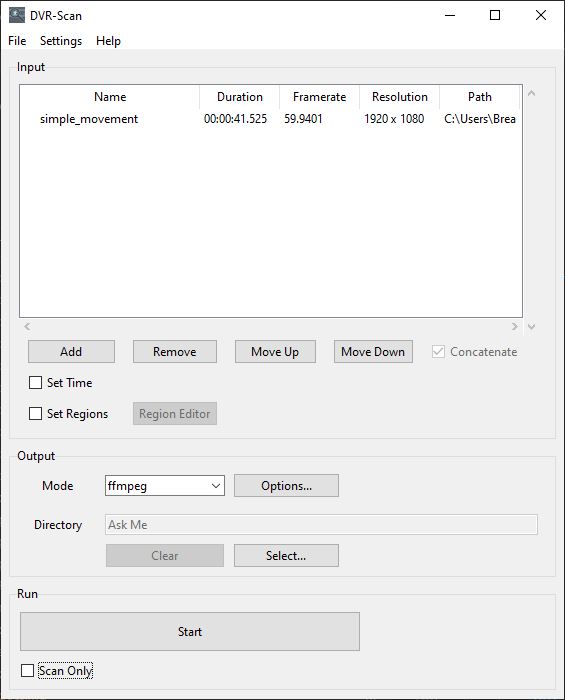
See the User Guide for a more comprehensive overview.
Quickstart (CLI)
Scan video.mp4 (separate clips for each event):
dvr-scan -i video.mp4
Select a region to scan using the region editor:
dvr-scan -i video.mp4 -r
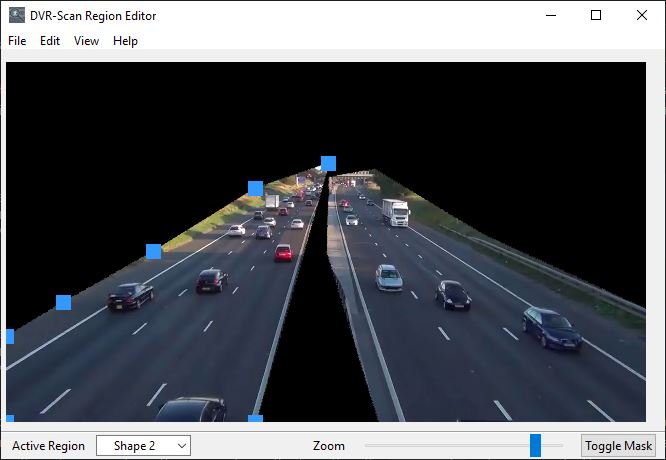
Select a region to scan using command line (list of points as X Y):
dvr-scan -i video.mp4 -a 50 50 100 50 100 100 100 50
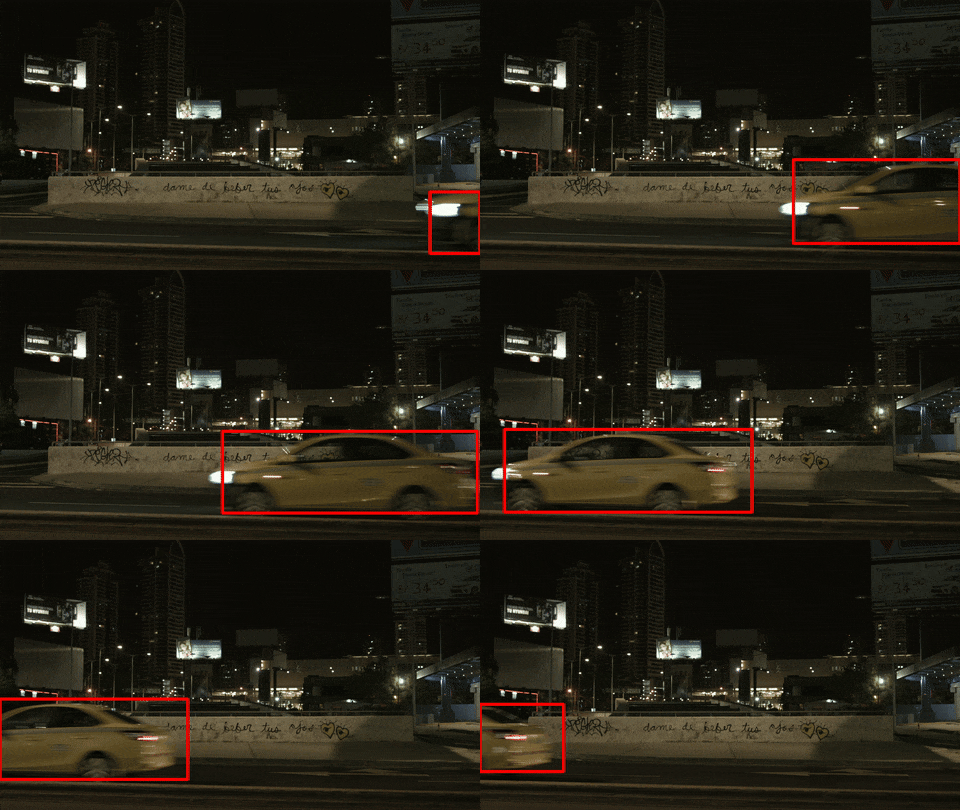
Draw boxes around motion:
dvr-scan -i video.mp4 -bb
Use ffmpeg to extract events:
dvr-scan -i video.mp4 -m ffmpeg
See the documentation for a complete list of all command-line and configuration file options which can be set. You can also type dvr-scan --help for an overview of command line options. Some program options can also be set using a config file.
Copyright © 2016-2026 Brandon Castellano. All rights reserved. Licensed under BSD 2-Clause (see the LICENSE file for details).
1 maintainer

Metadata
1 maintainer
Release files for dvr-scan 1.8.2.1
For a detailed explanation of source distributions (sdists) and built distributions (wheels), please see the package formats documentation.
Source distribution (sdist)
| File | Size | Uploaded | Provenance | Actions |
|---|---|---|---|---|
| dvr_scan-1.8.2.1.tar.gz | 330.2 kB | With provenance | Details for dvr_scan-1.8.2.1.tar.gz |
Built distribution (wheel)
| File | Interpreter | ABI | Platform | Actions Reset |
|---|---|---|---|---|
| dvr_scan-1.8.2.1-py3-none-any.whl | Python 3 | none | any | Details for dvr_scan-1.8.2.1-py3-none-any.whl |
Total release size: 678.5 kB
Release files / dvr_scan-1.8.2.1.tar.gz
| Download URL | dvr_scan-1.8.2.1.tar.gz |
|---|---|
| Size | 330.2 kB |
| Tags | Source |
|
SHA-256 checksum How to use checksums |
e424eaa8f2502a773588c97722bfe163f1317129e6e7073c25c4282bcf5f8e40
|
|
BLAKE2b-256 checksum How to use checksums |
4784a3256473a827f0c17e3e724c409a33146a26d6515f87df38c3a649547b7d
|
| Upload date | |
|
Uploaded using Trusted Publishing? What is trusted publishing? |
Yes |
| Uploaded via |
twine/6.1.0 CPython/3.13.12
|
Provenance
Provenance describes where a file came from. On PyPI, provenance is shared via attestations, which provide a verifiable record of the build or publishing details. View details, limitations and caveats.


PyPI Publish Attestation
PyPI verified that this artifact, at this checksum, originated from the publisher listed below.
Signed by GitHub Actions, verified by PyPI on May 9, 2026.
Transparency logRelease files / dvr_scan-1.8.2.1-py3-none-any.whl
| Download URL | dvr_scan-1.8.2.1-py3-none-any.whl |
|---|---|
| Size | 348.4 kB |
| Tags | Python 3 |
|
SHA-256 checksum How to use checksums |
088346ffad74f1ea28118bfe0ebf96ac1b5c9c2c41d369ef0b8f40c95434d29e
|
|
BLAKE2b-256 checksum How to use checksums |
f2d2763ccdcf38b88e0f9515afad0663eb0b4b5d2c949f19b88b322587b2fff1
|
| Upload date | |
|
Uploaded using Trusted Publishing? What is trusted publishing? |
Yes |
| Uploaded via |
twine/6.1.0 CPython/3.13.12
|
Provenance
Provenance describes where a file came from. On PyPI, provenance is shared via attestations, which provide a verifiable record of the build or publishing details. View details, limitations and caveats.
PyPI Publish Attestation
PyPI verified that this artifact, at this checksum, originated from the publisher listed below.
Signed by GitHub Actions, verified by PyPI on May 9, 2026.
Transparency logSecurity for dvr-scan 1.8.2.1
Provenance
Provenance describes where a file came from. On PyPI, provenance is shared via attestations, which provide a verifiable record of the build or publishing details. View details, limitations and caveats.
Full provenance
All 2 files in this release have been uploaded with provenance metadata.
Attestation for dvr_scan-1.8.2.1.tar.gz
PyPI Publish Attestation
PyPI verified that this artifact, at this checksum, originated from the publisher listed below.
Signed by GitHub Actions, verified by PyPI on May 9, 2026.
Transparency logA note on package security
PyPI is a repository for distributing packages, not a service for auditing them. While third-party security researchers and our staff do their best to detect and remove malicious packages, PyPI cannot guarantee the quality, security or suitability of any given package.
To learn more about protecting yourself from malicious actors, visit our package security documentation.














