
eliottree


Render Eliot logs as an ASCII tree.
This output:
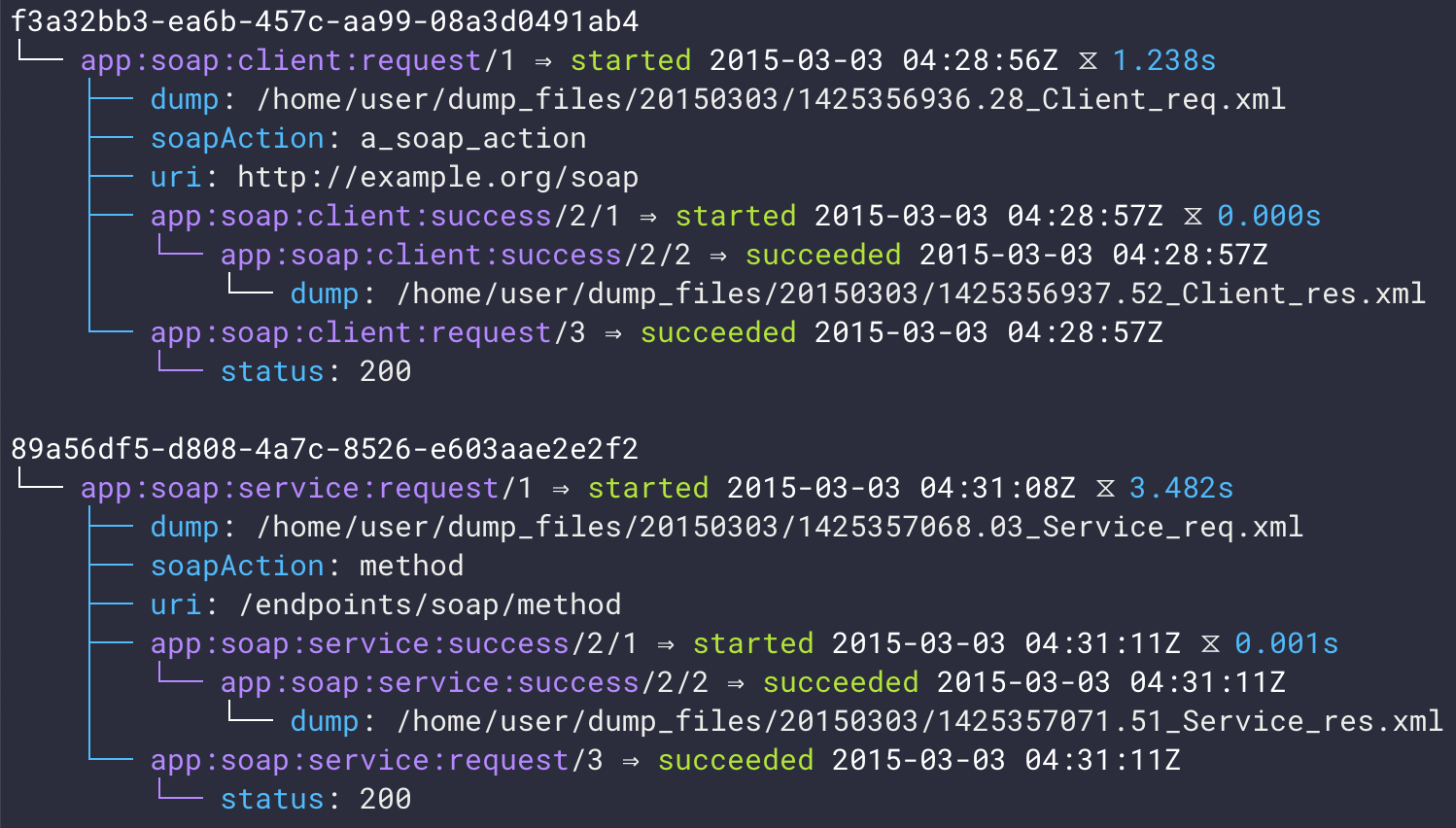
(or as text)
$ eliot-tree eliot.log
f3a32bb3-ea6b-457c-aa99-08a3d0491ab4
└── app:soap:client:request/1 ⇒ started 2015-03-03 04:28:56 ⧖ 1.238s
    ├── dump: /home/user/dump_files/20150303/1425356936.28_Client_req.xml
    ├── soapAction: a_soap_action
    ├── uri: http://example.org/soap
    ├── app:soap:client:success/2/1 ⇒ started 2015-03-03 04:28:57 ⧖ 0.000s
    │   └── app:soap:client:success/2/2 ⇒ succeeded 2015-03-03 04:28:57
    │       └── dump: /home/user/dump_files/20150303/1425356937.52_Client_res.xml
    └── app:soap:client:request/3 ⇒ succeeded 2015-03-03 04:28:57
        └── status: 200

 89a56df5-d808-4a7c-8526-e603aae2e2f2
 └── app:soap:service:request/1 ⇒ started 2015-03-03 04:31:08 ⧖ 3.482s
     ├── dump: /home/user/dump_files/20150303/1425357068.03_Service_req.xml
     ├── soapAction: method
     ├── uri: /endpoints/soap/method
     ├── app:soap:service:success/2/1 ⇒ started 2015-03-03 04:31:11 ⧖ 0.001s
     │   └── app:soap:service:success/2/2 ⇒ succeeded 2015-03-03 04:31:11
     │       └── dump: /home/user/dump_files/20150303/1425357071.51_Service_res.xml
     └── app:soap:service:request/3 ⇒ succeeded 2015-03-03 04:31:11
         └── status: 200
was generated from:
{"dump": "/home/user/dump_files/20150303/1425356936.28_Client_req.xml", "timestamp": 1425356936.278875, "uri": "http://example.org/soap", "action_status": "started", "task_uuid": "f3a32bb3-ea6b-457c-aa99-08a3d0491ab4", "action_type": "app:soap:client:request", "soapAction": "a_soap_action", "task_level": [1]}
{"timestamp": 1425356937.516579, "task_uuid": "f3a32bb3-ea6b-457c-aa99-08a3d0491ab4", "action_type": "app:soap:client:success", "action_status": "started", "task_level": [2, 1]}
{"task_uuid": "f3a32bb3-ea6b-457c-aa99-08a3d0491ab4", "action_type": "app:soap:client:success", "dump": "/home/user/dump_files/20150303/1425356937.52_Client_res.xml", "timestamp": 1425356937.517077, "action_status": "succeeded", "task_level": [2, 2]}
{"status": 200, "task_uuid": "f3a32bb3-ea6b-457c-aa99-08a3d0491ab4", "task_level": [3], "action_type": "app:soap:client:request", "timestamp": 1425356937.517161, "action_status": "succeeded"}
{"dump": "/home/user/dump_files/20150303/1425357068.03_Service_req.xml", "timestamp": 1425357068.032091, "uri": "/endpoints/soap/method", "action_status": "started", "task_uuid": "89a56df5-d808-4a7c-8526-e603aae2e2f2", "action_type": "app:soap:service:request", "soapAction": "method", "task_level": [1]}
{"timestamp": 1425357071.51233, "task_uuid": "89a56df5-d808-4a7c-8526-e603aae2e2f2", "action_type": "app:soap:service:success", "action_status": "started", "task_level": [2, 1]}
{"task_uuid": "89a56df5-d808-4a7c-8526-e603aae2e2f2", "action_type": "app:soap:service:success", "dump": "/home/user/dump_files/20150303/1425357071.51_Service_res.xml", "timestamp": 1425357071.513453, "action_status": "succeeded", "task_level": [2, 2]}
{"status": 200, "task_uuid": "89a56df5-d808-4a7c-8526-e603aae2e2f2", "task_level": [3], "action_type": "app:soap:service:request", "timestamp": 1425357071.513992, "action_status": "succeeded"}
Command-line options
Consult the output of eliot-tree --help to see a complete list of command-line options.
Streaming
It’s possible to pipe data into eliot-tree, from a tailed log for example, and have it rendered incrementally. There is a caveat though: Trees are only rendered once an end message—a success or failure status—for the tree’s root action appears in the data.
Selecting / filtering tasks
By task UUID
Entire task trees can be selected by UUID with the --task-uuid (-u) command-line option.
By start / end date
Individual tasks can be selected based on their timestamp, use --start to select tasks after an ISO8601 date-time, and --end to select tasks before an ISO8601 date-time.
By custom query
Custom task selection can be done with the --select command-line option, the syntax of which is JMESPath, and is applied to the original Eliot JSON structures. Any data that appears within an Eliot task structure can be queried. Only the matching tasks (and all of their children) will be displayed, the parents of the task structure (by task_uuid) will be elided.
An important thing to note is that the query should be used as a predicate (it should describe a boolean condition), not to narrow a JSON data structure, as many of the examples on the JMESPath site illustrate. The reason for this is that Eliot tasks are not stored as one large nested JSON structure, they are instead many small structures that are linked together by metadata (task_uuid), which is not a structure than JMESPath is ideally equipped to query.
The --select argument can be supplied multiple times to mimic logical AND, that is all --select predicates must pass in order for a task or node to be selected.
Examples
Select all tasks that contain a uri key, regardless of its value:
--select 'uri'Select all Eliot action tasks of type http_client:request:
--select 'action_type == `"http_client:request"`'Backquotes are used to represent raw JSON values in JMESPath, `500` is the number 500, `"500"` is the string “500”.
Select all tasks that have an http_status of 401 or 500:
--select 'contains(`[401, 500]`, status)'Select all tasks that have an http_status of 401 that were also made to a uri containing the text /criticalEndpoint:
--select 'http_status == `401`' \
--select 'uri && contains(uri, `"/criticalEndpoint"`)'
Here --select is passed twice to mimic a logical AND condition, it is also possible to use the JMESPath && operator. There is also a test for the existence of the uri key to guard against calling the contains() function with a null subject.
See the JMESPath specification for more information.
Programmatic usage
import json, sys
from eliottree import tasks_from_iterable, render_tasks
# Or `codecs.getwriter('utf-8')(sys.stdout).write` on Python 2.
render_tasks(sys.stdout.write, tasks, colorize=True)
See help(render_tasks) and help(tasks_from_iterable) from a
Python REPL for more information.
Configuration
Command-line options may have custom defaults specified by way of a config file. The config file can be passed with the --config argument, or will be read from ~/.config/eliot-tree/config.json. See config.example.json for an example.
Use the --show-default-config command-line option to display the default configuration, suitable for redirecting to a file. Use the --show-current-config command-line option to display the current effective configuration.
Theme overrides
Theme colors can be overridden via the theme_overrides key in the config file. The value of this key is itself a JSON object, each key is the name of a theme color and each value is a JSON list. This list should contain three values:
Foreground color, terminal color name or code; or null for the default color.
Background color, terminal color name or code; or null for the default color.
An optional array of color attribute names or codes; or null for the default attribute.
For example, to override the root theme color to be bold magenta, and the prop theme color to be red:
{
  "theme_overrides": {
    "root": ["magenta", null, ["bold"]],
    "prop_key": ["red"]
  }
}
See _theme.py for theme color names and the colored Python package for available color and attribute constants.
Contribute
See <https://github.com/jonathanj/eliottree> for details.
2 maintainers


Metadata
2 maintainers
Release files for eliot-tree 21.0.0
For a detailed explanation of source distributions (sdists) and built distributions (wheels), please see the package formats documentation.
Source distribution (sdist)
| File | Size | Uploaded | Provenance | Actions |
|---|---|---|---|---|
| eliot-tree-21.0.0.tar.gz | 50.0 kB | Without provenance | Details for eliot-tree-21.0.0.tar.gz |
Built distribution (wheel)
| File | Interpreter | ABI | Platform | Actions Reset |
|---|---|---|---|---|
| eliot_tree-21.0.0-py3-none-any.whl | Python 3 | none | any | Details for eliot_tree-21.0.0-py3-none-any.whl |
Total release size: 90.1 kB
Release files / eliot-tree-21.0.0.tar.gz
| Download URL | eliot-tree-21.0.0.tar.gz |
|---|---|
| Size | 50.0 kB |
| Tags | Source |
|
SHA-256 checksum How to use checksums |
85397eafe4093cf43bb2cef796dcb75a6ec32f2d922869a6808b89c77f2294ef
|
|
BLAKE2b-256 checksum How to use checksums |
2323a7dad60356dbc96422357dbd37f16d3965e8e6dedd229f675388a5b9d68c
|
| Upload date | |
|
Uploaded using Trusted Publishing? What is trusted publishing? |
No |
| Uploaded via |
twine/3.3.0 pkginfo/1.7.0 requests/2.25.1 setuptools/49.2.0 requests-toolbelt/0.9.1 tqdm/4.57.0 CPython/3.8.5
|
Release files / eliot_tree-21.0.0-py3-none-any.whl
| Download URL | eliot_tree-21.0.0-py3-none-any.whl |
|---|---|
| Size | 40.1 kB |
| Tags | Python 3 |
|
SHA-256 checksum How to use checksums |
e6f99a287172b5f410a00ab7a3cc167de2754dbd872d8a6e45e0c827b990c9c7
|
|
BLAKE2b-256 checksum How to use checksums |
f75534cb0b6cf9ea7a3e53cd29e80b0db8071aee9269f491a47814cfe44f2fc2
|
| Upload date | |
|
Uploaded using Trusted Publishing? What is trusted publishing? |
No |
| Uploaded via |
twine/3.3.0 pkginfo/1.7.0 requests/2.25.1 setuptools/49.2.0 requests-toolbelt/0.9.1 tqdm/4.57.0 CPython/3.8.5
|
Security for eliot-tree 21.0.0
Provenance
Provenance describes where a file came from. On PyPI, provenance is shared via attestations, which provide a verifiable record of the build or publishing details. View details, limitations and caveats.
No provenance found
None of the files in this release were uploaded with provenance metadata.
A note on package security
PyPI is a repository for distributing packages, not a service for auditing them. While third-party security researchers and our staff do their best to detect and remove malicious packages, PyPI cannot guarantee the quality, security or suitability of any given package.
To learn more about protecting yourself from malicious actors, visit our package security documentation.














