
# enaml-native-charts
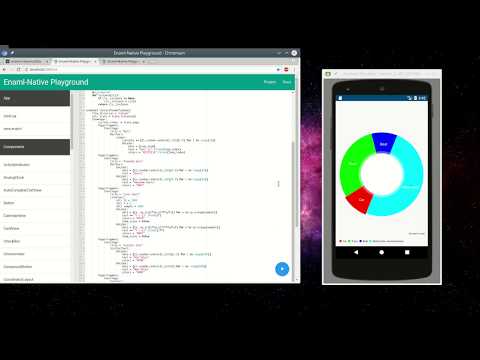
Charts for enaml-native using [MPAndroidChart](https://github.com/PhilJay/MPAndroidChart)
[](https://youtu.be/crKQpns_vL8)
### Installation
Install using the [enaml-native-cli](https://github.com/codelv/enaml-native-cli)
(or pip install and run `enaml-native link`)
```bash
enaml-native install enaml-native-charts
```
Then add `enaml-native-charts` to your `project.json`.
Finally in `main.py` install the chart widgets
```python
from charts.android.factories import install
install()
```
Then import and use in your `view.enaml`
```python
from charts.widgets.api import *
#etc...
```
### Features
Adds the following widgets
- LineChart
- ScatterChart
- PieChart
- BarChart (stacked and regular)
Data is added to a chart using the `DataSet` component.
> Note: Live data updating has not yet been implemented (but I'm working on it)
### Examples
See the [examples](examples/) directory.
Charts for enaml-native using [MPAndroidChart](https://github.com/PhilJay/MPAndroidChart)
[](https://youtu.be/crKQpns_vL8)
### Installation
Install using the [enaml-native-cli](https://github.com/codelv/enaml-native-cli)
(or pip install and run `enaml-native link`)
```bash
enaml-native install enaml-native-charts
```
Then add `enaml-native-charts` to your `project.json`.
Finally in `main.py` install the chart widgets
```python
from charts.android.factories import install
install()
```
Then import and use in your `view.enaml`
```python
from charts.widgets.api import *
#etc...
```
### Features
Adds the following widgets
- LineChart
- ScatterChart
- PieChart
- BarChart (stacked and regular)
Data is added to a chart using the `DataSet` component.
> Note: Live data updating has not yet been implemented (but I'm working on it)
### Examples
See the [examples](examples/) directory.
1 maintainer

Metadata
1 maintainer
Release files for enaml-native-charts 1.0.3
For a detailed explanation of source distributions (sdists) and built distributions (wheels), please see the package formats documentation.
Built distribution (wheel)
| File | Interpreter | ABI | Platform | Reset |
|---|---|---|---|---|
| enaml_native_charts-1.0.3-py2-none-any.whl | Python 2 | none | any | Details |
Release files / enaml_native_charts-1.0.3-py2-none-any.whl
| Download URL | enaml_native_charts-1.0.3-py2-none-any.whl |
|---|---|
| Size | 68.6 kB |
| Tags | Python 2 |
|
SHA-256 checksum How to use checksums |
155bedc9b83bf6567814f6eba99f5cc264c249e89d614bd9736df45a3d68d039
|
|
BLAKE2b-256 checksum How to use checksums |
985bf66665733f0c21fc9cea09aafafb05c149e8cbaff4fce70342da59616060
|
| Upload date | |
|
Uploaded using Trusted Publishing? What is trusted publishing? |
No |














