

euporie






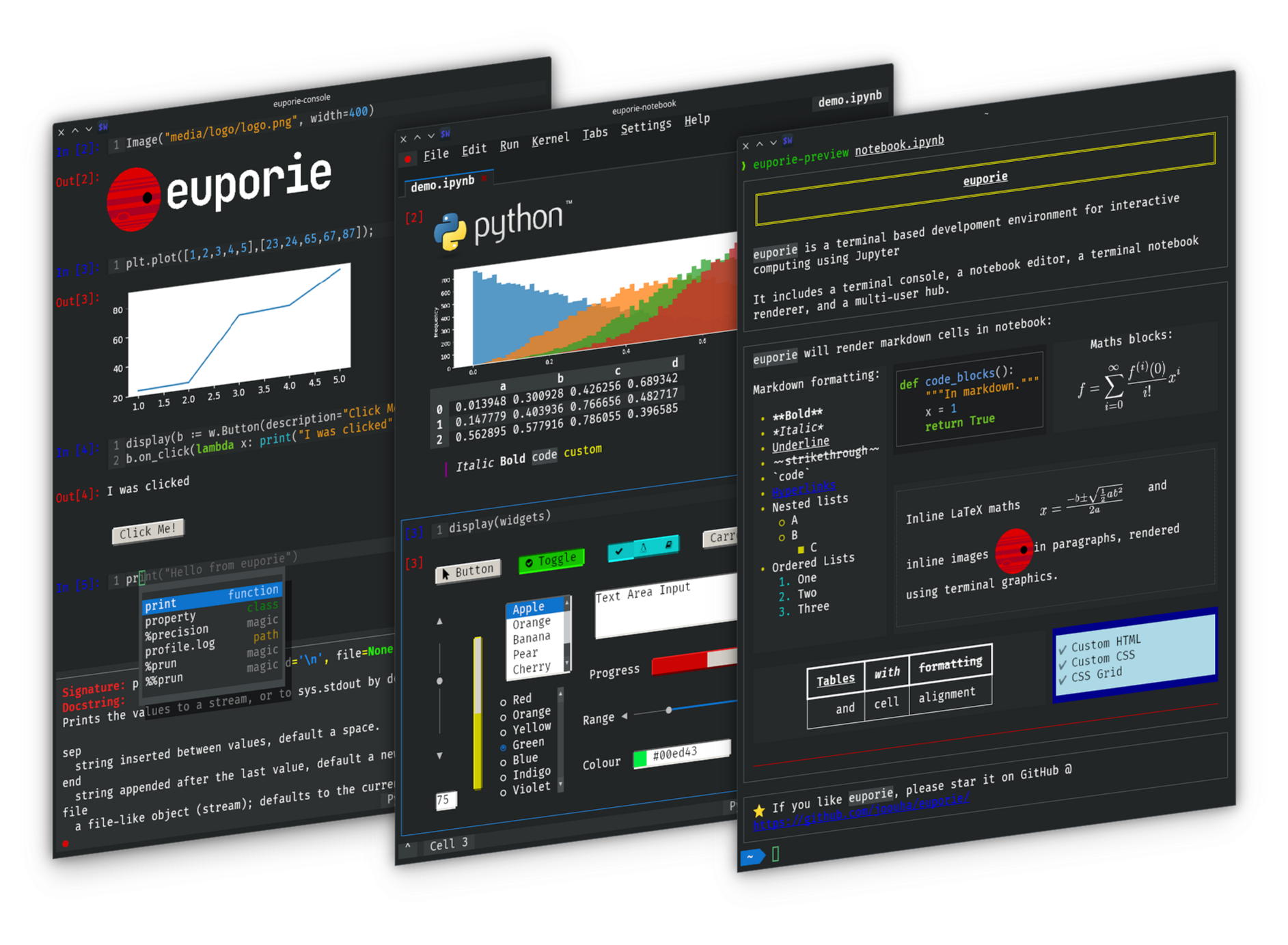
Euporie is a terminal based interactive computing environment for Jupyter.
Euporie’s apps allow you to interact with Jupyter kernels, and run Jupyter notebooks - entirely from the terminal.
If you’re working with Jupyter notebooks in a terminal only environment, like an SSH server or a container, or just prefer working in the terminal, then euporie is the tool for you!
Install
You can install euporie with uv (recommended), or with pipx or pip):
$ uv tool install euporie
$ # OR
$ pipx install euporie
$ # OR
$ python -m pip install --user euporie
You can also try euporie online here.
Features
Edit and run notebooks in the terminal
Run code interactively in a console
Display images using terminal graphics (sixel / iterm / kitty)
Use Jupyter widgets interactively in the terminal
Render rich kernel output (markdown, tables, images, LaTeX, HTML, SVG, & PDF)
Tab-completion, line suggestions and contextual help
Convert a console session to a notebook
Micro / Vim / Emacs style key-bindings
Usage
Notebooks
You can edit a notebook using euporie-notebook, and passing the notebook’s file path or URI as a command line argument:
$ euporie-notebook notebook.ipynbAlternatively, launch euporie-notebooks and open a notebook file by selecting “Open” from the file menu (Ctrl+O).
Console
To connect to a Jupyter kernel and run code interactively in a console session, you can run
$ euporie-console(You can press Ctrl+C to open the command palette in euporie-console).
Preview
To preview a notebook to the terminal, use the euporie-preview subcommand:
$ euporie-preview notebook.ipynb
Hub
To run euporie hub, a multi-user SSH server for euporie apps, run:
$ euporie-hub --port 8022 --host-keys=ssh_host_ed25519_key --client-keys=authorized_keyswhere ssh_host_ed25519_key is the path to your host key file, and authorized_keys is a file containing SSH public keys allowed to connect.
Documentation
View the online documentation at: https://euporie.readthedocs.io/
The code is available on GitHub at: https://github.com/joouha/euporie
Compatibility
Euporie requires Python 3.8 or later. It works on Linux, Windows and MacOS
1 maintainer

Metadata
1 maintainer
Release files for euporie 2.10.4
For a detailed explanation of source distributions (sdists) and built distributions (wheels), please see the package formats documentation.
Source distribution (sdist)
| File | Size | Uploaded | |
|---|---|---|---|
| euporie-2.10.4.tar.gz | 439.4 kB | Details |
Built distribution (wheel)
| File | Interpreter | ABI | Platform | Reset |
|---|---|---|---|---|
| euporie-2.10.4-py3-none-any.whl | Python 3 | none | any | Details |
Total release size: 965.2 kB
Release files / euporie-2.10.4.tar.gz
| Download URL | euporie-2.10.4.tar.gz |
|---|---|
| Size | 439.4 kB |
| Tags | Source |
|
SHA-256 checksum How to use checksums |
e80774a0e6f081f47e84249eca18c04237169ba967609985a482e1db0101e88b
|
|
BLAKE2b-256 checksum How to use checksums |
2eb1eb5a35d133fb9b3b5838da3bec7c5a207ac48b68ea562824ba8cf6aa050b
|
| Upload date | |
|
Uploaded using Trusted Publishing? What is trusted publishing? |
No |
| Uploaded via |
python-httpx/0.28.1
|
Release files / euporie-2.10.4-py3-none-any.whl
| Download URL | euporie-2.10.4-py3-none-any.whl |
|---|---|
| Size | 525.8 kB |
| Tags | Python 3 |
|
SHA-256 checksum How to use checksums |
2579e5e7d43c8abe1b16acdef19e3099576523b6821850976450868758530609
|
|
BLAKE2b-256 checksum How to use checksums |
ce78b885a5abee15fce4ac409deb5901fecf3a8091d548e53657e0a9d671d21b
|
| Upload date | |
|
Uploaded using Trusted Publishing? What is trusted publishing? |
No |
| Uploaded via |
python-httpx/0.28.1
|














