
EZ Maps
Generate Beautiful Maps 🗺
Contents
Installation
- Make sure you have Python installed (Python 3.2+)
- You can install using the command
pip3 install ezmaps
Usage
-
This is a CLI app so you can run it using
ezmapsin your command line -
ezmaps takes a few arguments
* -c , --config Path to your config file * -s , --save If you save the state of this run * -l , --load Load an old state (pickle file) to avoid makes calls to the API -
The config file is in the
jsonformat and has the following information
{
	"details":{
		"place": "Sydney"
		"level":7,
		"background": [0,0,0],
	    "color":[255,255,255],
	    "size":[2500,1800],
		"detail":6
	},
	"markers": [{
		"locations": ["police"],
		"icon": "police.png",
		"size": 30
	}]
}
| key | type | description |
|---|---|---|
[details],[place] |
string |
The name of the place you want to generate the map for |
[details][level] |
integer |
Administrative level for the place you can find the level for your place here |
[details][background] |
list or integer |
RGB value of the color you want or -1-Transparent |
[details][color] |
list |
RGB values for the color you want the map to be drawn in |
[details][size] |
list or integer |
width and height of the output image (The actual image will be resized to this value). If just an integer is provided it returns the natural scale of the map with the integer as the max height or width value allowed |
[details][detail] |
list |
How many level of roads do you want in your image higher the number the lower the level of roads fetched |
[markers] |
list |
A list of markers you want marked on your image |
[markers][locations] |
list or string |
A list of longitude or latitude for custom markers or a string specifying a type of important location |
[markers][icon] |
string |
Path to the icon you want the mark the marker with will search in folder icon in the location where the config file is located |
[markers][size] |
integer |
Size of the icon in the final image in pixles |
Examples
All json files for the examples can be found in tests folder
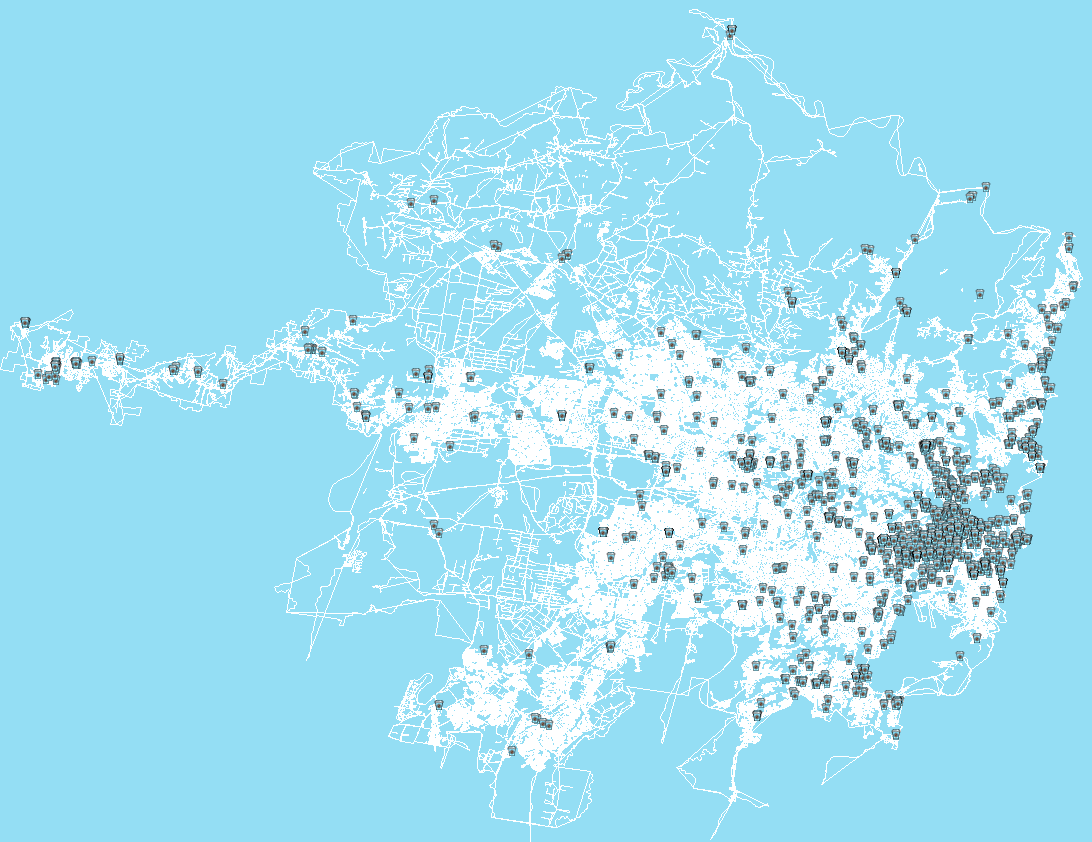
Sydney
Marking all cafes in Sydney
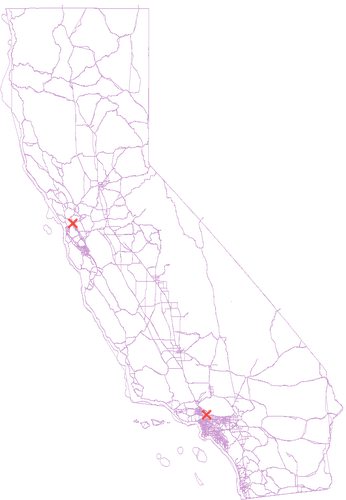
California
Custom Marking Los Angeles and San Francisco in California
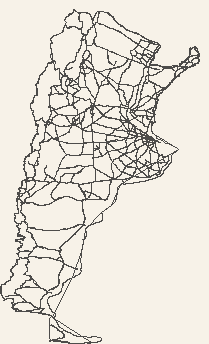
Argentina
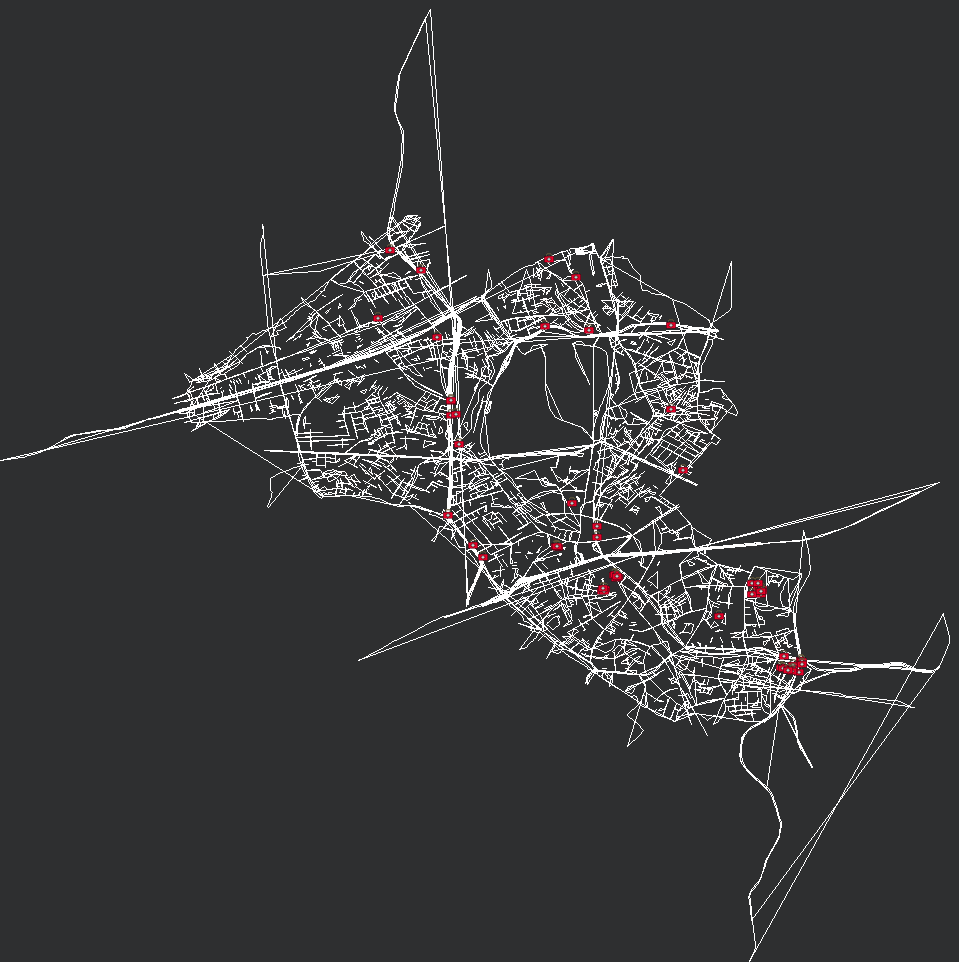
Shibuya
Marking all hospitals in Shibuya
Troubleshooting
- All this data is obtained from Overpass which is rate-limited so to avoid getting stuck in the rate-limit try saving and loading states as much as possible
- If you find any bug or error please create an Issue on this repository
Contributing
All Contributions welcome Please submit all pull requests the against master branch.
Author
License
1 maintainer

Metadata
1 maintainer
Release files for ezmaps 1.1.0
For a detailed explanation of source distributions (sdists) and built distributions (wheels), please see the package formats documentation.
Source distribution (sdist)
| File | Size | Uploaded | Provenance | Actions |
|---|---|---|---|---|
| ezmaps-1.1.0.tar.gz | 7.0 kB | Without provenance | Details for ezmaps-1.1.0.tar.gz |
Release files / ezmaps-1.1.0.tar.gz
| Download URL | ezmaps-1.1.0.tar.gz |
|---|---|
| Size | 7.0 kB |
| Tags | Source |
|
SHA-256 checksum How to use checksums |
628d8b86e690dcd0338daa3bf8e3e68e54b17e61642f010b53be4f5fc06aba6a
|
|
BLAKE2b-256 checksum How to use checksums |
74bc4c83689a9c6455f543246a5656cf38a59911b117cc2ce1b31c5e60f0d20d
|
| Upload date | |
|
Uploaded using Trusted Publishing? What is trusted publishing? |
No |
| Uploaded via |
twine/3.1.1 pkginfo/1.5.0.1 requests/2.21.0 setuptools/41.0.1 requests-toolbelt/0.9.1 tqdm/4.29.1 CPython/3.7.4
|
Security for ezmaps 1.1.0
Provenance
Provenance describes where a file came from. On PyPI, provenance is shared via attestations, which provide a verifiable record of the build or publishing details. View details, limitations and caveats.
No provenance found
None of the files in this release were uploaded with provenance metadata.
A note on package security
PyPI is a repository for distributing packages, not a service for auditing them. While third-party security researchers and our staff do their best to detect and remove malicious packages, PyPI cannot guarantee the quality, security or suitability of any given package.
To learn more about protecting yourself from malicious actors, visit our package security documentation.














