

The fc_hypermesh Python package allows to generate conforming meshes of hypercubes, hyperrectangles or of any d-orthotopes by p-order simplices or orthotopes with their m-faces
Introduction:

More documentation is available on fc_hypermesh Python package dedicated web page.
Installation:
The fc_hypermesh Python package is available from the Python Package Index, so to install/upgrade simply do
pip install fc_hypermesh -UThereafter, it’s possible to run one of the demo functions
import fc_hypermesh
fc_hypermesh.demos.demo01()
Examples usage:
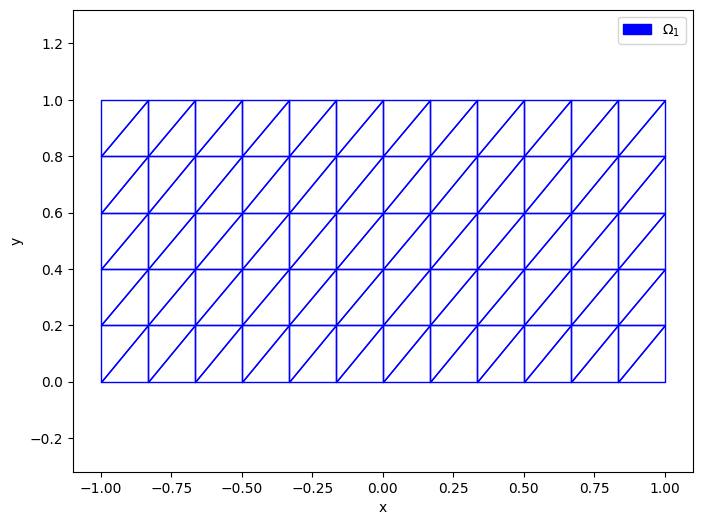
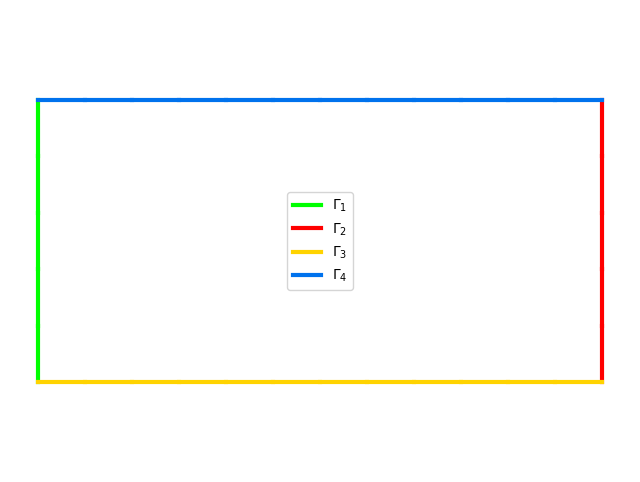
Meshing the rectangle [-1,1]x[0,1] by simplices with 12+1 points in x-axis and 5+1 points in y-axis:
from fc_hypermesh import OrthMesh
oTh=OrthMesh(2,[12,5],type='simplex',box=[[-1,1],[0,1]])
print(oTh)
The output of the print(oTh) command is:
OrthMesh object
        d : 2
    order : 1
      box : [[-1.0, 1.0], [0.0, 1.0]]
  mapping : None
Mesh (order,type,nq,nme) : (1,simplex,78,120)
Number of 1-faces : 4
  [ 0] (order,type,nq,nme) : (1,simplex,6,5)
  [ 1] (order,type,nq,nme) : (1,simplex,6,5)
  [ 2] (order,type,nq,nme) : (1,simplex,13,12)
  [ 3] (order,type,nq,nme) : (1,simplex,13,12)
Number of 0-faces : 4
  [ 0] (order,type,nq,nme) : (1,simplex,1,1)
  [ 1] (order,type,nq,nme) : (1,simplex,1,1)
  [ 2] (order,type,nq,nme) : (1,simplex,1,1)
  [ 3] (order,type,nq,nme) : (1,simplex,1,1)
If matplotlib package is installed one can represent the mesh
from fc_tools.graphics import set_axes_equal
import matplotlib.pyplot as plt
plt.ion()
plt.figure(1)
oTh.plotmesh(legend=True)
plt.figure(2)
oTh.plotmesh(m=1,legend=True,linewidth=3)
plt.axis('off')
set_axes_equal()
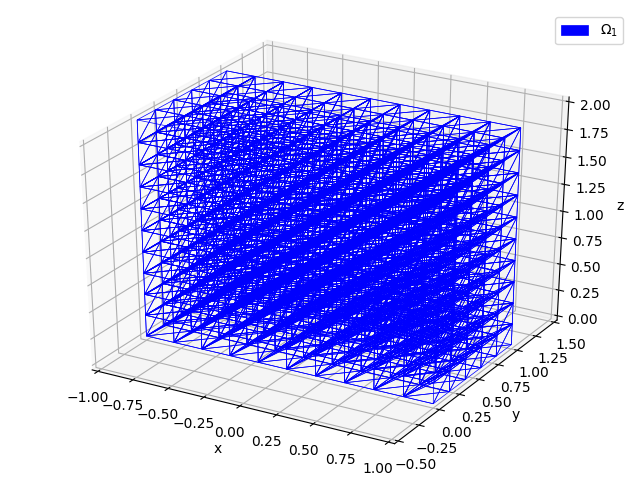
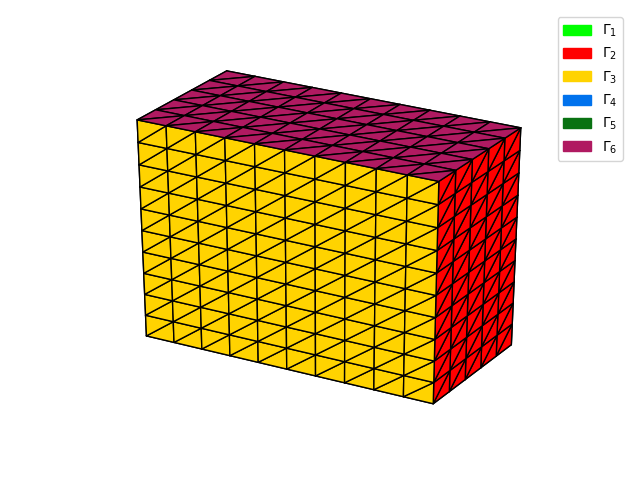
Meshing the rectangular cuboid [-1,1]x[0,1]x[0,2] by simplices with 11+1 points in x-axis, 5+1 points in y-axis and 10+1 points in z-axis:
from fc_hypermesh import OrthMesh
oTh=OrthMesh(3,[10,5,10],box=[[-1,1],[0,1],[0,2]])
If matplotlib package is installed one can represent the mesh
from fc_tools.graphics import set_axes_equal
import matplotlib.pyplot as plt
plt.ion()
plt.figure(1)
oTh.plotmesh(legend=True,linewidth=0.5)
set_axes_equal()
plt.figure(2)
oTh.plotmesh(m=2,legend=True,edgecolor=[0,0,0])
plt.axis('off')
set_axes_equal()
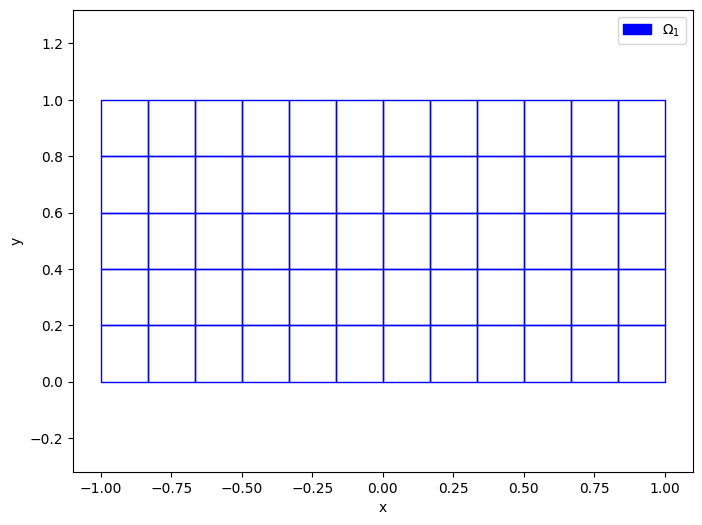
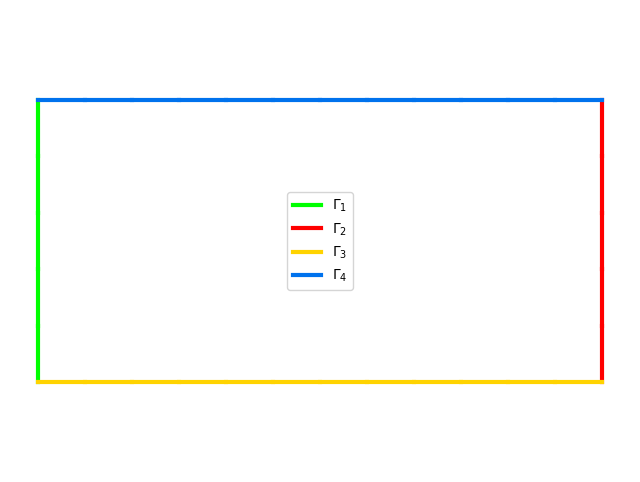
Meshing the rectangle [-1,1]x[0,1] by orthotopes with 12+1 points in x-axis, 5+1 points in y-axis and 10+1 points in z-axis:
from fc_hypermesh import OrthMesh
oTh=OrthMesh(2,[12,5],type='orthotope',box=[[-1,1],[0,1]])
If matplotlib package is installed one can represent the mesh
from fc_tools.graphics import set_axes_equal
import matplotlib.pyplot as plt
plt.ion()
plt.figure(1)
oTh.plotmesh(legend=True)
set_axes_equal()
plt.figure(2)
oTh.plotmesh(m=1,legend=True,linewidth=3)
plt.axis('off')
set_axes_equal()
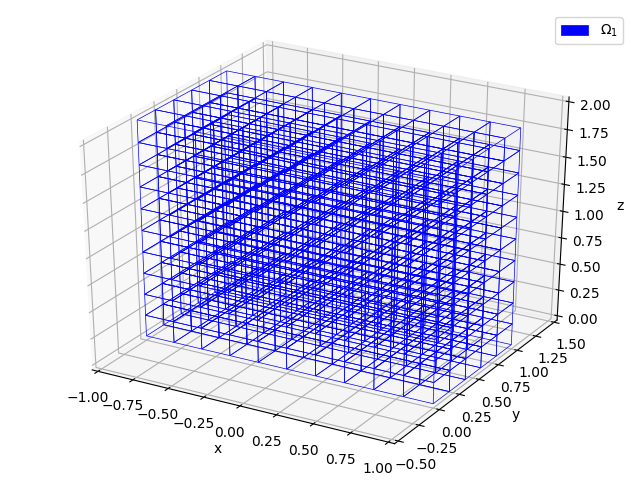
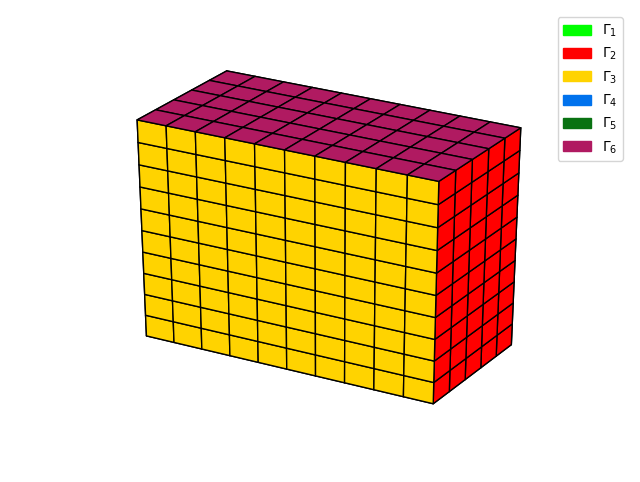
Meshing the rectangular cuboid [-1,1]x[0,1]x[0,2] by orthotopes with 11+1 points in x-axis, 5+1 points in y-axis and 10+1 points in z-axis:
from fc_hypermesh import OrthMesh
oTh=OrthMesh(3,[10,5,10],type='orthotope', box=[[-1,1],[0,1],[0,2]])
If matplotlib package is installed one can represent the mesh
from fc_tools.graphics import set_axes_equal
import matplotlib.pyplot as plt
plt.ion()
plt.figure(1)
oTh.plotmesh(legend=True,linewidth=0.5)
set_axes_equal()
plt.figure(2)
oTh.plotmesh(m=2,legend=True,edgecolor=[0,0,0])
plt.axis('off')
set_axes_equal()
Testing :
There are eight demos functions in the fc_hypermesh.demos module named demo01 to demo08. The source code is in module demos.py. For example, run the following code under Python:
import fc_hypermesh
fc_hypermesh.demos.demo01()
Benchmarking:
Bench of the OrthMesh constructor for a 3-dimensional orthotope tessellated with (order 1) simplices.
import fc_hypermesh
fc_hypermesh.bench(3,range(20,170,20),type='simplex',box=[[-1,1],[-1,1],[-1,1]])
The output of this code is:
#---------------------------------------------------------------------------
#    computer: zbook17
#      system: Ubuntu 18.04.3 LTS (x86_64)
#   processor: Intel(R) Core(TM) i7-4800MQ CPU @ 2.70GHz
#              (1 procs/4 cores by proc/2 threads by core)
#         RAM: 31.3 Go
#    software: Python
#     release: 3.7.6
#---------------------------------------------------------------------------
# fc_hypermesh.OrthMesh constructor with
#   d      =3
#   type   =simplex
#   order  =1
#   box    =[[-1, 1], [-1, 1], [-1, 1]]
#   mapping=None
#---------------------------------------------------------------------------
#date:2019-12-29_14-13-35
#nbruns:5
#numpy:      i8        i8        i8            f8
#format: {:>7d}   {:>10d}   {:>10d}      {:11.3f}
#labels:      N        nq       nme   OrthMesh(s)
             20      9261     48000         0.196
             40     68921    384000         0.209
             60    226981   1296000         0.302
             80    531441   3072000         0.411
            100   1030301   6000000         0.576
            120   1771561  10368000         0.840
            140   2803221  16464000         1.197
            160   4173281  24576000         1.679
Bench of the OrthMesh constructor for a 3-dimensional orthotope tessellated with 3-order simplices.
import fc_hypermesh
fc_hypermesh.bench(3,range(10,61,10),order=3,type='simplex',box=[[-1,1],[-1,1],[-1,1]])
The output of this code is:
#---------------------------------------------------------------------------
#    computer: zbook17
#      system: Ubuntu 18.04.3 LTS (x86_64)
#   processor: Intel(R) Core(TM) i7-4800MQ CPU @ 2.70GHz
#              (1 procs/4 cores by proc/2 threads by core)
#         RAM: 31.3 Go
#    software: Python
#     release: 3.7.6
#---------------------------------------------------------------------------
# fc_hypermesh.OrthMesh constructor with
#   d      =3
#   type   =simplex
#   order  =3
#   box    =[[-1, 1], [-1, 1], [-1, 1]]
#   mapping=None
#---------------------------------------------------------------------------
#date:2019-12-29_14-26-34
#nbruns:5
#numpy:      i8        i8        i8            f8
#format: {:>7d}   {:>10d}   {:>10d}      {:11.3f}
#labels:      N        nq       nme   OrthMesh(s)
             10     29791      6000         0.143
             20    226981     48000         0.222
             30    753571    162000         0.269
             40   1771561    384000         0.357
             50   3442951    750000         0.500
             60   5929741   1296000         0.733
Bench of the OrthMesh constructor for a 5-dimensional orthotope tessellated with (order 1) orthotopes.
import fc_hypermesh
fc_hypermesh.bench(5,[5,10,15,20,25,27],type='orthotope',box=[[-1,1],[-1,1],[-1,1],[-1,1],[-1,1]])
The output of this code is:
#---------------------------------------------------------------------------
#    computer: zbook17
#      system: Ubuntu 18.04.3 LTS (x86_64)
#   processor: Intel(R) Core(TM) i7-4800MQ CPU @ 2.70GHz
#              (1 procs/4 cores by proc/2 threads by core)
#         RAM: 31.3 Go
#    software: Python
#     release: 3.7.6
#---------------------------------------------------------------------------
# fc_hypermesh.OrthMesh constructor with
#   d      =5
#   type   =orthotope
#   order  =1
#   box    =[[-1, 1], [-1, 1], [-1, 1], [-1, 1], [-1, 1]]
#   mapping=None
#---------------------------------------------------------------------------
#date:2019-12-29_14-18-30
#nbruns:5
#numpy:      i8        i8        i8            f8
#format: {:>7d}   {:>10d}   {:>10d}      {:11.3f}
#labels:      N        nq       nme   OrthMesh(s)
              5      7776      3125         0.427
             10    161051    100000         0.529
             15   1048576    759375         0.844
             20   4084101   3200000         1.789
             25  11881376   9765625         4.296
             27  17210368  14348907         5.958
1 maintainer

Metadata
1 maintainer
Release files for fc-hypermesh 0.1.1
For a detailed explanation of source distributions (sdists) and built distributions (wheels), please see the package formats documentation.
Source distribution (sdist)
| File | Size | Uploaded | Provenance | Actions |
|---|---|---|---|---|
| fc_hypermesh-0.1.1.tar.gz | 20.8 kB | Without provenance | Details for fc_hypermesh-0.1.1.tar.gz |
Release files / fc_hypermesh-0.1.1.tar.gz
| Download URL | fc_hypermesh-0.1.1.tar.gz |
|---|---|
| Size | 20.8 kB |
| Tags | Source |
|
SHA-256 checksum How to use checksums |
e514c8001644bd1958db189a38a18f85a913abed760ccc2f5c002f056c483961
|
|
BLAKE2b-256 checksum How to use checksums |
923432e2a725796f975a3413d1f6c5425f4f833f5310df13df12e6f896e95590
|
| Upload date | |
|
Uploaded using Trusted Publishing? What is trusted publishing? |
No |
| Uploaded via |
twine/3.1.1 pkginfo/1.5.0.1 requests/2.22.0 setuptools/42.0.2 requests-toolbelt/0.9.1 tqdm/4.41.0 CPython/3.6.9
|
Security for fc-hypermesh 0.1.1
Provenance
Provenance describes where a file came from. On PyPI, provenance is shared via attestations, which provide a verifiable record of the build or publishing details. View details, limitations and caveats.
No provenance found
None of the files in this release were uploaded with provenance metadata.
A note on package security
PyPI is a repository for distributing packages, not a service for auditing them. While third-party security researchers and our staff do their best to detect and remove malicious packages, PyPI cannot guarantee the quality, security or suitability of any given package.
To learn more about protecting yourself from malicious actors, visit our package security documentation.














