
File Scraper
Scrape files for sensitive information, and generate an interactive HTML report. Based on Rabin2.
This tool is only as good as your RegEx skills.
You can also style your own report.
Tested on Kali Linux v2024.2 (64-bit).
Made for educational purposes. I hope it will help!
Table of Contents
How to Install
Install Radare2
On Kali Linux, run:
apt-get -y install radare2
On Windows OS, download and unpack radareorg/radare2, then, add the bin directory to Windows PATH environment variable.
On macOS, run:
brew install radare2
Standard Install
pip3 install --upgrade file-scraper
Build and Install From the Source
git clone https://github.com/ivan-sincek/file-scraper && cd file-scraper

python3 -m pip install --upgrade build

python3 -m build

python3 -m pip install dist/file_scraper-4.7-py3-none-any.whl
Build the Template & Run
Prepare a template such as the default template:
{
   "Auth.":{
      "query":"(?:basic|bearer)\\ ",
      "ignorecase":true,
      "search":true
   },
   "Variables":{
      "query":"(?:access|account|admin|auth|card|conf|cookie|cred|customer|email|history|ident|info|jwt|key|kyc|log|otp|pass|pin|priv|refresh|salt|secret|seed|session|setting|sign|token|transaction|transfer|user)[\\w\\d\\-\\_]*(?:\\\"\\ *\\:|\\ *\\=[^\\=]{1})",
      "ignorecase":true,
      "search":true
   },
   "Comments":{
      "query":"(?:(?<!\\:)\\/\\/|\\#).*(?:bug|compatibility|crash|deprecated|fix|issue|legacy|problem|review|security|todo|to do|to-do|to_do|vuln|warning)",
      "ignorecase":true,
      "search":true
   },
   "Abs. URL":{
      "query":"[\\w\\d\\+]*\\:\\/\\/[\\w\\d\\@\\-\\_\\.\\:\\/\\?\\&\\=\\%\\#]+",
      "unique":true,
      "collect":true
   },
   "IPv4":{
      "query":"(?:\b25[0-5]|\b2[0-4][0-9]|\b[01]?[0-9][0-9]?)(?:\\.(?:25[0-5]|2[0-4][0-9]|[01]?[0-9][0-9]?)){3}",
      "unique":true,
      "collect":true
   },
   "Base64":{
      "query":"(?:[a-zA-Z0-9\\+\\/]{4})*(?:[a-zA-Z0-9\\+\\/]{4}|[a-zA-Z0-9\\+\\/]{3}\\=|[a-zA-Z0-9\\+\\/]{2}\\=\\=)",
      "minimum":8,
      "decode":"base64",
      "minimum_decode":6,
      "unique":true,
      "collect":true
   },
   "HEX":{
      "query":"(?:(?:0x|(?:\\\\)+x)[a-fA-F0-9]{2})+|(?:[a-fA-F0-9]{2})+",
      "minimum":12,
      "decode":"hex",
      "minimum_decode":6,
      "unique":true,
      "collect":true
   },
   "PEM":{
      "query":"-----BEGIN (?:CERTIFICATE|PRIVATE KEY)-----[\\s\\S]+?-----END (?:CERTIFICATE|PRIVATE KEY)-----",
      "decode":"pem",
      "unique":true,
      "collect":true
   }
}
Make sure your regular expressions return only one capturing group, e.g., [1, 2, 3, 4]; and not a touple, e.g., [(1, 2), (3, 4)].
Make sure to properly escape regular expression specific symbols in your template file, e.g., make sure to escape dot . as \\., and forward slash / as \\/, etc.
| Name | Type | Required | Description |
|---|---|---|---|
| query | str | yes | Regular expression query. |
| search | bool | no | Highlight matches within the searched lines; otherwise, extract the matches. |
| ignorecase | bool | no | Case-insensitive search. |
| minimum | int | no | Only accept matches longer than int characters. |
| maximum | int | no | Only accept matches lesser than int characters. |
| decode | str | no | Decode the matches. Available decodings: url, base64 hex, pem. |
| minimum_decode | int | no | Only accept decodings longer than int characters. |
| maximum_decode | int | no | Only accept decodings lesser than int characters. |
| unique | bool | no | Filter out duplicates. |
| collect | bool | no | Collect all the matches in one place. |
minimum_decode and maximum_decode will check the length of the decoded string after bad characters are removed.
How I typically run the tool:
file-scraper -dir directory -o results.html -e default
Default (built-in) exclude file types:
car, css, gif, jpeg, jpg, mp3, mp4, nib, ogg, otf, eot, png, storyboard, strings, svg, ttf, webp, woff, woff2, xib, vtt
Usage
File Scraper v4.7 ( github.com/ivan-sincek/file-scraper )

Usage:   file-scraper -dir directory -o out          [-t template     ] [-th threads]
Example: file-scraper -dir decoded   -o results.html [-t template.json] [-th 10     ]

DESCRIPTION
    Scrape files for sensitive information
DIRECTORY
    Directory containing files or a single file to scrape
    -dir, --directory> = decoded | files | test.exe | etc.
TEMPLATE
    File containing extraction details or a single RegEx to use
    Default: built-in JSON template file
    -t, --template = template.json | "secret\: [\w\d]+" | etc.
EXCLUDES
    Exclude all files ending with the specified extension
    Specify 'default' to load the built-in list
    Use comma-separated values
    -e, --excludes = mp3 | default,jpg,png | etc.
INCLUDES
    Include all files ending with the specified extension
    Overrides the excludes
    Use comma-separated values
    -i, --includes = java | json,xml,yaml | etc.
BEAUTIFY
    Beautify [minified] JavaScript (.js) files
    -b, --beautify
THREADS
    Number of parallel threads to run
    Default: 30
    -th, --threads = 10 | etc.
OUT
    Output file
    -o, --out = results.html | etc.
DEBUG
    Enable debug output
    -dbg, --debug
Images
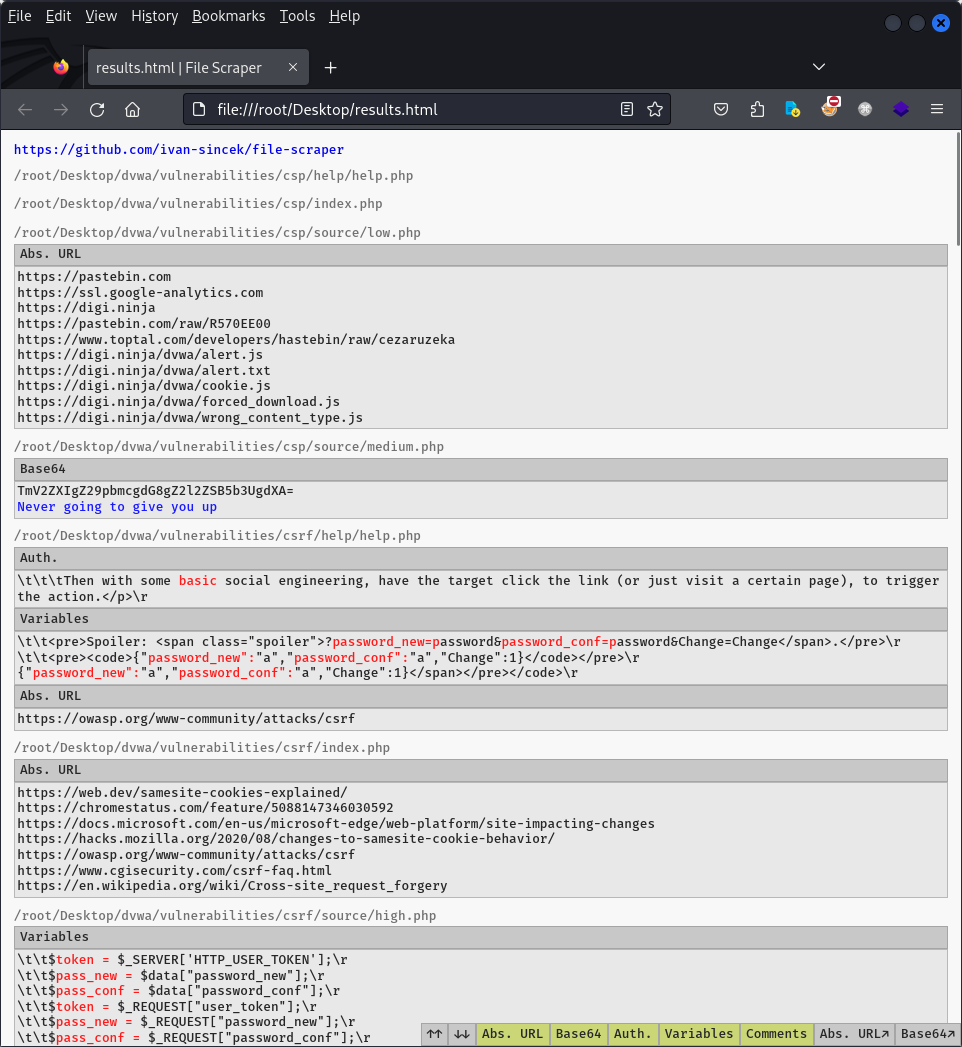
Figure 1 - Interactive Report (1)
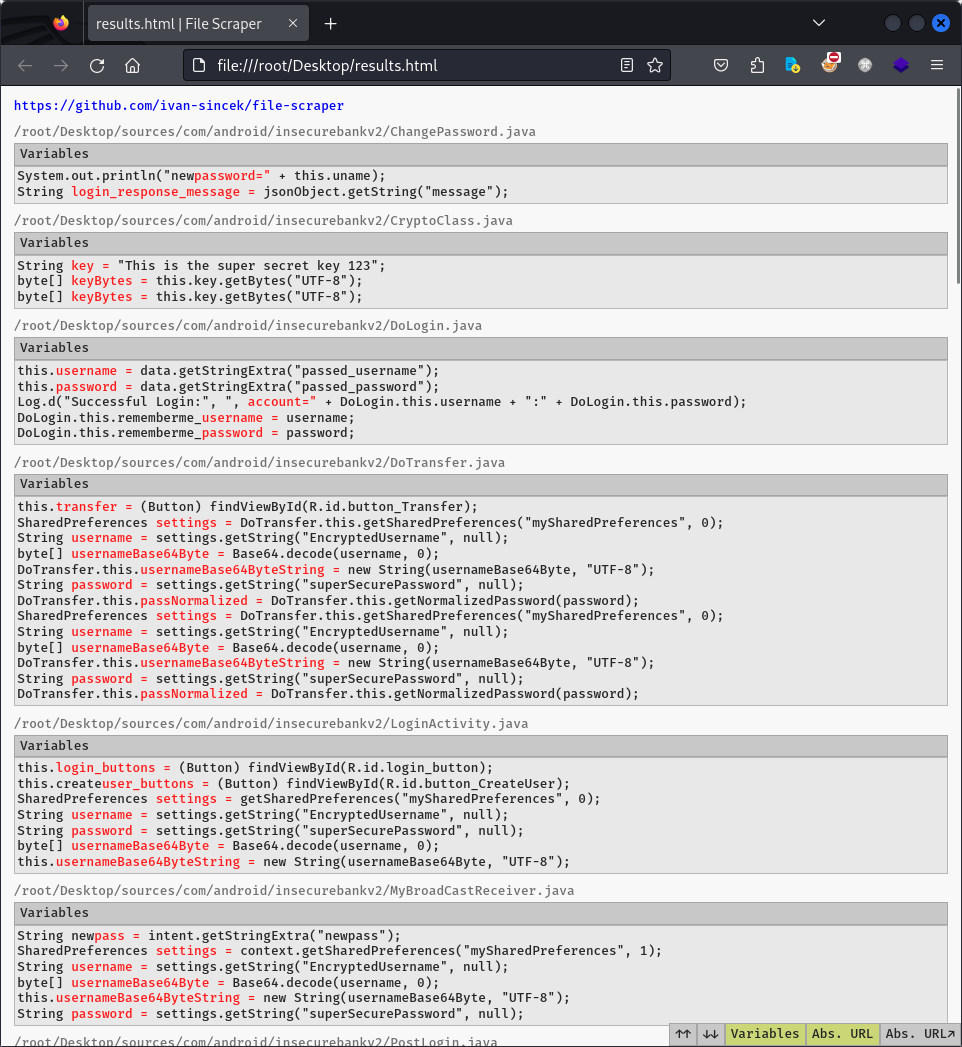
Figure 2 - Interactive Report (2)
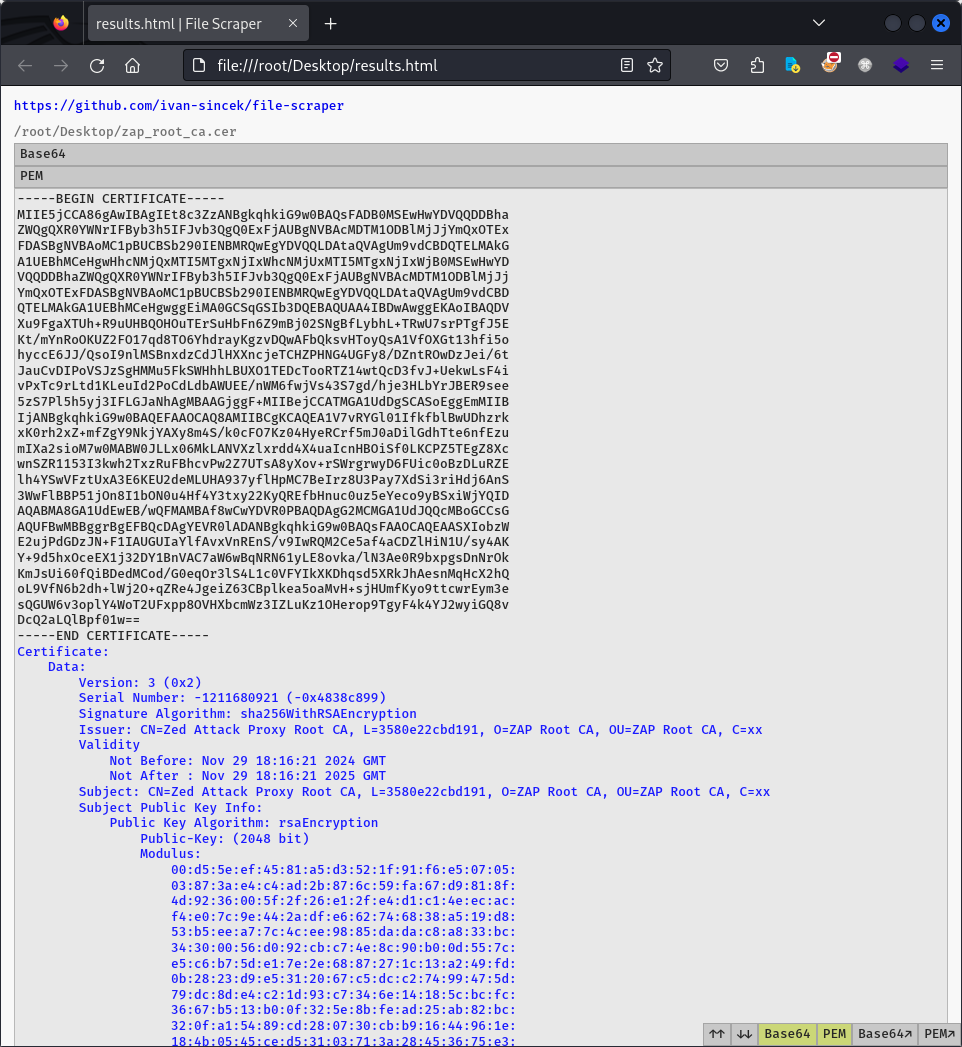
Figure 3 - Interactive Report (3)
1 maintainer

Metadata
1 maintainer
Release files for file-scraper 4.7
For a detailed explanation of source distributions (sdists) and built distributions (wheels), please see the package formats documentation.
Source distribution (sdist)
| File | Size | Uploaded | |
|---|---|---|---|
| file_scraper-4.7.tar.gz | 92.5 kB | Details |
Built distribution (wheel)
| File | Interpreter | ABI | Platform | Reset |
|---|---|---|---|---|
| file_scraper-4.7-py3-none-any.whl | Python 3 | none | any | Details |
Total release size: 185.0 kB
Release files / file_scraper-4.7.tar.gz
| Download URL | file_scraper-4.7.tar.gz |
|---|---|
| Size | 92.5 kB |
| Tags | Source |
|
SHA-256 checksum How to use checksums |
bcef3432e67718dfe63382be4e700903947d2d8ae2ecc3b66f357335c4a0ca86
|
|
BLAKE2b-256 checksum How to use checksums |
af922c9bc74a438abc6ed4db350c4741d956053e970e1918a6d7697789809a8d
|
| Upload date | |
|
Uploaded using Trusted Publishing? What is trusted publishing? |
No |
| Uploaded via |
twine/6.2.0 CPython/3.13.5
|
Release files / file_scraper-4.7-py3-none-any.whl
| Download URL | file_scraper-4.7-py3-none-any.whl |
|---|---|
| Size | 92.5 kB |
| Tags | Python 3 |
|
SHA-256 checksum How to use checksums |
09fe51af18399c0ff5f97a5469ba1883f04e1763edabe9b63c1d544a0dbec62f
|
|
BLAKE2b-256 checksum How to use checksums |
28cffc04b8ebebd004cc3445a3a7f616bdba9b543dc46815ddfac9abfe2a4992
|
| Upload date | |
|
Uploaded using Trusted Publishing? What is trusted publishing? |
No |
| Uploaded via |
twine/6.2.0 CPython/3.13.5
|














