



A minimalist Pomodoro timer that runs in your terminal
Free software: MIT license
Documentation: https://scopeta.github.io/focusedme/
Installation and usage
- Install via pip
$ pip install focusedme
- Read instructions
$ focusedme -h
- Common usage (default pomodoro values)
$ focusedme
Platform Support
Windows: Uses built-in winsound module - no extra dependencies required!
macOS: Uses built-in afplay command - no extra dependencies required!
Linux/Other: Uses simpleaudio library, automatically installed with pip
Overview
Project Background and Description
The goal of this project is to implement a productivity timer based on Pomodoro technique using Python programming language
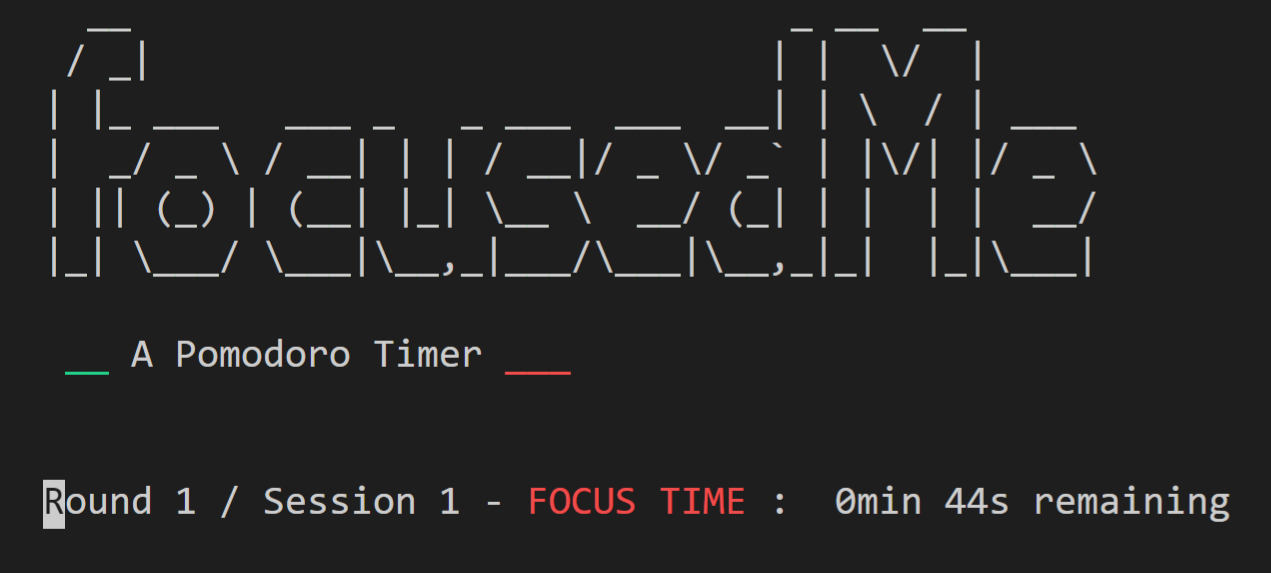
The focusedMe module implements the basic features of a Pomodoro timer that runs in a terminal and provide a minimalist text-based interface. The timer provides an easy way to break down work into focused sessions, traditionally 25 minutes in length, separated by short or long breaks. Each session is known as a Pomodoro.
The timer tracks the sessions and notify the user of completion, as well as allow them to control its progress.
Features
The timer currently includes the following features:
Allows users to initialize the timer with default parameters (25 mins for focused sessions and long breaks, and 5 mins for short breaks)
Tracks sessions according the Pomodoro technique and properly handling short and long breaks
Updates the user in real time through a text-based interface
Includes command line help and user options in the screen
Plays a sound to alert the user when a session is completed and a new one is about to start
Allows user to skip or pause a session or stop timer
Allows user to visualize information about progress
1 maintainer

Metadata
1 maintainer
Release files for focusedme 0.1.84
For a detailed explanation of source distributions (sdists) and built distributions (wheels), please see the package formats documentation.
Source distribution (sdist)
| File | Size | Uploaded | |
|---|---|---|---|
| focusedme-0.1.84.tar.gz | 306.5 kB | Details |
Built distribution (wheel)
| File | Interpreter | ABI | Platform | Reset |
|---|---|---|---|---|
| focusedme-0.1.84-py3-none-any.whl | Python 3 | none | any | Details |
Total release size: 611.4 kB
Release files / focusedme-0.1.84.tar.gz
| Download URL | focusedme-0.1.84.tar.gz |
|---|---|
| Size | 306.5 kB |
| Tags | Source |
|
SHA-256 checksum How to use checksums |
9be18e0c5f5a4c08302b84df4b7bba94c86d0d005f502e5c13a5ba94ea045070
|
|
BLAKE2b-256 checksum How to use checksums |
9c5bc1dc6666151b82f346fda6f3e64bb683013a7648e3218a2c5e3219eb2658
|
| Upload date | |
|
Uploaded using Trusted Publishing? What is trusted publishing? |
Yes |
| Uploaded via |
twine/6.1.0 CPython/3.12.9
|
Provenance
Provenance describes where a file came from. On PyPI, provenance is shared via attestations, which provide a verifiable record of the build or publishing details. View details, limitations and caveats.


PyPI Publish Attestation
PyPI verified that this artifact, at this checksum, originated from the publisher listed below.
Signed by GitHub Actions, verified by PyPI on May 14, 2025.
Transparency logRelease files / focusedme-0.1.84-py3-none-any.whl
| Download URL | focusedme-0.1.84-py3-none-any.whl |
|---|---|
| Size | 304.8 kB |
| Tags | Python 3 |
|
SHA-256 checksum How to use checksums |
160cfc7b6f78b49b036cfb654ab6f5a0d81d448c56d13602112e691bc7ab5cb0
|
|
BLAKE2b-256 checksum How to use checksums |
ee74fd4bc7606ce6dfd315d84a02feca0fdbe04555403e7d284125beaba9f1f5
|
| Upload date | |
|
Uploaded using Trusted Publishing? What is trusted publishing? |
Yes |
| Uploaded via |
twine/6.1.0 CPython/3.12.9
|
Provenance
Provenance describes where a file came from. On PyPI, provenance is shared via attestations, which provide a verifiable record of the build or publishing details. View details, limitations and caveats.
PyPI Publish Attestation
PyPI verified that this artifact, at this checksum, originated from the publisher listed below.
Signed by GitHub Actions, verified by PyPI on May 14, 2025.
Transparency log













