
frag2text

Markdown gives you HTML from plain text and html2text reverses the process. If you want the plain text version of a specific section of a web page (an HTML fragment), you would normally do the selecting (parsing) first, then generate the Markdown text to preserve some formatting.
I made frag2text to:
easily select a web page fragment by CSS selector or XPath expression
get the plain text of the fragment with some formatting intact for later use with Markdown
not shell out to a another program (like lynx -dump)
not parse HTML or text directly
use html5lib for robust parsing
have a simple python module that is easy to maintain (encapsulating the tricky business of subclassing parsers, treebuilders and serializers, by keeping it simple – this shouldn’t require BeautifulSoup)
This is a problem I’ve tinkered with for some time and solved in many different ways. It seems trivial but gets ridiculous quickly. If you have any suggestions or want to share your experiences with other tools, please let me know.
Install
$ pip install frag2textUsage
python
>>> from frag2text import frag2text
>>> help(frag2text)
Help on function frag2text in module frag2text:

frag2text(endpoint, stype, selector, clean=False, raw=False, verbose=False)
    returns Markdown text of selected fragment.

    Args:
        endpoint: URL, file, or HTML string
        stype: { 'css' | 'xpath' }
        selector: CSS selector or XPath expression
    Returns:
        Markdown text
    Options:
        clean: cleans fragment (lxml.html.clean defaults)
        raw: returns raw HTML fragment
        verbose: show http status, encoding, headers
shell
$ frag2text.py -h
usage: frag2text.py [-h] [-c] [-r] [-v] endpoint {css,xpath} selector

reverse Markdown (html2text) HTML fragments.

positional arguments:
  endpoint       URL, file, or HTML string
  {css,xpath}    fragment selector type
  selector       CSS select statement or XPath expression

optional arguments:
  -h, --help     show this help message and exit
  -c, --clean    clean fragment (lxml.html.clean defaults)
  -r, --raw      output raw fragment
  -v, --verbose  print status, encoding, headers
Examples
python
from frag2text import frag2text

info = frag2text('http://wikipedia.org/wiki/Amanita', 'css', '.infobox')
shell
$ frag2text.py "<ht?+><borkt><h1>hello" xpath //h1
...
# hello
CSS select
$ frag2text.py http://wikipedia.org/wiki/Amanita css .infobox
_Amanita_
---
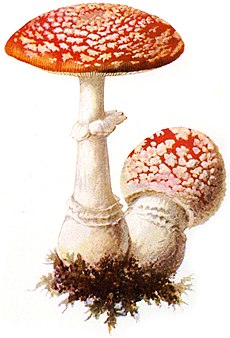
_[Amanita muscaria](/wiki/Amanita_muscaria)_
Albin Schmalfuß, 1897
[Scientific classification](/wiki/Biological_classification)
Kingdom: | [Fungi](/wiki/Fungi)
Division: | [Basidiomycota](/wiki/Basidiomycota)
Class: | [Agaricomycetes](/wiki/Agaricomycetes)
Order: | [Agaricales](/wiki/Agaricales)
Family: | [Amanitaceae](/wiki/Amanitaceae)
Genus: | _**Amanita**_
[Pers.](/wiki/Christian_Hendrik_Persoon) (1794)
[Type species](/wiki/Type_species)
_[Amanita muscaria](/wiki/Amanita_muscaria)_
([L.](/wiki/Linnaeus)) [Lam.](/wiki/Lam.) (1783)
[Diversity](/wiki/Biodiversity)
[c.600 species](/wiki/List_of_Amanita_species)XPath expression
$ frag2text.py http://en.wikipedia.org/wiki/Amanita xpath '//p[1]'

The [genus](/wiki/Genus) _**Amanita**_ contains about 600 [species](/wik
i/Species) of [agarics](/wiki/Agarics) including some of the most [toxic
](/wiki/Toxic) known [mushrooms](/wiki/Mushrooms) found worldwide, as we
ll as some well-regarded edible species. This genus is responsible for a
pproximately 95% of the fatalities resulting from [mushroom poisoning](/
wiki/Mushroom_poisoning), with the [death cap](/wiki/Death_cap) accounti
ng for about 50% on its own. The most potent toxin present in these mush
rooms is α[-amanitin](/wiki/%CE%91-amanitin).
Release History
0.0.5 (2015-02-18)
handle XPathEvalError, SelectorSyntaxError and Nothing found.
join list of selected fragments, was only returning first.
do not exit early on error.
0.0.1 (2015-01-14)
It seems to work!
1 maintainer

Metadata
1 maintainer
Release files for frag2text 0.0.6
For a detailed explanation of source distributions (sdists) and built distributions (wheels), please see the package formats documentation.
Source distribution (sdist)
| File | Size | Uploaded | Provenance | Actions |
|---|---|---|---|---|
| frag2text-0.0.6.tar.gz | 5.9 kB | Without provenance | Details for frag2text-0.0.6.tar.gz |
Built distribution (wheel)
| File | Interpreter | ABI | Platform | Actions Reset |
|---|---|---|---|---|
| frag2text-0.0.6-py2.py3-none-any.whl | Python 3, Python 2 | none | any | Details for frag2text-0.0.6-py2.py3-none-any.whl |
Total release size: 13.9 kB
Release files / frag2text-0.0.6.tar.gz
| Download URL | frag2text-0.0.6.tar.gz |
|---|---|
| Size | 5.9 kB |
| Tags | Source |
|
SHA-256 checksum How to use checksums |
04d8d112d1d91bc8ebd3ed2c370691c3c00e7806d973c24a23ae543cb7c4a4e1
|
|
BLAKE2b-256 checksum How to use checksums |
b87ec5b43da730280f131c15ef2933dac64628970bcd14702f7af2f91239d520
|
| Upload date | |
|
Uploaded using Trusted Publishing? What is trusted publishing? |
No |
Release files / frag2text-0.0.6-py2.py3-none-any.whl
| Download URL | frag2text-0.0.6-py2.py3-none-any.whl |
|---|---|
| Size | 8.0 kB |
| Tags | Python 2 Python 3 |
|
SHA-256 checksum How to use checksums |
b4daa48bff6b330936770b989d1097613bb5474df382f28fa1a8819e745bf3db
|
|
BLAKE2b-256 checksum How to use checksums |
309859afb67a88780104af7e89852eed8e9f46be39f641e35f492670a0ae5e49
|
| Upload date | |
|
Uploaded using Trusted Publishing? What is trusted publishing? |
No |
Security for frag2text 0.0.6
Provenance
Provenance describes where a file came from. On PyPI, provenance is shared via attestations, which provide a verifiable record of the build or publishing details. View details, limitations and caveats.
No provenance found
None of the files in this release were uploaded with provenance metadata.
A note on package security
PyPI is a repository for distributing packages, not a service for auditing them. While third-party security researchers and our staff do their best to detect and remove malicious packages, PyPI cannot guarantee the quality, security or suitability of any given package.
To learn more about protecting yourself from malicious actors, visit our package security documentation.














