
Globally balanced multi-task splits
A tool to create well-balanced multi-task splits without data leakage between different tasks for QSAR modelling.
This package is based on the work of Giovanni Tricarico presented in Construction of balanced, chemically dissimilar training, validation and test sets for machine learning on molecular datasets.
Three splits are available: random-, dissimilarity- (clustering based on Tanimoto similarity of fingerprints with MaxMin or LeaderPicker) and scaffold-based (clustering based on Murcko scaffolds).
Installation
python -m pip install gbmtsplits
Getting started
CLI
The split can be easily created from the command line with
gbmtsplits -i <dataset.csv> -c <random/dissimilarity_maxmin/dissimilarity_leader/scaffold>
with <datasets.csv> an pivoted dataset where each row corresponds to a unique molecules and each task has it's own column. For more options use -h/--help.
API
The splits can be also created (more options for linear programming to merge initial clusters) and visualised with an API.
import pandas as pd
from gbmtsplits.split import GloballyBalancedSplit
from gbmtsplits.clustering import RandomClustering, MaxMinClustering, LeaderPickerClustering, MurckoScaffoldClustering

# Load dataset or create pivoted dataset (each row corresponds to a unique molecules and each task has it's own column)
dataset = pd.read_csv('dataset.csv')

# Set up splitter with a initial clustering method
clustering_method = MaxMinClustering() # For dissimilarity based clustering using MaxMin algorithm to pick cluster centroids
splitter = GloballyBalancedSplit(clustering_method=clustering_method)

# or use dictionnary with precalculates clusters with keys cluster indices and values list of indices of molecules part of the cluster
clusters = {0 : [1,4,7,...], 1 : [2,3,8,...], ...}
splitter = GloballyBalancedSplit(clusters=clusters)

# Split the data
data = splitter(data=data)
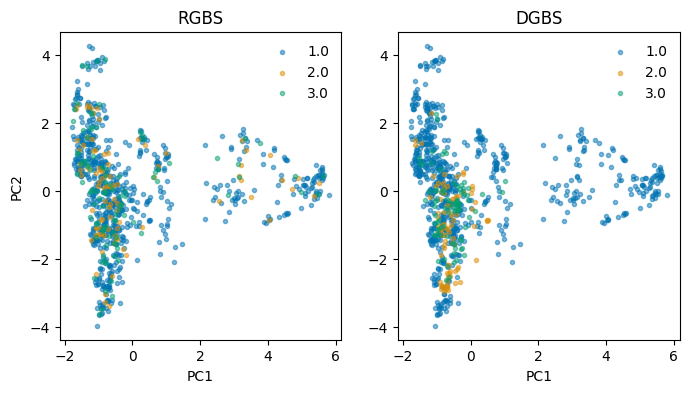
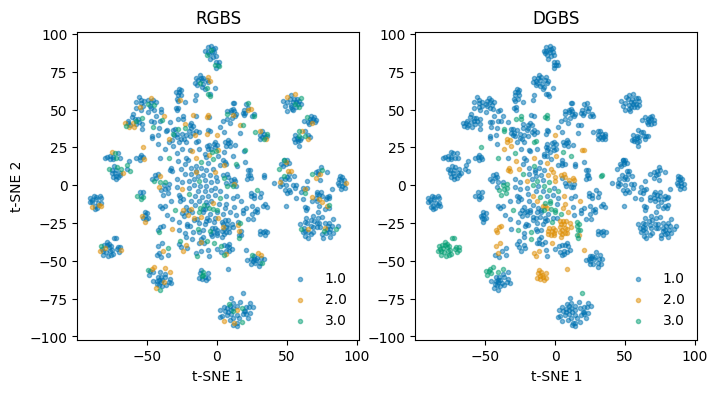
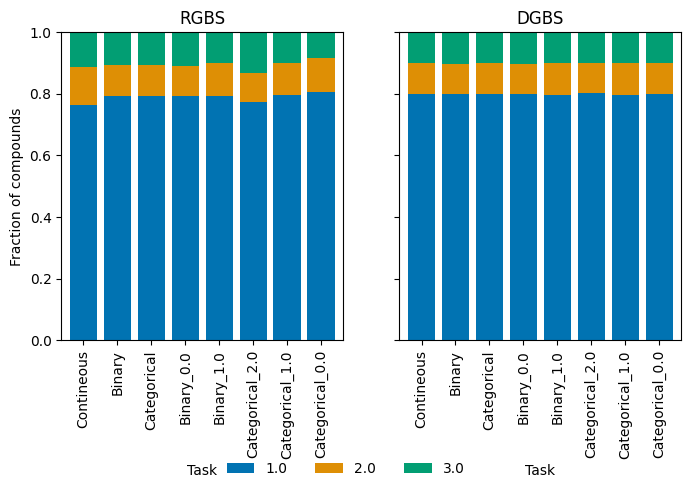
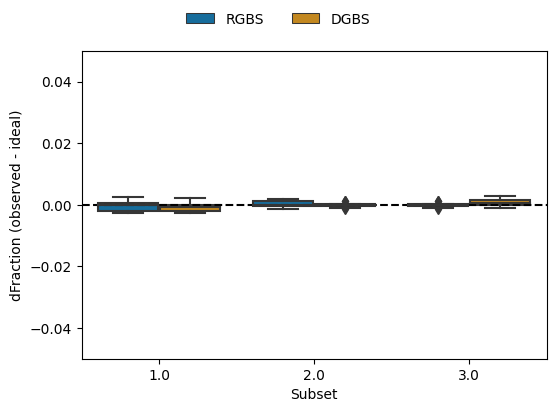
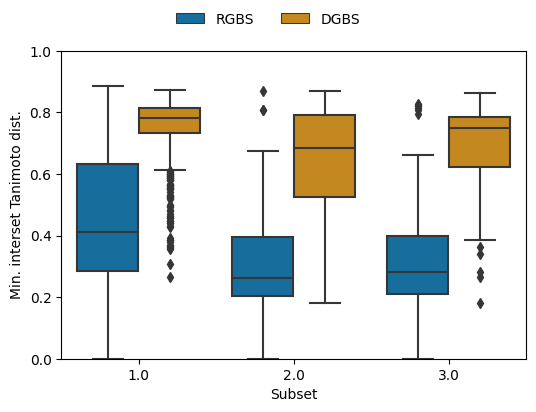
The chemical (dis)similarity of the subsets and the balance of subsets per task can visualized either for a single dataset/split:
from gbmtsplits.plot import PlottingSingleDataset
plotter = PlottingSingleDataset(data_rgbs)
plotter.plot_all()
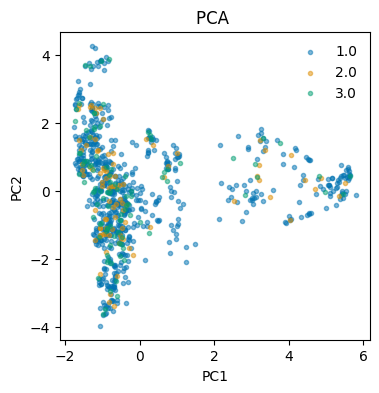
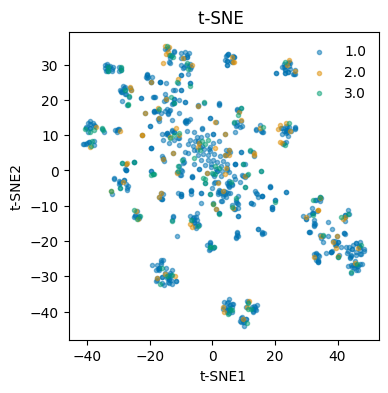
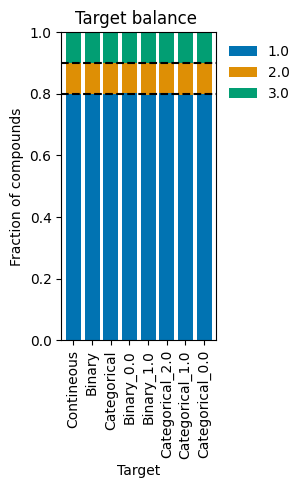
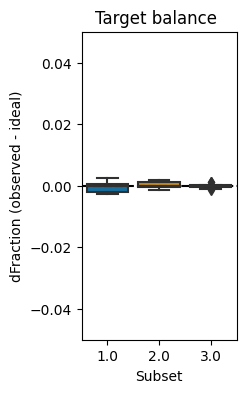
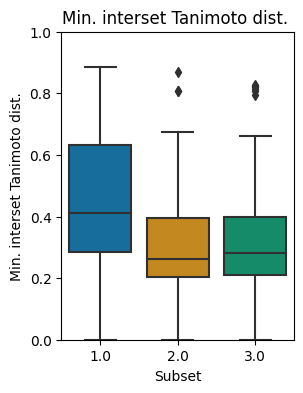
or to compare multiple datasets/splits:
from gbmtsplits.plot import PlottingCompareDatasets

data_rgbs['Dataset'] = 'RGBS'
data_dgbs['Dataset'] = 'DGBS'
data_both = pd.concat([data_rgbs, data_dgbs], ignore_index=True])

plotter = PlottingCompareDatasets(data_both, compare_col='Dataset')
plotter.plot_all()
1 maintainer

Metadata
1 maintainer
Release files for gbmtsplits 0.0.8
For a detailed explanation of source distributions (sdists) and built distributions (wheels), please see the package formats documentation.
Source distribution (sdist)
| File | Size | Uploaded | Provenance | Actions |
|---|---|---|---|---|
| gbmtsplits-0.0.8.tar.gz | 73.7 kB | Without provenance | Details for gbmtsplits-0.0.8.tar.gz |
Built distribution (wheel)
| File | Interpreter | ABI | Platform | Actions Reset |
|---|---|---|---|---|
| gbmtsplits-0.0.8-py3-none-any.whl | Python 3 | none | any | Details for gbmtsplits-0.0.8-py3-none-any.whl |
Total release size: 118.7 kB
Release files / gbmtsplits-0.0.8.tar.gz
| Download URL | gbmtsplits-0.0.8.tar.gz |
|---|---|
| Size | 73.7 kB |
| Tags | Source |
|
SHA-256 checksum How to use checksums |
7e61341cb070ce7d7ab166cbb1a41db6d5f3384657fad4626a2debfb837c83c4
|
|
BLAKE2b-256 checksum How to use checksums |
5c040aa57e3182f9793b6bbe257122975b45586215bcdb1ad107cfbc99abe16f
|
| Upload date | |
|
Uploaded using Trusted Publishing? What is trusted publishing? |
No |
| Uploaded via |
twine/5.1.0 CPython/3.11.5
|
Release files / gbmtsplits-0.0.8-py3-none-any.whl
| Download URL | gbmtsplits-0.0.8-py3-none-any.whl |
|---|---|
| Size | 45.0 kB |
| Tags | Python 3 |
|
SHA-256 checksum How to use checksums |
779f28f3404ebaa796917c019f215e92b8a0a59a65286d21d6cd1ba3b4d3693c
|
|
BLAKE2b-256 checksum How to use checksums |
1b3ec0cd35eae6ae617c97ad2cc7bb80170787fe312854f6302c1996fabb3403
|
| Upload date | |
|
Uploaded using Trusted Publishing? What is trusted publishing? |
No |
| Uploaded via |
twine/5.1.0 CPython/3.11.5
|
Security for gbmtsplits 0.0.8
Provenance
Provenance describes where a file came from. On PyPI, provenance is shared via attestations, which provide a verifiable record of the build or publishing details. View details, limitations and caveats.
No provenance found
None of the files in this release were uploaded with provenance metadata.
A note on package security
PyPI is a repository for distributing packages, not a service for auditing them. While third-party security researchers and our staff do their best to detect and remove malicious packages, PyPI cannot guarantee the quality, security or suitability of any given package.
To learn more about protecting yourself from malicious actors, visit our package security documentation.














