
Getsploit
Search and download public exploits from the Vulners database — online, or fully offline from a local index.











Get an API key · Vulners search · Changelog · Architecture · Security policy
Why Getsploit
- 🔎 One query, every collection. Exploit-DB, Metasploit, Packet Storm, Zero Day Initiative, GitHub proof-of-concepts and more, as indexed by Vulners.
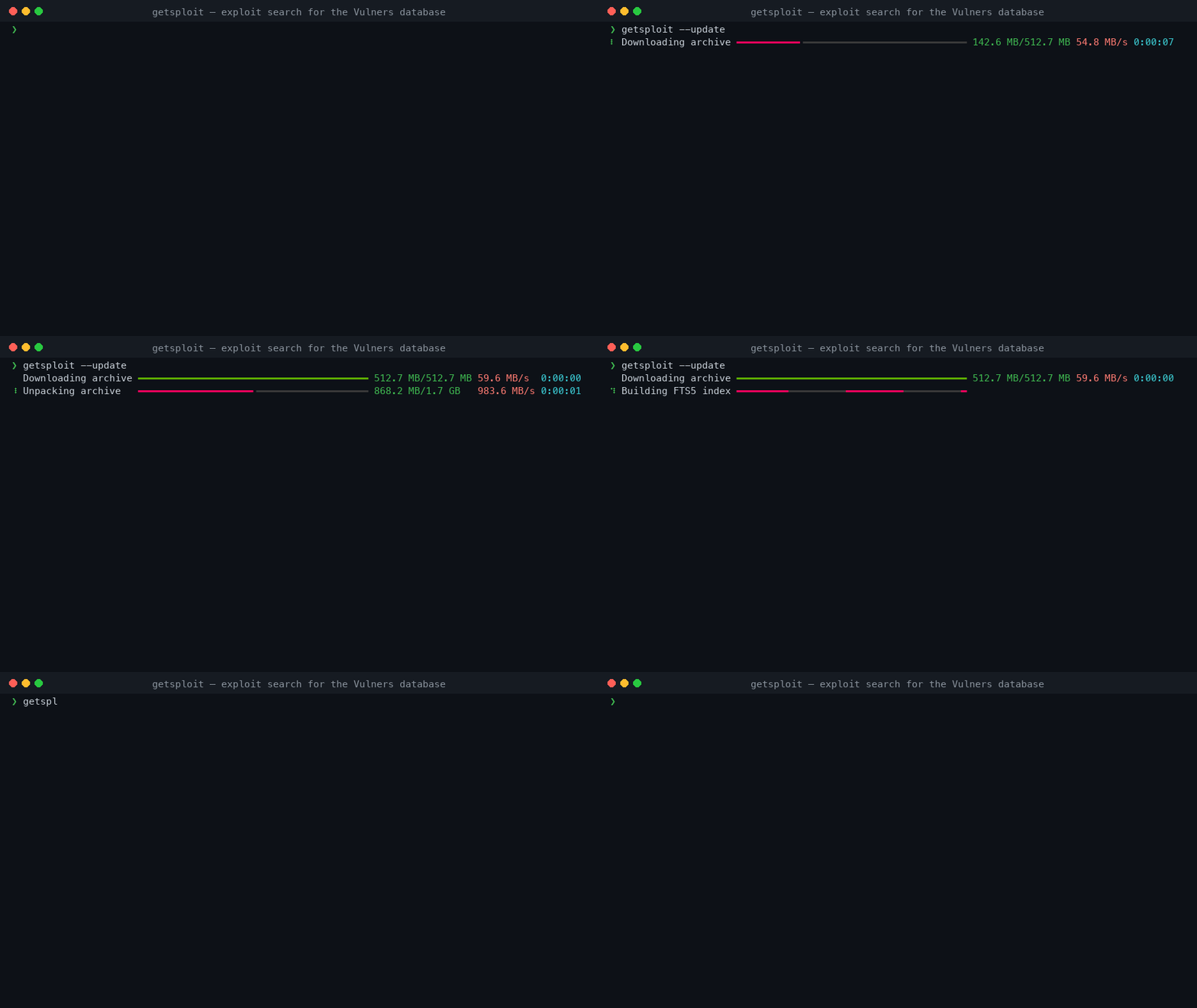
- 📴 Works with the network off. One
--updatebuilds a local SQLite FTS5 index of the whole exploit corpus; every later search is a local query. - 🧠 Searches for what you typed.
wordpress 4.7,CVE-2024-3094andms17-010match literally, while a deliberate full-text expression still gets full FTS5 syntax. - 📊 Progress you can trust. Every stage of an update reports real numbers, and the two stages whose size cannot be known say so instead of inventing a percentage.
- 🧾 Pipe-friendly. JSON, JSON Lines, and stable tab-separated records when the output is redirected. No colour or decoration ever reaches a machine format.
- 💾 Keeps the source.
--mirrorwrites each exploit body to its own file. - 🔐 Careful with your data. The key is never a command-line argument, the key file is opened without following symlinks, and downloaded content is never executed.
- 🧪 Verified. 100% statement and branch coverage on Python 3.11 through 3.14, on Linux, macOS and Windows.
Install
Getsploit needs Python 3.11 or newer.
$ pipx install getsploit
$ uv tool install getsploit
$ python -m pip install getsploit
API key
Create a key in your Vulners account, then expose it through the environment:
$ export VULNERS_API_KEY="your-key" # pragma: allowlist secret
$env:VULNERS_API_KEY = "your-key" # pragma: allowlist secret
getsploit --set-key stores a key through a hidden confirmation prompt, in a private
file under the Getsploit home. The environment takes precedence over that file and is
the better choice for automation. There is no --api-key option: a key passed on the
command line ends up in the shell history and in the process list.
Online search and --update need a key. --local and --status do not.
Usage
Online search
$ getsploit CVE-2024-3094
$ getsploit "wordpress 4.7 remote code execution" --count 25
The query reaches Vulners unchanged, so its Lucene syntax works as documented:
$ getsploit 'title:wordpress AND description:"code execution"'
--count above 100 is paged transparently; a single API response never carries more
than 100 documents.
Offline search
$ getsploit --update                 # download the archive and build the FTS5 index
$ getsploit --status                 # where it is, how big, how many documents
$ getsploit --local wordpress 4.7
Ordinary search words are matched literally, so identifiers and version numbers work as
typed: wordpress 4.7, CVE-2024-3094, ms17-010. A query that uses column filters,
boolean operators, quotes, parentheses, * or ^ is treated as an
SQLite FTS5 expression and reports its own error
when malformed:
$ getsploit --local 'title:eternalblue AND NOT description:metasploit'
Searchable columns are id, title, published, description and source_data. The
legacy sourceData: spelling is still accepted.
Saving exploit sources
$ getsploit --mirror wordpress 4.7
$ getsploit --local --mirror eternalblue
Files land in a directory derived from the query, one file per exploit, created without following symlinks and never overwriting anything that already exists.
[!WARNING] Mirrored files are untrusted third-party code. Read them before running them.
Machine-readable output
$ getsploit --format json CVE-2024-3094
$ getsploit --format jsonl wordpress | jq -r .id
$ getsploit wordpress > results.tsv       # redirected output is tab-separated
--json remains an alias for --format json.
Terminal control
$ getsploit --color always query | less -R
$ getsploit --color never query
Colour defaults to auto. A wide terminal gets a table, a narrow one gets stacked
records, and a redirected stream gets tab-separated values — the same data in all three.
Run getsploit --help for the full option list.
The local database
| Location | ~/.getsploit/getsploit.db, or $GETSPLOIT_HOME |
| Format | SQLite with an external-content FTS5 index |
| Tokenizer | unicode61 remove_diacritics 2 |
| Size | roughly 1.7 GB for the full corpus |
| Update | atomic: the new database replaces the old one in a single operation |
An update downloads the archive over eight parallel range connections, unpacks and converts it beside the destination, verifies it, and only then commits. Memory use does not depend on the size of the archive. A search already running against the old database finishes against it undisturbed.
Databases built by Getsploit 2.x remain searchable; the next --update migrates them
from FTS4 to FTS5. FTS4 proximity expressions such as one NEAR/5 two must be rewritten
in the FTS5 NEAR(...) form.
Compatibility
| Python | 3.11, 3.12, 3.13, 3.14 |
| Operating systems | Linux, macOS, Windows |
| Vulners SDK | 4.1 and newer 4.x |
| Runtime dependencies | click, rich, vulners |
Development
$ git clone https://github.com/vulnersCom/getsploit.git
$ cd getsploit
$ uv sync --all-groups
$ make check
| Command | Purpose |
|---|---|
make format |
Format and autofix source files |
make lint |
Check formatting, lint, and types |
make test |
Run tests in parallel |
make coverage |
Enforce 100% statement and branch coverage |
make leaks |
Scan tracked files for secrets |
make build |
Build the wheel and source distribution |
make release |
Run every gate and validate both distributions |
make check |
Everything above that gates a merge |
CONTRIBUTING.md has the contribution rules and ARCHITECTURE.md the module boundaries and database invariants.
A release is a pushed v<version> tag. From there
the release workflow re-runs the full gate on the
tagged commit, publishes to PyPI through trusted publishing, and writes the GitHub
release from the changelog. No PyPI token exists to leak.
Security
Exploit source files are untrusted content: review them before opening or running them. Getsploit itself never executes what it downloads.
Releases are published from GitHub Actions through PyPI trusted publishing, so no long-lived API token exists to leak, and every artifact carries a build provenance attestation. To report a vulnerability in Getsploit, follow SECURITY.md.
License
MIT © Vulners Team and contributors.


Release files for getsploit 3.0.1
For a detailed explanation of source distributions (sdists) and built distributions (wheels), please see the package formats documentation.
Source distribution (sdist)
| File | Size | Uploaded | |
|---|---|---|---|
| getsploit-3.0.1.tar.gz | 20.9 kB | Details |
Built distribution (wheel)
| File | Interpreter | ABI | Platform | Reset |
|---|---|---|---|---|
| getsploit-3.0.1-py3-none-any.whl | Python 3 | none | any | Details |
Total release size: 46.0 kB
Release files / getsploit-3.0.1.tar.gz
| Download URL | getsploit-3.0.1.tar.gz |
|---|---|
| Size | 20.9 kB |
| Tags | Source |
|
SHA-256 checksum How to use checksums |
e5886d8d7c340eaa6b027ed5a5d974281b71a659bdfba37c72e565f06d2db3ab
|
|
BLAKE2b-256 checksum How to use checksums |
9ed8cfd2d852ba113337f92e02be748507c4b79448a49e7bec4332701f1f8b0e
|
| Upload date | |
|
Uploaded using Trusted Publishing? What is trusted publishing? |
Yes |
| Uploaded via |
twine/7.0.0 CPython/3.13.14
|
Provenance
Provenance describes where a file came from. On PyPI, provenance is shared via attestations, which provide a verifiable record of the build or publishing details. View details, limitations and caveats.


PyPI Publish Attestation
PyPI verified that this artifact, at this checksum, originated from the publisher listed below.
Signed by GitHub Actions, verified by PyPI on Aug 17, 2026.
Transparency logRelease files / getsploit-3.0.1-py3-none-any.whl
| Download URL | getsploit-3.0.1-py3-none-any.whl |
|---|---|
| Size | 25.1 kB |
| Tags | Python 3 |
|
SHA-256 checksum How to use checksums |
55bb5f4ad2011ee2948e79ba300845f5c1f15a64927c28fea3961fb03706d0fe
|
|
BLAKE2b-256 checksum How to use checksums |
5db445c5d9ede88969300a351dce3cfb352b8dbfc7c0a8932e552f5708bd8e77
|
| Upload date | |
|
Uploaded using Trusted Publishing? What is trusted publishing? |
Yes |
| Uploaded via |
twine/7.0.0 CPython/3.13.14
|
Provenance
Provenance describes where a file came from. On PyPI, provenance is shared via attestations, which provide a verifiable record of the build or publishing details. View details, limitations and caveats.
PyPI Publish Attestation
PyPI verified that this artifact, at this checksum, originated from the publisher listed below.
Signed by GitHub Actions, verified by PyPI on Aug 17, 2026.
Transparency log













