
gify_plot
A simple Python package to turn your plots into gifs (Matplotlib, Seabron, Plotly).
This is the output of the example provided in "How to use it".
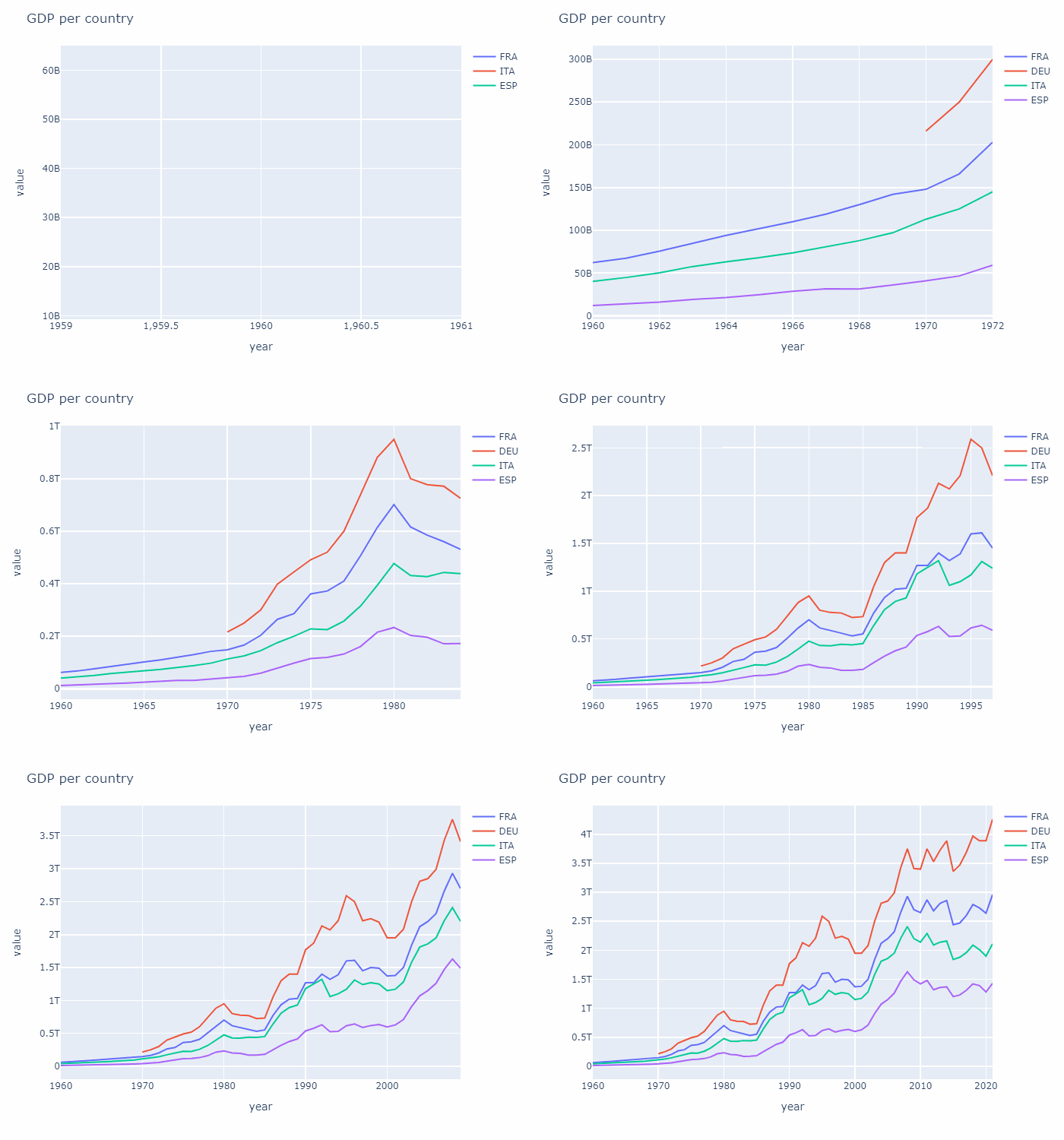
How to install it
pip install gify_plot
How to use it
# WARNING:

# Using more than 5/7 categories ends with a cluttered result.
# The fewer, the better.

# The following csv can be freely downlaoded at https://www.kaggle.com/datasets/sazidthe1/world-gdp-data?select=gdp_data.csv

df=pd.read_csv("gdp_data.csv")
temp_df=df[(df["country_name"].isin(["Italy","Spain","France","Germany"]))]
gify_plot(temp_df,
           plot_type="line", plot_library="px", name="test_output",
           plot_title="GDP per country", xaxis_title="year", yaxis_title="value", category="country_code",
           save_frames=False
          )
OUTPUT: It ouputs a list of png in the dedicated folder, along with the resulting gif.
Args
Mandatory
- original_df:pd.DataFrame ==> a dataset containing at least three columns:
- xaxis_title (i.e., an int in YYYY format OR strings in 'YYYY-MM-DD' format ;a range >= 20 years is suggested)
- yaxis_title (i.e., a list of int or float )
- category (i.e., categorical variables, n groups <=7 suggested)
- plot_type:str ==> The plot_type changes according to plot_library
- plot_library:str ==> plt | sns | px (short forms for matplotlib.pyplot, seaborn and plotly.express)
- name:str ==> The name of pngs and gif given as output,
- plot_title:str
- xaxis_title:str ==> The name of the column with x values
- yaxis_title:str ==> The name of the column with y values
Optional
- colors = ["blue","red","green","orange","violet","yellow","black","brown","cyan"] ==> it must have at least the same length of groups provided in the data
- duration = 100 ==> The delay in skipping to the next frame in ms
- loop = 0
- save_frames = True ==> If False, delete all png files that have been used to create the gif
- sort_on_x = True
- tick_interval = it scales across x values, default 7.
Supported libraries and plots:
- plt (i.e., matplotlib.pyplot):
- line
- bar
- scatter
- stackplot (no legend)
- sns (i.e., seaborn):
- lineplot
- scatterplot
- barplot
- px (i.e., plotly.express):
- line
- scatter
- area
- bar
1 maintainer

Metadata
1 maintainer
Release files for gify-plot 0.0.14
For a detailed explanation of source distributions (sdists) and built distributions (wheels), please see the package formats documentation.
Source distribution (sdist)
| File | Size | Uploaded | |
|---|---|---|---|
| gify_plot-0.0.14.tar.gz | 5.1 kB | Details |
Built distribution (wheel)
| File | Interpreter | ABI | Platform | Reset |
|---|---|---|---|---|
| gify_plot-0.0.14-py3-none-any.whl | Python 3 | none | any | Details |
Total release size: 12.4 kB
Release files / gify_plot-0.0.14.tar.gz
| Download URL | gify_plot-0.0.14.tar.gz |
|---|---|
| Size | 5.1 kB |
| Tags | Source |
|
SHA-256 checksum How to use checksums |
cc5fc8d70f332f3b5983355f93baab779603417fb5bcfa5123e7633c5abf4ce3
|
|
BLAKE2b-256 checksum How to use checksums |
e53600dd186c2de5899387a718b368170deab06a8ed3de79dd62771b9183ec08
|
| Upload date | |
|
Uploaded using Trusted Publishing? What is trusted publishing? |
No |
| Uploaded via |
twine/4.0.2 CPython/3.10.9
|
Release files / gify_plot-0.0.14-py3-none-any.whl
| Download URL | gify_plot-0.0.14-py3-none-any.whl |
|---|---|
| Size | 7.3 kB |
| Tags | Python 3 |
|
SHA-256 checksum How to use checksums |
16ddba1fef155fb8275dcbfd82ca8862203cfc4de17e08c5c1e44e5efb5e2d28
|
|
BLAKE2b-256 checksum How to use checksums |
39733216dd63a3f2f71491cc1f14bb59ac855be58322f47af39bbf2cebf55eb8
|
| Upload date | |
|
Uploaded using Trusted Publishing? What is trusted publishing? |
No |
| Uploaded via |
twine/4.0.2 CPython/3.10.9
|














