
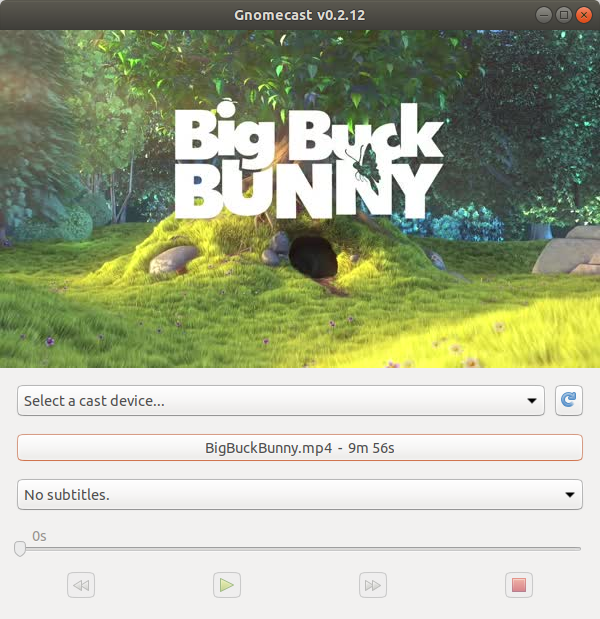
alt text
GnomeCast
This is a native Linux GUI for casting local files to ChromeCast devices. It supports:
Both audio and video files (anything ffmpeg can read)
Realtime transcoding (only when needed)
Subtitles (embedded and external SRT files)
Fast scrubbing (waiting 20s for buffering to skip 30s ahead is wrong!)
Install
Please run:
$ pip3 install gnomecast
If installing in a mkvirtualenv built virtual environment, make sure you include the --system-site-packages parameter to get the GTK bindings.
Run
$ gnomecast
If you see:
AttributeError: module 'html5lib.treebuilders' has no attribute '_base'This is a known bug in html5lib (used by pycaptions). Run this to fix it:
# pip3 install --upgrade html5lib==1.0b8
Please report bugs!
Thanks To…
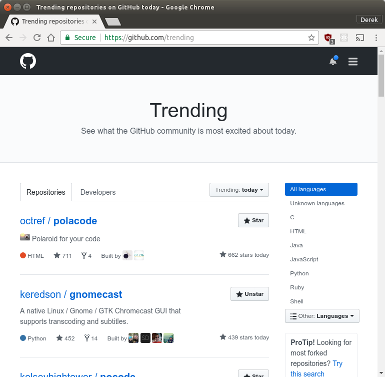
And everyone who made this project #2 on GitHub’s trending list! That’s so awesome!!!
alt text
Transcoding
Chromecasts only support a handful of media formats. See: https://developers.google.com/cast/docs/media
So some amount of transcoding is necessary if your video files don’t conform. But we’re smart about it. If you have an .mkv file with h264 video and AAC audio, we use ffmpeg to simply rewrite the container (to .mp4) without touching the underlying streams, which my XPS 13 can at around 100x realtime (it’s fully IO bound).
Now if you have that same .mkv file with and A3C audio stream (which Chromecast doesn’t support) we’ll rewrite the container, copy the h264 stream as is and only transcode the audio (at about 20x).
If neither your file’s audio or video streams are supported, then it’ll do a full transcode (at around 5x).
We write the entire transcoded file to your /tmp directory in order to make scrubbing fast and glitch-free, a good trade-off IMO. Hopefully you’re not running your drive at less than one video’s worth of free space!
Subtitles
Chromecast only supports a handful of subtitle formats, .srt not included. But it does support WebVTT. So we extract whatever subtitles are in your video, convert them to WebVTT, and then reattach them to the video through Chomecast’s API.
1 maintainer

Metadata
1 maintainer
Release files for gnomecast 1.9.11
For a detailed explanation of source distributions (sdists) and built distributions (wheels), please see the package formats documentation.
Source distribution (sdist)
| File | Size | Uploaded | Provenance | |
|---|---|---|---|---|
| gnomecast-1.9.11.tar.gz | 20.9 kB | Without provenance | Details |
Release files / gnomecast-1.9.11.tar.gz
| Download URL | gnomecast-1.9.11.tar.gz |
|---|---|
| Size | 20.9 kB |
| Tags | Source |
|
SHA-256 checksum How to use checksums |
4d8cd7a71f352137252c5a9ee13475bd67fb99594560ecff1efb0f718d8bbaac
|
|
BLAKE2b-256 checksum How to use checksums |
bb04d8419a9087d4bfdff075ec9a1f96b83200e2f1b170880a5bdea6268bb6f2
|
| Upload date | |
|
Uploaded using Trusted Publishing? What is trusted publishing? |
No |
| Uploaded via |
Python-urllib/3.8
|
Security for gnomecast 1.9.11
Provenance
Provenance describes where a file came from. On PyPI, provenance is shared via attestations, which provide a verifiable record of the build or publishing details. View details, limitations and caveats.
No provenance found
None of the files in this release were uploaded with provenance metadata.
A note on package security
PyPI is a repository for distributing packages, not a service for auditing them. While third-party security researchers and our staff do their best to detect and remove malicious packages, PyPI cannot guarantee the quality, security or suitability of any given package.
To learn more about protecting yourself from malicious actors, visit our package security documentation.














