







grafanimate
Animate timeseries data with Grafana.
About
grafanimate captures screenshots while animating a Grafana dashboard by manipulating its time range control, i.e. navigating through time. The result can be rendered as a sequence of png images, an animated gif file, and as a video file.
Setup
Prerequisites
This program uses the fine FFmpeg program for doing the heavy lifting within in its postprocessing subsystem.
grafanimate
pip install grafanimateUsage
Introduction
grafanimate works by operating on animations defined within description files, written in Python. In cinematography jargon, this is called “exposure sheet”, or “dope sheet”.
An exposure sheet (also known variously as “dope sheet”, “camera instruction sheet”, or “X-sheet”) is a sheet of paper used primarily in traditional animation to mark out the timing of various actions and dialogue.
grafanimate offers convenient data types, AnimationScenario and AnimationSequence, for outlining an animation scenario made of multiple sequences.
Please have a look at the scenarios.py file for a full example containing multiple scenarios.
Synopsis
A scenario definition:
AnimationScenario(
    grafana_url="https://play.grafana.org/",
    dashboard_uid="000000012",
    sequences=[
        AnimationSequence(
            start="2021-11-15T02:12:05Z",
            stop="2021-11-15T02:37:36Z",
            every="5min",
            mode=SequencingMode.CUMULATIVE,
        ),
    ],
)
In order to run a built-in scenario, invoke:
grafanimate --scenario=playdemo --output=./animationsTo use the headless mode which renders all panels on a dashboard and use panel events instead of waiting a fixed duration run
grafanimate --scenario=playdemo --output=./animations--headless --use-panel-eventsDetails
grafanimate also supports relative timestamps, based on the fine pytimeparse2 library.
Within every, you will express a duration.
Help
For getting a detailed and descriptive overview about all available command line options, please invoke:
grafanimate --helpConfiguration
Firefox Location
grafanimate will discover a Firefox installation on your system path. If you need to configure a specific installation location, use the environment variable FIREFOX_BIN to point to the Firefox executable on your system.
Examples
Examples for scenario mode. Script your animations in file scenarios.py or any other Python module or file.
# Use freely accessible `play.grafana.org` for demo purposes.
grafanimate --scenario=playdemo --output=./animations

# Example for generating Luftdaten.info graph & map.
export GRAFANIMATE_OUTPUT=./animations
grafanimate --grafana-url=http://localhost:3000/ --dashboard-uid=1aOmc1sik --scenario=ldi_all

# Use more parameters to control the rendering process.
grafanimate --grafana-url=http://localhost:3000/ --dashboard-uid=acUXbj_mz --scenario=ir_sensor_svg_pixmap \
    --header-layout=studio --datetime-format=human-time --panel-id=6
Usage in Containers
You can use grafanimate with Docker and Podman. An OCI image is published to ghcr.io/grafana-toolbox/grafanimate.
docker run --rm -it --volume=$(PWD)/animations:/animations ghcr.io/grafana-toolbox/grafanimate \
    --header-layout=no-chrome \
    --video-fps=30 --video-framerate=30 \
    --scenario=playdemo --output=./animations
Gallery
Composition: The Hiveeyes Project. Developing a flexible beehive monitoring infrastructure. Clicking on an image will take you to the animated version.
luftdaten.info coverage
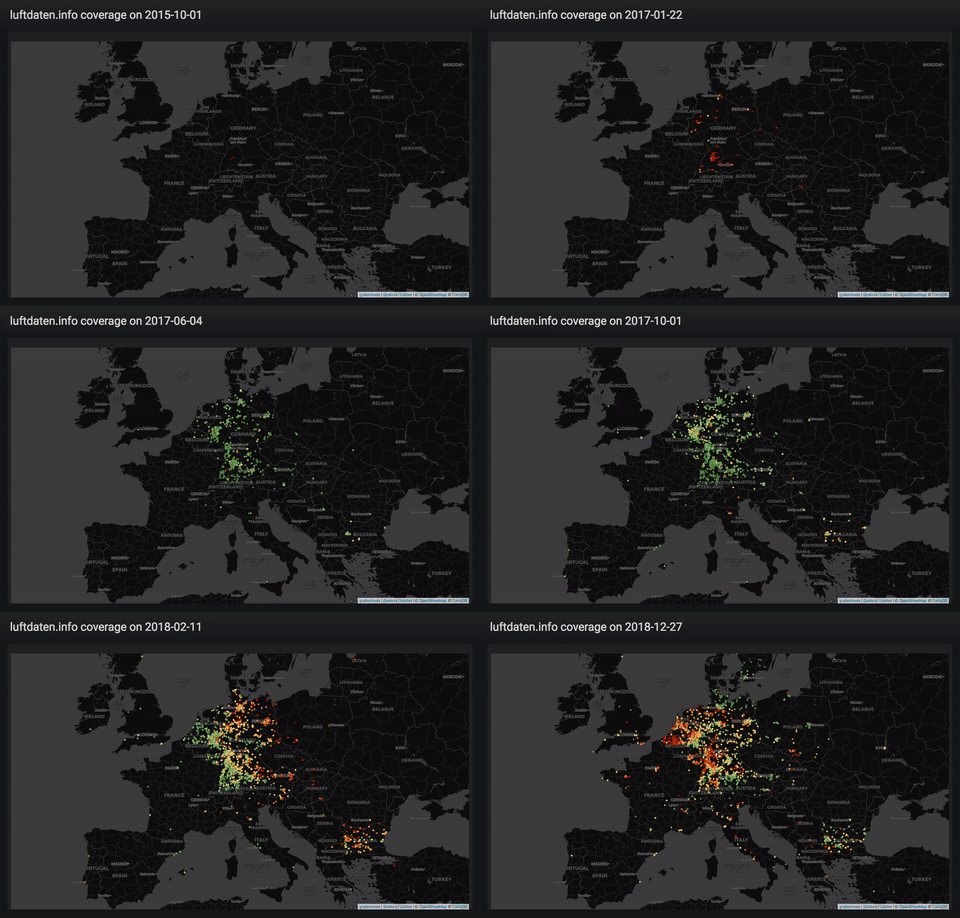
Coverage of luftdaten.info sensors starting October 2015 across Europe.
Data source: luftdaten.info (LDI)
Production: Luftdatenpumpe, LDI data plane v2, daily.
Development: Erneuerung der Luftdatenpumpe. All contributions welcome.
Fine dust pollution on New Year’s Eve
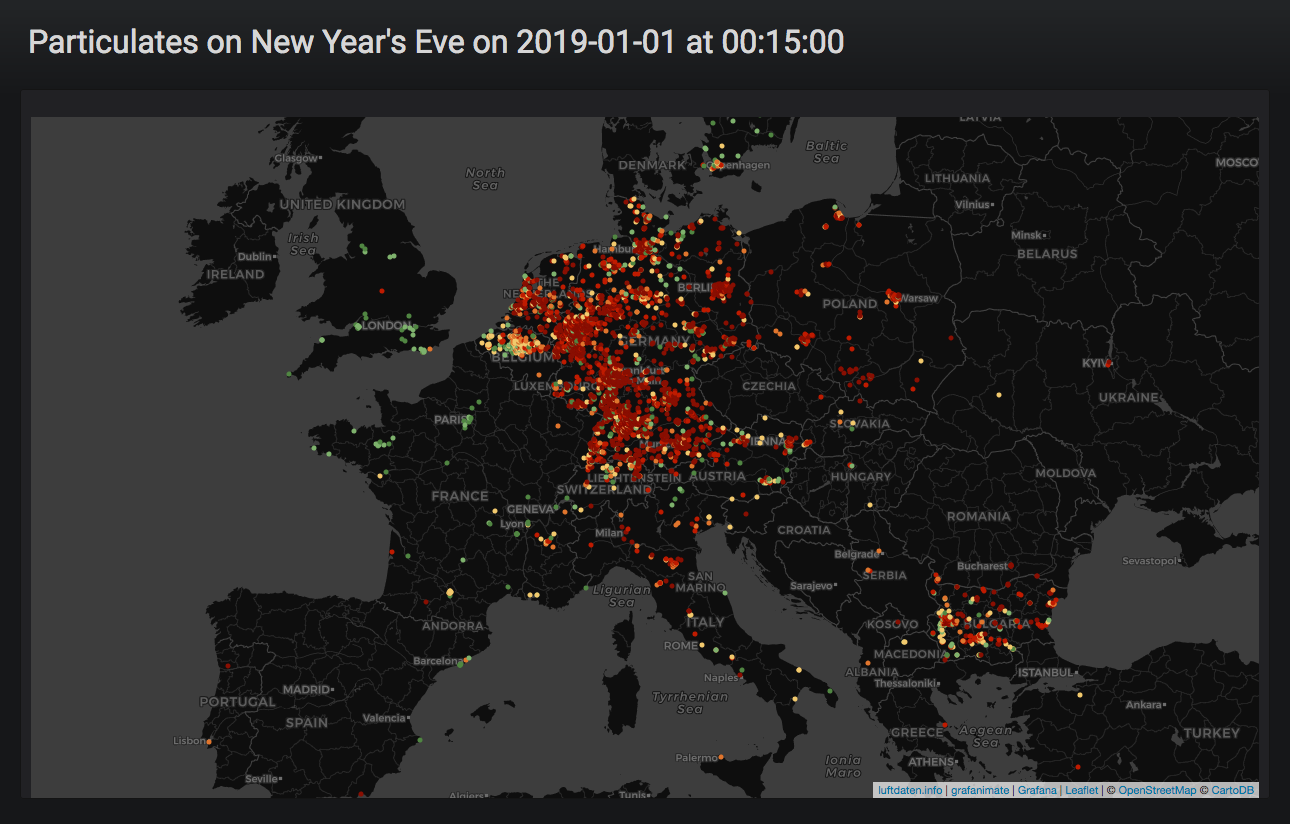
Animation of fine dust pollution on New Year’s Eve 2018 across Europe.
Data source: luftdaten.info (LDI)
Production: Luftdatenpumpe, LDI data plane v2, historical.
Development: Erneuerung der Luftdatenpumpe. All contributions welcome.
DWD CDC
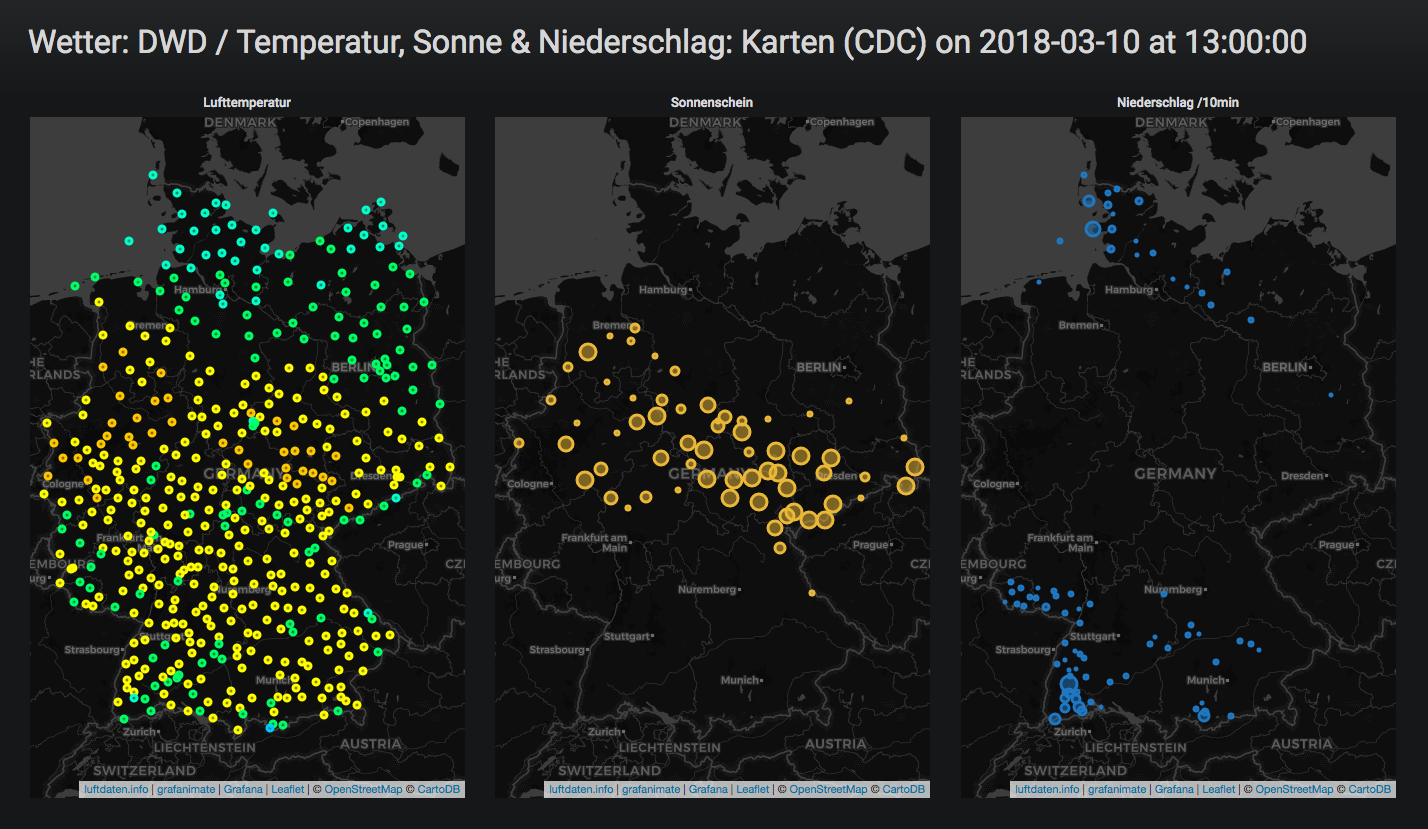
Short weather film about temperature, sun and precipitation based on DWD/CDC data in March 2018.
Data source: DWD Open Data (DWD)
Production: DWD Climate Data Center (CDC), 10m-Werte: Aktuelle Lufttemperaturen, Sonnenscheindauer & Niederschlag
Development: <work in progress>
IR-Sensor SVG-Pixmap
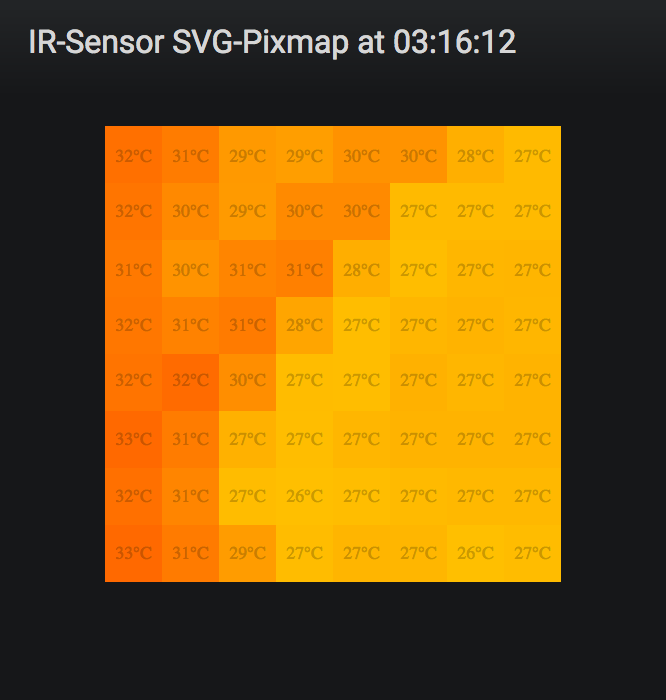
IR-Sensor SVG-Pixmap displaying temperature changes inside a beehive.
Data source: Clemens Gruber (CG)
Development: How to Visualize 2-Dimensional Temperature Data in Grafana
Background and details
Introduction
Animating things in Grafana across the time-axis in the spirit of the GeoLoop Panel Plugin hasn’t been unlocked for Grafana in a more general way yet. Challenge accepted!
Time warp
At this programs’ core is the code to set time range in Grafana:
__grafanaSceneContext.state.$timeRange.setState({ from: from, to: to});
__grafanaSceneContext.state.$timeRange.onRefresh();
Rendering engine
Turtles all the way up, the main rendering work horse is a Firefox Browser automated through Marionette Python Client fame:
The Marionette Python client library allows you to remotely control a Gecko-based browser or device which is running a Marionette server.
Outlook
Neither Playlists nor Scripted Dashboards (now deprecated) offer these things to the user, but this program can be combined with both in order to implement more complex animations on top of Grafana.
Development
# Acquire sources.
git clone https://github.com/grafana-toolbox/grafanimate
cd grafanimate

# Create and activate virtualenv.
uv venv
source .venv/bin/activate

# Install package in "editable" mode.
uv pip install --editable='.[develop,test]'

# Run linters and software tests.
poe check
Project information
The code lives on GitHub and the Python package is published to PyPI.
Contributing
We are always happy to receive code contributions, ideas, suggestions and problem reports from the community. Spend some time taking a look around, locate a bug, design issue or spelling mistake and then send us a pull request or create an issue. You can also discuss grafanimate on our forum, you are welcome to join.
Acknowledgements
Thanks to all the contributors who helped to co-create and conceive this program in one way or another. You know who you are.
Also thanks to all the people working on Python, Grafana, Firefox, FFmpeg, and the countless other software components this program is based upon.
License
grafanimate is licensed under the terms of the GNU AGPL v3 license.
1 maintainer

Metadata
1 maintainer
Release files for grafanimate 0.10.0
For a detailed explanation of source distributions (sdists) and built distributions (wheels), please see the package formats documentation.
Source distribution (sdist)
| File | Size | Uploaded | |
|---|---|---|---|
| grafanimate-0.10.0.tar.gz | 50.2 kB | Details |
Built distribution (wheel)
| File | Interpreter | ABI | Platform | Reset |
|---|---|---|---|---|
| grafanimate-0.10.0-py3-none-any.whl | Python 3 | none | any | Details |
Total release size: 97.9 kB
Release files / grafanimate-0.10.0.tar.gz
| Download URL | grafanimate-0.10.0.tar.gz |
|---|---|
| Size | 50.2 kB |
| Tags | Source |
|
SHA-256 checksum How to use checksums |
955c373e1f00ccb0f33cf61f6b3a82ea1cd211666c168041c74cf5006bca98e3
|
|
BLAKE2b-256 checksum How to use checksums |
9ba3e663e25973687c8d868aab6913c6c4196081084746df69e86fd7a1bf79c7
|
| Upload date | |
|
Uploaded using Trusted Publishing? What is trusted publishing? |
No |
| Uploaded via |
twine/6.2.0 CPython/3.12.11
|
Release files / grafanimate-0.10.0-py3-none-any.whl
| Download URL | grafanimate-0.10.0-py3-none-any.whl |
|---|---|
| Size | 47.7 kB |
| Tags | Python 3 |
|
SHA-256 checksum How to use checksums |
fae524197f7f5d3e541beed73dde6a165d0b6bdcd37ff2a0ed9ef1517f373ab8
|
|
BLAKE2b-256 checksum How to use checksums |
9360e7aae382cd06e675c120f94aba0fdffcbce22f73c5d8d09854d9522358bb
|
| Upload date | |
|
Uploaded using Trusted Publishing? What is trusted publishing? |
No |
| Uploaded via |
twine/6.2.0 CPython/3.12.11
|














