
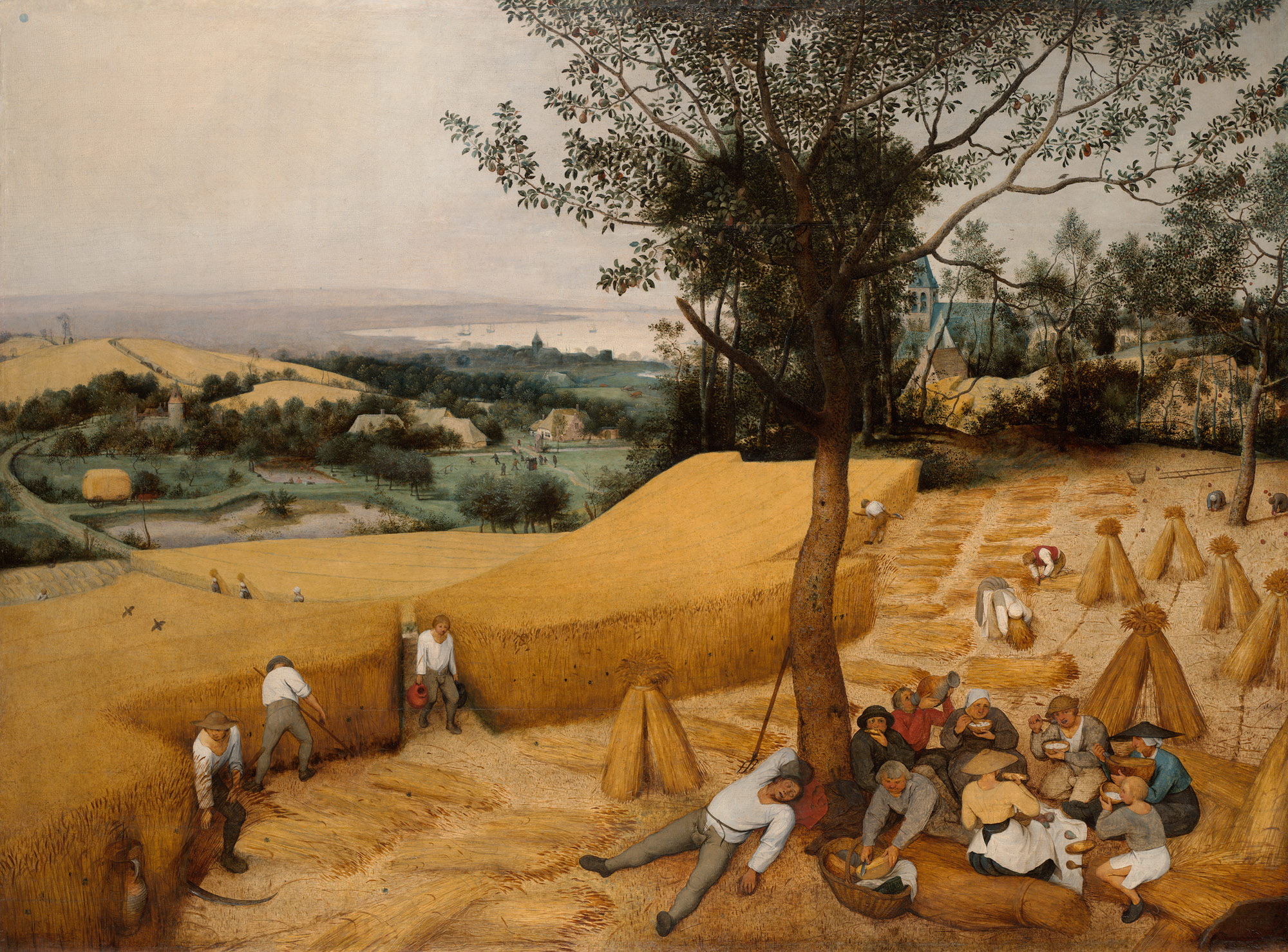
Pieter Bruegel the Elder, The Harvesters, 1565, (c) The Metropolitan Museum of Art



About Harvester
Harvester is a Python library that aims to make the image acquisition process in your computer vision application breathtakingly easy. Like the peasants/harvesters in the above drawing, it gathers the image data as its harvest and fills up your bucket/buffer.
You can freely use, modify, distribute Harvester under Apache License-2.0 without worrying about the use of your software: personal, internal or commercial.
Tasks Harvester Does for You
The main features of Harvester are:
Image acquisition through GenTL Producers
Multiple loading of GenTL Producers in a single Python script
GenICam feature node manipulation
Note that the second item implies you can involve various types of transport layers in your Python script. Each transport layer has own advantages and disadvantages and you should choose appropriate one based on your application’s requirement. You just need to acquire images for some purposes and the GenTL Producers deliver the images somehow. It truly is the great benefit of the GenTL Standard! And of course, not only GenTL Producers but Harvester offer you a way to manipulate multiple GenICam compliant entities such as a camera in a single Python script with an intuitive manner.
Need a GUI?
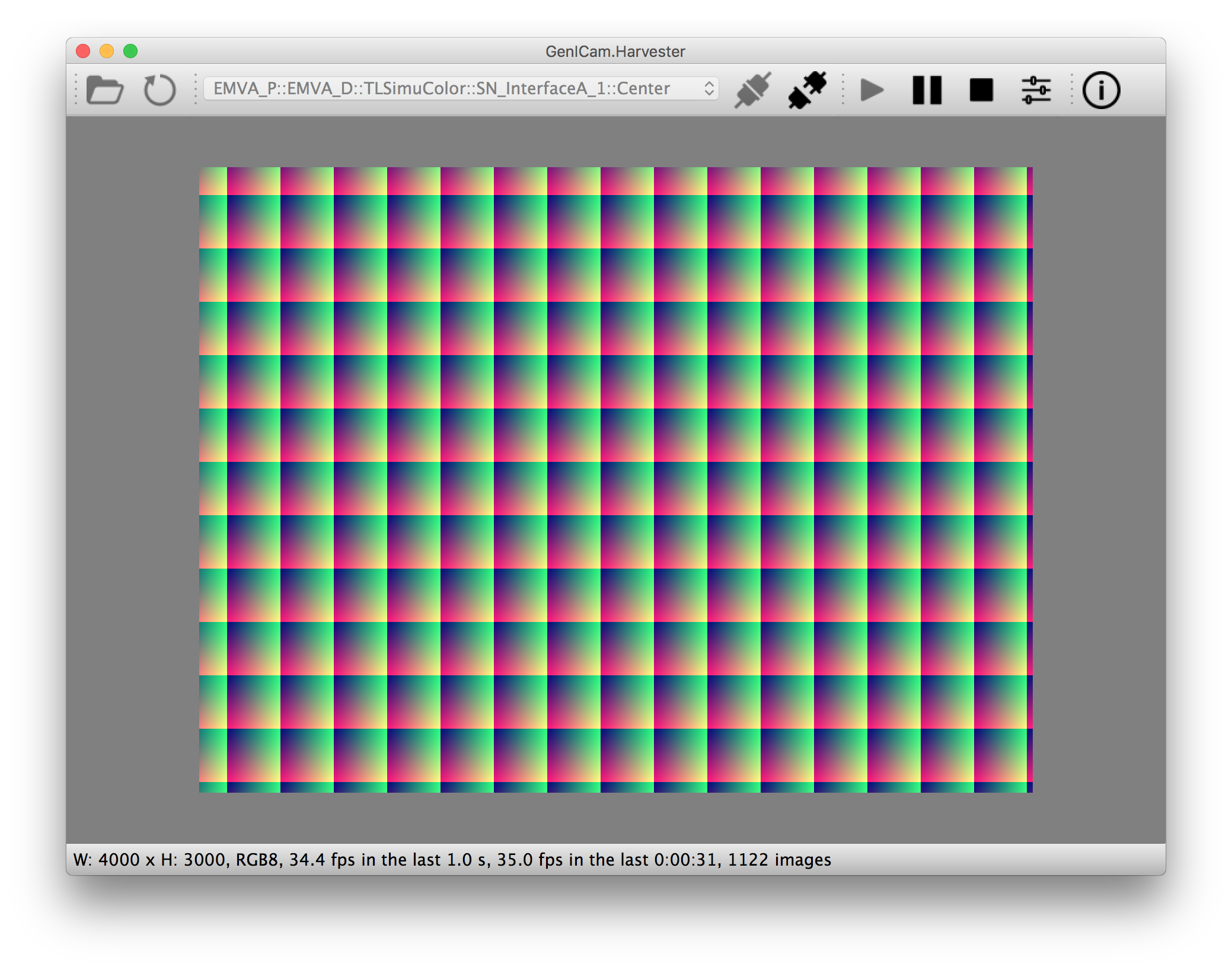
Do you need a GUI? Harvester has a sister project that is called Harvester GUI. Please visit there if you are interested in it:
https://github.com/genicam/harvesters_gui
Asking Questions
We have prepared an FAQ page. Perhaps your issue could be resolved just reading through it:
https://github.com/genicam/harvesters/wiki/FAQ
If any article was not mentioning about the issue you are facing, please try to visit the following page and check if there’s a ticket that is relevant to the issue. If nothing has been mentioned yet, feel free to create an issue ticket so that we can help you:
Links
Documentation |
|
Digital Object Identifier |
|
EMVA website |
https://www.emva.org/standards-technology/genicam/genicam-downloads/ |
Harvester GUI |
|
Issue tracker |
|
PyPI |
|
Source repository |
Harvester on IPython
The following code block shows Harvester is running on IPython. An acquired image is delivered as the payload of a buffer and the buffer can be fetched by calling the fetch method of the ImageAcquirer class. Once you get an image you should be able to immediately start image processing. If you’re running on the Jupyter notebook, you should be able to visualize the image data using Matplotlib. This step should be helpful to check what’s going on your trial in the image processing flow.
(genicam) kznr@Kazunaris-MacBook:~% ipython
Python 3.6.6 |Anaconda, Inc.| (default, Jun 28 2018, 11:07:29)
Type 'copyright', 'credits' or 'license' for more information
IPython 6.5.0 -- An enhanced Interactive Python. Type '?' for help.

In [1]: from harvesters.core import Harvester

In [2]: import numpy as np  # This is just for a demonstration.

In [3]: h = Harvester()

In [4]: h.add_file('/Users/kznr/dev/genicam/bin/Maci64_x64/TLSimu.cti')

In [5]: h.update()

In [6]: len(h.device_info_list)
Out[6]: 4

In [7]: h.device_info_list[0]
Out[7]: {'display_name': 'TLSimuMono (SN_InterfaceA_0)', 'id_': 'TLSimuMono', 'model': 'TLSimuMono', 'serial_number': 'SN_InterfaceA_0', 'tl_type': 'Custom', 'user_defined_name': 'Center', 'vendor': 'EMVA_D', 'version': '1.2.3'}

In [8]: ia = h.create(0)

In [9]: ia.remote_device.node_map.Width.value = 8

In [10]: ia.remote_device.node_map.Height.value = 8

In [11]: ia.remote_device.node_map.PixelFormat.value = 'Mono8'

In [12]: ia.start()

In [13]: with ia.fetch() as buffer:
    ...:     # Let's create an alias of the 2D image component:
    ...:     component = buffer.payload.components[0]
    ...:
    ...:     # Note that the number of components can be vary. If your
    ...:     # target remote device transmits a multi-part information, then
    ...:     # you'd get two or more components in the payload. However, now
    ...:     # we're working with a remote device that transmits only a 2D image.
    ...:     # So we manipulate only index 0 of the list object, components.
    ...:
    ...:     # Let's see the acquired data in 1D:
    ...:     _1d = component.data
    ...:     print('1D: {0}'.format(_1d))
    ...:
    ...:     # Reshape the NumPy array into a 2D array:
    ...:     _2d = component.data.reshape(
    ...:         component.height, component.width
    ...:     )
    ...:     print('2D: {0}'.format(_2d))
    ...:
    ...:     # Here are some trivial calculations:
    ...:     print(
    ...:         'AVE: {0}, MIN: {1}, MAX: {2}'.format(
    ...:             np.average(_2d), _2d.min(), _2d.max()
    ...:         )
    ...:     )
    ...:
1D: [123 124 125 126 127 128 129 130 124 125 126 127 128 129 130 131 125 126
 127 128 129 130 131 132 126 127 128 129 130 131 132 133 127 128 129 130
 131 132 133 134 128 129 130 131 132 133 134 135 129 130 131 132 133 134
 135 136 130 131 132 133 134 135 136 137]
2D: [[123 124 125 126 127 128 129 130]
 [124 125 126 127 128 129 130 131]
 [125 126 127 128 129 130 131 132]
 [126 127 128 129 130 131 132 133]
 [127 128 129 130 131 132 133 134]
 [128 129 130 131 132 133 134 135]
 [129 130 131 132 133 134 135 136]
 [130 131 132 133 134 135 136 137]]
AVE: 130.0, MIN: 123, MAX: 137

In [14]: ia.stop()

In [15]: ia.destroy()

In [16]: h.reset()

In [17]: quit
(genicam) kznr@Kazunaris-MacBook:~%
Terminology
Before start talking about the detail, let’s take a look at some important terminologies that frequently appear in this document. These terminologies are listed as follows:
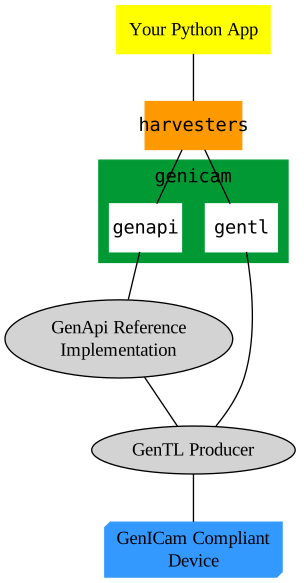
The GenApi-Python Binding: A Python module that communicates with the GenICam GenApi reference implementation.
A GenTL Producer: A library that has C interface and offers consumers a way to communicate with cameras over physical transport layer dependent technology hiding the detail from the consumer.
The GenTL-Python Binding: A Python module that communicates with GenTL Producers.
Harvester: An image acquisition engine.
Harvester GUI: A Harvester-based graphical user interface.
A GenICam compliant device: It’s typically a camera. Just involving the GenICam reference implementation, it offers consumers a way to dynamically configure/control the target remote devices.
The following diagram shows the hierarchy and relationship of the relevant modules:
Getting Started with Harvester
Are you ready to start working with Harvester? You can learn some more topics on these pages:
INSTALL.rst: Learn how to install Harvester and its prerequisites.
TUTORIAL.rst: Learn how Harvester can be used on a typical image acquisition workflow.
Open Source Resources
Harvester uses the following open source libraries/resources:
Pympler
License: Apache License, Version 2.0Copyright (c) Jean Brouwers, Ludwig Haehne, Robert SchuppeniesVersioneer
Copyright (c) 2018 Brian Warner
Acknowledgement
The following individuals have directly or indirectly contributed to the development activity of Harvester; they truly are wonderful GenICam colleagues:
Rod Barman, Stefan Battmer, David Beek, Jan Becvar, David Bernecker, Chris Beynon, Eric Bourbonnais, Benedikt Busch, George Chamberlain, Thomas Detjen, Friedrich Dierks, Dana Diezemann, Emile Dodin, Reynold Dodson, Sascha Dorenbeck, Jozsa Elod, Erik Eloff, Katie Ensign, Andreas Ertl, James Falconer, Werner Feith, Maciej Gara, Andreas Gau, Sebastien Gendreau, Francois Gobeil, Werner Goeman, Jean-Paul Goglio, Markus Grebing, Eric Gross, Ioannis Hadjicharalambous, Uwe Hagmaier, Tim Handschack, Christopher Hartmann, Reinhard Heister, Gerhard Helfrich, Jochem Herrmann, Heiko Hirschmueller, Tom Hopfner, David Hoese, Karsten Ingeman Christensen, Severi Jaaskelainen, Alfred Johannesson, Mattias Johannesson, Mark Jones, Mattias Josefsson, Martin Kersting, Stephan Kieneke, Tom Kirchner, Lutz Koschorreck, Frank Krehl, Maarten Kuijk, Max Larin, Ralf Lay, Min Liu, Sergey Loginonvskikh, Thomas Lueck, Alain Marchand, Rocco Matano, Masahide Matsubara, Stephane Maurice, Robert McCurrach, Mike Miethig, Thies Moeller, Roman Moie, Katsura Muramatsu, Silvan Murer, Marcel Naggatz, Hartmut Nebelung, Damian Nesbitt, Quang Nhan Nguyen, Klaus-Henning Noffz, Jonas Olofsson, Neerav Patel, Jan Pech, Merlin Plock, Joerg Preckwinkel, Benjamin Pussacq, Dave Reaves, Thomas Reuter, Gordon Rice, Andreas Rittinger, Ryan Robe, Nicolas P. Rougier, Felix Ruess, Matthias Schaffland, Michael Schmidt, Jan Scholze, Martin Schwarzbauer, Rupert Stelz, Madhura Suresh, Chendra Hadi Suryanto, Andrew Wei Chuen Tan, Timo Teifel, Albert Theuwissen, Laval Tremblay, Tim Vlaar, Silvio Voitzsch, Stefan Von Weihe, Frederik Voncken, Roman Wagner, Ansger Waschki, Anne Wendel, Michael Williamson, Jean-Michel Wintgens, Manfred Wuetschner, Jang Xu, Christoph Zierl, Sebastian Yap, and Juraj Zopp
1 maintainer

Metadata
1 maintainer
Release files for harvesters 1.4.3
For a detailed explanation of source distributions (sdists) and built distributions (wheels), please see the package formats documentation.
Source distribution (sdist)
| File | Size | Uploaded | |
|---|---|---|---|
| harvesters-1.4.3.tar.gz | 104.4 kB | Details |
Built distribution (wheel)
| File | Interpreter | ABI | Platform | Reset |
|---|---|---|---|---|
| harvesters-1.4.3-py3-none-any.whl | Python 3 | none | any | Details |
Total release size: 204.6 kB
Release files / harvesters-1.4.3.tar.gz
| Download URL | harvesters-1.4.3.tar.gz |
|---|---|
| Size | 104.4 kB |
| Tags | Source |
|
SHA-256 checksum How to use checksums |
c237dd402735a66ebd570865113a3e80ae19161a21706aed80691627a8cb7da2
|
|
BLAKE2b-256 checksum How to use checksums |
d318ee45d896fee51dee2e35df9d371e2d213ed4488ddea4dd4bd1df6f92a5fb
|
| Upload date | |
|
Uploaded using Trusted Publishing? What is trusted publishing? |
No |
| Uploaded via |
twine/5.1.0 CPython/3.10.9
|
Release files / harvesters-1.4.3-py3-none-any.whl
| Download URL | harvesters-1.4.3-py3-none-any.whl |
|---|---|
| Size | 100.3 kB |
| Tags | Python 3 |
|
SHA-256 checksum How to use checksums |
74994cedc941051b9ce9527c5b336e611589a1bc209bc03186c49102a55f1f1f
|
|
BLAKE2b-256 checksum How to use checksums |
9aab295e5ec52cc2859ad8fa0d56f953cefa26f3e1eb28cc937162d7df7df872
|
| Upload date | |
|
Uploaded using Trusted Publishing? What is trusted publishing? |
No |
| Uploaded via |
twine/5.1.0 CPython/3.10.9
|














