
hledger Helper (hhelper) - A Command-Line Tool for Managing hledger Files
Welcome to hledger Helper (hhelper), a command-line tool for simplifying and enhancing your experience with hledger, the plain-text accounting tool. Whether you're managing transactions, cleaning up your journal, fetching commodity prices, or generating recurring transactions, hhelper is here to make your life easier.
🌟 Features
hledger Helper comes packed with powerful features to streamline your accounting workflow:
-
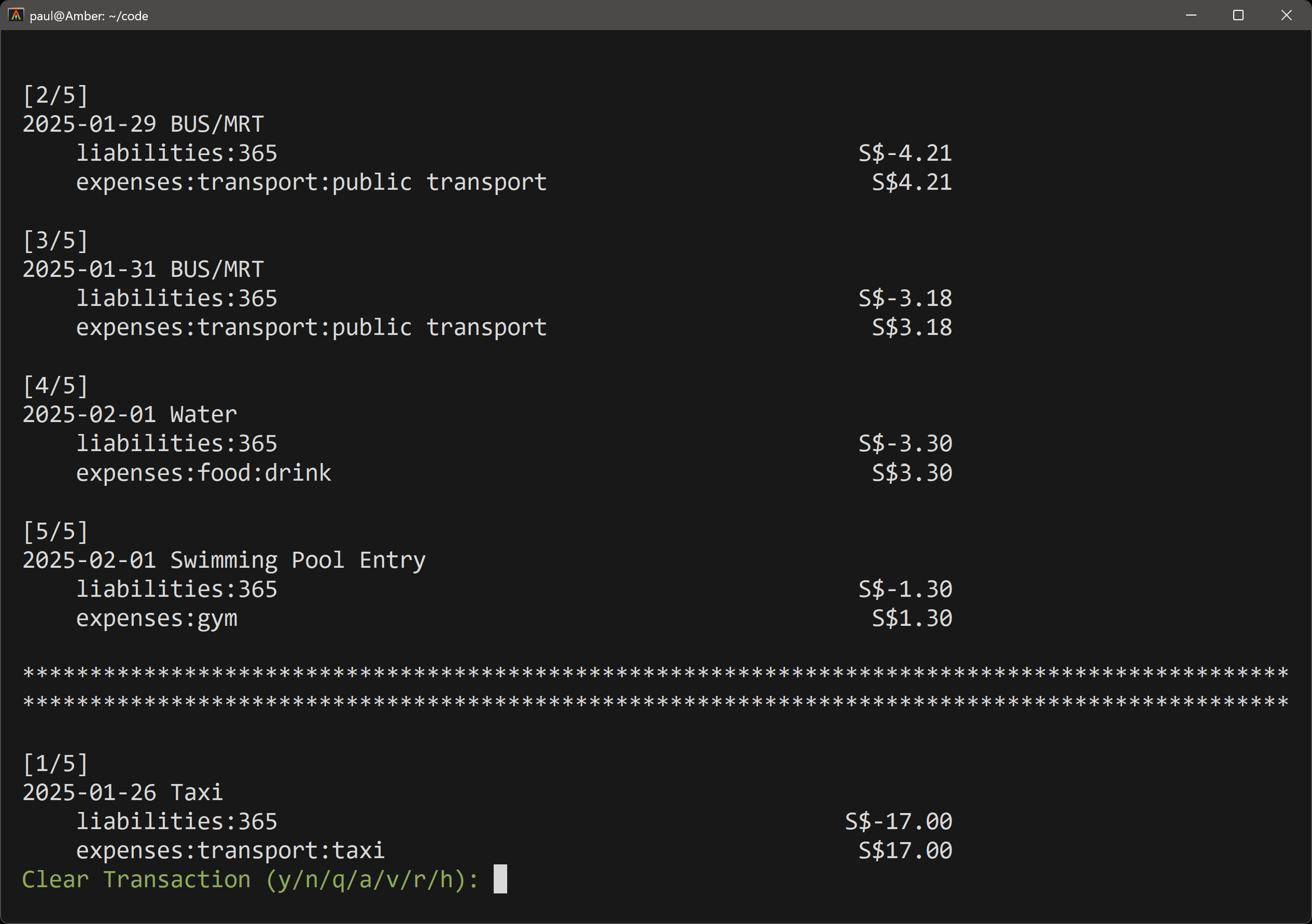
Mark Transactions as Cleared Easily mark transactions as cleared directly from the command line. No more manual editing of your ledger files!
-
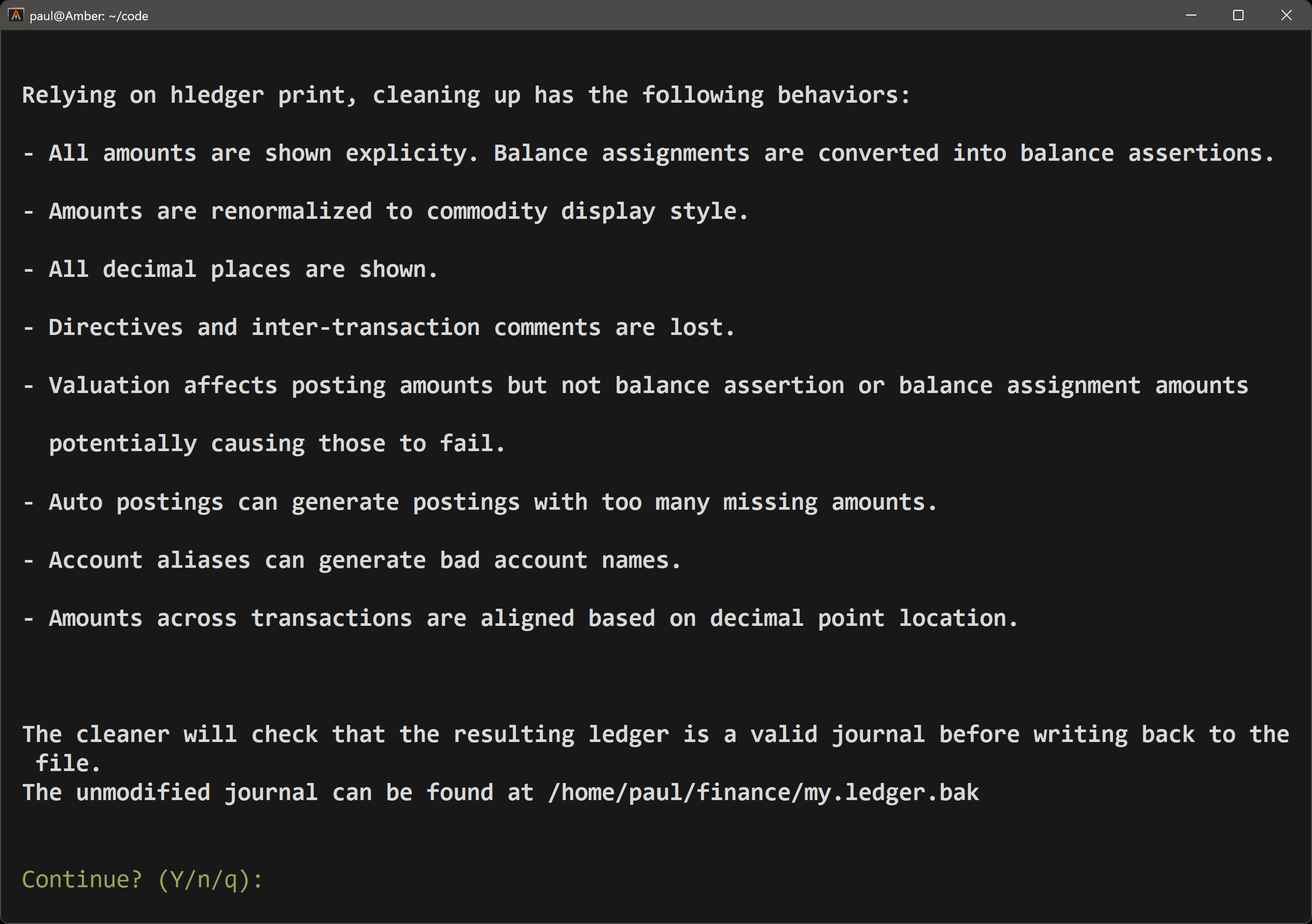
Clean Up Journal Automatically clean and format your hledger journal file. This includes aligning amounts, removing unnecessary spaces, and ensuring your journal is valid.
-
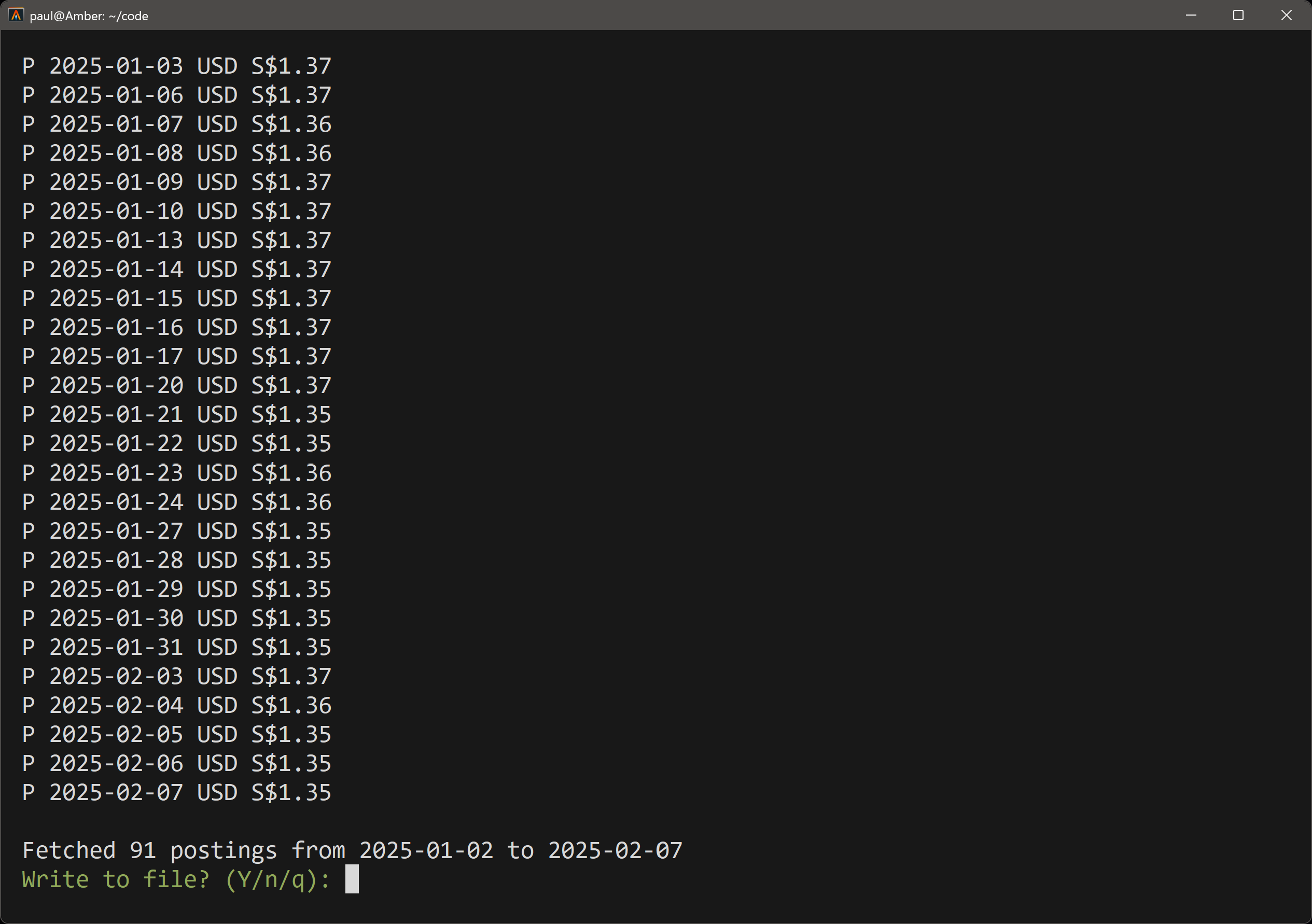
Fetch Prices Fetch historical commodity prices using Yahoo Finance and append them to your price file. Perfect for keeping your commodity valuations up to date.
-
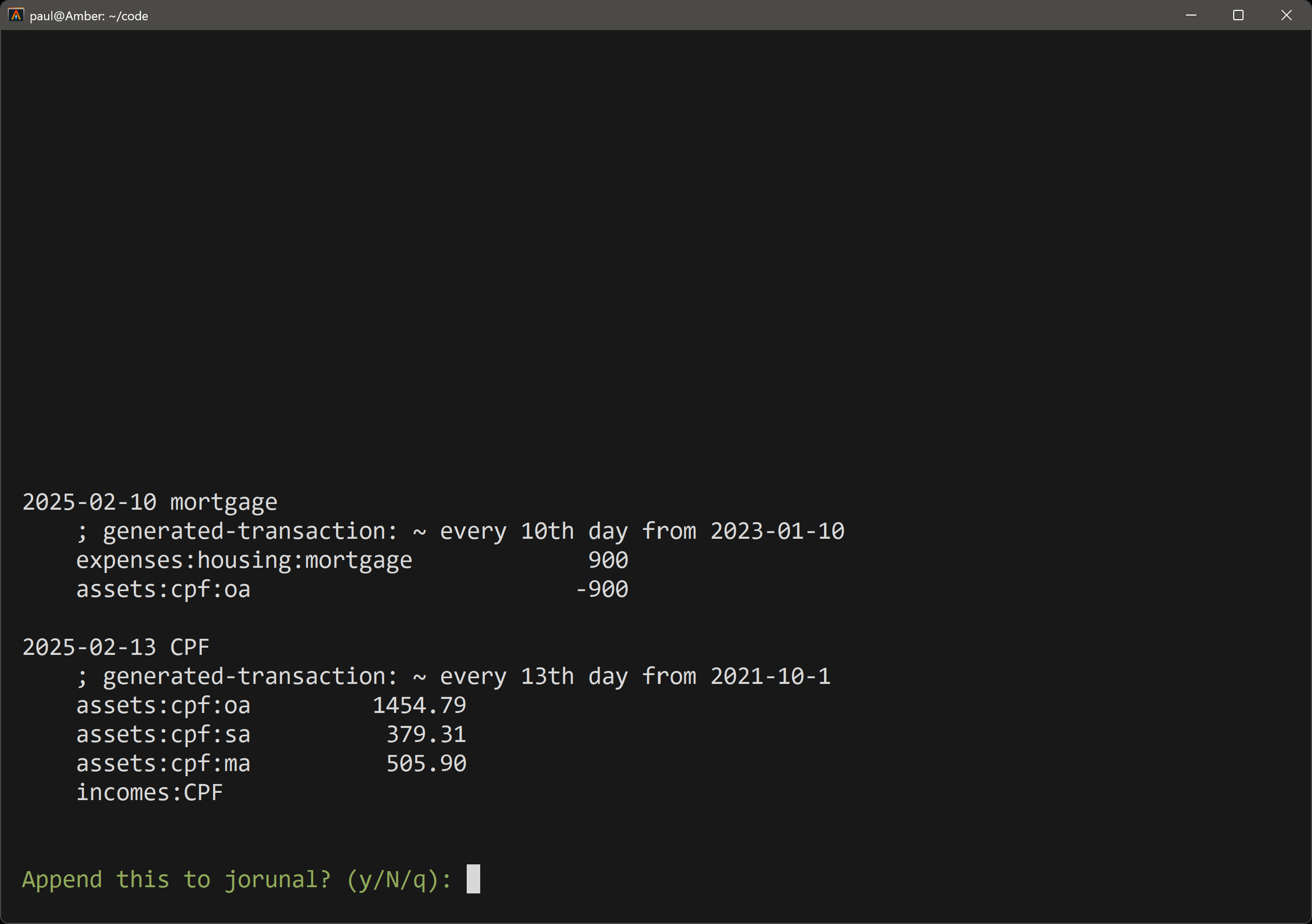
Generate Recurring Transactions Automatically generate recurring transactions based on your predefined rules. Save time by automating repetitive entries.
🚀 Getting Started
Prerequisites
- Python 3.11 or higher
- hledger 1.25 or higher
- A valid
config.tomlfile in~/.config/hhelper/(see example config)
Installation
# install uv (package manager):
curl -LsSf https://astral.sh/uv/install.sh | sh

# restart your terminal, or run the following command:
source $HOME/.local/bin/env # or follow instructions

# install hhelper through uv
uv tool install hhelper

# Run the tool
hh
Screenshots
🛠️ Usage
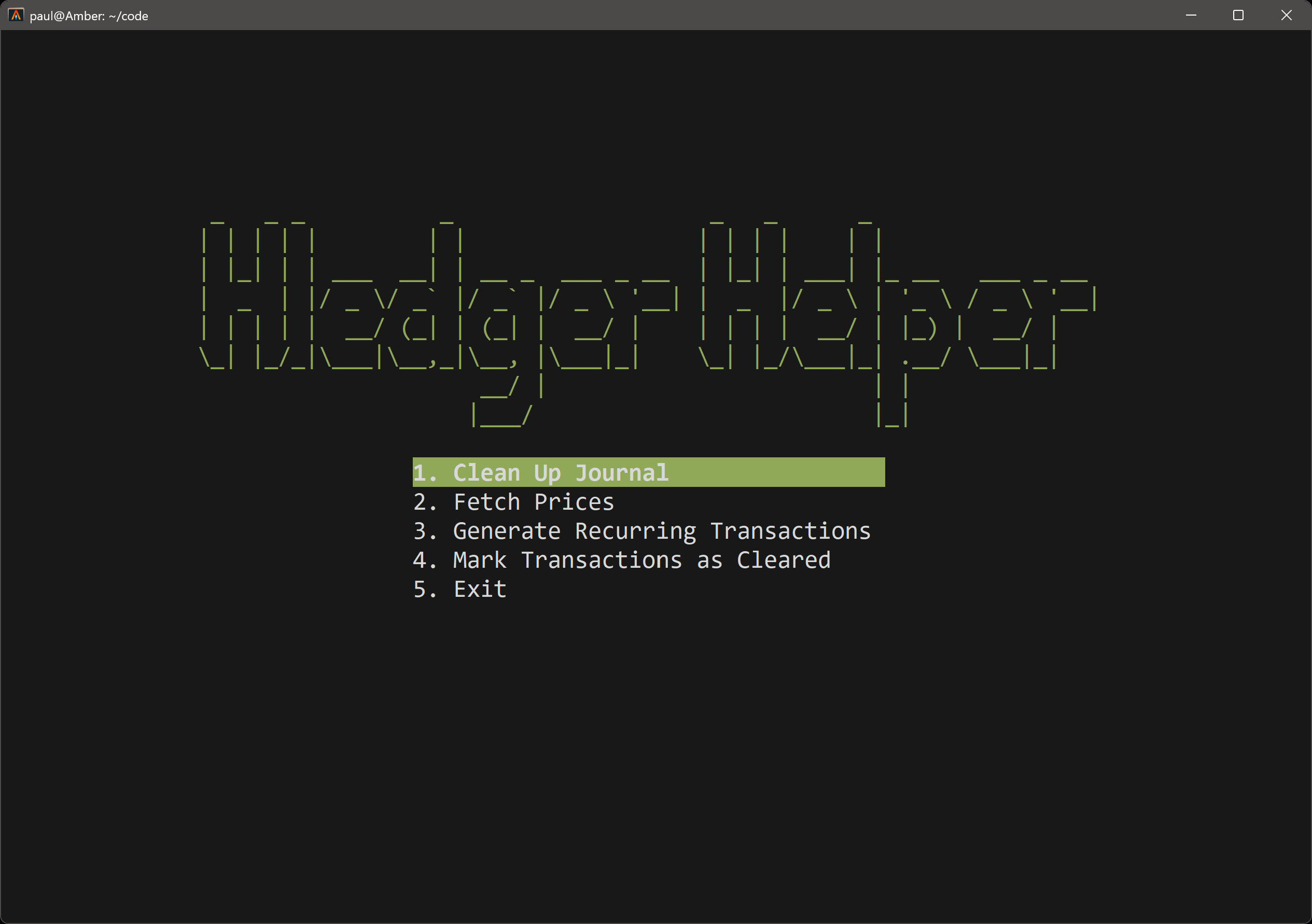
Once you've launched hhelper, you'll be greeted with a user-friendly menu where you can select from the available options:
-
Mark Transactions as Cleared Navigate through your uncleared transactions and mark them as cleared with a single keypress.
-
Clean Up Journal Automatically clean and format your journal file. The tool will ensure your journal is valid before making any changes.
-
Fetch Prices Fetch historical prices for your commodities and append them to your price file. You can review the fetched prices before saving.
-
Generate Recurring Transactions Generate recurring transactions based on a period expression. Preview the transactions before appending them to your journal.
Finding similar names
hh --similar lists descriptions and accounts that look like variants of each other, such as Whole Foods and Whole Food, and explains how to fix them. It changes nothing.
⚙️ Configuration
hhelper requires a config.toml file located at ~/.config/hhelper/config.toml. This file should define the paths to your ledger, price, header, and recurring transaction files. Here's an example configuration:
[paths]
directory = "~/finance"
ledger_file = "journal.ledger"
price_file = "prices.ledger"
header_file = "header.ledger"
recurring_tx_file = "recurring.ledger"

[commodities]
commodity_pairs = [
    { symbol = "AAPL", base_currency = "USD", quote_currency = "AAPL", is_append_space = true },
    { symbol = "BTC-USD", base_currency = "USD", quote_currency = "BTC", is_append_space = false },
]
Backups
Before changing a file, hhelper saves a timestamped copy in a .hhelper/backups folder in your configured directory, keeping the 10 most recent copies of each file. Each save first writes the new content to .hhelper/tmp; if the save is interrupted, that copy is kept and its path is shown. If your journal directory is a git repository, add .hhelper/ to its .gitignore.
🧪 Development
uv run pytest
The tests run without a terminal or network: prompts and Yahoo Finance are replaced with test doubles. Tests that need hledger are skipped when it is not installed.
📜 License
This project is licensed under the MIT License. See the LICENSE file for details.
🙌 Contributing
Contributions are welcomed! If you have ideas for new features, improvements, or bug fixes, please open an issue or submit a pull request. Let's make hhelper even better together!
💬 Feedback
If you have any questions, suggestions, or just want to say hello, feel free to open an issue or reach out to us. We'd love to hear from you!
Happy accounting with hledger Helper! 🎉
1 maintainer

Metadata
1 maintainer
Release files for hhelper 0.4.1
For a detailed explanation of source distributions (sdists) and built distributions (wheels), please see the package formats documentation.
Source distribution (sdist)
| File | Size | Uploaded | Provenance | Actions |
|---|---|---|---|---|
| hhelper-0.4.1.tar.gz | 728.4 kB | Without provenance | Details for hhelper-0.4.1.tar.gz |
Built distribution (wheel)
| File | Interpreter | ABI | Platform | Actions Reset |
|---|---|---|---|---|
| hhelper-0.4.1-py3-none-any.whl | Python 3 | none | any | Details for hhelper-0.4.1-py3-none-any.whl |
Total release size: 755.0 kB
Release files / hhelper-0.4.1.tar.gz
| Download URL | hhelper-0.4.1.tar.gz |
|---|---|
| Size | 728.4 kB |
| Tags | Source |
|
SHA-256 checksum How to use checksums |
a274e937e88f9ea8e628204d020dcf74654d18162b4f6f627a98adae1c7e7f50
|
|
BLAKE2b-256 checksum How to use checksums |
159c73e5ff57e59d89a1512387207340f50642e0e85c9fdd586001ba2028add7
|
| Upload date | |
|
Uploaded using Trusted Publishing? What is trusted publishing? |
Yes |
| Uploaded via |
uv/0.13.4 {"installer":{"name":"uv","version":"0.13.4","subcommand":["publish"]},"python":null,"implementation":{"name":null,"version":null},"distro":{"name":"Ubuntu","version":"24.04","id":"noble","libc":null},"system":{"name":null,"release":null},"cpu":null,"openssl_version":null,"setuptools_version":null,"rustc_version":null,"ci":true}
|
Release files / hhelper-0.4.1-py3-none-any.whl
| Download URL | hhelper-0.4.1-py3-none-any.whl |
|---|---|
| Size | 26.6 kB |
| Tags | Python 3 |
|
SHA-256 checksum How to use checksums |
6ece27c2ce4397a1ae12b97db49c5152b32045d73348116a35788b00e0de355b
|
|
BLAKE2b-256 checksum How to use checksums |
4ba66be0f439de5bc5a8565055743c45cf6176bb9a70cb6c11f2de657571bf49
|
| Upload date | |
|
Uploaded using Trusted Publishing? What is trusted publishing? |
Yes |
| Uploaded via |
uv/0.13.4 {"installer":{"name":"uv","version":"0.13.4","subcommand":["publish"]},"python":null,"implementation":{"name":null,"version":null},"distro":{"name":"Ubuntu","version":"24.04","id":"noble","libc":null},"system":{"name":null,"release":null},"cpu":null,"openssl_version":null,"setuptools_version":null,"rustc_version":null,"ci":true}
|
Security for hhelper 0.4.1
Provenance
Provenance describes where a file came from. On PyPI, provenance is shared via attestations, which provide a verifiable record of the build or publishing details. View details, limitations and caveats.
No provenance found
None of the files in this release were uploaded with provenance metadata.
A note on package security
PyPI is a repository for distributing packages, not a service for auditing them. While third-party security researchers and our staff do their best to detect and remove malicious packages, PyPI cannot guarantee the quality, security or suitability of any given package.
To learn more about protecting yourself from malicious actors, visit our package security documentation.














