


The name says it all. You request a POST with an HTML, and then you will get the response with the rendered PDF.
HTTP API
Send POST / request with Content-Type: text/html e.g.:
POST / HTTP/1.1
Content-Type: text/html; charset=utf-8
Accept: application/pdf

<!DOCTYPE>
<html>
<body>
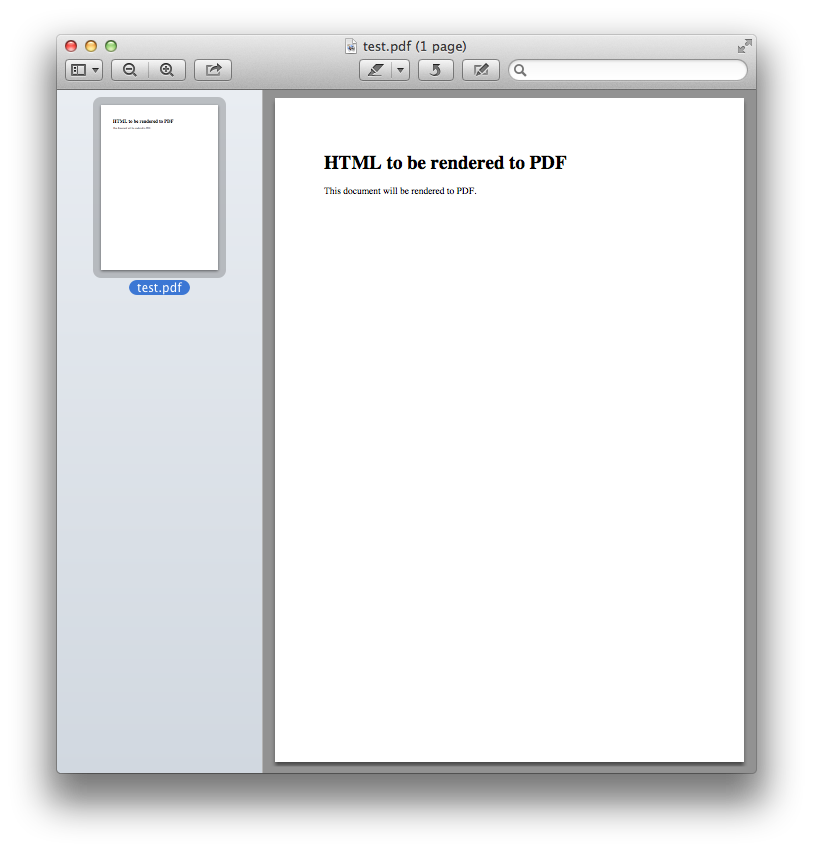
  <h1>HTML to be rendered to PDF</h1>
  <p>This document will be rendered to PDF.</p>
</body>
</html>
(Note that you have to set Accept: application/pdf header.)
And then you will get a PDF document through its response e.g.:
HTTP/1.1 200 OK
Content-Type: application/pdf
Server: html2pdf-server

(...omitted...)
Available mime types
You can set Accept header to various mime types.
- application/pdf
respond a PDF document. this type is the default type.
- image/png
respond a PNG image.
- image/jpeg
respond a JPEG image.
Session in curl
$ cat input.html
<!DOCTYPE>
<html>
<body>
  <h1>HTML to be rendered to PDF</h1>
  <p>This document will be rendered to PDF.</p>
</body>
</html>
$ curl --header 'Content-Type: text/html' \
       --data "`cat input.html`" \
       --output output.pdf \
       http://localhost:8080/
$ open output.pdf  # Use xdg-open on Linux
Result screenshot:
Getting started using Docker
Due to its non-Python dependencies the easist way to use this is using Docker. The official Docker image exposes 8080 port for HTTP server.
$ docker run -p 8080:8080 spoqa/html2pdf-serverIf you need a pong endpoint for health check specify PONG_PATH environment variable:
$ docker run -e PONG_PATH=/ping/ -p 8080:8080 spoqa/html2pdf-server
Serving on http://0.0.0.0:8080
Getting started without Docker
Installation
You can install it using pip:
$ pip install --user git+git://github.com/spoqa/html2pdf-server.gitNote that WeasyPrint has several dependencies that need to be installed using system package managers e.g. APT, Homebrew. Read the docs.
Running server
Use html2pdfd command:
$ html2pdfd --port 8080
Serving on http://0.0.0.0:8080
Or you can use your preferred WSGI server as well (WSGI endpoint is html2pdfd:app):
$ aiohttp-wsgi-serve html2pdfd:app
Serving on http://:::8080 http://0.0.0.0:8080
License
Distributed under AGPLv3 or later.
Changelog
Version 1.2.2
Released on January 31, 2017.
Fixed a crash during the server prints the first log.
Version 1.2.1
Released on January 31, 2017.
Docker image now includes built-in fonts for Chinese/Japanese/Korean.
Version 1.2.0
Released on January 27, 2017.
The prerequisite Python version became 3.5 or higher. Python 3.4 or lower are no more supported.
Replaced waitress with aiohttp-wsgi.
The Docker image now uses Python 3.5 instead of 3.4.
Version 1.1.0
Released on January 26, 2017.
Added an option to enable pong endpoint for health check.
PONG_PATH environment variable for Docker.
--pong-path option for CLI.
Fixed a bug that --help option crashed while it’s trying to render default values.
Version 1.0.0
Initial release. Released on January 25, 2017.
1 maintainer

Release files for html2pdf-server 1.2.2
For a detailed explanation of source distributions (sdists) and built distributions (wheels), please see the package formats documentation.
Source distribution (sdist)
| File | Size | Uploaded | |
|---|---|---|---|
| html2pdf-server-1.2.2.tar.gz | 5.1 kB | Details |
Built distribution (wheel)
| File | Interpreter | ABI | Platform | Reset |
|---|---|---|---|---|
| html2pdf_server-1.2.2-py3-none-any.whl | Python 3 | none | any | Details |
Total release size: 14.4 kB
Release files / html2pdf-server-1.2.2.tar.gz
| Download URL | html2pdf-server-1.2.2.tar.gz |
|---|---|
| Size | 5.1 kB |
| Tags | Source |
|
SHA-256 checksum How to use checksums |
d72f2e42102b7603233bd5d2f8c48477915a0875ede257cd1bc187d421f5dc07
|
|
BLAKE2b-256 checksum How to use checksums |
eb6753dcf60b7f1cabc4c6045df9fdac70fab7cabec12969ba61a6a72021c959
|
| Upload date | |
|
Uploaded using Trusted Publishing? What is trusted publishing? |
No |
Release files / html2pdf_server-1.2.2-py3-none-any.whl
| Download URL | html2pdf_server-1.2.2-py3-none-any.whl |
|---|---|
| Size | 9.3 kB |
| Tags | Python 3 |
|
SHA-256 checksum How to use checksums |
1b844692841f974ad6e3a51dff3455a97d4a82e62cd917eaf622d76f0dd019ad
|
|
BLAKE2b-256 checksum How to use checksums |
a0026fe669a4a9f407515d99e443f9670578159ccff9d6d522d4809bd13d4423
|
| Upload date | |
|
Uploaded using Trusted Publishing? What is trusted publishing? |
No |














