
huber
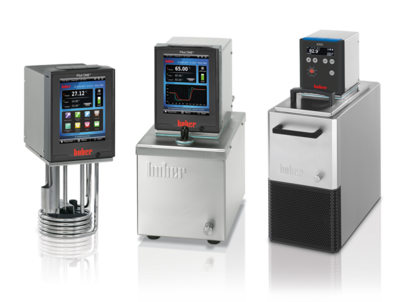
Ethernet driver and command-line tool for Huber baths.
Installation
uv pip install huber
Usage
Command Line
For basic tasks, this driver includes a command-line interface. Read the help for more.
huber --help
Python
For more complex projects, use python to automate your workflow. This driver solely uses asynchronous Python ≥3.5.
import asyncio
from huber import Bath

async def get():
    async with Bath('192.168.1.100') as bath:
        print(await bath.get())

asyncio.run(get())
If the bath is communicating, this should print a dictionary of the form:
{
    'on': False,               # Temperature control (+pump) active
    'temperature': {
        'bath': 23.49,         # Internal (bath) temperature, °C
        'setpoint': 20.0       # Temperature setpoint, °C
    },
    'pump': {
        'pressure': 0.0,       # Pump head pressure, mbar
        'speed': 0,            # Pump speed, rpm
        'setpoint': 0          # Pump speed setpoint, rpm
    },
    'status': {
        'circulating': False,  # True if device is circulating
        'controlling': False,  # True if temperature control is active
        'error': False,        # True if an uncleared error is present
        'pumping': False,      # True if pump is on
        'warning': False       # True if an uncleared warning is present
    },
    'fill': 0.0,               # Oil level, [0, 1]
    'maintenance': 338,        # Time until maintenance alarm, days
    'warning': {               # Only present if warning is detected
        'code': -1,
        'condition': '',
        'recovery': '',
        'type': ''
    },
    'error': {                 # Only present if error is detected
        'code': -1,
        'condition': '',
        'recovery': '',
        'type': ''
    }
}
The main get method strings together multiple TCP requests, and can take >0.5s
to run. If you don't want all the data, you should instead use the following:
await bath.get_setpoint()             # °C
await bath.get_bath_temperature()     # °C
await bath.get_process_temperature()  # °C (optionally installed)
await bath.get_pressure()             # mbar
await bath.get_pump_speed()           # rpm
await bath.get_fill_level()           # [0, 1]
await bath.get_next_maintenance()     # days
await bath.get_status()               # boolean dictionary
await bath.get_warning()              # None or dictionary
await bath.get_error()                # None or dictionary
You can also start, stop, set temperature setpoint, and set pump speed.
await bath.start()
await bath.stop()
await bath.set_setpoint(50)      # °C
await bath.set_pump_speed(2000)  # rpm
await bath.clear_warning()
await bath.clear_error()
Implementation
This uses the PB method described in the manual. Note that this does not take advantage of the PB package commands, which would cut down on the data transmission at the cost of extra bath configuration. This also does not take advantage of the high-accuracy PB data transmission, as its resolution is unnecessary in most use cases.
4 maintainers


Metadata
4 maintainers
Release files for huber 0.9.0
For a detailed explanation of source distributions (sdists) and built distributions (wheels), please see the package formats documentation.
Source distribution (sdist)
| File | Size | Uploaded | |
|---|---|---|---|
| huber-0.9.0.tar.gz | 56.5 kB | Details |
Built distribution (wheel)
| File | Interpreter | ABI | Platform | Reset |
|---|---|---|---|---|
| huber-0.9.0-py3-none-any.whl | Python 3 | none | any | Details |
Total release size: 111.9 kB
Release files / huber-0.9.0.tar.gz
| Download URL | huber-0.9.0.tar.gz |
|---|---|
| Size | 56.5 kB |
| Tags | Source |
|
SHA-256 checksum How to use checksums |
c81306c808ab184b1be836bf61e987a270889477addebe5e8c0e7147032cd173
|
|
BLAKE2b-256 checksum How to use checksums |
c7fd6b0ac9e750ce279bafb9f6addfbe151b26f2f665a60c41828c8a0b303843
|
| Upload date | |
|
Uploaded using Trusted Publishing? What is trusted publishing? |
No |
| Uploaded via |
twine/5.0.0 CPython/3.12.3
|
Release files / huber-0.9.0-py3-none-any.whl
| Download URL | huber-0.9.0-py3-none-any.whl |
|---|---|
| Size | 55.4 kB |
| Tags | Python 3 |
|
SHA-256 checksum How to use checksums |
b370a6f8be2c33b4379171116cb7b79f349839185d8f4578a60626ae0f94e221
|
|
BLAKE2b-256 checksum How to use checksums |
780ccf5968aadc345c8cc40e55165c51e0e5cb3b710683170ce3f8411fb2dcfc
|
| Upload date | |
|
Uploaded using Trusted Publishing? What is trusted publishing? |
No |
| Uploaded via |
twine/5.0.0 CPython/3.12.3
|














