
ilastik-napari
Napari plugin for interactive pixel classification. Designed to be similar to the pixel classification workflow in classic ilastik.
Installation
This plugin requires you to use a conda environment. The environment manager conda comes in a few different forms.
If you haven't used conda before, you can find more information in the conda user guide.
You can use whichever variant you prefer, as the resulting environment should be the same, but we recommend the mambaforge variant as it is usually the fastest.
When using mambaforge, the mamba command usually replaces the conda command one would otherwise use.
Once you have installed mambaforge, set up a conda environment with napari and the fastfilters package, and then use pip to install ilastik-napari:
conda create -y -c ilastik-forge -c conda-forge -n my-napari-env napari pyqt=5.51 fastfilters sparse qtpy scikit-learn
conda activate my-napari-env
pip install ilastik-napari
Finally, run napari:
napari
That's it! You should be able to find the ilastik-napari plugin in the Plugins menu.
If you prefer to install napari using pip instead of conda:
Make sure to install napari[all].
Unless you want to choose a PyQt implementation other than PyQt5, in which case you should leave out the [all] extra.
Usage
As a prerequisite, make sure you understand the napari basics.
-
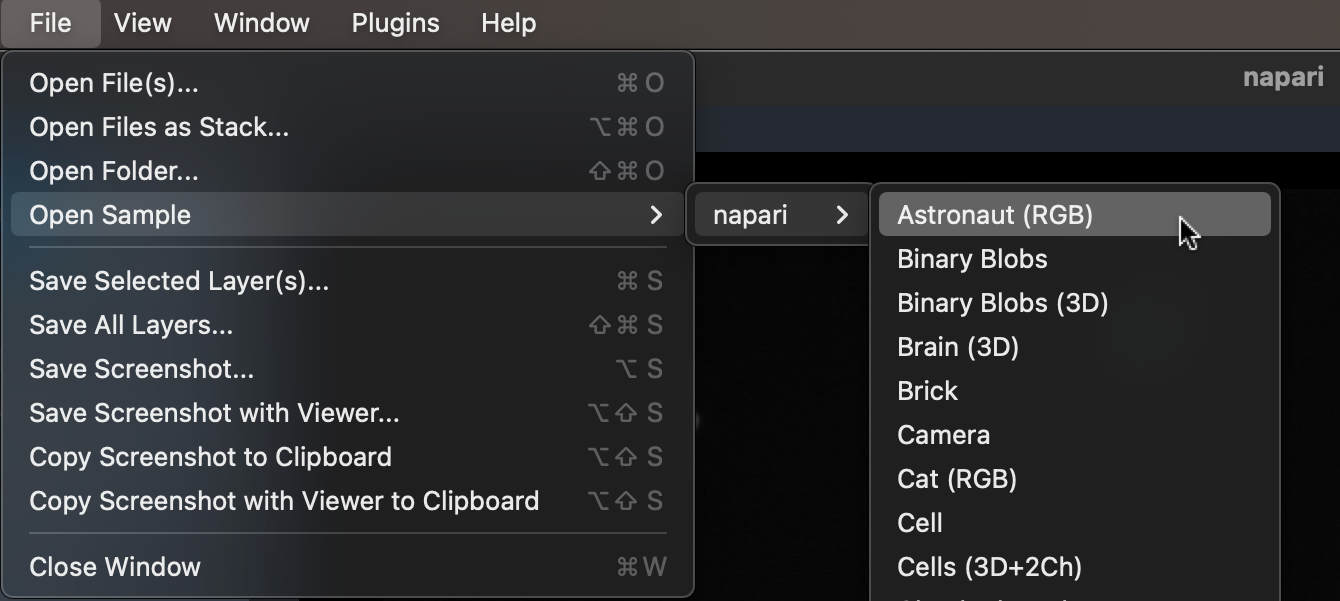
Open your image, or use a sample in File - Open Sample.
-
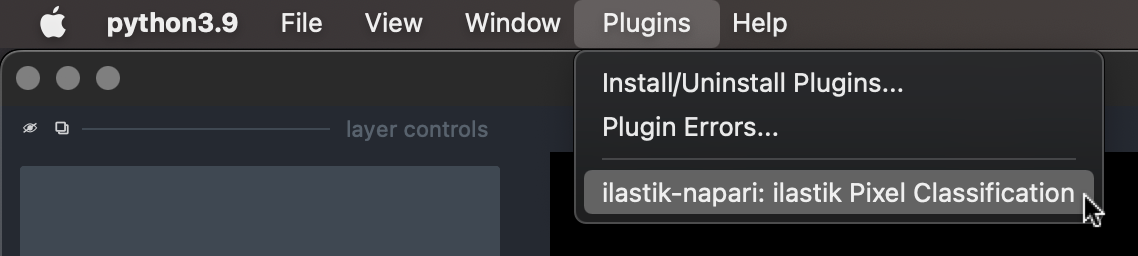
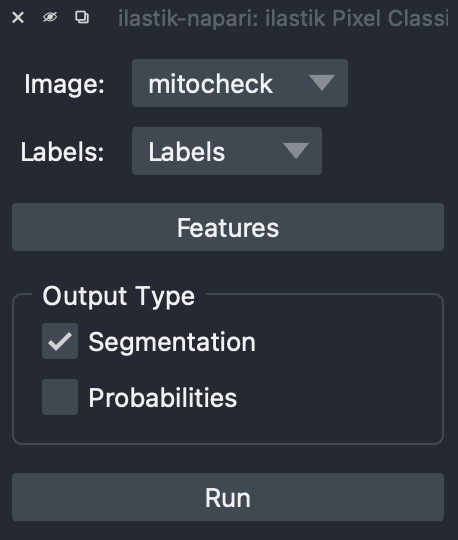
Activate the plugin in the Plugins menu.
-
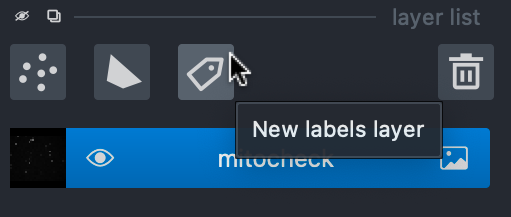
In layer list, create a new Labels layer.
-
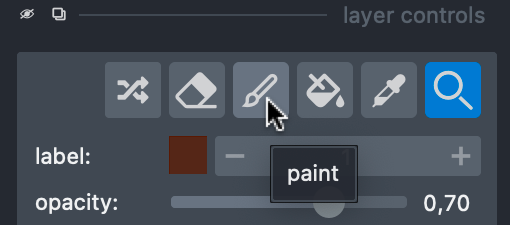
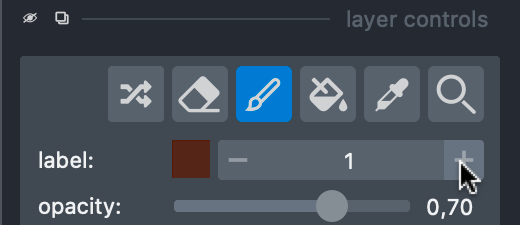
In layers control, switch to the paint action.
-
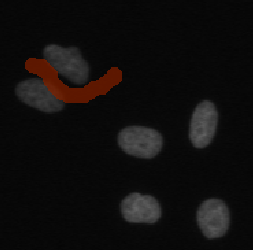
Draw your background labels.
-
Switch to a new label.
-
Draw your foreground labels.
-
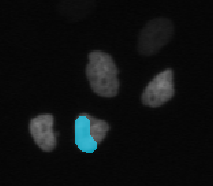
Select output types you need, and click Run.
-
The plugin will create one layer for each output type, which you save as normal napari layers.
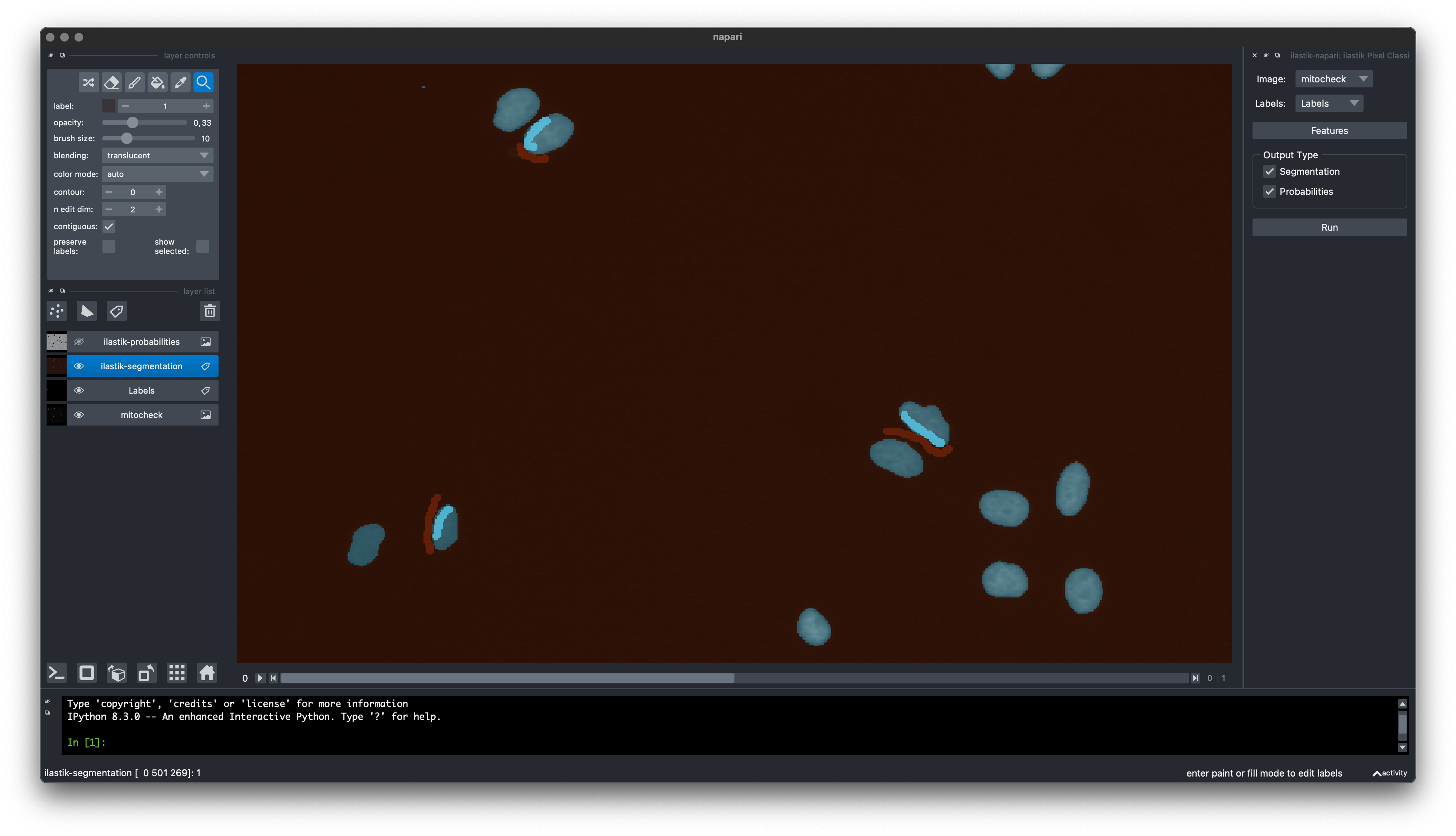
Development
Create a development environment:
conda create -y -n ilastik-napari-dev -c ilastik-forge fastfilters pyqt=5.51 fastfilters sparse qtpy scikit-learn setuptools-scm conda-build anaconda-client
conda activate napari-ilastik-dev
pip install -e .
Build conda package:
conda activate napari-ilastik-dev
conda build -c ilastik-forge conda-recipe
anaconda upload /path/to/the/new/package.tar.bz2
Build wheel and sdist packages:
conda activate napari-ilastik-dev
pip install build twine
python -m build
python -m twine upload --repository testpypi dist/*
2 maintainers


Metadata
2 maintainers
Release files for ilastik-napari 0.3.1
For a detailed explanation of source distributions (sdists) and built distributions (wheels), please see the package formats documentation.
Source distribution (sdist)
| File | Size | Uploaded | Provenance | Actions |
|---|---|---|---|---|
| ilastik_napari-0.3.1.tar.gz | 12.1 kB | With provenance | Details for ilastik_napari-0.3.1.tar.gz |
Built distribution (wheel)
| File | Interpreter | ABI | Platform | Actions Reset |
|---|---|---|---|---|
| ilastik_napari-0.3.1-py3-none-any.whl | Python 3 | none | any | Details for ilastik_napari-0.3.1-py3-none-any.whl |
Total release size: 22.2 kB
Release files / ilastik_napari-0.3.1.tar.gz
| Download URL | ilastik_napari-0.3.1.tar.gz |
|---|---|
| Size | 12.1 kB |
| Tags | Source |
|
SHA-256 checksum How to use checksums |
cf11d27de341345a727db2faea404e1601e77baac17f06136769652fe310912c
|
|
BLAKE2b-256 checksum How to use checksums |
c9cdaa718dbcc8f735c5a3714dca67a9d3dc57e490c6afcd35de560125a0ecfc
|
| Upload date | |
|
Uploaded using Trusted Publishing? What is trusted publishing? |
Yes |
| Uploaded via |
twine/6.1.0 CPython/3.12.9
|
Provenance
Provenance describes where a file came from. On PyPI, provenance is shared via attestations, which provide a verifiable record of the build or publishing details. View details, limitations and caveats.


PyPI Publish Attestation
PyPI verified that this artifact, at this checksum, originated from the publisher listed below.
Signed by GitHub Actions, verified by PyPI on Aug 12, 2025.
Transparency logRelease files / ilastik_napari-0.3.1-py3-none-any.whl
| Download URL | ilastik_napari-0.3.1-py3-none-any.whl |
|---|---|
| Size | 10.1 kB |
| Tags | Python 3 |
|
SHA-256 checksum How to use checksums |
ba45371dd571126427553fabc7e3327211137e3373de98f4e3d4436e210fa4e9
|
|
BLAKE2b-256 checksum How to use checksums |
dd05c106de14d1fa182e006e304ead9de9044f6477c58f3cd7ca6a65d769d6b2
|
| Upload date | |
|
Uploaded using Trusted Publishing? What is trusted publishing? |
Yes |
| Uploaded via |
twine/6.1.0 CPython/3.12.9
|
Provenance
Provenance describes where a file came from. On PyPI, provenance is shared via attestations, which provide a verifiable record of the build or publishing details. View details, limitations and caveats.
PyPI Publish Attestation
PyPI verified that this artifact, at this checksum, originated from the publisher listed below.
Signed by GitHub Actions, verified by PyPI on Aug 12, 2025.
Transparency logSecurity for ilastik-napari 0.3.1
Provenance
Provenance describes where a file came from. On PyPI, provenance is shared via attestations, which provide a verifiable record of the build or publishing details. View details, limitations and caveats.
Full provenance
All 2 files in this release have been uploaded with provenance metadata.
Attestation for ilastik_napari-0.3.1.tar.gz
PyPI Publish Attestation
PyPI verified that this artifact, at this checksum, originated from the publisher listed below.
Signed by GitHub Actions, verified by PyPI on Aug 12, 2025.
Transparency logA note on package security
PyPI is a repository for distributing packages, not a service for auditing them. While third-party security researchers and our staff do their best to detect and remove malicious packages, PyPI cannot guarantee the quality, security or suitability of any given package.
To learn more about protecting yourself from malicious actors, visit our package security documentation.














