
ImageModifier







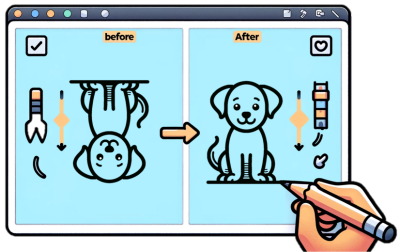
Created by DALL.E
ImageModifier is a Python package dedicated to providing an intuitive and efficient way to manipulate JPEG images. This package focuses on core JPEG image processing functions, allowing users to easily modify images through operations like rotating, slicing, adding frame, and adjusting RGB channels. The primary goal is to offer a straightforward way for basic yet powerful JPEG image transformations, making it a useful tool for image processing.
Contributors
Chun Li, Celeste Zhao, He Ma, Karan Khubdikar
Motivation
ImageModifier offers a streamlined and intuitive approach, making it highly accessible to a wide range of users, unlike many complex image processing tools that can be overwhelming for beginners and cumbersome for quick tasks. This package caters to both novices seeking an easy entry point into image manipulation and experienced users looking for a tool to perform quick modifications without the overhead of more complex software. With core functionalities like rotating, slicing, adding frames, and selecting RGB channels, ImageModifier simplifies these common tasks, allowing users to achieve their goals with minimal coding effort.
Functions
rotate_90: Rotating an image by 90 degrees clockwise.
add_frame: Adding a frame to an image.
select_channel: Modifying an image with/without a specified RGB channel.
slice_image: Slicing an image into a specified number of horizontal and vertical slices.
Documentation
The package documentation, including installation instructions, usage examples and API details, is available on ReadTheDocs and accessible here.
Installation
For user
Installing the package
$ pip install image_modifier
For developer
Setting up the project
Clone the repository to your local machine:
$ git clone https://github.com/UBC-MDS/image_modifier
$ cd image_modifier/
Create and activate the virtual environment:
$ conda env create -f image_modifier.yml
$ conda activate image_modifier
Install the packages via poetry:
$ poetry install
Running unit tests
To run unit tests to ensure the functionality of the modifications, execute:
$ poetry run pytest
To include code coverage reporting, can also run:
$ poetry run pytest --cov=image_modifier
Usage
Importing libraries and image
The following code can be used to import libraries and an image in python.
>>> import numpy as np
>>> import matplotlib.pyplot as plt
>>> from PIL import Image

>>> image = Image.open("src/ubc.jpeg")  # Example for demonstration
>>> image_ary = np.array(image)
Function usage
Rotate the image by 90 degree clockwise
>>> from image_modifier.rotate_90 import rotate_90

>>> rotated_image = rotate_90(image_ary)
>>> plt.imshow(rotated_image)
Add frame to the image
>>> from image_modifier.add_frame import add_frame

>>> framed_image = add_frame(image_ary, border_size=30, color_name='blue', overlay=True)
>>> plt.imshow(framed_image)
Select color channel
>>> from image_modifier.select_channel import select_channel

>>> colored_image = select_channel(image_ary, 'r')
>>> plt.imshow(colored_image)
Slice the image
>>> from image_modifier.slice_image import slice_image

>>> slices = slice_image(image_ary, horizontal_slices=2, vertical_slices=2)
Usage examples
Detailed usage examples can be found here.
Position within the Python ecosystem
ImageModifier bridges the gap between highly complex image processing libraries and the need for straightforward, user-friendly JPEG image manipulation tools. Its focus on core image processing functionalities—such as rotating, slicing, adding frames, and adjusting RGB channels. While Python boasts powerful image processing libraries like OpenCV and PIL/Pillow, these can often be overwhelming for beginners or overkill for simple tasks. ImageModifier's simplicity makes it an attractive starting point for newcomers to JPEG image processing, as well as a quick and efficient tool for experienced users needing to perform routine tasks without the overhead of more complex libraries.
Contributing
Interested in contributing? Check out the contributing guidelines. Please note that this project is released with a Code of Conduct. By contributing to this project, you agree to abide by its terms.
License
image_modifier was created by Karan Khubdikar, Celeste Zhao, He Ma, Chun Li. It is licensed under the terms of the MIT license, and more details can be found in the LICENSE.
Credits
image_modifier was created with cookiecutter and the py-pkgs-cookiecutter template.
3 maintainers


Metadata
3 maintainers
Release files for image-modifier 2.0.8
For a detailed explanation of source distributions (sdists) and built distributions (wheels), please see the package formats documentation.
Source distribution (sdist)
| File | Size | Uploaded | Provenance | Actions |
|---|---|---|---|---|
| image_modifier-2.0.8.tar.gz | 9.8 kB | Without provenance | Details for image_modifier-2.0.8.tar.gz |
Built distribution (wheel)
| File | Interpreter | ABI | Platform | Actions Reset |
|---|---|---|---|---|
| image_modifier-2.0.8-py3-none-any.whl | Python 3 | none | any | Details for image_modifier-2.0.8-py3-none-any.whl |
Total release size: 19.5 kB
Release files / image_modifier-2.0.8.tar.gz
| Download URL | image_modifier-2.0.8.tar.gz |
|---|---|
| Size | 9.8 kB |
| Tags | Source |
|
SHA-256 checksum How to use checksums |
f6c6ac67ecd645221e63a1e34c22a4e934b480428c901e91cb4d96390f03e856
|
|
BLAKE2b-256 checksum How to use checksums |
943d41a5bf1570c1f8bc18fcd049351414fd75dd83a61ffa676b17ed4f820ef8
|
| Upload date | |
|
Uploaded using Trusted Publishing? What is trusted publishing? |
No |
| Uploaded via |
twine/4.0.2 CPython/3.11.7
|
Release files / image_modifier-2.0.8-py3-none-any.whl
| Download URL | image_modifier-2.0.8-py3-none-any.whl |
|---|---|
| Size | 9.7 kB |
| Tags | Python 3 |
|
SHA-256 checksum How to use checksums |
88e05687050963c8eb9bdaebd5275b7b6012826db6c507f587eb67a53c58b9dd
|
|
BLAKE2b-256 checksum How to use checksums |
cd39f1579e9e3a40ef86ef1d1f96995290df1b4bd7d28c588a6b014e688635f7
|
| Upload date | |
|
Uploaded using Trusted Publishing? What is trusted publishing? |
No |
| Uploaded via |
twine/4.0.2 CPython/3.11.7
|
Security for image-modifier 2.0.8
Provenance
Provenance describes where a file came from. On PyPI, provenance is shared via attestations, which provide a verifiable record of the build or publishing details. View details, limitations and caveats.
No provenance found
None of the files in this release were uploaded with provenance metadata.
A note on package security
PyPI is a repository for distributing packages, not a service for auditing them. While third-party security researchers and our staff do their best to detect and remove malicious packages, PyPI cannot guarantee the quality, security or suitability of any given package.
To learn more about protecting yourself from malicious actors, visit our package security documentation.














