
imgviz
Image Visualization Tools



Installation
pip install imgviz

# there are optional dependencies like skimage, below installs all.
pip install imgviz[all]
Dependencies
Getting Started
# getting_started.py

import numpy as np

import imgviz

# sample data of rgb, depth, class label and instance masks
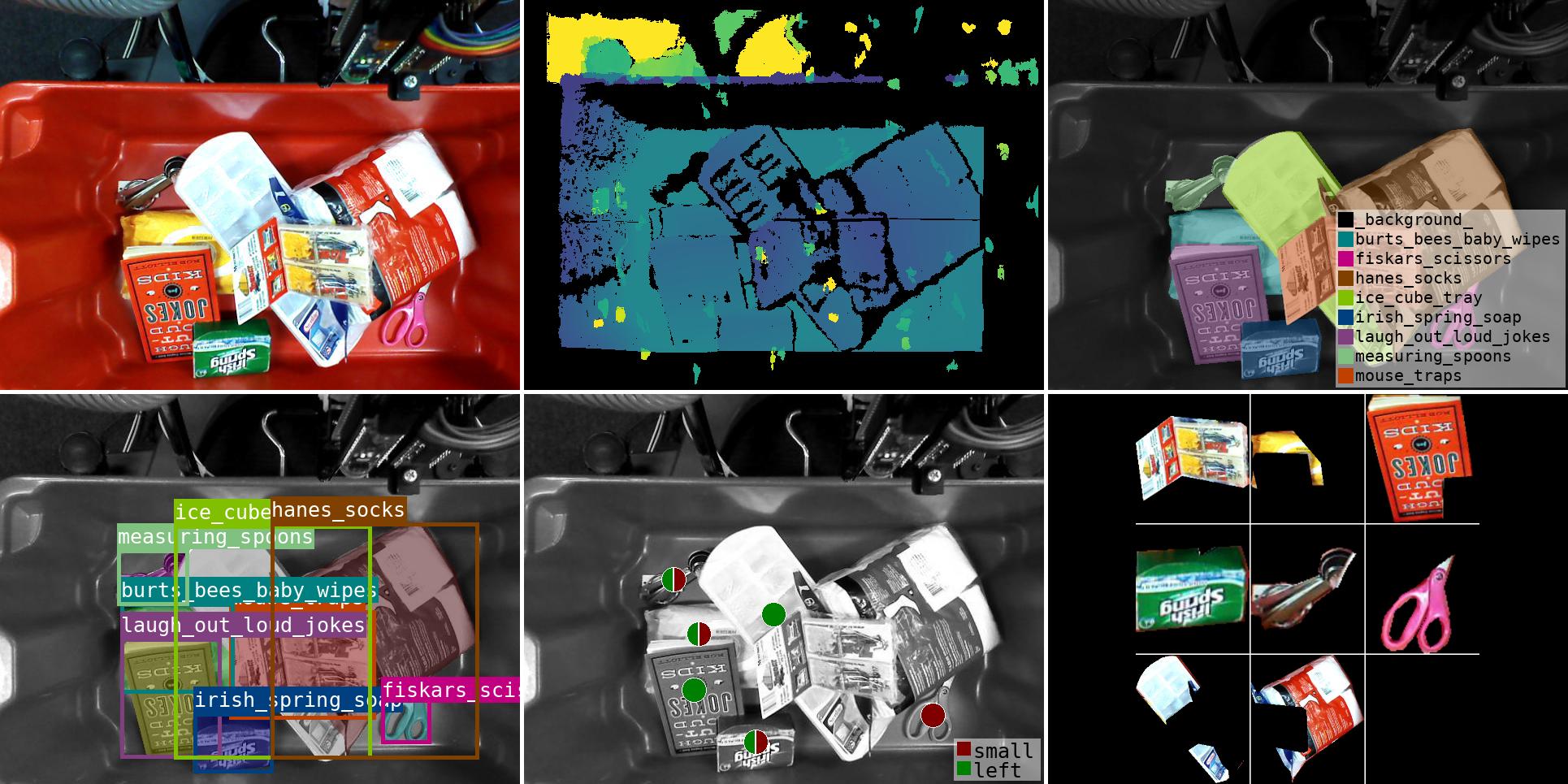
data = imgviz.data.arc2017()

rgb = data["rgb"]
gray = imgviz.rgb2gray(rgb)

# colorize depth image with viridis colormap
depth = data["depth"]
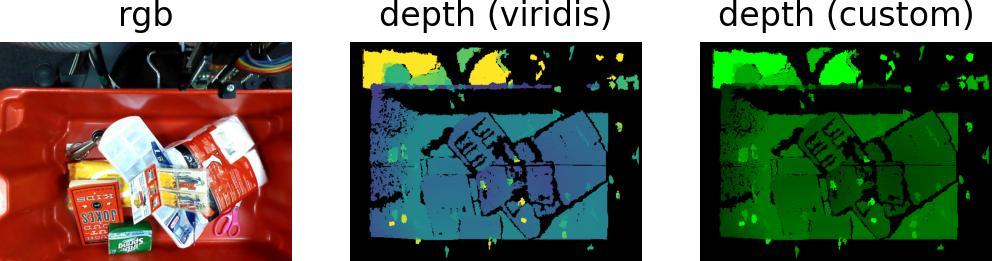
depthviz = imgviz.colorize(depth, vmin=0.3, vmax=1)

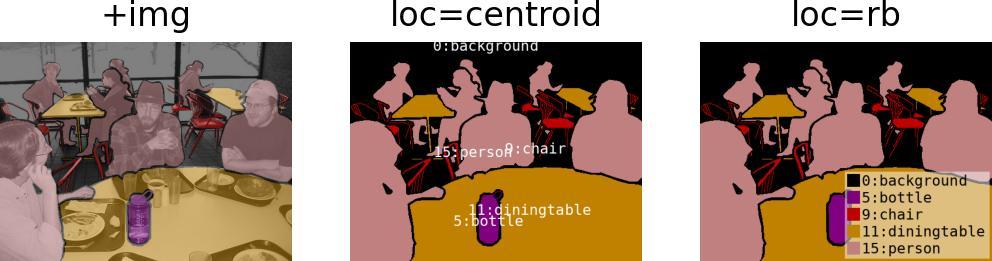
# colorize label image
class_label = data["class_label"]
labelviz = imgviz.label2rgb(
    class_label, image=gray, label_names=data["class_names"], font_size=20
)

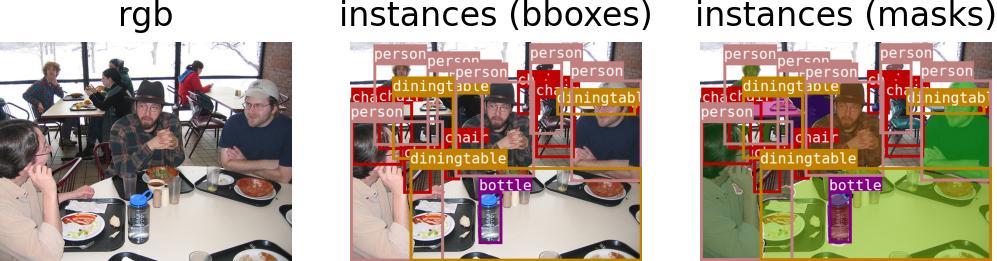
# instance bboxes
bboxes = data["bboxes"].astype(int)
labels = data["labels"]
masks = data["masks"] == 1
captions = [data["class_names"][l] for l in labels]
maskviz = imgviz.instances2rgb(gray, masks=masks, labels=labels, captions=captions)

# per-instance flags as pie glyphs
centers = np.array([np.argwhere(m).mean(axis=0) for m in masks])
flags = np.column_stack(
    (masks.sum(axis=(1, 2)) < 7000, centers[:, 1] < rgb.shape[1] / 2)
)
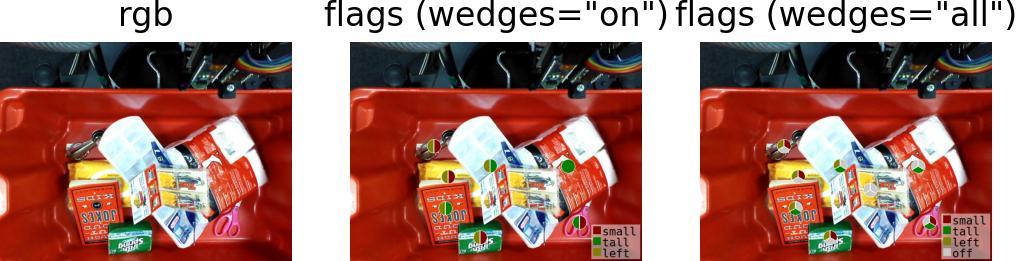
flagviz = imgviz.flags2rgb(
    rgb, flags=flags, centers=centers, flag_names=["small", "left"], wedges="all"
)

# tile instance masks
insviz = [
    (rgb * m[:, :, None])[b[0] : b[2], b[1] : b[3]] for b, m in zip(bboxes, masks)
]
insviz = imgviz.tile(images=insviz, border=(255, 255, 255))
insviz = imgviz.resize(insviz, height=rgb.shape[0])

# tile visualization
tiled = imgviz.tile(
    [rgb, depthviz, labelviz, maskviz, flagviz, insviz],
    row=2,
    col=3,
    border=(255, 255, 255),
    border_width=5,
)
Examples

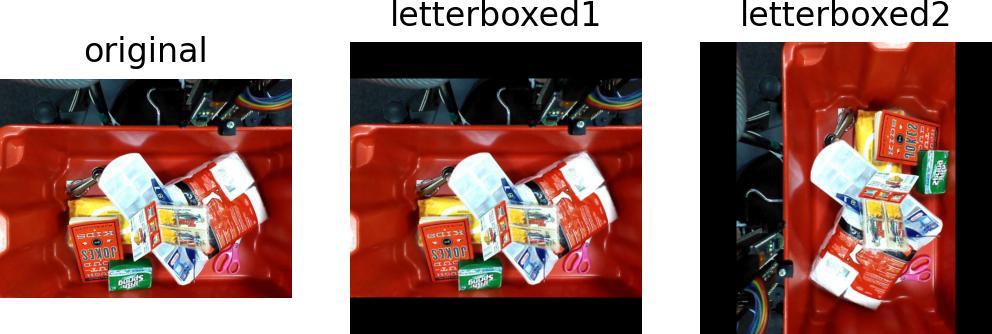
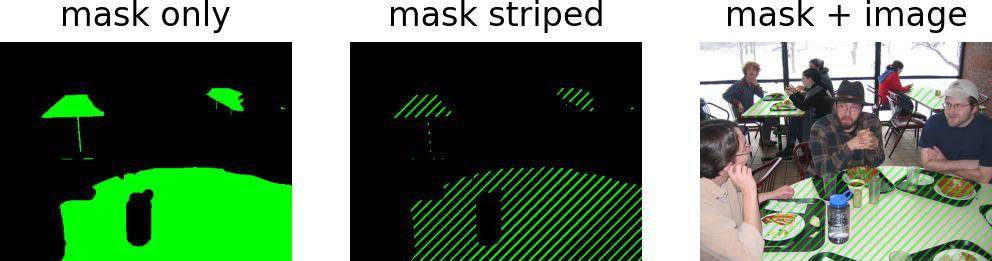
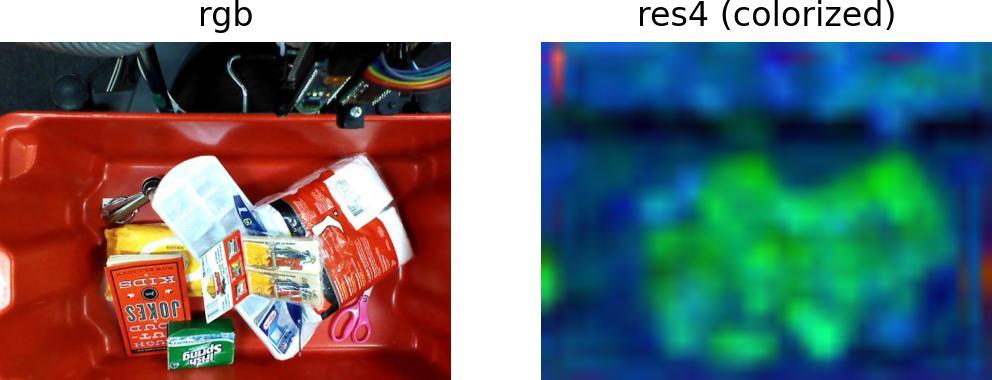
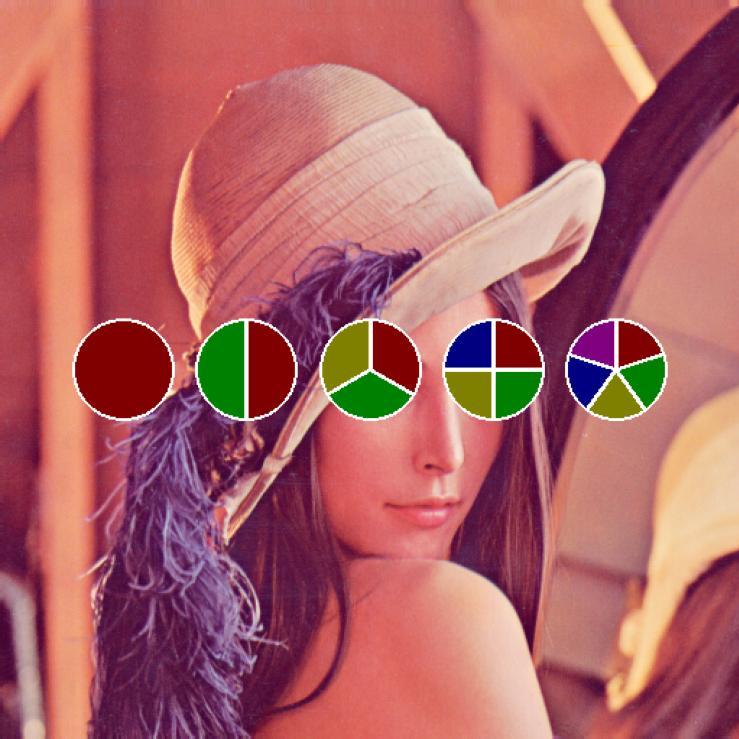
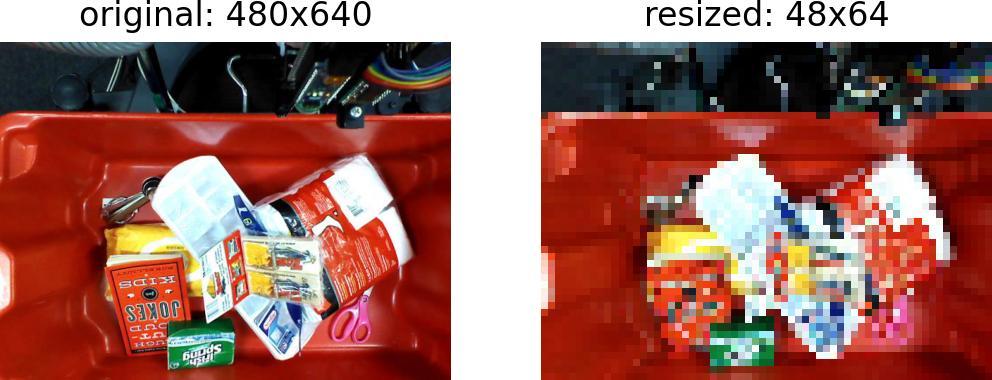
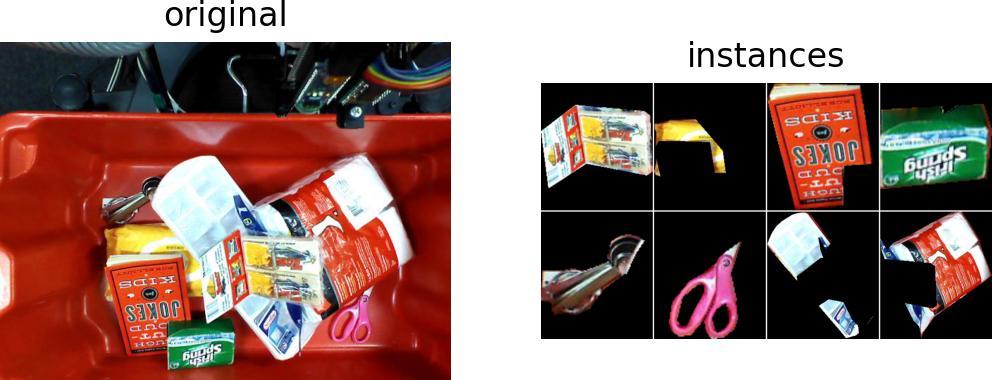
1 maintainer

Metadata
1 maintainer
Release files for imgviz 2.1.0
For a detailed explanation of source distributions (sdists) and built distributions (wheels), please see the package formats documentation.
Source distribution (sdist)
| File | Size | Uploaded | Provenance | |
|---|---|---|---|---|
| imgviz-2.1.0.tar.gz | 9.1 MB | With provenance | Details |
Built distribution (wheel)
| File | Interpreter | ABI | Platform | Reset |
|---|---|---|---|---|
| imgviz-2.1.0-py3-none-any.whl | Python 3 | none | any | Details |
Total release size: 16.9 MB
Release files / imgviz-2.1.0.tar.gz
| Download URL | imgviz-2.1.0.tar.gz |
|---|---|
| Size | 9.1 MB |
| Tags | Source |
|
SHA-256 checksum How to use checksums |
bc5cc8e1b98706b5a3baf773444e5fa16db47d47150e0752f3e4f1e8a3fc92e1
|
|
BLAKE2b-256 checksum How to use checksums |
c10800ed1f65fbb17389ef35e993079467c1ad48ffcbc5acb54aa6978e16d41b
|
| Upload date | |
|
Uploaded using Trusted Publishing? What is trusted publishing? |
Yes |
| Uploaded via |
twine/6.1.0 CPython/3.13.12
|
Provenance
Provenance describes where a file came from. On PyPI, provenance is shared via attestations, which provide a verifiable record of the build or publishing details. View details, limitations and caveats.


PyPI Publish Attestation
PyPI verified that this artifact, at this checksum, originated from the publisher listed below.
Signed by GitHub Actions, verified by PyPI on Jun 10, 2026.
Transparency logRelease files / imgviz-2.1.0-py3-none-any.whl
| Download URL | imgviz-2.1.0-py3-none-any.whl |
|---|---|
| Size | 7.9 MB |
| Tags | Python 3 |
|
SHA-256 checksum How to use checksums |
8a22c40df25529a2ae4ef668b592225ade755e5b9347451f7199a803b528bb59
|
|
BLAKE2b-256 checksum How to use checksums |
5dae322cb10179f1d2843e48470b8457396206182a5d7244e1f7c25aa27ffd6e
|
| Upload date | |
|
Uploaded using Trusted Publishing? What is trusted publishing? |
Yes |
| Uploaded via |
twine/6.1.0 CPython/3.13.12
|
Provenance
Provenance describes where a file came from. On PyPI, provenance is shared via attestations, which provide a verifiable record of the build or publishing details. View details, limitations and caveats.
PyPI Publish Attestation
PyPI verified that this artifact, at this checksum, originated from the publisher listed below.
Signed by GitHub Actions, verified by PyPI on Jun 10, 2026.
Transparency logSecurity for imgviz 2.1.0
Provenance
Provenance describes where a file came from. On PyPI, provenance is shared via attestations, which provide a verifiable record of the build or publishing details. View details, limitations and caveats.
Full provenance
All 2 files in this release have been uploaded with provenance metadata.
Attestation for imgviz-2.1.0.tar.gz
PyPI Publish Attestation
PyPI verified that this artifact, at this checksum, originated from the publisher listed below.
Signed by GitHub Actions, verified by PyPI on Jun 10, 2026.
Transparency logA note on package security
PyPI is a repository for distributing packages, not a service for auditing them. While third-party security researchers and our staff do their best to detect and remove malicious packages, PyPI cannot guarantee the quality, security or suitability of any given package.














