




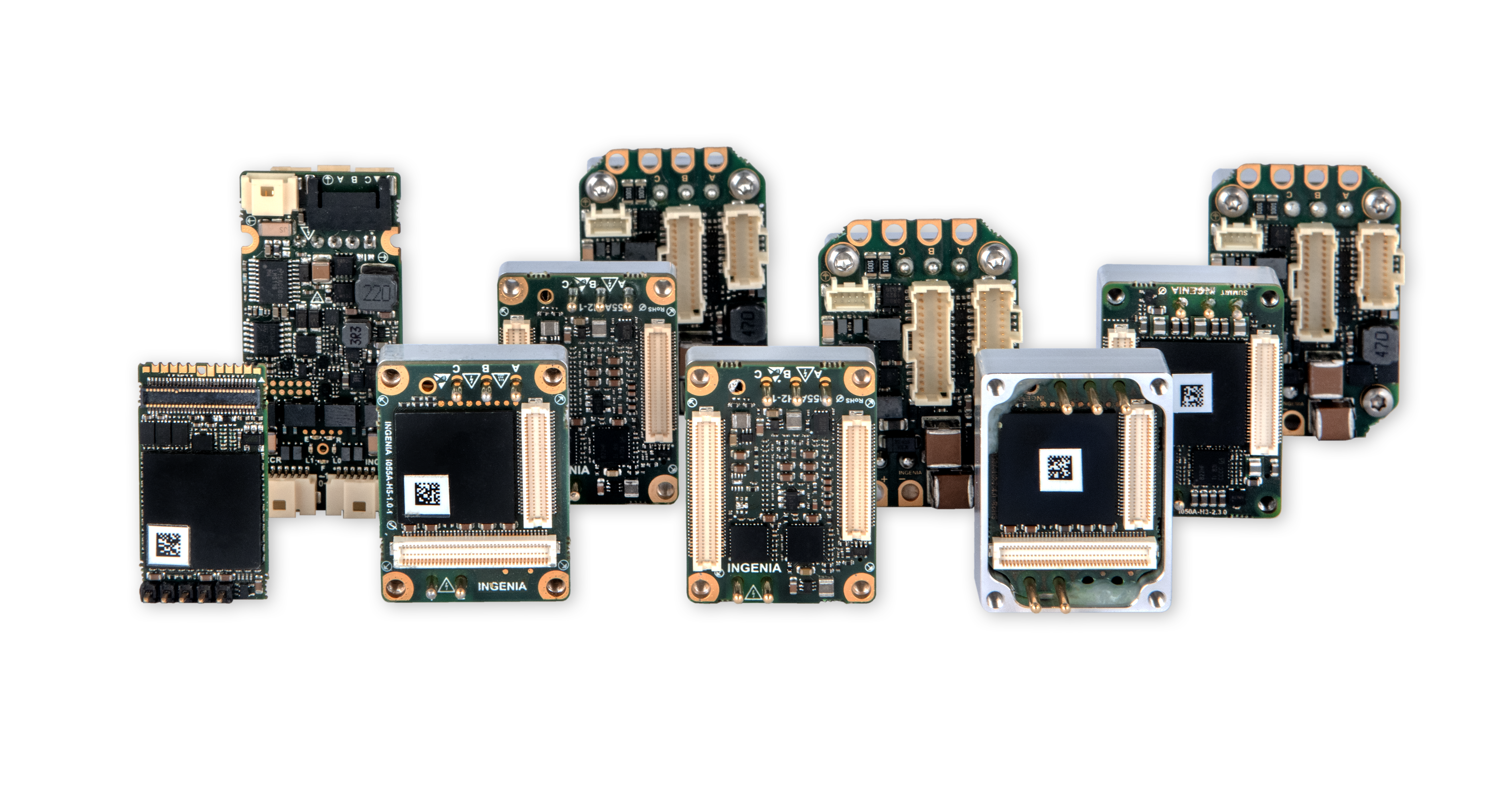
ingenialink-python is a Python library for simple motion control tasks and communication with Ingenia drives.
Requirements
Python 3.9 or higher
WinPcap 4.1.3
Installation
Installation is done by using pip, i.e:
pip install ingenialink
Documentation
For further details you can read the documentation where you will find simple usage examples, the API docs, etc.
Virtual environment management with Poetry
Install poetry:
pip install poetry
Use an environment with a certain Python version:
poetry env use 3.12
Install all dependencies:
poetry sync --all-groups
Project Tasks - Poe The Poet plugin
To run the tasks use poe. For example, to run the format task:
poetry run poe format
Any extra CLI arguments will be appended. For example, to indicate a certain test for pytest:
poetry run poe tests -k test_servo.py
Build the module
Activate poetry environment and run the following:
poetry run poe build-wheel
Run tests
Create tests/setups/tests_setup.py file with configuration file.
This file is ignored by git and won’t be uploaded to the repository. Example of a setup:
from pathlib import Path

from summit_testing_framework.setups import LocalDriveConfigSpecifier

DEN_NET_E_SETUP = LocalDriveConfigSpecifier.from_ethercat_configuration(
   identifier="den-net-e",
   dictionary=Path("C://Users//some.user//Downloads//den-net-e_eoe_2.7.3.xdf"),
   config_file=Path("C://Users//some.user//Downloads//den_net_e.xcf"),
   firmware_file=Path("C://Users//some.user//Downloads//den-net-e_2.7.3.lfu"),
   ifname="\\Device\\NPF_{675921D7-B64A-4997-9211-D18E2A6DC96A}",
   slave=1,
   boot_in_app=False,
)
For more information, check summit-testing-framework documentation.
Run tests selecting the markers that you want and are appropriate for your setup. Beware that some tests may not be appropriate for the setup that you have and may fail.
Run the tests:
poetry run poe tests -m {markers}
5 maintainers


Metadata
5 maintainers
Release files for ingenialink 7.6.2
For a detailed explanation of source distributions (sdists) and built distributions (wheels), please see the package formats documentation.
Source distribution (sdist)
| File | Size | Uploaded | |
|---|---|---|---|
| ingenialink-7.6.2.tar.gz | 10.7 MB | Details |
Built distributions (wheels)
| File | Reset | |||
|---|---|---|---|---|
| ingenialink-7.6.2-py3-none-any.whl | Python 3 | none | any | Details |
| ingenialink-7.6.2-cp312-cp312-win_amd64.whl | CPython 3.12 | CPython 3.12 | Windows x86-64 | Details |
| ingenialink-7.6.2-cp311-cp311-win_amd64.whl | CPython 3.11 | CPython 3.11 | Windows x86-64 | Details |
| ingenialink-7.6.2-cp310-cp310-win_amd64.whl | CPython 3.10 | CPython 3.10 | Windows x86-64 | Details |
| ingenialink-7.6.2-cp39-cp39-win_amd64.whl | CPython 3.9 | CPython 3.9 | Windows x86-64 | Details |
Total release size: 13.5 MB
Release files / ingenialink-7.6.2.tar.gz
| Download URL | ingenialink-7.6.2.tar.gz |
|---|---|
| Size | 10.7 MB |
| Tags | Source |
|
SHA-256 checksum How to use checksums |
61180f47092ed51f4c45059335b06e69e2fabd2a488fdabeafd2bed7bc8595c6
|
|
BLAKE2b-256 checksum How to use checksums |
4f2fdf10b64a71a30d23f46ff8d4ca94381bf6f9de55a201bf94a860d16b8d68
|
| Upload date | |
|
Uploaded using Trusted Publishing? What is trusted publishing? |
No |
| Uploaded via |
twine/4.0.1 CPython/3.9.18
|
Release files / ingenialink-7.6.2-py3-none-any.whl
| Download URL | ingenialink-7.6.2-py3-none-any.whl |
|---|---|
| Size | 205.7 kB |
| Tags | Python 3 |
|
SHA-256 checksum How to use checksums |
c3e89cf46e10f3b9129b30ceac32e02fa890cf435d57f5f9fcea71c47d526e85
|
|
BLAKE2b-256 checksum How to use checksums |
745f40f153c9ba2e1245c8833903a9d7a84f5a74d5ba5d6a573b8571dcb1ce35
|
| Upload date | |
|
Uploaded using Trusted Publishing? What is trusted publishing? |
No |
| Uploaded via |
twine/4.0.1 CPython/3.9.18
|
Release files / ingenialink-7.6.2-cp312-cp312-win_amd64.whl
| Download URL | ingenialink-7.6.2-cp312-cp312-win_amd64.whl |
|---|---|
| Size | 643.3 kB |
| Tags | CPython 3.12 Windows x86-64 |
|
SHA-256 checksum How to use checksums |
c346acfbb8d4915d8a11d71f184188abe2f77e9eded859523990b7adc539d625
|
|
BLAKE2b-256 checksum How to use checksums |
e4809967b71b9252cccb78be276ddc223e1c8fa246418ff00f02887788bb0cab
|
| Upload date | |
|
Uploaded using Trusted Publishing? What is trusted publishing? |
No |
| Uploaded via |
twine/4.0.1 CPython/3.9.18
|
Release files / ingenialink-7.6.2-cp311-cp311-win_amd64.whl
| Download URL | ingenialink-7.6.2-cp311-cp311-win_amd64.whl |
|---|---|
| Size | 642.0 kB |
| Tags | CPython 3.11 Windows x86-64 |
|
SHA-256 checksum How to use checksums |
21d7d803db8fc7843b3cc0d1c4997299c388097d85b4d6d5192fd4eff3cd2ab1
|
|
BLAKE2b-256 checksum How to use checksums |
4b063ce9d8d6ca0de247dbc8087954a3fca9cca685bd976ae7832beee00db665
|
| Upload date | |
|
Uploaded using Trusted Publishing? What is trusted publishing? |
No |
| Uploaded via |
twine/4.0.1 CPython/3.9.18
|
Release files / ingenialink-7.6.2-cp310-cp310-win_amd64.whl
| Download URL | ingenialink-7.6.2-cp310-cp310-win_amd64.whl |
|---|---|
| Size | 640.7 kB |
| Tags | CPython 3.10 Windows x86-64 |
|
SHA-256 checksum How to use checksums |
b6e5c936da1bcf8f095b457d7d73a4438f912e23de0ce6751cc7fec865865d07
|
|
BLAKE2b-256 checksum How to use checksums |
e456f2c1a007f80aaa397b7bcc60b18332d2854e6f443a08a3e8db665b6344a2
|
| Upload date | |
|
Uploaded using Trusted Publishing? What is trusted publishing? |
No |
| Uploaded via |
twine/4.0.1 CPython/3.9.18
|
Release files / ingenialink-7.6.2-cp39-cp39-win_amd64.whl
| Download URL | ingenialink-7.6.2-cp39-cp39-win_amd64.whl |
|---|---|
| Size | 640.9 kB |
| Tags | CPython 3.9 Windows x86-64 |
|
SHA-256 checksum How to use checksums |
c45f6091b9802760a9873a14e8e854fed933988283a33b9ad1e1fef135a2cb63
|
|
BLAKE2b-256 checksum How to use checksums |
47b99a9c0ebe44e2c79558ecfe380b5eeb2d46be8e59606247fe444ea5e92462
|
| Upload date | |
|
Uploaded using Trusted Publishing? What is trusted publishing? |
No |
| Uploaded via |
twine/4.0.1 CPython/3.9.18
|














