
inheritance_explorer




The inheritance_explorer is an open source python package for inspecting other packages. In particular, it focuses on class inheritance structures, allowing you to produce graphs that recursively map out child classes from a given starting class. There are a number of useful applications: from learning structures of unfamiliar code bases to identifying duplicate code.
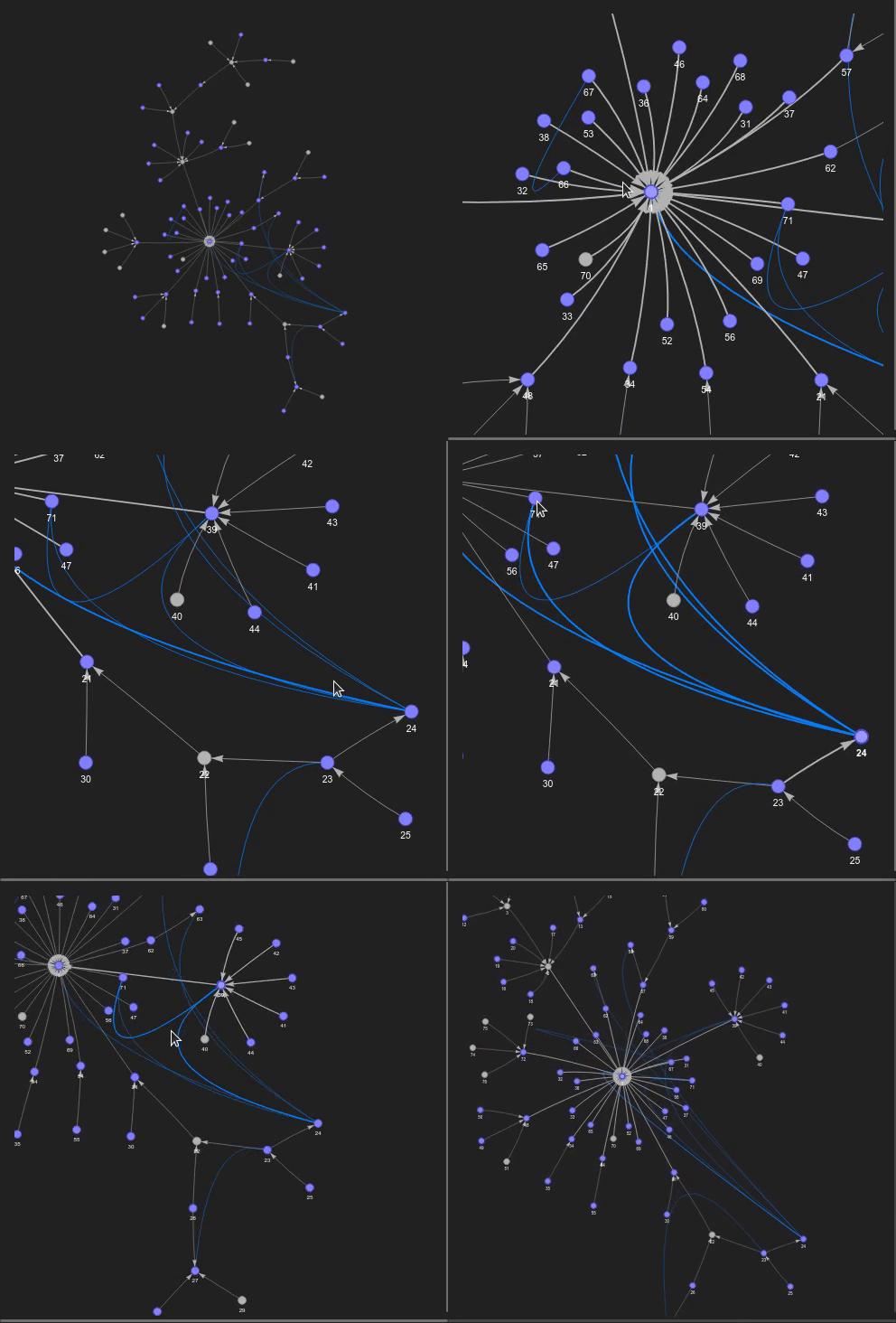
Useful links: github repository, full documentation
Installation
To install the latest release into your current active environment:
$ pip install inheritance_explorerIf you want to produce static images of any graphs, you’ll also need to install graphviz following the instructions at https://graphviz.org/download/. graphviz is not needed for the interactive plotting and similarity calculations (see Quick Start below).
Quick Start
Basic class mapping
The primary function of the inheritance_explorer is to trace out the class inheritance starting from a single parent class and recursively traversing all child classes. To get started, initialize a ClassGraphTree with the starting class:
from matplotlib.axes import Axes
from inheritance_explorer import ClassGraphTree

base_class = Axes # the starting class to map from
cgt = ClassGraphTree(base_class) # traces an inheritance tree
From here, there are a number of ways to visualize the inheritance graph.
- From a jupyter notebook, you can construct a pyvis interactive network graph
with:
graph = cgt.build_interactive_graph(width="1200px",
                                    height="1200px",
                                    bgcolor='#222222',
                                    font_color='white')
graph.show('_tmp.html') # render the pyvis interactive graph- If you have graphviz installed, you can also render a static graph either to
display in a jupyter notebook or save to file. To display in a notebook:
cgt.show_graph()To save a file, you can access the underlying graph object directly:
cgt.graph.write('matplotlib_Axes.png')Function tracking
The ClassGraphTree can also track a selected function of a class during traversal. When a child class overrides the function, the source code is stored. To use this functionality, use the funcname keyword argument to provide the function name as a string:
from matplotlib.axes import Axes
from inheritance_explorer import ClassGraphTree

base_class = Axes # the starting class to map from
cgt = ClassGraphTree(base_class, funcname='clear')
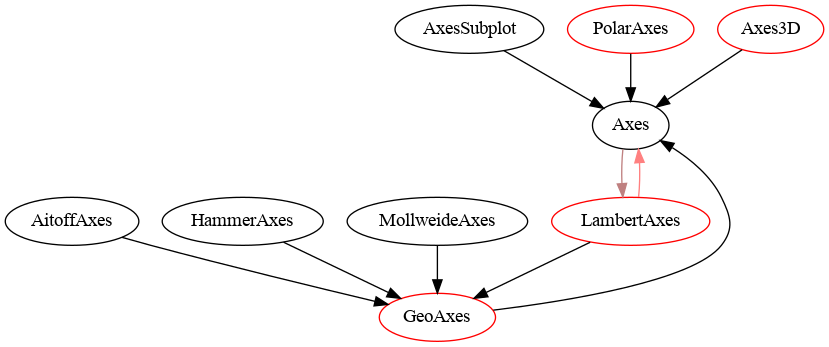
By default, after the traversal completes, the different versions of the function that is tracked will be run through a code-similarity calculation. Cases where the similarity fraction is above a cutoff value (default of .75), the two nodes will be connected on the resulting graph:
Additionally, you can inspect the source code itself for any of the classes that define it using cgt.get_source_code(class_name). If in a jupyter notebook, you can view it with syntax highlighting with
from IPython.display import Code
Code(cgt.get_source_code('PolarAxes'), language="python")
For a complete description of the code similarity calculation and how to modify it, check out the full documentation.
Additional Features
The following additional features are described in more detail in the full documentation:
1 maintainer

Metadata
1 maintainer
Release files for inheritance-explorer 0.2.0
For a detailed explanation of source distributions (sdists) and built distributions (wheels), please see the package formats documentation.
Source distribution (sdist)
| File | Size | Uploaded | |
|---|---|---|---|
| inheritance_explorer-0.2.0.tar.gz | 13.6 MB | Details |
Built distribution (wheel)
| File | Interpreter | ABI | Platform | Reset |
|---|---|---|---|---|
| inheritance_explorer-0.2.0-py3-none-any.whl | Python 3 | none | any | Details |
Total release size: 13.6 MB
Release files / inheritance_explorer-0.2.0.tar.gz
| Download URL | inheritance_explorer-0.2.0.tar.gz |
|---|---|
| Size | 13.6 MB |
| Tags | Source |
|
SHA-256 checksum How to use checksums |
e4f72062f415852801360c85f7d035f8d10b2b0138dea50d5e1b5e8da50dfeed
|
|
BLAKE2b-256 checksum How to use checksums |
b22903ac360bf480b6af53c33151ae295539b7f55f14f90b7bd39bf941c15e7f
|
| Upload date | |
|
Uploaded using Trusted Publishing? What is trusted publishing? |
No |
| Uploaded via |
twine/5.0.0 CPython/3.12.3
|
Release files / inheritance_explorer-0.2.0-py3-none-any.whl
| Download URL | inheritance_explorer-0.2.0-py3-none-any.whl |
|---|---|
| Size | 18.8 kB |
| Tags | Python 3 |
|
SHA-256 checksum How to use checksums |
de4e41443037827e0bcd4dd13ab3bb4a81d3dfa5251355450b6bef2560c94b02
|
|
BLAKE2b-256 checksum How to use checksums |
f498bd7252357fc375f377add7f6fc8354df77bc70263d9dafb11af4c48ddb18
|
| Upload date | |
|
Uploaded using Trusted Publishing? What is trusted publishing? |
No |
| Uploaded via |
twine/5.0.0 CPython/3.12.3
|














