
iometrics

Monitor and log Network and Disks statistics in MegaBytes per second.
Install
pip install iometrics
Usage
Pytorch-lightning integration
from pytorch_lightning import Trainer
from iometrics.pytorch_lightning.callbacks import NetworkAndDiskStatsMonitor

net_disk_stats = NetworkAndDiskStatsMonitor()

trainer = Trainer(callbacks=[net_disk_stats])
Metrics generated
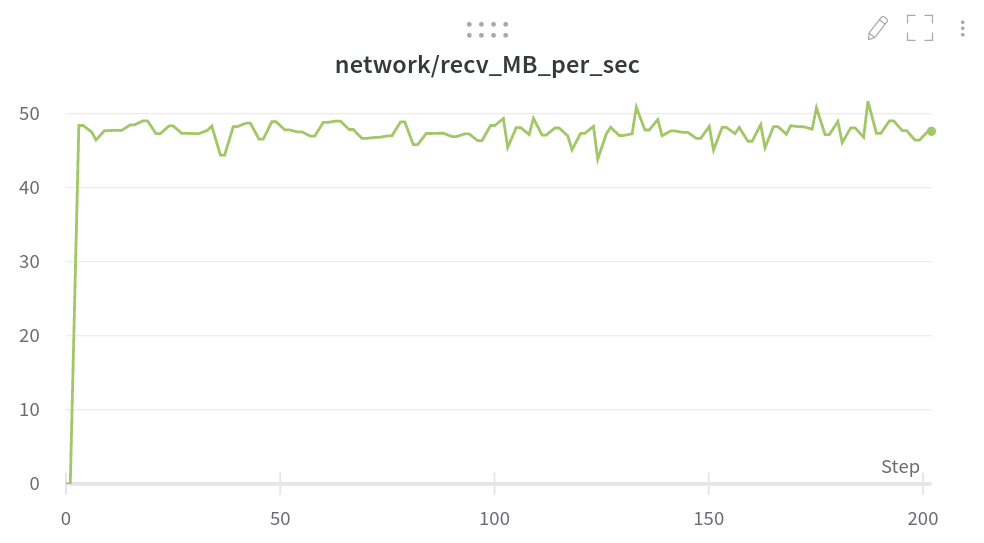
- network/recv_MB_per_sec – Received MB/s on all relevant network interfaces as a SUM.
- network/sent_MB_per_sec – Sent MB/s on all relevant network interfaces as a SUM.
- disk/util% – Disk utilization percentage as the average of all disk devices.
- disk/read_MB_per_sec – Disks read MB/s as the sum of all disk devices.
- disk/writ_MB_per_sec – Disks written MB/s as the sum of all disk devices.
- disk/io_read_count_per_sec – Disks read I/O operations per second as the sum of all disk devices.
- disk/io_writ_count_per_sec – Disks written I/O operations per second as the sum of all disk devices.
Screen shot
Pure-Python implementation (zero dependencies)
Quick check
python -c 'from iometrics.example import usage; usage()'
Example output
|        Network (MBytes/s)       | Disk Util |            Disk MBytes          |           Disk I/O          |
|     Received    |     Sent      |     %     |    MB/s Read    |  MB/s Written |     I/O Read    | I/O Write |
|   val  |   avg  |  val  |  avg  | val | avg |  val   |  avg   |  val  |  avg  |   val  |   avg  | val | avg |
| ------:| ------:| -----:| -----:| ---:| ---:| ------:| ------:| -----:| -----:| ------:| ------:| ---:| ---:|
|    4.6 |    3.5 |   0.1 |   0.1 |  49 |   2 |   52.8 |    1.1 |   0.0 |   0.9 |    211 |      4 |   5 |  18 |
|    4.1 |    3.5 |   0.1 |   0.1 |  61 |   3 |   60.4 |    2.4 |  40.3 |   1.7 |    255 |     10 | 149 |  21 |
Full code
import time
from iometrics import NetworkMetrics, DiskMetrics
from iometrics.example import DUAL_METRICS_HEADER
net  = NetworkMetrics()
disk = DiskMetrics()
for i in range(100):
    time.sleep(1)
    net.update_stats()
    disk.update_stats()
    if i % 15 == 0:
        print(DUAL_METRICS_HEADER)
    row = (
        f"| {net.mb_recv_ps.val:6.1f} | {net.mb_recv_ps.avg:6.1f} "
        f"| {net.mb_sent_ps.val:5.1f} | {net.mb_sent_ps.avg:5.1f} "
        f"| {int(disk.io_util.val):3d} | {int(disk.io_util.avg):3d} "
        f"| {disk.mb_read.val:6.1f} | {disk.mb_read.avg:6.1f} "
        f"| {disk.mb_writ.val:5.1f} | {disk.mb_writ.avg:5.1f} "
        f"| {int(disk.io_read.val):4d} | {int(disk.io_read.avg):4d} "
        f"| {int(disk.io_writ.val):3d} | {int(disk.io_writ.avg):3d} "
        f"|"
    )
    print(row)
Run in a Docker container
Containers don't have access to the host's network statistics, therefore this workaround is needed.
# on the host machine (not inside the container)
iometrics replicate proc &
after you run above script in the host you should mount the /host/proc/net/dev to the container. for example:
docker run -it -v "/tmp/proc_net_dev:/host/proc/net/dev:ro" <YOURIMAGE>
Contributing
See CONTRIBUTING.md
1 maintainer

Metadata
1 maintainer
Release files for iometrics 0.0.8
For a detailed explanation of source distributions (sdists) and built distributions (wheels), please see the package formats documentation.
Source distribution (sdist)
| File | Size | Uploaded | Provenance | |
|---|---|---|---|---|
| iometrics-0.0.8.tar.gz | 14.5 kB | Without provenance | Details |
Built distribution (wheel)
| File | Interpreter | ABI | Platform | Reset |
|---|---|---|---|---|
| iometrics-0.0.8-py3-none-any.whl | Python 3 | none | any | Details |
Total release size: 31.1 kB
Release files / iometrics-0.0.8.tar.gz
| Download URL | iometrics-0.0.8.tar.gz |
|---|---|
| Size | 14.5 kB |
| Tags | Source |
|
SHA-256 checksum How to use checksums |
dc0998cf6173d5ca2355a926a018cc213aa1c548d81929207c7f025a13cd2c98
|
|
BLAKE2b-256 checksum How to use checksums |
353a381e66b97ec120c89143ed1236499e51fca6d5cda6ae96f42efe73966b04
|
| Upload date | |
|
Uploaded using Trusted Publishing? What is trusted publishing? |
No |
| Uploaded via |
poetry/1.1.12 CPython/3.7.12 Linux/5.13.0-27-generic
|
Release files / iometrics-0.0.8-py3-none-any.whl
| Download URL | iometrics-0.0.8-py3-none-any.whl |
|---|---|
| Size | 16.6 kB |
| Tags | Python 3 |
|
SHA-256 checksum How to use checksums |
eba1f6f23204ea29aff74423c9895dc2fa41752e0cc76afc8eb84e7b3d362655
|
|
BLAKE2b-256 checksum How to use checksums |
b573277f00b90962df7a480014eebcd2243184c2da42c34b7616126536b76867
|
| Upload date | |
|
Uploaded using Trusted Publishing? What is trusted publishing? |
No |
| Uploaded via |
poetry/1.1.12 CPython/3.7.12 Linux/5.13.0-27-generic
|
Security for iometrics 0.0.8
Provenance
Provenance describes where a file came from. On PyPI, provenance is shared via attestations, which provide a verifiable record of the build or publishing details. View details, limitations and caveats.
No provenance found
None of the files in this release were uploaded with provenance metadata.
A note on package security
PyPI is a repository for distributing packages, not a service for auditing them. While third-party security researchers and our staff do their best to detect and remove malicious packages, PyPI cannot guarantee the quality, security or suitability of any given package.
To learn more about protecting yourself from malicious actors, visit our package security documentation.














