
A tiny web server for ipv4 to geo location conversion

Project description
IP2LOC
A tiny web server for ipv4 to geo location conversion
System Prerequisites
- SQLite is available (SQLite is included by default in these systems.)
- Only Python3 supported,
>= 3.6is preferred.
Quick Start
Installation & Run
pip install --user ip2loc-server
ip2loc
Now you have already started the server. Try
curl localhost:8080/ip2loc?ip=216.58.221.228
# {"ip": "216.58.221.228", "country_code": "NL", "country_name": "Netherlands", "region_name": "Noord-Holland", "city_name": "Amsterdam", "latitude": 52.37403, "longitude": 4.88969}
curl localhost:8080/url2loc?url=www.google.com
# {"ip": "216.58.221.228", "country_code": "NL", "country_name": "Netherlands", "region_name": "Noord-Holland", "city_name": "Amsterdam", "latitude": 52.37403, "longitude": 4.88969}
curl localhost:8080/url2loc?url=https://www.google.com
# {"ip": "216.58.221.228", "country_code": "NL", "country_name": "Netherlands", "region_name": "Noord-Holland", "city_name": "Amsterdam", "latitude": 52.37403, "longitude": 4.88969}
to test the server is working well. Run ip2loc -h for more helps.
Server Port
By default the server listens to port 8080, you could ONLY modify this in the configure file.
(Arguments specified listening ports are not supported)
In addition multiple ports could be configured as
# multiple listening port example
PORTS = (8080, 8081, 8082,)
Paths
I deliberately do not list the data, configure and log paths in this README file, for the reason that the default paths are all relative paths which are not easy to be described clearly.
To find these useful path info, run
ip2loc --showpath
Track the Latest Data
All the data used in this project is from https://lite.ip2location.com/database/ip-country-region-city-latitude-longitude.
For the reason that the data on this site are updated monthly, you need track the latest data manually.
-
Download "IPV4CSV" and remember the current version of data
-
Run
ip2loc --loaddata --dataver="current version" --csv="CSV/DATA/PATH/NAME.CSV"orip2loc --loaddata --dataver="current version" --zip="ZIP/DATA/PATH/NAME.ZIP"
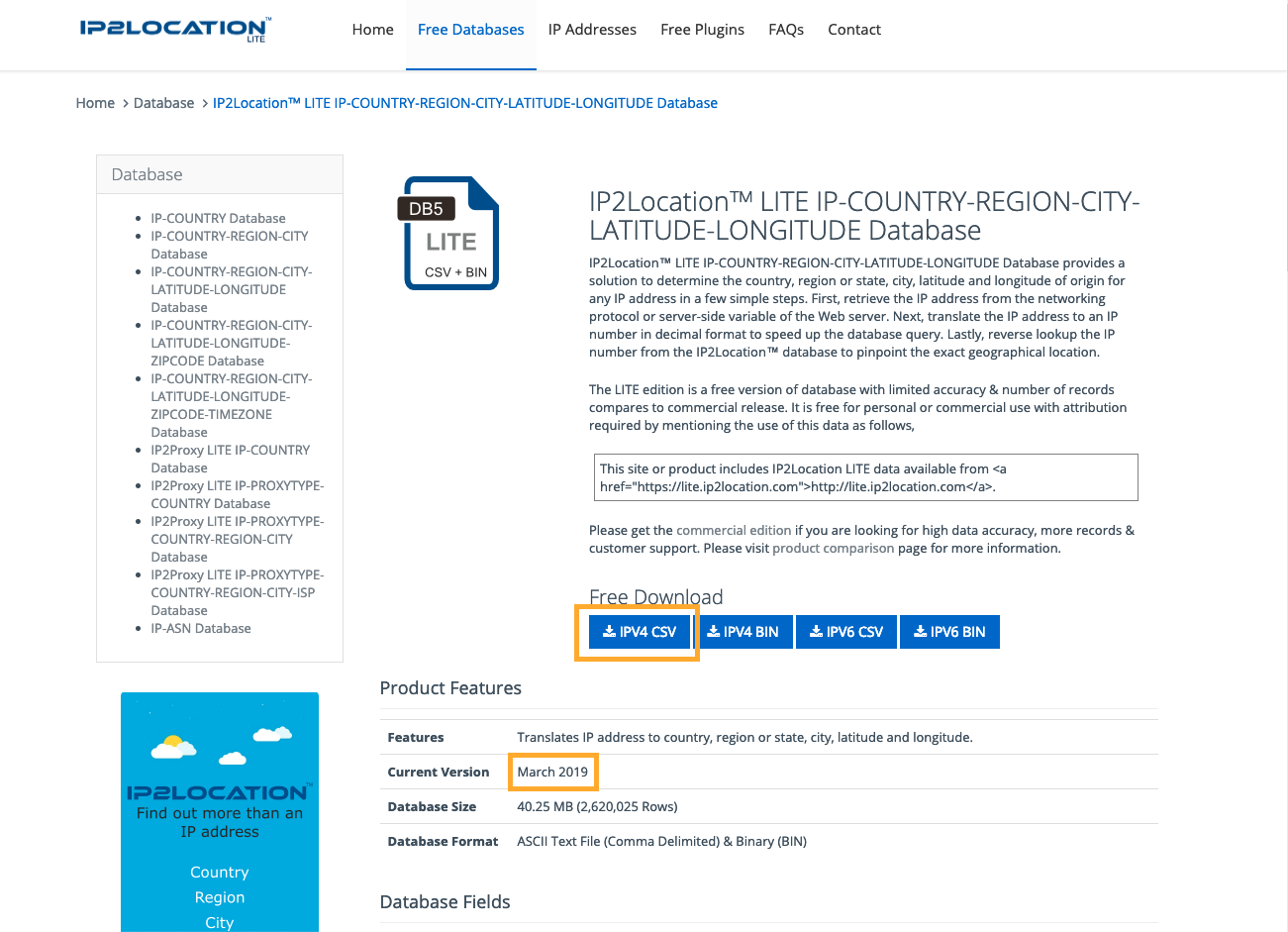
How This Works
Briefly: Binary search of ordered ip data
See https://lite.ip2location.com/database/ip-country-region-city-latitude-longitude for details of data structure.
Contact Me
Release history Release notifications | RSS feed


Download files
Download the file for your platform. If you're not sure which to choose, learn more about installing packages.
Source Distribution
Built Distribution
Filter files by name, interpreter, ABI, and platform.
If you're not sure about the file name format, learn more about wheel file names.
Copy a direct link to the current filters
File details
Details for the file ip2loc_server-0.0.1.tar.gz.
File metadata
- Download URL: ip2loc_server-0.0.1.tar.gz
- Upload date:
- Size: 42.2 MB
- Tags: Source
- Uploaded using Trusted Publishing? No
- Uploaded via: twine/1.13.0 pkginfo/1.5.0.1 requests/2.13.0 setuptools/40.8.0 requests-toolbelt/0.9.1 tqdm/4.31.1 CPython/3.6.5
File hashes
| Algorithm | Hash digest | |
|---|---|---|
| SHA256 |
2d8b0c69babe6dac16764e79a6a767250fd7abdc911db4e75586cd832d4facb8
|
|
| MD5 |
7a5bb20a2e6617baae080646f8227468
|
|
| BLAKE2b-256 |
c5bc53aa8207c9b4690d51f95d107996f20298b08a9fee3604ede858b38f7f25
|
File details
Details for the file ip2loc_server-0.0.1-py3-none-any.whl.
File metadata
- Download URL: ip2loc_server-0.0.1-py3-none-any.whl
- Upload date:
- Size: 42.2 MB
- Tags: Python 3
- Uploaded using Trusted Publishing? No
- Uploaded via: twine/1.13.0 pkginfo/1.5.0.1 requests/2.13.0 setuptools/40.8.0 requests-toolbelt/0.9.1 tqdm/4.31.1 CPython/3.6.5
File hashes
| Algorithm | Hash digest | |
|---|---|---|
| SHA256 |
f88b37ac7eaa153b734cc06242056c1ec23243141317359ed4d04a46f4c9709f
|
|
| MD5 |
25ee5178569f5839cb0c90fefda4cf23
|
|
| BLAKE2b-256 |
c1769b495aacf1a591155219ac6ccf25bb5516ba3e80b8ef47207ea528e41902
|






