


IPAS
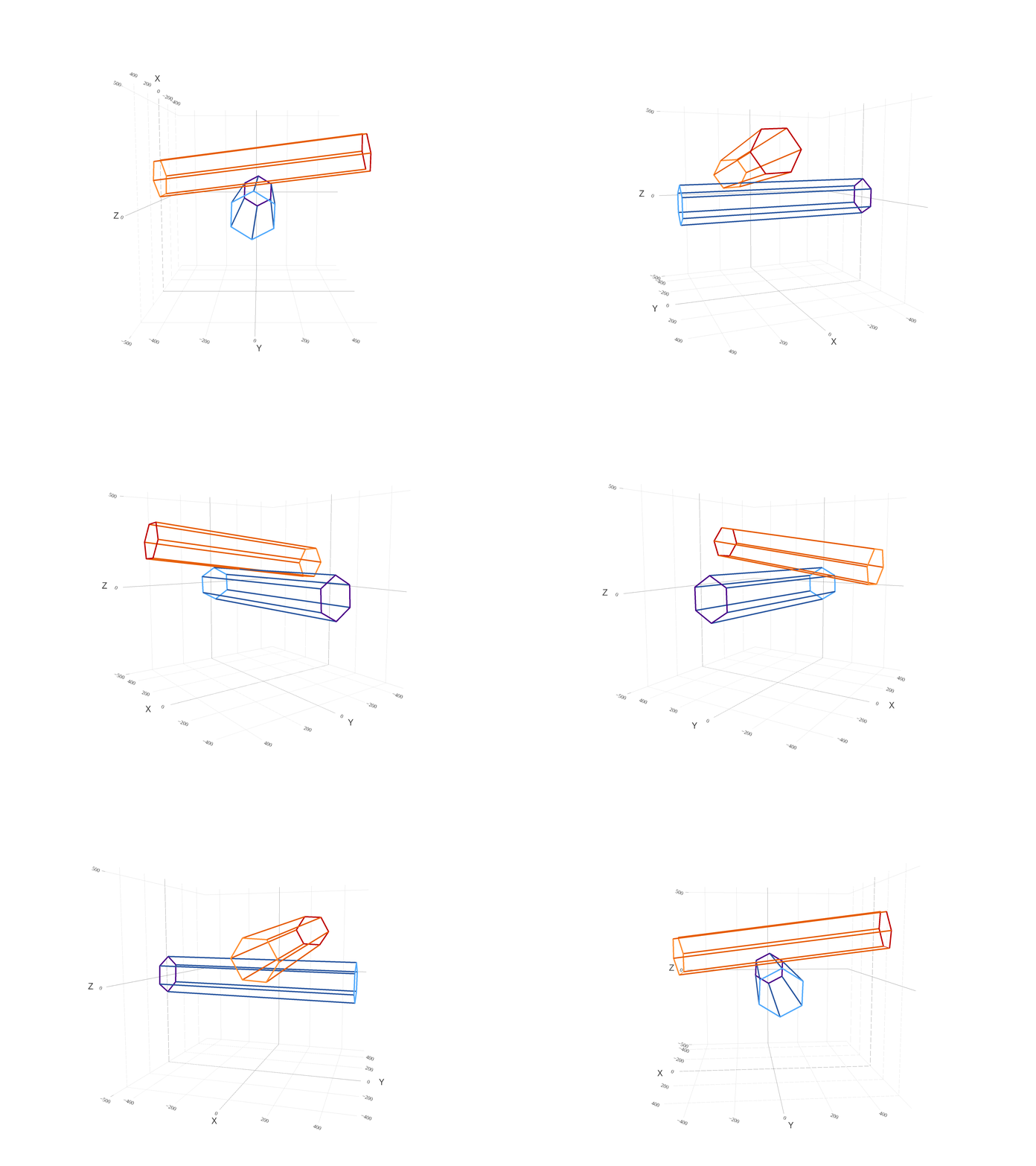
The Ice Particle and Aggregate Simulator (IPAS) is a statistical model in a theoretical framework that mimics simplified laboratory investigations to perform sensitivity tests, visualize, and better understand ice crystal growth via collection. IPAS collects any number of solid hexagonal prisms that represent primary habits of plates and columns. A detailed background description on monomer-monomer collection in IPAS can be found in Przybylo (2019), bulk testing of which can be found in Sulia (2020).
Features
- Collection of any size and aspect ratio hexagonal prisms
- only simulates ice crystal shapes of plates and columns
- all monomers within each aggregate have the same size and shape
- Aggregate calculations after collection:
- Aggregate axis lengths and aspect ratio (0.0-1.0) from an encompassing fit-ellipsoid
- Change in density going from n to n+1 monomers within an aggregate
- 2-dimensional aspect ratio from a given projection (e.g., x-y plane)
- Aggregate complexity (uses aggregate perimeter and area of the smallest encompassing circle)
- 2D area ratio (aggregate area to the area of the smallest encompassing circle)
- Contact if there is something specific you would like to add
Installation
- create a virtual environment:
conda create --name IPAS python=3.7.9 - activate environment:
conda activate IPAS - install IPAS:
pip install ipas- if requirements aren't satisfied, run
pip install -r requirements.txt - make sure the scripts ice_agg and ice_ice are installed in PATH
export PATH="outputpath:$PATH"may be needed
- if requirements aren't satisfied, run
- run ipas from any directory:
- ICE-ICE AGGREGATION:
- examples:
ice_ice -p 0.1 0.2 -r 100 200 --rand True -a 3 -s True -f 'test'ice_ice -p 0.1 10 -r 50 --rand False -a 3 --use_dask True --w 5
- examples:
- ICE-AGG AGGREGATION:
- examples:
ice_agg -p 0.1 0.2 -r 10 20 --rand True -a 3 -m 2 -s True -f 'ipas/instance_files/test'ice_agg -p 10.0 20.0 -r 1000 --rand False -a 3 -m 10 --use_dask True --w 5
- examples:
FLAGS:
- --help, -h:
- show this help message and exit
- --phi or -p:
- (list) monomer aspect ratio(s)
- --radius or -r:
- (list) monomer radius/radii
- --aggregates or -a:
- (int) number of aggregates to create per aspect ratio-radius pairing
- --monomers or -m:
- (int) number of monomers per aggregate
- only used in ice_agg
- --rand:
- (bool) monomer and aggregate orientation
- --save or -s:
- (bool) save aggregate attributes to pickled file
- if save is True also add filename
- load data back in using:
f = open('filename_with_path', 'rb')
results = pickle.load(f)
as = results['agg_as'] # aggregate a axis
bs = results['agg_bs'] # aggregate a axis
cs = results['agg_cs'] # aggregate a axis
phi2Ds = results['phi2Ds'] # aggregate 2D aspect ratio (minor axis/major axis in x-z plane)
cplxs = results['cplxs'] # aggregate complexity
dds = results['dds'] # aggregate change in density
- (bool) save aggregate attributes to pickled file
- --filename or -f:
- (str) filename to save data (include path from execution location)
- --use_dask:
- (bool) whether or not to use dask for parallelization if True, requires setting up a client exclusive to your machine under start_client() in /ipas/executables/Ice_Agg.py or Ice_Ice.py
- if use_dask is True add the number of workers to the client as an argument
- --workers or -w:
- (int) number of workers for dask client
Deployment
- IPAS is typically scaled on a cluster using dask but can be run without a cluster.
- For aggregate plotting and visualization, the command line initializations cannot be used (above):
-
The executables/collection_no_db and executables/collection_from_db directories hold jupyter notebooks that act as main executables to run IPAS with or without starting a dask cluster and output figures
-
Plotting of aggregates can be turned on (plot=True) under the
if __name__ == '__main__':clause -
Parallelization can be turned on (
use_dask=True) again, initialize the client appropriately -
To run these notebooks:
- start a kernel for IPAS:
python -m ipykernel install --user --name=IPAS - start jupyter lab in the virtual environment and make sure the notebook kernel is changed to IPAS
- For interactive plotting using plotly, turn to ipas/visualizations/Agg_Visualizations.ipynb
- start a kernel for IPAS:
-
Folder Structure
- executables:
- holds all executables for running IPAS
- subdivided based on collection type
- collection_no_db:
- src code
- creates aggregates from 'scratch' instead of the pre-made database of aggregates
- the command line arg parser only uses this package (i.e., does not read in the aggregate database due to size)
- collection_from_db:
- src code
- creates aggregates pulling from the predined aggregate database (ice-agg and agg-agg collection). Please contact for acquisition (~50Gb).
- visualization:
- holds plotting scripts and notebooks for publication figures and visualizations
- CPI_verification:
- 'verify_IPAS.ipynb' shows comparisons between the Cloud Particle Imager (CPI) aggregates and IPAS aggregates
Authors
- Vanessa Przybylo - alterations, improvements, and packaging
- Carl Schmitt - original rights
- William May - conversion from IDL to Python
- Kara Sulia - advisement
- Zachary Lebo - advisement
License
This project is licensed under the MIT License - see the LICENSE.md file for details
Acknowledgments
V. Przybylo, K. Sulia, C. Schmitt, and Z. Lebo would like to thank the Department of Energy for support under DOE Grant Number DE-SC0016354. The authors would also like to thank the ASRC ExTreme Collaboration, Innovation, and TEchnology (xCITE) Laboratory for IPAS development support.
Contact
1 maintainer

Release files for ipas 2.2.1
For a detailed explanation of source distributions (sdists) and built distributions (wheels), please see the package formats documentation.
Source distribution (sdist)
| File | Size | Uploaded | |
|---|---|---|---|
| ipas-2.2.1.tar.gz | 2.9 MB | Details |
Release files / ipas-2.2.1.tar.gz
| Download URL | ipas-2.2.1.tar.gz |
|---|---|
| Size | 2.9 MB |
| Tags | Source |
|
SHA-256 checksum How to use checksums |
068c5a256e5c45655e168af84c462bc02739fc184c2f6fd61a73f44ddfc9072a
|
|
BLAKE2b-256 checksum How to use checksums |
2305765b8a1c105a1f3dddef082f434b3a7bc681b3d749f4469f82f296daeef9
|
| Upload date | |
|
Uploaded using Trusted Publishing? What is trusted publishing? |
No |
| Uploaded via |
twine/3.4.1 importlib_metadata/4.0.1 pkginfo/1.7.0 requests/2.25.1 requests-toolbelt/0.9.1 tqdm/4.60.0 CPython/3.7.9
|














