
ipyelk
Jupyter Widgets for interactive graphs powered by the Eclipse Layout Kernel (ELK).
| Install | Demo | Build | Docs |
|---|---|---|---|
   |
 |
 |
 Examples CHANGELOG CONTRIBUTING |
Screenshots
| what can you do... | ... with ipyelk |
|---|---|
| automatically lay out complex, nested data as diagrams | 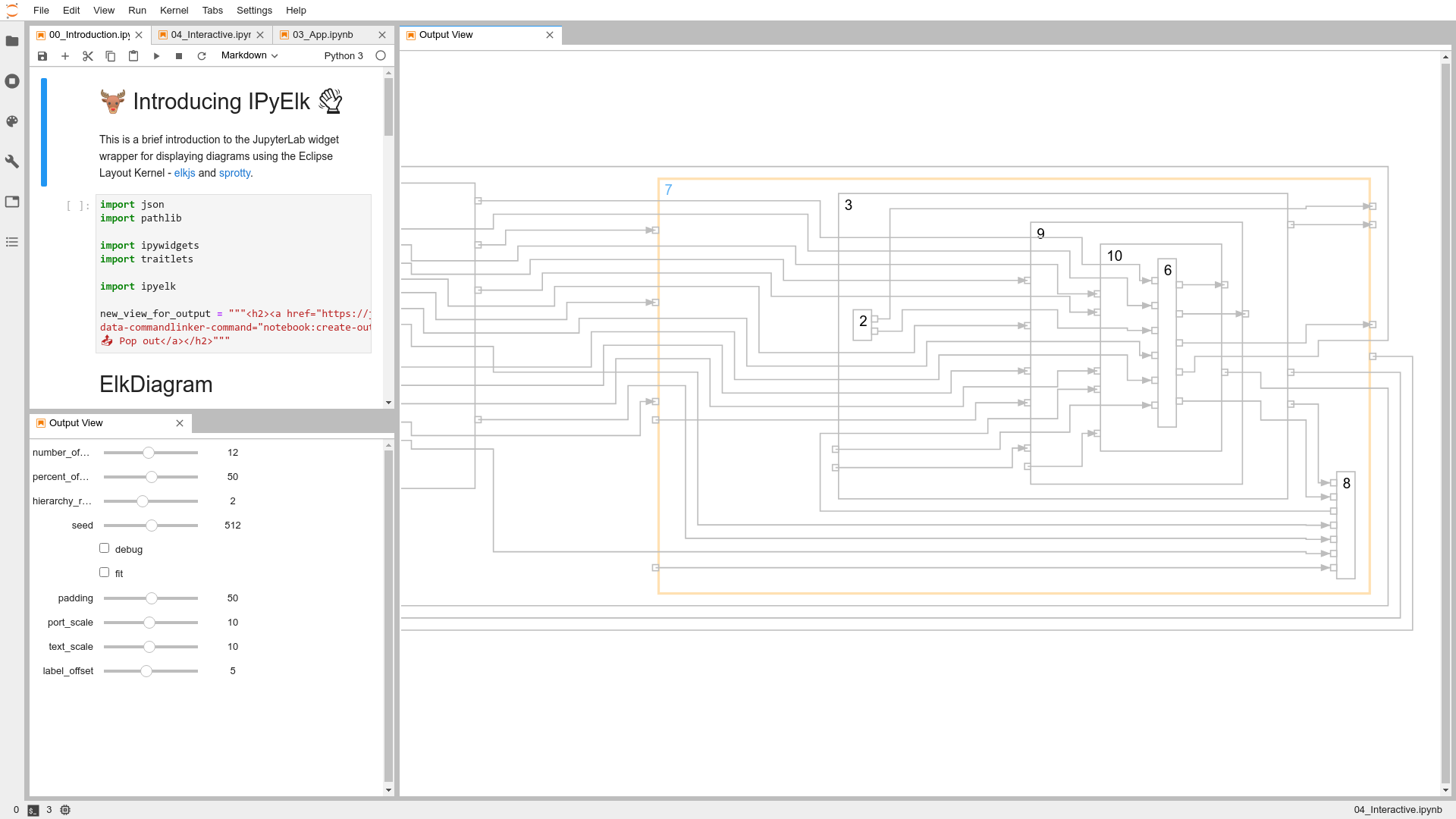 |
| interactive activity/flow-chart diagrams | 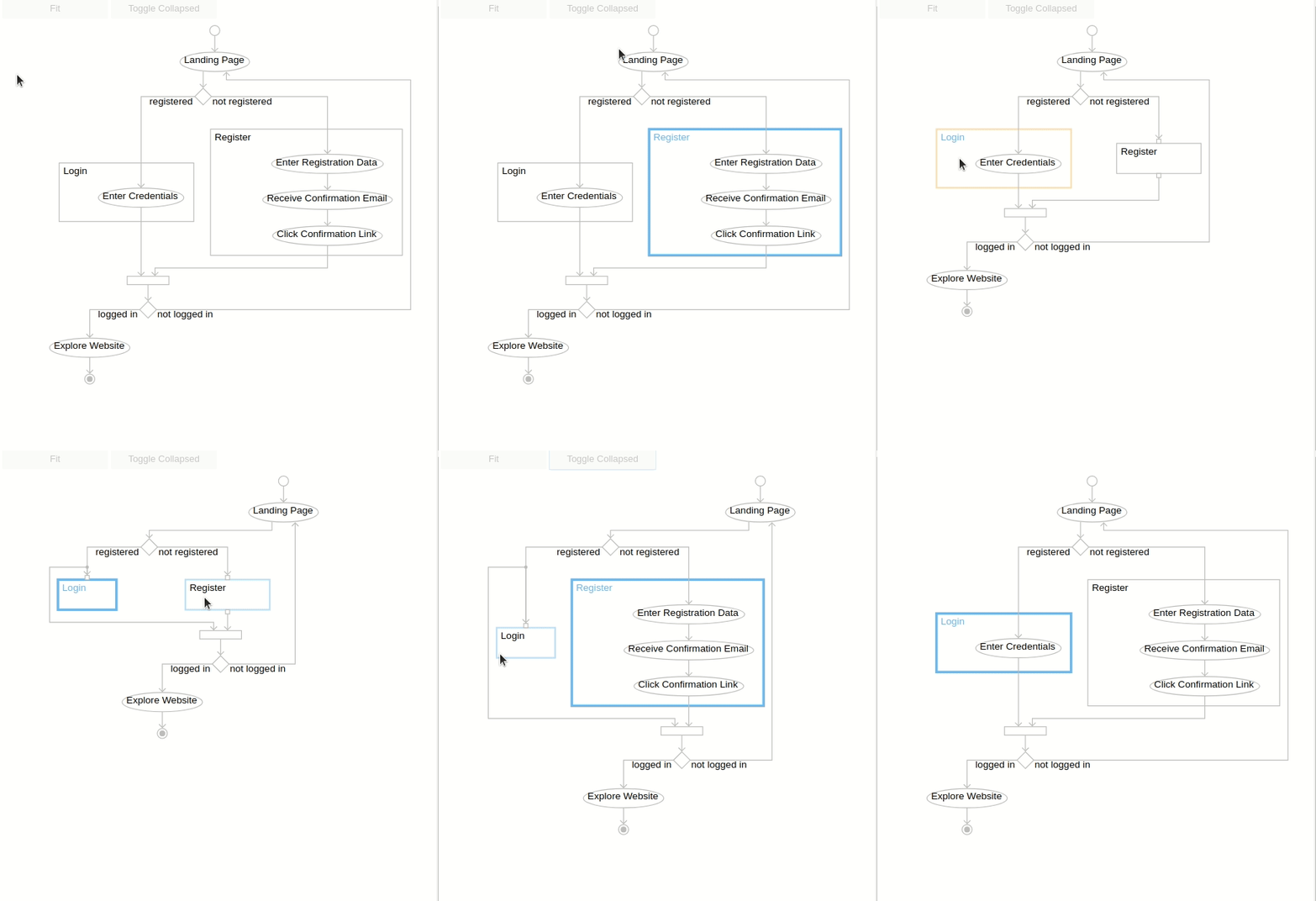 |
| collapsible blocks | 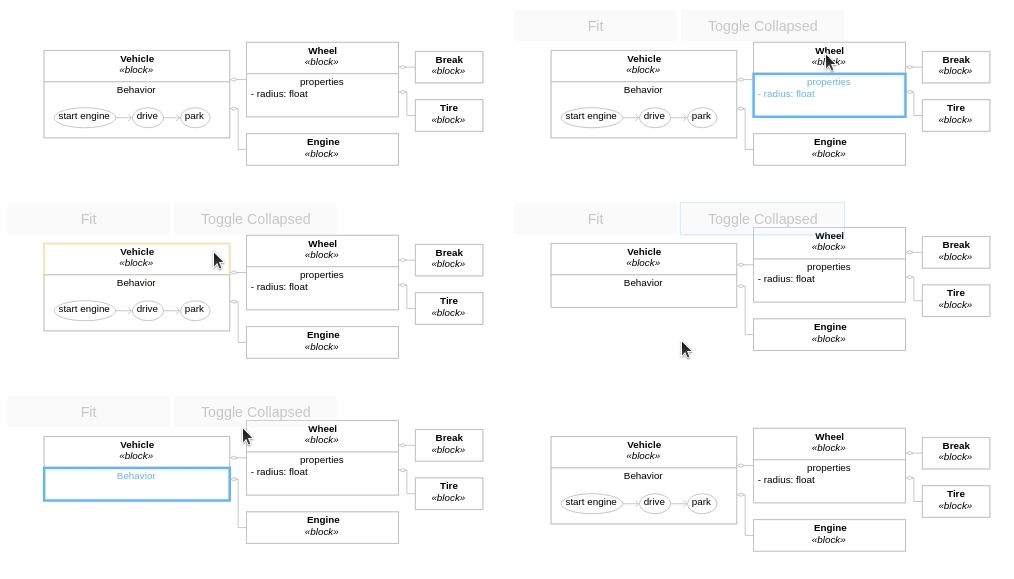 |
| visual simulations | 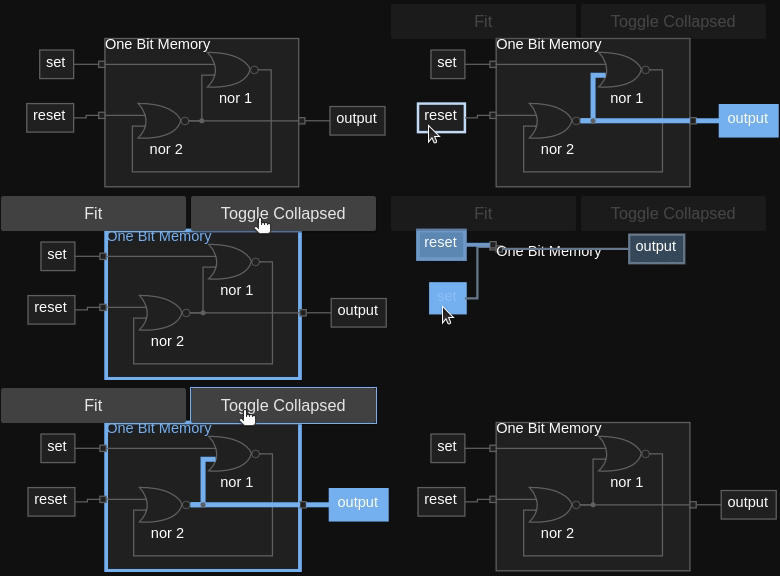 |
Prerequisites
python >=3.7
JupyterLab compatibility
jupyterlab |
ipyelk |
special concerns |
|---|---|---|
==1.* |
>1 |
needs nodejs >10jupyter labextension install @jupyrdf/jupyter-elkbackports, etc. land on the 0.3.x branch |
==2.* |
>1 |
untested |
==3.* |
>=1 |
Install
ipyelk is distributed on conda-forge and PyPI.
ipyelk with conda (recommended)
conda install -c conda-forge ipyelk jupyterlab=3
ipyelk with pip
install nodejs with a package manager
pip install ipyelk jupyterlab=3
Developing
See CONTRIBUTING for a development install.
How it works
In your kernel, ipyelk:
In your jupyter_server:
- serve the
@jupyrdf/jupyter-elkassets as a federated module
In the browser, @jupyrdf/jupyter-elk:
- ELK lays out the diagram in a WebWorker
- sprotty draws the diagram as SVG
- interaction information (like selection and hovering) are passed back to the browser
Uninstall
pip uninstall ipyelk
Open Source
This work is licensed under the BSD-3-Clause License. It contains pieces derived from other works.


Release files for ipyelk 2.0.0
For a detailed explanation of source distributions (sdists) and built distributions (wheels), please see the package formats documentation.
Source distribution (sdist)
| File | Size | Uploaded | Provenance | Actions |
|---|---|---|---|---|
| ipyelk-2.0.0.tar.gz | 1.9 MB | Without provenance | Details for ipyelk-2.0.0.tar.gz |
Built distribution (wheel)
| File | Interpreter | ABI | Platform | Actions Reset |
|---|---|---|---|---|
| ipyelk-2.0.0-py3-none-any.whl | Python 3 | none | any | Details for ipyelk-2.0.0-py3-none-any.whl |
Total release size: 2.6 MB
Release files / ipyelk-2.0.0.tar.gz
| Download URL | ipyelk-2.0.0.tar.gz |
|---|---|
| Size | 1.9 MB |
| Tags | Source |
|
SHA-256 checksum How to use checksums |
cddb8fd635bfa8265e300571f3aae501c8f8befbd7440419c7cfc4c109238a68
|
|
BLAKE2b-256 checksum How to use checksums |
0769877b400e0c3bc39ae3364b91b7dd9dfde3573d3a2aa1bcf3fc7d403628fa
|
| Upload date | |
|
Uploaded using Trusted Publishing? What is trusted publishing? |
No |
| Uploaded via |
twine/4.0.2 CPython/3.11.0
|
Release files / ipyelk-2.0.0-py3-none-any.whl
| Download URL | ipyelk-2.0.0-py3-none-any.whl |
|---|---|
| Size | 687.5 kB |
| Tags | Python 3 |
|
SHA-256 checksum How to use checksums |
1bf0f58f581b4b2b36188787cef21874d52f6c1532d1f4a4de065005bb5e8165
|
|
BLAKE2b-256 checksum How to use checksums |
bbc89c4b4cac129134f0a655362e2096079c46fd84f692ac2b949940b21ba8d3
|
| Upload date | |
|
Uploaded using Trusted Publishing? What is trusted publishing? |
No |
| Uploaded via |
twine/4.0.2 CPython/3.11.0
|
Security for ipyelk 2.0.0
Provenance
Provenance describes where a file came from. On PyPI, provenance is shared via attestations, which provide a verifiable record of the build or publishing details. View details, limitations and caveats.
No provenance found
None of the files in this release were uploaded with provenance metadata.
A note on package security
PyPI is a repository for distributing packages, not a service for auditing them. While third-party security researchers and our staff do their best to detect and remove malicious packages, PyPI cannot guarantee the quality, security or suitability of any given package.
To learn more about protecting yourself from malicious actors, visit our package security documentation.














