
ipynb-py-convert
Atom/Hydrogen or VSCode/Python allows creating a python files split into cells with # %% separators with the ability to run cells via backend Jupyter session and interactively show results back.
More examples: Jupyter Python VSCode examples, Atom/Hydrogen Getting Started.
ipynb-py-convert python module converts files: .ipynb to .py and .py to .ipynb.
ipynb-py-convert is a fork of the vscode-ipynb-py-converter.
Install
conda install -c defaults -c conda-forge ipynb-py-convert
or
pip install ipynb-py-convert
Troubleshooting
- If encoding problems on Windows try using
python>=3.7, settingset PYTHONUTF8=1in Windows console and useipynb-py-convertfor UTF-8 files only. If using Git-Bash on Windows setting:
export LANG=C.UTF-8
export PYTHONIOENCODING=utf-8
export PYTHONUTF8=1
should be enough. Also try setting default Bash settings to UTF-8: [Options] - [Text] - [Locale / Character set] - [C / UTF-8]. It might affect all Bash runs so there would be no need to setting encoding every time.
Example
ipynb-py-convert examples/plot.py examples/plot.ipynb
or
ipynb-py-convert examples/plot.ipynb examples/plot.py
VSCode
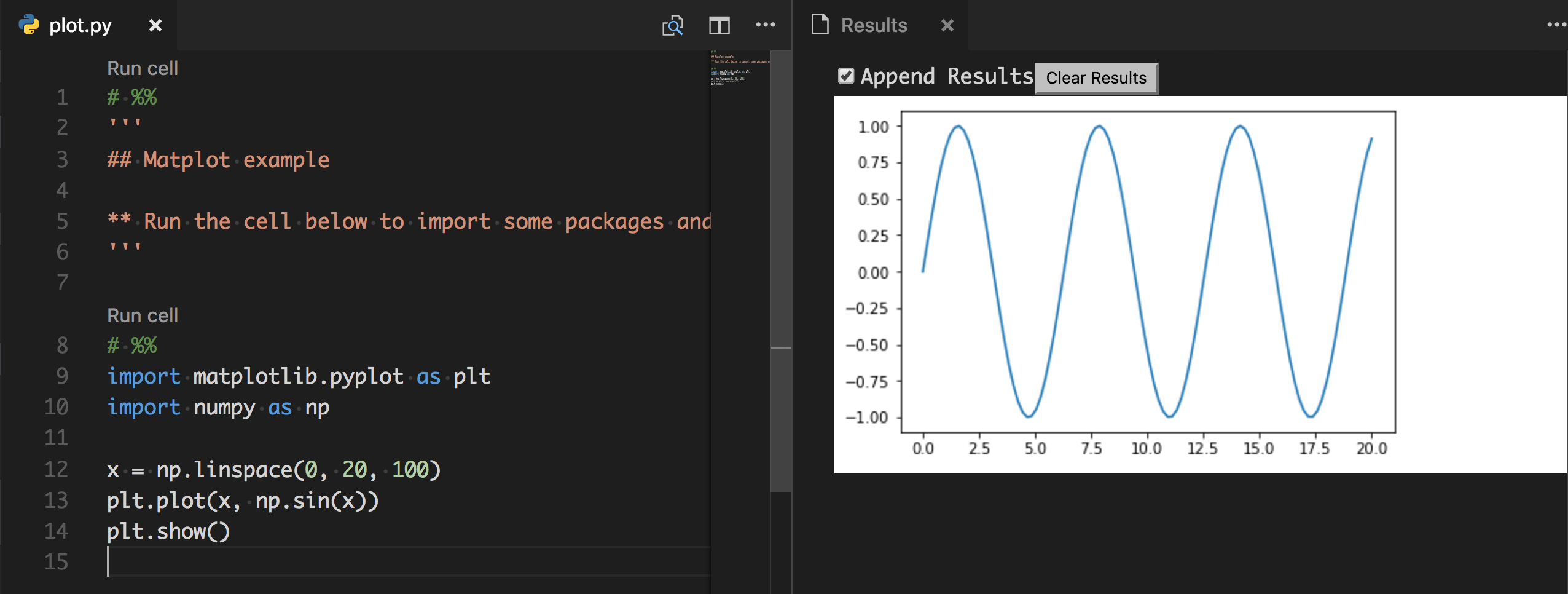
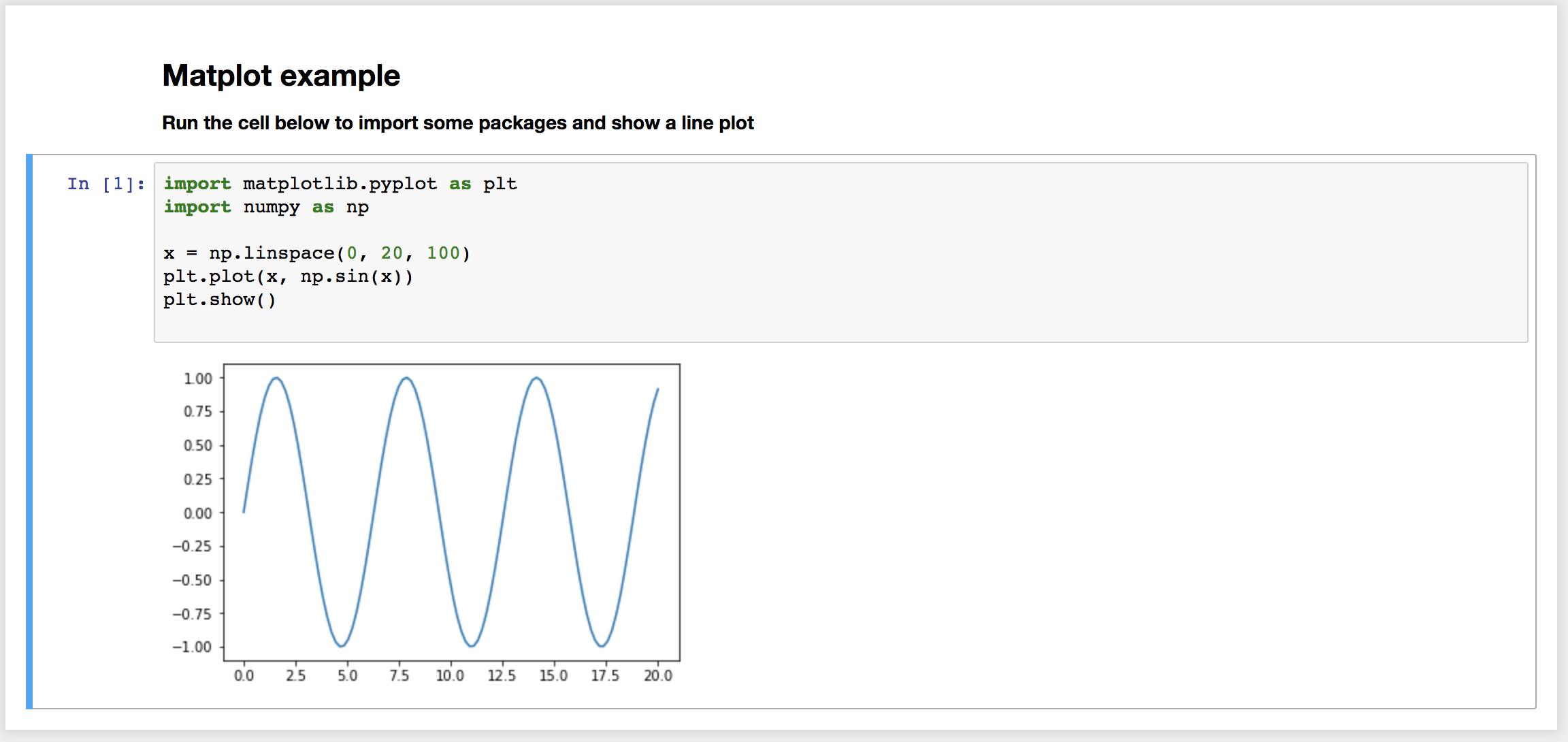
Markdown cells are converted to python multiline strings '''. Code cells are left as is. # %% is used by vscode as the cell marker on which 'Run Cell' action is available.
Jupyter ipynb notebook
1 maintainer

Metadata
1 maintainer
Release files for ipynb-py-convert 0.4.6
For a detailed explanation of source distributions (sdists) and built distributions (wheels), please see the package formats documentation.
Source distribution (sdist)
| File | Size | Uploaded | |
|---|---|---|---|
| ipynb-py-convert-0.4.6.tar.gz | 3.9 kB | Details |
Release files / ipynb-py-convert-0.4.6.tar.gz
| Download URL | ipynb-py-convert-0.4.6.tar.gz |
|---|---|
| Size | 3.9 kB |
| Tags | Source |
|
SHA-256 checksum How to use checksums |
06c09644f85949939fa749a00fb7f398a0bfcad0e34320ca6666e0cb44b7ea74
|
|
BLAKE2b-256 checksum How to use checksums |
439037ff1b9f553583e60c327e1ea8cbfea469c38c9d8791ad1f7ee6d3482efa
|
| Upload date | |
|
Uploaded using Trusted Publishing? What is trusted publishing? |
No |
| Uploaded via |
twine/2.0.0 pkginfo/1.5.0.1 requests/2.24.0 setuptools/49.2.0.post20200714 requests-toolbelt/0.9.1 tqdm/4.47.0 CPython/3.7.5
|














