
This release is a pre-release and may not be stable for production use.
This repo is originally created by Brendan Rius - `C Kernel for Jupyter`

You can see the original project at https://github.com/brendan-rius/jupyter-c-kernel

Plus, this C++ kernel only uses C++ 14. The others are being developed
(or not, who knows 😅)

C++ 14 kernel for Jupyter
Installation
:warning:
If you want to use it on Windows, please installing the GNU Compiler Collection for Windows
Normally, your target machine must meet these requirement packages before installing and using jupyter-cpp-kernel.
g++python3,python3-pipjupyter(recommendjupyterlab)
Install from PyPI
Installing on macOS and Windows
:warning:
You must all requirements above before doing anything else. After that, you can copy this script and install the kernel
pip install jupyter-cpp-kernel
Installing on Debian/Ubuntu
sudo apt update && sudo apt full-upgrade -y
sudo apt install -y g++
sudo apt install -y python3 python3-pip
sudo pip install --upgrade pip
sudo pip install jupyter # Or jupyterlab. Using `sudo` to install to the main packge
sudo pip install jupyter-cpp-kernel # Can be `sudo`, but using it with caution. Only for large deployment Jupyter server
Install from GitHub repo
Installing on macOS and Windows
:warning:
You must all requirements above before doing anything else.
After that, you can copy this script and install the kernel
pip install git+https://github.com/takinekotfs/jupyter-cpp-kernel.git
Installing on Debian/Ubuntu
sudo apt update && sudo apt full-upgrade -y
sudo apt install -y g++
sudo apt install -y python3 python3-pip
sudo pip install --upgrade pip
sudo pip install jupyter # Or jupyterlab. Using `sudo` to install to the main packge
sudo pip install git+https://github.com/takinekotfs/jupyter-cpp-kernel.git
Contributing
You can clone, create a fork or import this repo whenever you want.
Please follow the GitHub standards and the license
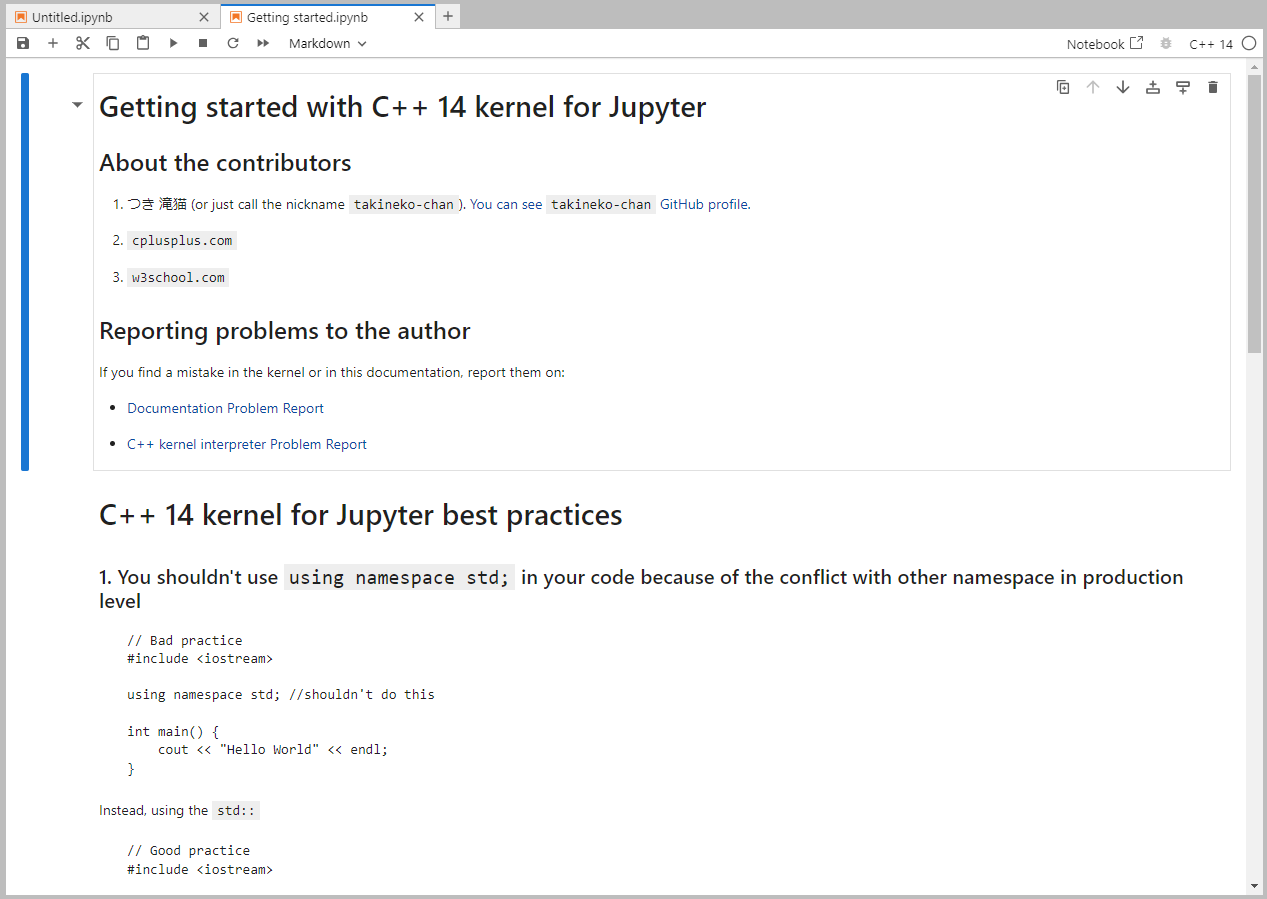
Guides (notebook)
See more at here
1 maintainer

Metadata
1 maintainer
Release files for jupyter-cpp-kernel 1.0.0a4
For a detailed explanation of source distributions (sdists) and built distributions (wheels), please see the package formats documentation.
Source distribution (sdist)
| File | Size | Uploaded | |
|---|---|---|---|
| jupyter-cpp-kernel-1.0.0a4.tar.gz | 164.6 kB | Details |
Built distribution (wheel)
| File | Interpreter | ABI | Platform | Reset |
|---|---|---|---|---|
| jupyter_cpp_kernel-1.0.0a4-py3-none-any.whl | Python 3 | none | any | Details |
Total release size: 334.5 kB
Release files / jupyter-cpp-kernel-1.0.0a4.tar.gz
| Download URL | jupyter-cpp-kernel-1.0.0a4.tar.gz |
|---|---|
| Size | 164.6 kB |
| Tags | Source |
|
SHA-256 checksum How to use checksums |
1e939a857b6f40bd78ea0af6bdc7ac3fc26bb0d1432cb5612a817e9c4bede5a5
|
|
BLAKE2b-256 checksum How to use checksums |
90e3445ec4295b435d04c58355c36098d24d4379e927380665b2893df128d867
|
| Upload date | |
|
Uploaded using Trusted Publishing? What is trusted publishing? |
No |
| Uploaded via |
twine/4.0.2 CPython/3.11.4
|
Release files / jupyter_cpp_kernel-1.0.0a4-py3-none-any.whl
| Download URL | jupyter_cpp_kernel-1.0.0a4-py3-none-any.whl |
|---|---|
| Size | 169.9 kB |
| Tags | Python 3 |
|
SHA-256 checksum How to use checksums |
1f36f77ba341f67a596ff5e8642448fd803029e304c85cd7b956141faca75d17
|
|
BLAKE2b-256 checksum How to use checksums |
28c2d1deba1b1938b185c1159cd80a71d65936fc062e8959b7a5b3358bd05eb7
|
| Upload date | |
|
Uploaded using Trusted Publishing? What is trusted publishing? |
No |
| Uploaded via |
twine/4.0.2 CPython/3.11.4
|














