GitPlus
A JupyterLab plugin for version control of Jupyter notebooks. It can,
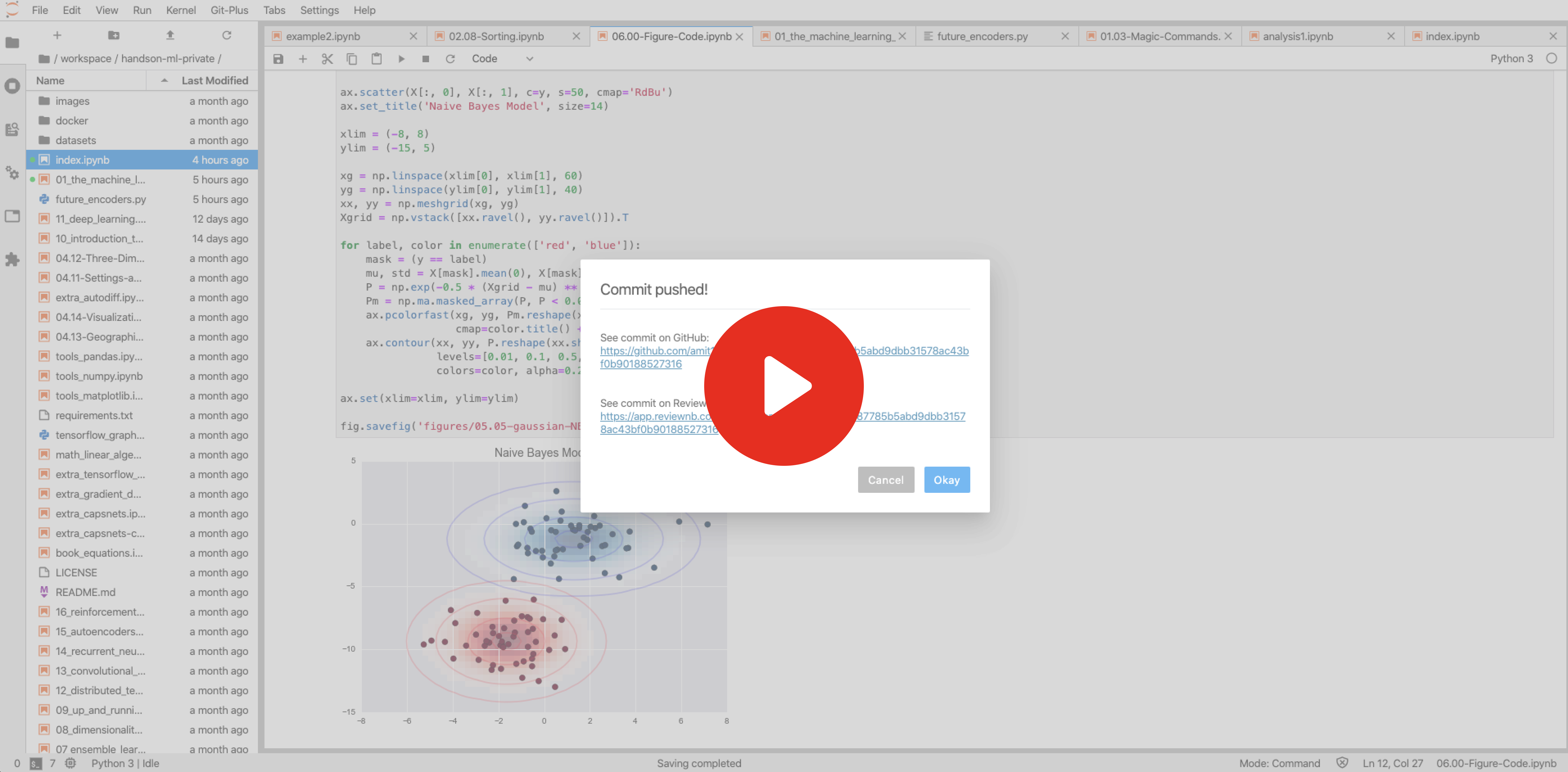
- Push GitHub commits from JupyterLab
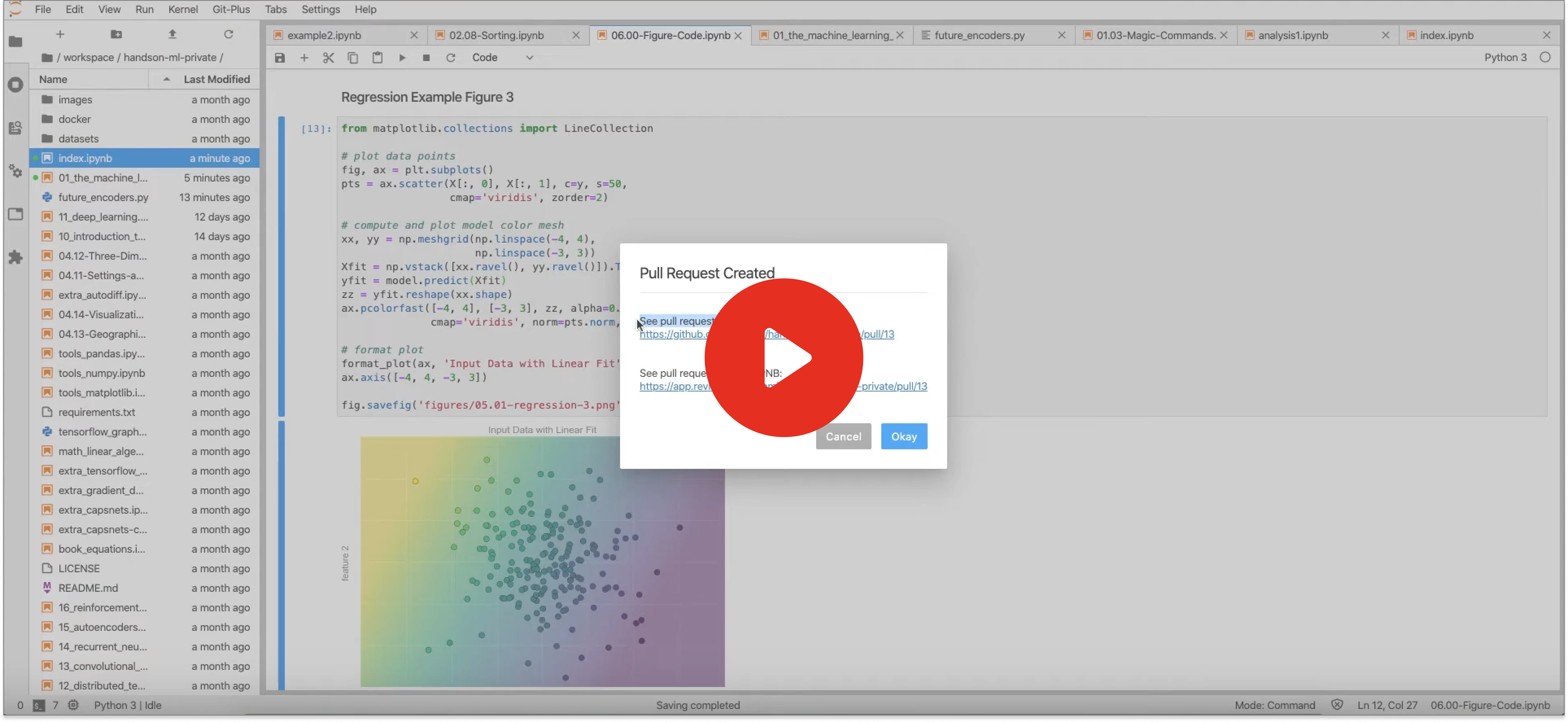
- Create GitHub pull request from JupyterLab
Demo
Create GitHub Pull Request from JupyterLab
Push GitHub Commits from JupyterLab
Requirements
- JupyterLab 2.x or 3.x
- Git (running
giton cmdline or terminal should work)
Install
1. Install Required Packages
pip install --upgrade jupyterlab_gitplus
jupyter labextension install @reviewnb/jupyterlab_gitplus
jupyter serverextension enable --py jupyterlab_gitplus
2. Setup GitHub token
Tokens are required to make API calls to GitHub to push commits and create pull requests.
- Head over developer settings on GitHub. Click "Generate New Token".
- Select
reposcope. Click "Generate Token". Copy the generated token. - If
~/.jupyter/jupyter_notebook_config.pydoes not exist then create one by runningjupyter notebook --generate-config - Open you Jupyter config file
~/.jupyter/jupyter_notebook_config.py& paste the token as shown below
c.GitPlus.github_token = '<your-github-access-token>'
After installation, start JupyterLab normally & you should see "Git-Plus" as a new menu item at the top.
3. [OPTIONAL] Only required for self-hosted ReviewNB customers
If your organization has a self-hosted ReviewNB instance running at e.g. https://reviewnb.yourdomain.com. You can configure
GitPlus to link users to PRs/commits at this URL instead of the default one as follows:
c.GitPlus.self_hosted_reviewnb_endpoint = "https://reviewnb.yourdomain.com/"
FAQ
Where is pull request (PR) opened in case of forked repositories?
If your repository is forked from another repository (parent) then PR will be created on parent repository.
Which is the base branch used in a pull request?
base branch in a PR is a branch against which your changes are compared and ultimately merged. We use repository's default branch (usually called master) as base branch of PR. We use parent repository's default branch as base in case of forked repo.
Which is the head branch used in a pull request?
head branch in a PR is a branch which contains the latest changes you've made. We create a new branch (e.g. gitplus-xyz123) as head branch. It only contains changes from the files you wish to include in the PR.
How can I edit a pull request opened with GitPlus?
You can head over to GitHub and edit the PR metadata to your liking. For pushing additional file changes to the same PR,
- Copy the branch name from GitHub UI (e.g.
gitplus-xyz123) - Checkout that branch locally
- Make the file changes you want
- Use push commit functionality from GitPlus to push new changes
Is GitPlus tied to ReviewNB in any way?
No. GitPlus is it's own open source project. The only connection with ReviewNB is that at the end of PR/Commit creation, GitPlus shows ReviewNB URL along with GitHub URL. You can safely ignore these URLs if you don't want to use ReviewNB.
It's is useful to see visual notebook diffs on ReviewNB instead of hard to read JSON diffs on GitHub. ReviewNB also facilitates discussion on notebooks cells.
What if I don't have a ReviewNB account?
No problem, everything in GitPlus will still work fine. Only the ReviewNB URLs won't work for you.
Can we use GitPlus with Gitlab/BitBucket or any other platforms?
No, currently we only support repositories on GitHub.
Motivation
Our aim is to make notebooks a first class entity in Data science & ML teams. We can achieve this by making notebooks play well with existing tools & processes instead of building expensive proprietary platforms. Other projects in this direction are,
- ReviewNB - Code review tool for Jupyter notebooks
- treon - Easy to use test framework for Jupyter notebooks
Roadmap
In future GitPlus will be able to,
- Pull changes from GitHub
- Switch/create branches locally
- Resolve notebook merge conflicts (without messing with underlying JSON)
Development
Install
The jlpm command is JupyterLab's pinned version of
yarn that is installed with JupyterLab. You may use
yarn or npm in lieu of jlpm below.
# Clone the repo to your local environment & install dependencies

# Link your development version of the extension with JupyterLab
jupyter labextension link .

# Run jupyterlab in watch mode in one terminal tab
jupyter lab --watch

# Watch the GitPlus source directory in another terminal tab
jlpm watch

# If you make any changes to server side extension (.py files) then reinstall it from source
pip install .
Contributing
If you see any problem, open an issue or send a pull request. You can write to support@reviewnb.com for any questions.
1 maintainer

Metadata
1 maintainer
Release files for jupyterlab-gitplus 0.3.4
For a detailed explanation of source distributions (sdists) and built distributions (wheels), please see the package formats documentation.
Source distribution (sdist)
| File | Size | Uploaded | Provenance | |
|---|---|---|---|---|
| jupyterlab_gitplus-0.3.4.tar.gz | 81.5 kB | Without provenance | Details |
Built distribution (wheel)
| File | Interpreter | ABI | Platform | Reset |
|---|---|---|---|---|
| jupyterlab_gitplus-0.3.4-py3-none-any.whl | Python 3 | none | any | Details |
Total release size: 249.7 kB
Release files / jupyterlab_gitplus-0.3.4.tar.gz
| Download URL | jupyterlab_gitplus-0.3.4.tar.gz |
|---|---|
| Size | 81.5 kB |
| Tags | Source |
|
SHA-256 checksum How to use checksums |
d6f9e28303ac4f74b92e6a5aacd51152b6d13f717e3e0ae734d27e9d1f6fc8a8
|
|
BLAKE2b-256 checksum How to use checksums |
c5f320d20e2c757d6560fad5a520f3e3322b9fbab821d1c4f48b3012732b75fc
|
| Upload date | |
|
Uploaded using Trusted Publishing? What is trusted publishing? |
No |
| Uploaded via |
twine/5.1.0 CPython/3.8.13
|
Release files / jupyterlab_gitplus-0.3.4-py3-none-any.whl
| Download URL | jupyterlab_gitplus-0.3.4-py3-none-any.whl |
|---|---|
| Size | 168.2 kB |
| Tags | Python 3 |
|
SHA-256 checksum How to use checksums |
99948e0cb60064c38c20cd1d462d7fb036cc01d8dfd0ecbfe7a7e85a64ba93ef
|
|
BLAKE2b-256 checksum How to use checksums |
d4f838f2db13cff4fb589b311efcd09fd67a5c1e77ca156add6b7987c31928de
|
| Upload date | |
|
Uploaded using Trusted Publishing? What is trusted publishing? |
No |
| Uploaded via |
twine/5.1.0 CPython/3.8.13
|
Security for jupyterlab-gitplus 0.3.4
Provenance
Provenance describes where a file came from. On PyPI, provenance is shared via attestations, which provide a verifiable record of the build or publishing details. View details, limitations and caveats.
No provenance found
None of the files in this release were uploaded with provenance metadata.
A note on package security
PyPI is a repository for distributing packages, not a service for auditing them. While third-party security researchers and our staff do their best to detect and remove malicious packages, PyPI cannot guarantee the quality, security or suitability of any given package.
To learn more about protecting yourself from malicious actors, visit our package security documentation.