
Kasper's micro:bit
So you finished Python for kids? Wouldn't it be awesome to use your BBC micro:bit as a wireless game controller for your own DIY games? You can do it with this python package! Pair your micro:bit to your computer with bluetooth and use buttons A and B or the accelerometer to control your game. Like it? Give us a :star: on github!




Kasper's microbit is a python package to make a connection to a BBC micro:bit by means of the Bluetooth LE GATT services exposed by the micro:bit.
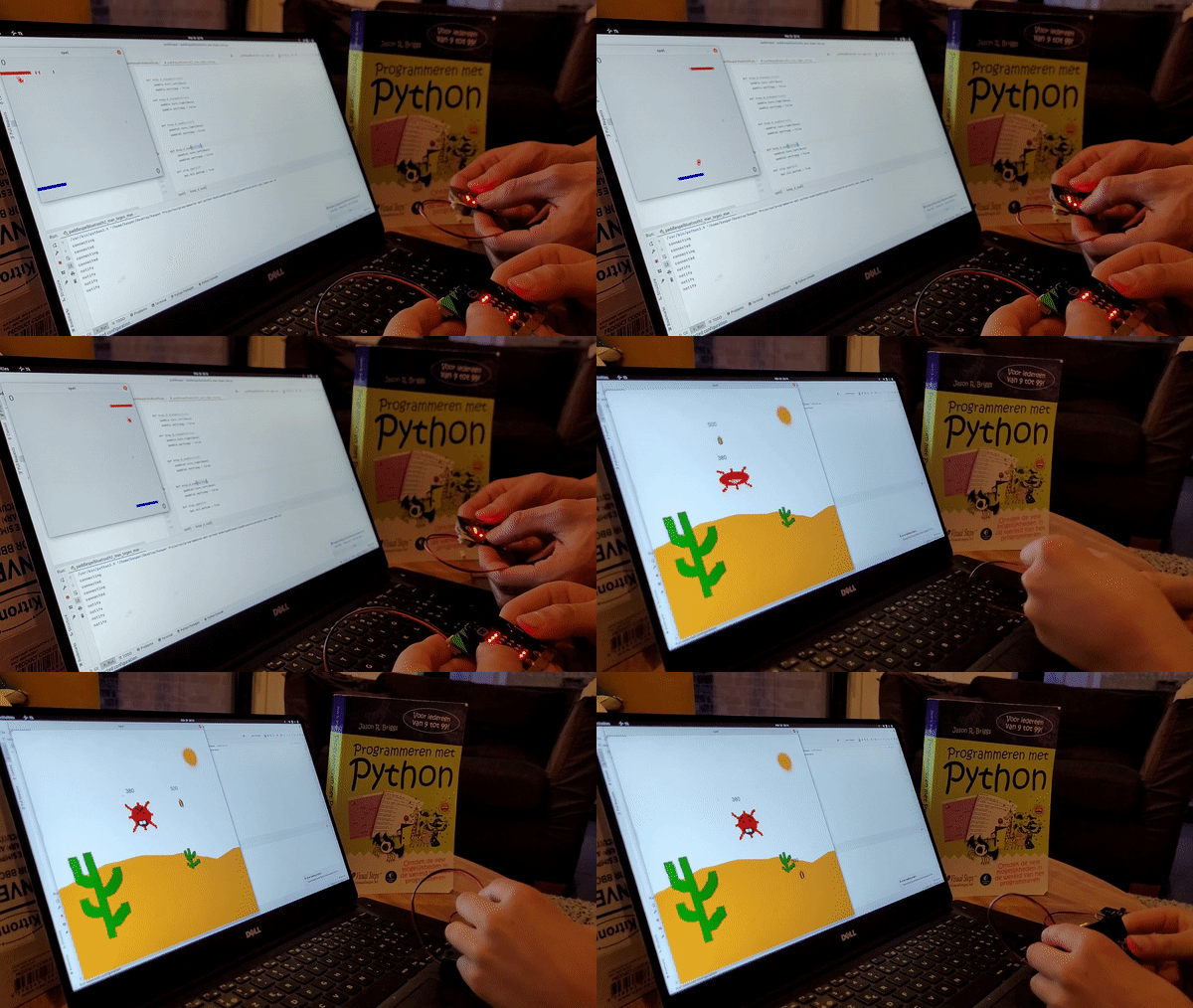
Watch the full video on youtube
Getting started
Install kaspersmicrobit:
$ pip install kaspersmicrobit
Copy this hex file to the micro:bit and run your first program:
import time

from kaspersmicrobit import KaspersMicrobit


def pressed(button):
    print(f"button {button} pressed")

with KaspersMicrobit.find_one_microbit() as microbit:
    microbit.buttons.on_button_a(press=pressed)
    time.sleep(10)
Learn more
Visit https://kaspersmicrobit.readthedocs.io:
- Try the accelerometer, or the led display
- Learn to make your own .hex files
- Simple examples, learn how to use each service offered by the micro:bit
- Full Api documentation
- Combining KaspersMicrobit with tkinter or with pygame
Or take a look at the examples directory.
Micro:bit versions, operating systems, Bluetooth pairing
Below you can find which combinations of operating systems and microbit versions have been known to work.
| micro:bit v2.x | No pairing required | Just works pairing |
|---|---|---|
| Windows | :heavy_check_mark: | :heavy_check_mark: |
| Linux | :heavy_check_mark: | :heavy_check_mark: |
| MacOS | :heavy_check_mark: | :x: |
| micro:bit v1.x | No pairing required | Just works pairing |
|---|---|---|
| Windows | :heavy_check_mark: | :x: |
| Linux | :heavy_check_mark: | :heavy_check_mark: |
| MacOS | :heavy_check_mark: * | :x: |
* Magnetometer calibration of micro:bit v1 on MacOS fails with the micro:bit not responding or going out of memory (error 020 + sad face)
Troubleshooting
Upgrade to the latest version
$ pip install --upgrade kaspersmicrobit
Bluetooth connection
First try turning the micro:bit off and on again.
If you are not using the "with"-block, but calling .connect() yourself, always make sure that in any case you
call .disconnect() when you don't need the connection anymore (for instance when you exit your application)
No pairing required
If the hex file was created with the setting "No pairing required" then the micro:bit should not be paired with the operating system
Just works pairing
Don't use pairing with a micro:bit v1 on windows, use "No pairing required" instead.
For other versions: try to remove the micro:bit from the paired Bluetooth devices and pairing it your computer again.
See also: The micro:bit Bluetooth troubleshooting guide (.docx word file download)
What is the name of my micro:bit?
See: How to find the name of your micro:bit
The micro:bit shows a sad face and error 020
This means the micro:bit is out of memory. You probably have enabled too many Bluetooth services in MakeCode. Or maybe
your MakeCode program is too large. Because the micro:bit v1 has less memory than the v2, this has a higher chance to
occur on v1 micro:bits.
See also: the micro:bit error codes
tkinter "main thread is not in main loop"
When combining kaspersmicrobit with tkinter (the window library used in Python for kids) you could bump into the TK error "main thread is not in main loop". This is probably because you call TK code from within a callback function that you registered to be called when a button press occurs or new accelerometer data is present (or some other notification). The callback is executed on a different thread and tkinter does not like this. There are at least 2 solutions for this:
- don't call tkinter code in a callback
- wrap the callback with
kaspersmicrobit.tkinter.do_in_tkinter(tk, your_callback)this makes sure that your callback will be executed on the tk thread, avoiding the error
1 maintainer

Release files for kaspersmicrobit 0.7.0
For a detailed explanation of source distributions (sdists) and built distributions (wheels), please see the package formats documentation.
Source distribution (sdist)
| File | Size | Uploaded | |
|---|---|---|---|
| kaspersmicrobit-0.7.0.tar.gz | 40.6 kB | Details |
Built distribution (wheel)
| File | Interpreter | ABI | Platform | Reset |
|---|---|---|---|---|
| kaspersmicrobit-0.7.0-py3-none-any.whl | Python 3 | none | any | Details |
Total release size: 90.5 kB
Release files / kaspersmicrobit-0.7.0.tar.gz
| Download URL | kaspersmicrobit-0.7.0.tar.gz |
|---|---|
| Size | 40.6 kB |
| Tags | Source |
|
SHA-256 checksum How to use checksums |
25bacdb1a90507092247046c705cd3d79ce2e37e60d41aff9570677c3ab90914
|
|
BLAKE2b-256 checksum How to use checksums |
5f0ba04a30c331410e6f83c3e52747dbf8903ad5cdfaa9b13e9c62f951149339
|
| Upload date | |
|
Uploaded using Trusted Publishing? What is trusted publishing? |
No |
| Uploaded via |
twine/6.1.0 CPython/3.13.7
|
Release files / kaspersmicrobit-0.7.0-py3-none-any.whl
| Download URL | kaspersmicrobit-0.7.0-py3-none-any.whl |
|---|---|
| Size | 49.9 kB |
| Tags | Python 3 |
|
SHA-256 checksum How to use checksums |
3f7f920f4d831b773feb87a84274f3c8d5a8db03fd683164befd6f40c5c304e5
|
|
BLAKE2b-256 checksum How to use checksums |
52f288fedac375b2919d1a402d1bbcf397602c976cccdc7c82facc2d253300d1
|
| Upload date | |
|
Uploaded using Trusted Publishing? What is trusted publishing? |
No |
| Uploaded via |
twine/6.1.0 CPython/3.13.7
|














