
Keras History Graph
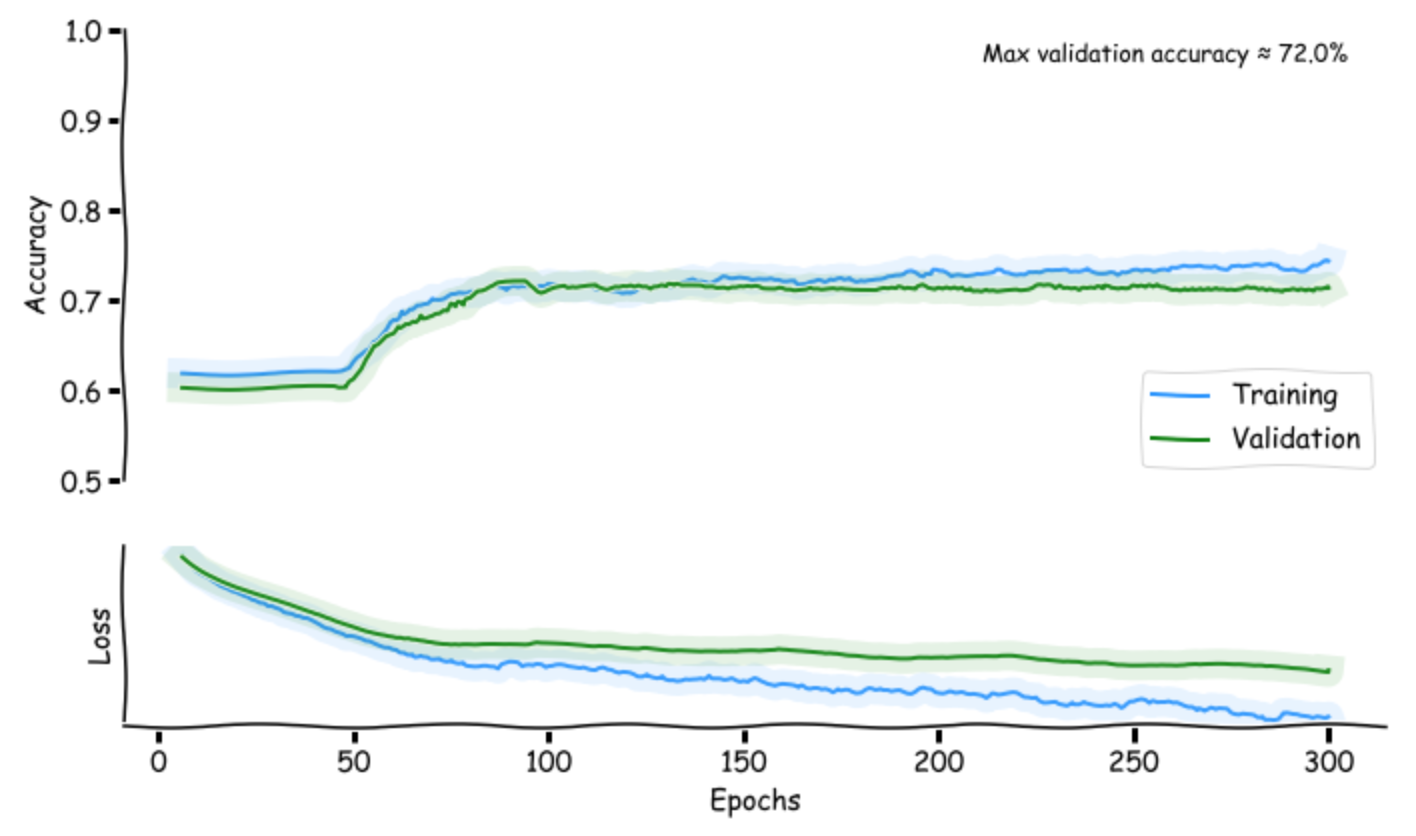
Uses matplotlib to generate a simple graph of the history object. Particularly useful with Jupyter
It will show the accuracy and loss for both training data and validation data. It will also print the maximum validation accuracy reached during the training.
Installation
pip install keras-hist-graph
Usage
Requires Keras
from keras_hist_graph import plot_history

history = model.fit(x, y, ...)

plot_history(history)
Arguments
plot_history now accepts any of these arguments (in any order)
| argument | default | possible | details |
|---|---|---|---|
| fig_size | (10, 6) | (float, float) |
Indicates width and height of the resulting graph |
| min_accuracy | 0.5 | [0, 1) |
Minimum accuracy to graph (often we don't care if acuracy is below 50%) |
| smooth_factor | 0.75 | [0, 1] |
Zero to one, inclusive. Smooths out the curves by averaging previous points. Consider makeing smaller if number of epochs is small. |
| start_epoch | 5 | integer >= 0 | Plot the history starting at this epoch. Useful since the first epochs can have very high loss that makes the later loss hard to analyze visually |
| xkcd | True | True False |
Whether to render in the XKCD style. You might need to render twice for all properties to update if you change the boolean after using the method before |
Example:
plot_history(history, fig_size = (11, 8.5), min_accuracy = 0.8, start_epoch = 2, smooth_factor = 0.1)
Notes
It’s a great way to communicate the imprecision of the underlying data!
1 maintainer

Metadata
1 maintainer
Release files for keras-hist-graph 0.0.3
For a detailed explanation of source distributions (sdists) and built distributions (wheels), please see the package formats documentation.
Source distribution (sdist)
| File | Size | Uploaded | |
|---|---|---|---|
| keras-hist-graph-0.0.3.tar.gz | 3.3 kB | Details |
Built distribution (wheel)
| File | Interpreter | ABI | Platform | Reset |
|---|---|---|---|---|
| keras_hist_graph-0.0.3-py3-none-any.whl | Python 3 | none | any | Details |
Total release size: 7.9 kB
Release files / keras-hist-graph-0.0.3.tar.gz
| Download URL | keras-hist-graph-0.0.3.tar.gz |
|---|---|
| Size | 3.3 kB |
| Tags | Source |
|
SHA-256 checksum How to use checksums |
57225d44bba2f04ec8c3e27f67b21aff96e1fced3a825c2f6ec52813c2291d7e
|
|
BLAKE2b-256 checksum How to use checksums |
7672ce41f3496cda715bb8c5bd5ac0c5c4142a42fe8d18d90fd1cc4651cb5f2d
|
| Upload date | |
|
Uploaded using Trusted Publishing? What is trusted publishing? |
No |
| Uploaded via |
twine/1.13.0 pkginfo/1.5.0.1 requests/2.22.0 setuptools/41.0.1 requests-toolbelt/0.9.1 tqdm/4.33.0 CPython/3.7.4
|
Release files / keras_hist_graph-0.0.3-py3-none-any.whl
| Download URL | keras_hist_graph-0.0.3-py3-none-any.whl |
|---|---|
| Size | 4.6 kB |
| Tags | Python 3 |
|
SHA-256 checksum How to use checksums |
bf3169e913485ec9f526072d31ed1d05b2d6d8f06b34cb83a95c99375384af0a
|
|
BLAKE2b-256 checksum How to use checksums |
202fafc4a43f0e6d8e6c344c1bdf30ea93bc2695ad7a5962ac4e22c515e933c1
|
| Upload date | |
|
Uploaded using Trusted Publishing? What is trusted publishing? |
No |
| Uploaded via |
twine/1.13.0 pkginfo/1.5.0.1 requests/2.22.0 setuptools/41.0.1 requests-toolbelt/0.9.1 tqdm/4.33.0 CPython/3.7.4
|














