
Komlog agent

Project description


Welcome to komlogd (The Komlog agent) PyPI page.
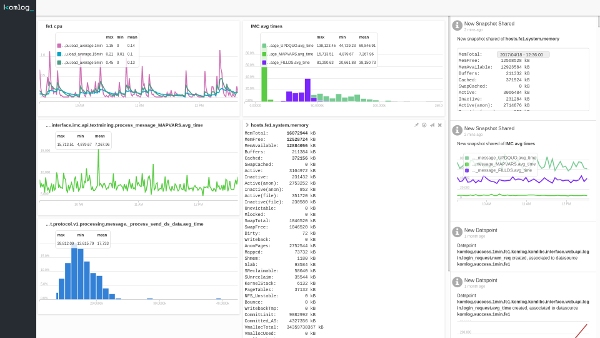
Komlog is a PaaS for helping observability teams to better understand their systems. It is a flexible and powerful platform that adapts to users needs, not vice versa, for visualizing and processing data. It helps users in repetitive and tedious tasks, such as data cleanup, processing and exploration. It is designed with a key goal in mind: machines should be able to understand and process texts in the same way people do. Particularly, it is focused on identifying metrics on any text, either generated with an operating system command, script or any command line interface application.
Komlog Primer
Suppose we type this command to see CPU utilization:
top -b -n 2 | awk 'BEGIN {RS=""} FNR == 3 {print}'The output should be something similar to this:
top - 20:05:01 up 1 day, 23:52,  0 users,  load average: 0.02, 0.05, 0.07
Tasks: 174 total,   1 running, 173 sleeping,   0 stopped,   0 zombie
%Cpu0  :   0.7/0.7     1[                                                     ]
%Cpu1  :   0.7/0.0     1[                                                     ]
%Cpu2  :   0.7/0.0     1[                                                     ]
%Cpu3  :   1.3/0.7     2[|                                                    ]
%Cpu4  :   1.3/0.0     1[|                                                    ]
%Cpu5  :   3.3/0.7     4[||                                                   ]
%Cpu6  :   2.0/0.7     3[|                                                    ]
%Cpu7  :   2.6/0.7     3[|                                                    ]
GiB Mem : 13.1/15.328   [                                                     ]
GiB Swap:  0.0/0.998    [                                                     ]
This information should be enough for a machine to identify CPU load, users logged in or current tasks the same way is enough for an experienced system analyst. Our goal is to solve this problem and offer a useful platform for a field as wide and heterogeneous as system analysis.
Let’s send the previous data to Komlog, redirecting it to its agent, komlogd, this way:
top -b -n 2 | awk 'BEGIN {RS=""} FNR == 3 {print}' | komlogd -u tmp.cpuKomlog will show us the information this way:
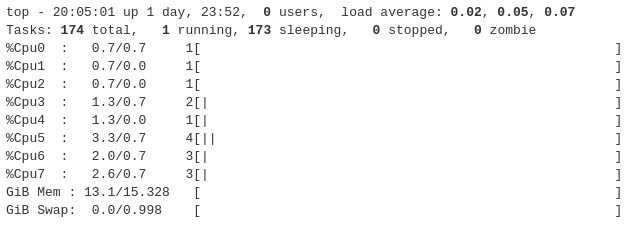
As you can see, some values are in bold, meaning that Komlog has identified the value and has associated it to the corresponding metric. Every time we send samples to Komlog, new values will be appended to metrics already detected.
Internally, Komlog is an event based execution platform. This means you can subscribe your agents to the uris you want, and execute functions every time they are updated. With this functionality, you can create real-time applications for data analysis, anomaly detection, forecasting or anything related with time series analysis.
Komlog also offers a plugins subsystem which you can use to create your own plugins (we call it packages), or use the ones shared by others. Create a package for monitoring your favourite database, your business processes or anything in between.
Check out komlogd repository for documentation and more information about komlogd and the Komlog platform.
Release history Release notifications | RSS feed


Download files
Download the file for your platform. If you're not sure which to choose, learn more about installing packages.
Source Distributions
Built Distribution
Filter files by name, interpreter, ABI, and platform.
If you're not sure about the file name format, learn more about wheel file names.
Copy a direct link to the current filters
File details
Details for the file komlogd-0.12.0-py3-none-any.whl.
File metadata
- Download URL: komlogd-0.12.0-py3-none-any.whl
- Upload date:
- Size: 82.2 kB
- Tags: Python 3
- Uploaded using Trusted Publishing? No
File hashes
| Algorithm | Hash digest | |
|---|---|---|
| SHA256 |
9b0a0f02ad56691a9efc71619e4f9e6d5d651664376c762626257d46a672d489
|
|
| MD5 |
da2e10e20354549ee63ee97c072a822e
|
|
| BLAKE2b-256 |
94b8f24b5e5a555320b0e7fbc049431a267b4e87440a5795cff5fe96e148072b
|






