
kord
the kord framework provides you with a simple api for creating music-based applications. While it is mainly intended for theoretical purposes, some of it's modules contain functionality specifically tailored to plucked-string instruments.
installation
The only dependency for kord is the bestia package, my own library for creating command-line applications. Both are automatically installed with pip:
$ python3 -m pip install kord
The fretboard application component of the framework can also be run directly in a containerized form. This requires you to install 0 dependencies on your system besides docker.
$ docker run -t synestematic/kord C --scale major
Scroll to the bottom of the README for more information on the fretboard application.
api reference:
Please only expect to understand the following documentation if you have an above basic understanding of music theory. With that said, let's dive into the first module:
kord.notes
class NotePitch:
NotePitch instances are the building blocks of the framework and have 3 main attributes:
* chr: str    ('C', 'D', 'E', 'F', 'G', 'A', 'B')
* alt: str    ('bb', 'b', '', '#', '##')
* oct: int    (0, 1, 2, 3, 4, 5, 6, 7, 8, 9)
You can set these values when creating an instance and only the chr argument is required. Arguments alt and oct will default to '' and 3 respectively. These are positional arguments, not keyword arguments so keep that in mind when creating your objects.
>>> from kord.notes import NotePitch
>>> e3, f3 = NotePitch('e'), NotePitch('f')
>>> e3, f3
(E³, F³)
>>> NotePitch('G', 'b')
G♭³
>>> NotePitch('C', 9)
C⁹
>>> NotePitch('B', 'b', 7)
B♭⁷
>>> NotePitch('C', '#', 0)
C♯⁰
Notes with double alterations are supported but Notes with triple or more alterations will raise an exception:
>>> NotePitch('A', 'bb', 1)
A𝄫¹
>>> NotePitch('F', '##', 1)
F𝄪¹
>>> NotePitch('G', '###')
Traceback (most recent call last):
  File "<stdin>", line 1, in <module>
  ...
kord.errors.InvalidAlteration: ###
Similarly, the maximum octave value currently supported is 9.
>>> NotePitch('D', 10)
Traceback (most recent call last):
  File "<stdin>", line 1, in <module>
  ...
kord.errors.InvalidOctave: 10
Comparing NotePitch objects:
The - < > <= >= == != >> ** operators allow computation of semitone intervals between NotePitch instances and give insight into their enharmonic relationships. Let's take a quick look at each operator separately:
- operator
The substraction operator lets you compute the difference in semitones between two notes:
>>> f3 - e3
1
>>> NotePitch('a', 'b', 2) - NotePitch('g', '#', 2)
0
>>> NotePitch('a', 8) - NotePitch('c', 4)
57
>>> NotePitch('a', 8) - NotePitch('c', '##', 4)
55
< > <= >= == != operators
Comparison operators return boolean values based exclusively on the interval between the 2 objects.
>>> f3 > e3
True
>>> f3 >= e3
True
While the concept is seemingly straightforward, special attention needs to be taken when using == != with enharmonic notes.
>>> n1 = NotePitch('F', '#', 5)
>>> n2 = NotePitch('G', 'b', 5)
>>> n1, n2
(F♯⁵, G♭⁵)
>>> n1 == n2
True
The notes F♯⁵ and G♭⁵ are NOT the same but since their interval is a unison, the == comparison evaluates True. This might seem a bit counter-intuitive at first but you can still check for exact note matches with the use of 2 other operators.
>> ** operators
The power and right-shift operators allow you to compare Notes for equality based not on their intervals, but on their intrinsic chr, alt, oct properties. The strictest operator >> compares all 3 attributes for equality while the looser ** ignores oct:
>>> ab1, ab5 = NotePitch('A', 'b', 1),  NotePitch('A', 'b', 5)
>>> ab1 == ab5
False
>>> ab1 ** ab5
True
Notice ** evaluates True since both instances are A flat notes, even when there is a wide interval between them.
>>> ab1 >> ab5
False
>>> ab1.oct = 5
>>> ab1 >> ab5
True
For the >> operator to evaluate True, the octaves of the notes must match as well.
kord.keys
class TonalKey:
Think of TonalKey objects as generators of NotePitch objects. You can define a new class which inherits TonalKey and use any theoretical arrangement of intervals from the root note in order to create chords, scales, modes, etc. You can further taylor these child classes by restricting degrees to specific values, this is very useful for creating chords.
These are a couple of pre-defined examples to give you an idea of how it works:
class ChromaticScale(TonalKey):
    intervals = (
        UNISON,
        MINOR_SECOND,
        MAJOR_SECOND,
        MINOR_THIRD,
        MAJOR_THIRD,
        PERFECT_FOURTH,
        AUGMENTED_FOURTH,
        PERFECT_FIFTH,
        MINOR_SIXTH,
        MAJOR_SIXTH,
        MINOR_SEVENTH,
        MAJOR_SEVENTH,
    )

class MajorScale(TonalKey):
    intervals = (
        UNISON,
        MAJOR_SECOND,
        MAJOR_THIRD,
        PERFECT_FOURTH,
        PERFECT_FIFTH,
        MAJOR_SIXTH,
        MAJOR_SEVENTH,
    )

class MajorPentatonicScale(MajorScale):
    degrees = (1, 2, 3, 5, 6)

class MajorTriad(MajorScale):
    degrees = (1, 3, 5)
Bare in mind that TonalKey objects are initialized with chr and alt attributes, oct values are not taken into consideration. This allows us to simply unpack NotePitch objects in order to create TonalKey instances based off of them. Once we have a TonalKey object, we can access it's single degrees using list index notation:
>>> from kord.keys import ChromaticScale
>>> c = NotePitch('C')
>>> c_chromatic_scale = ChromaticScale(*c)
>>> c_chromatic_scale[2]
C♯⁰
>>> c_chromatic_scale[12]
B⁰
TonalKey.spell()
Retrieving individual degrees is good, but it is perhaps more interesting to look at a more dynamic way of getting notes out of our TonalKey instances. The spell() method provides such an interface for generating NotePitch instances on the fly. Let's take a look at a couple of examples and the several arguments that we can use when calling this method:
>>> for note in c_chromatic_scale.spell():
...     print(note, end=' ')
...
C⁰ C♯⁰ D⁰ D♯⁰ E⁰ F⁰ F♯⁰ G⁰ G♯⁰ A⁰ A♯⁰ B⁰ C¹ >>>
As seen above the method will generate the first octave of degrees of the object when called without arguments.
The note_count argument is an int and it allows us to set a specific amount of notes to retrieve:
>>> from kord.keys import MinorScale
>>> a_minor_scale = MinorScale('A')
>>> for note in a_minor_scale.spell(note_count=4):
...     print(note, end=' ')
...
A⁰ B⁰ C¹ D¹ >>>
Be careful, ask for too many notes and kord will throw and Exception when oct 9 has been exceeded.
The yield_all argument is a bool that will make the method yield not just NotePitch instances, but also None objects for every non-diatonic semitone found:
>>> for note in a_minor_scale.spell(note_count=4, yield_all=True):
...     print(note, end=' ')
...
A⁰ None B⁰ C¹ None D¹ >>>
The start_note argument is a NotePitch object that can be used to start getting notes only after a specific note has been found. This can be done even if the note is not diatonic to the scale:
>>> Db1 = NotePitch('D', 'b', 1)
>>> for note in a_minor_scale.spell(note_count=4, yield_all=True, start_note=Db1):
...     print(note, end=' ')
...
None D¹ None E¹ F¹ None G¹ >>>
fretboard tool
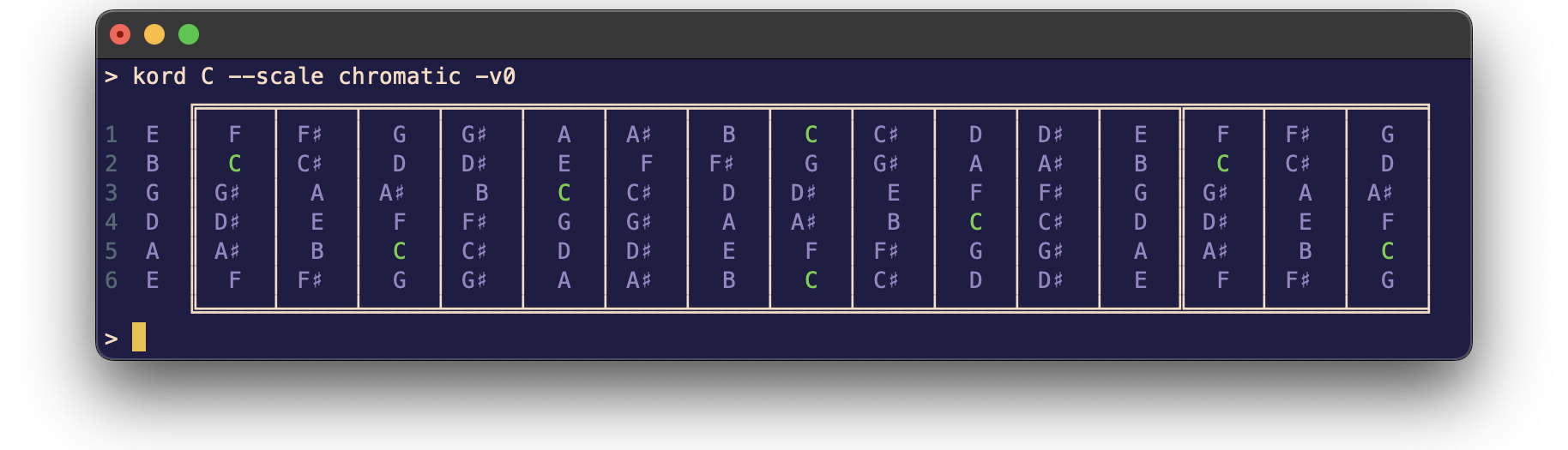
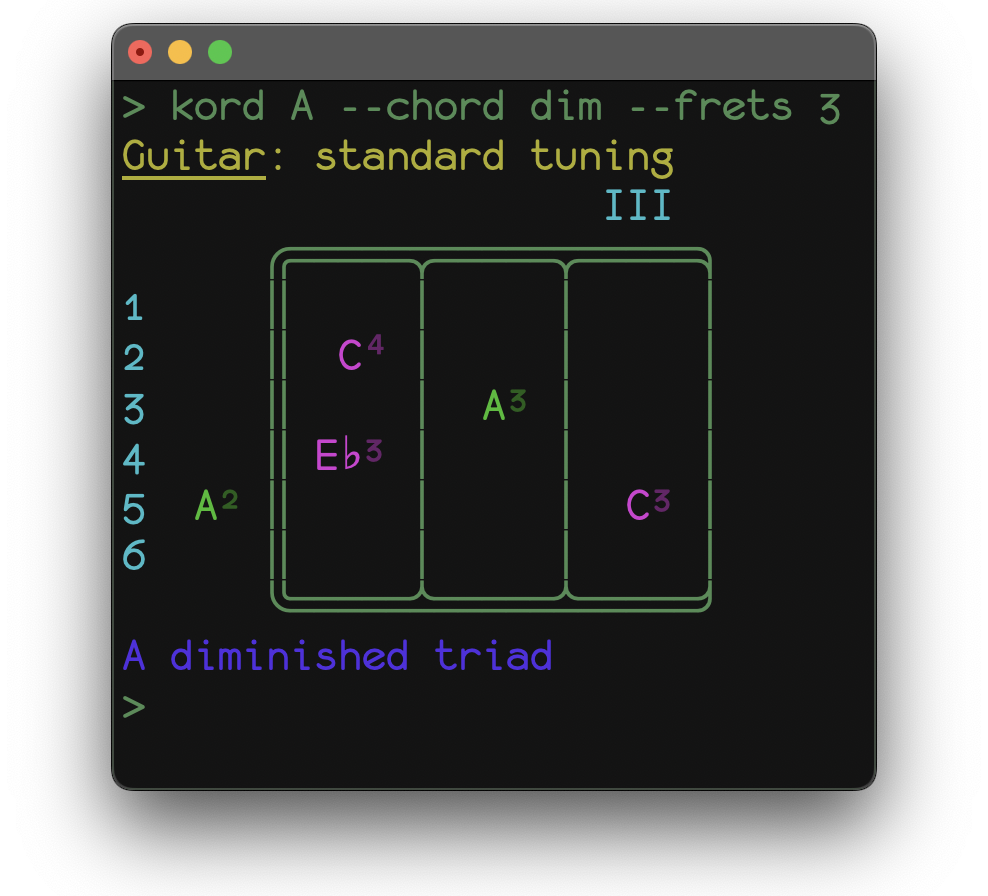
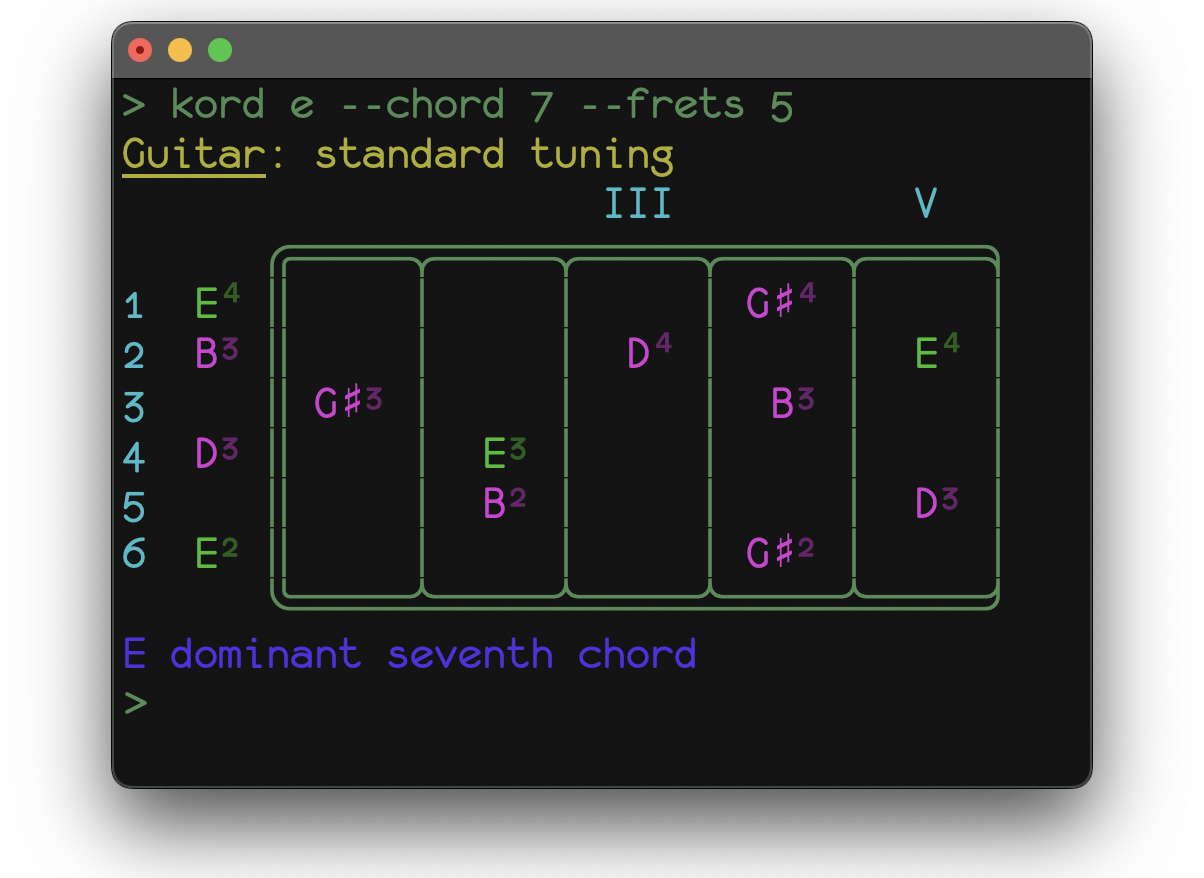
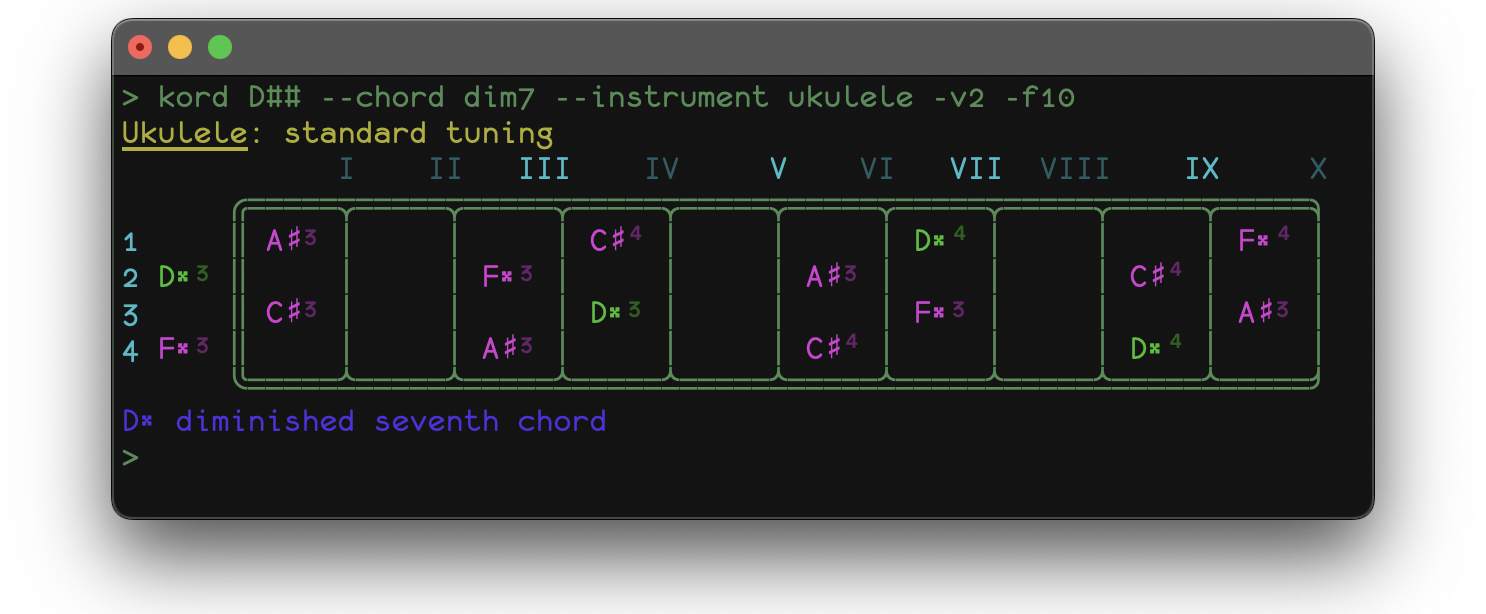
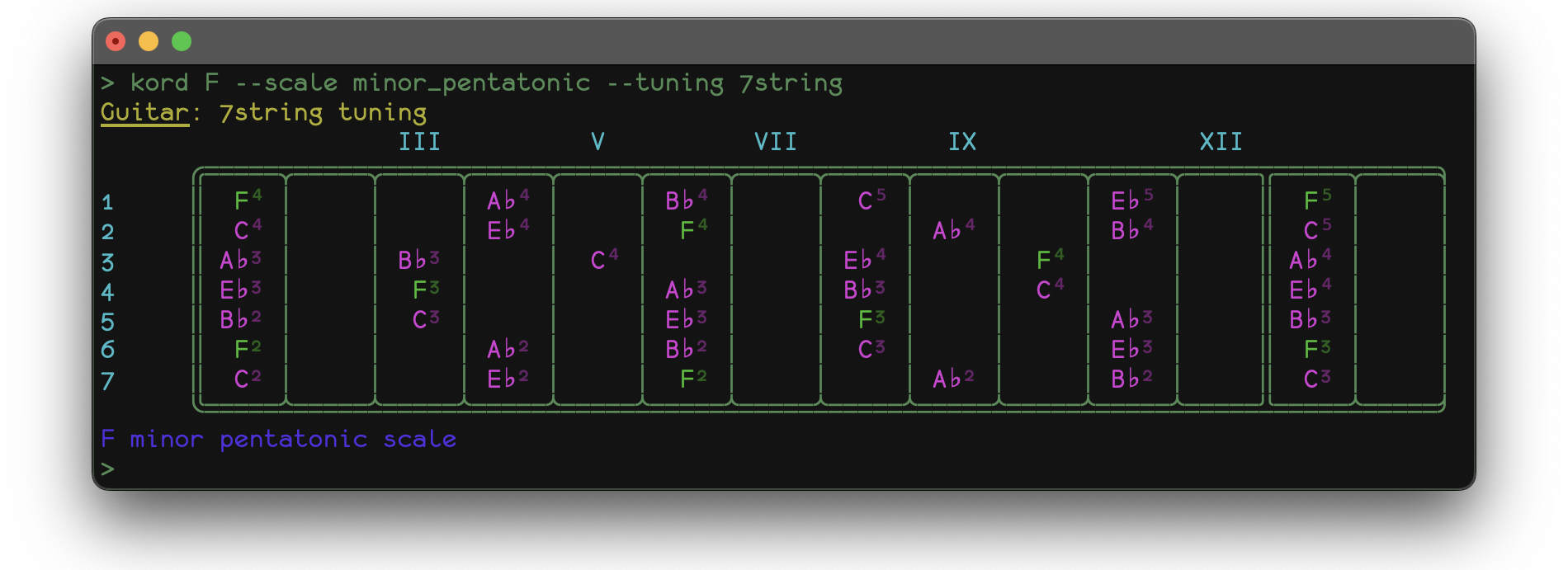
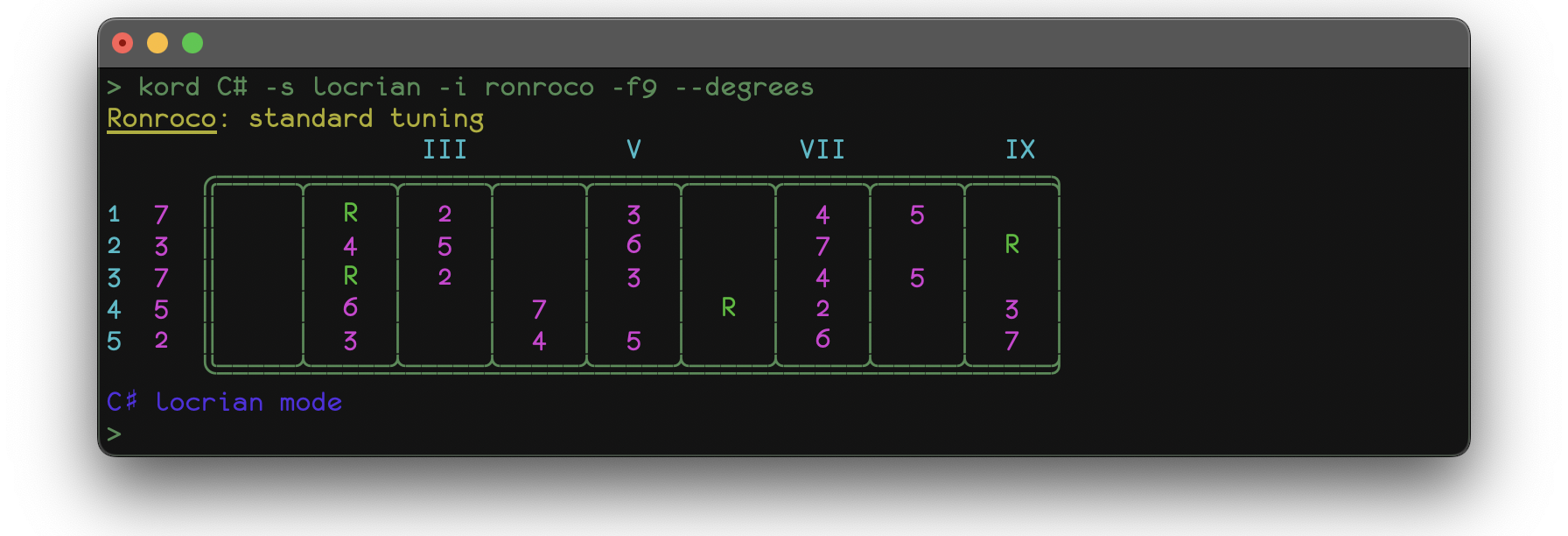
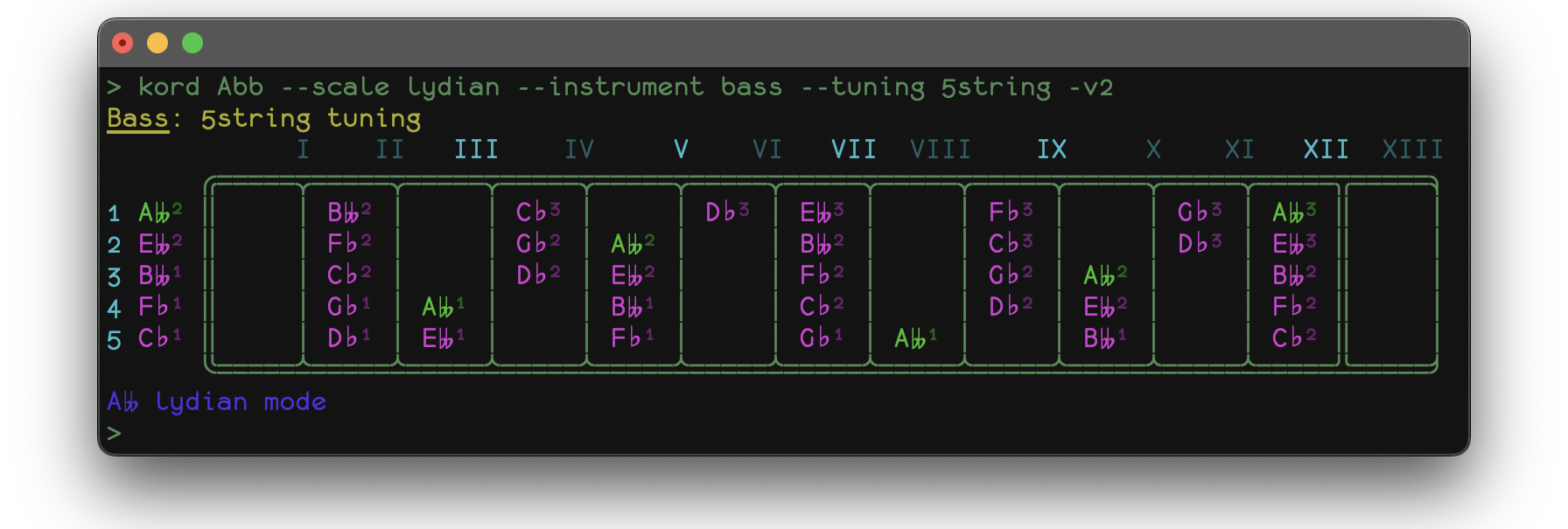
A sample application fretboard.py comes built-in with kord and gives some insight into the possibilities of the framework. It displays a representation of your instrument's fretboard, tuned to your liking along with note patterns for any given mode (scale/chord) for any given root note.
If you installed via pip (as opposed to cloning this repo) installation path will depend on your system, it's usually something like /usr/local/fretboard or ~/.local/fretboard. You will also find a tunings directory with some pre-defined instrument tunings in the form of .json files. Feel free to modify them or add your own and they should immediately become available to the run-time.
$  python3 fretboard.py --help
usage: fretboard.py [-h] [-d] [-s  | -c ] [-i] [-t] [-f] [-v] root

<<< Fretboard visualizer sample tool for the kord framework >>>

positional arguments:
  root                select key ROOT note

optional arguments:
  -h, --help          show this help message and exit
  -d, --degrees       show degree numbers instead of note pitches
  -s , --scale        major, minor, melodic_minor, harmonic_minor, major_pentatonic, minor_pentatonic,
                      ionian, lydian, mixolydian, aeolian, dorian, phrygian, locrian, chromatic
  -c , --chord        maj, min, aug, dim, maj7, min7, 7, dim7, min7dim5, maj9, min9, 9
  -i , --instrument   banjo, guitar, ronroco, bass, ukulele
  -t , --tuning       check .json files for available options
  -f , --frets        1, 2, .., 36
  -v , --verbosity    0, 1, 2
The only required parameter is the root note.
The --scale and --chord options let you choose which note pattern to display for the selected root. They are mutually exclusive and the default value is --chord maj when left blank.
The --instrument and --tuning options refer to the json files you will find in the tunings directory. Default values are --instrument guitar --tuning standard.
The --frets option let's you choose how many frets to visualize, maximum value is 36. Default value will fill your terminal screen.
The --verbosity option let's you choose how much information to see on-screen from 0 to 2. Default value is 1.
The --degrees option let's you display degree numbers instead of notes. Default value is false.
screenshots
Here are a couple of pics to get you excited:
Chords
Scales
1 maintainer

Download files
Download the file for your platform. If you're not sure which to choose, learn more about installing packages.
Source Distribution
Built Distribution
Filter files by name, interpreter, ABI, and platform.
If you're not sure about the file name format, learn more about wheel file names.
Copy a direct link to the current filters
File details
Details for the file kord-5.4.tar.gz.
File metadata
- Download URL: kord-5.4.tar.gz
- Upload date:
- Size: 34.1 kB
- Tags: Source
- Uploaded using Trusted Publishing? No
- Uploaded via:
twine/5.1.1 CPython/3.13.0
File hashes
| Algorithm | Hash digest | |
|---|---|---|
| SHA256 |
27dd3ff1906cea7bd04705fde9505747bd4699f2e977c0d08b41b5215aaf1670
|
|
| MD5 |
73775fb5b9db6cc9a633b34782e51840
|
|
| BLAKE2b-256 |
44cfde8687e8c6297ab54157fc8d426467aef3e90551b1faa27123797f5b25e4
|
File details
Details for the file kord-5.4-py3-none-any.whl.
File metadata
- Download URL: kord-5.4-py3-none-any.whl
- Upload date:
- Size: 36.0 kB
- Tags: Python 3
- Uploaded using Trusted Publishing? No
- Uploaded via:
twine/5.1.1 CPython/3.13.0
File hashes
| Algorithm | Hash digest | |
|---|---|---|
| SHA256 |
566bc15d24b15e492c7ba1a51eb57dea7f31f5876e8f09aebdb238cb976097de
|
|
| MD5 |
b472b4edbdc84913e5a8f4acbf69452c
|
|
| BLAKE2b-256 |
2934bd9a80a89f496d145a44a6d197036f310c51d6f20dd870f8f5190ac0c590
|














