
LaVue - Live Image Viewer




Authors: Christoph Rosemann <christoph.rosemann at desy.de>, Jan Kotański <jan.kotanski at desy.de>, André Rothkirch <andre.rothkirch at desy.de>
Introduction
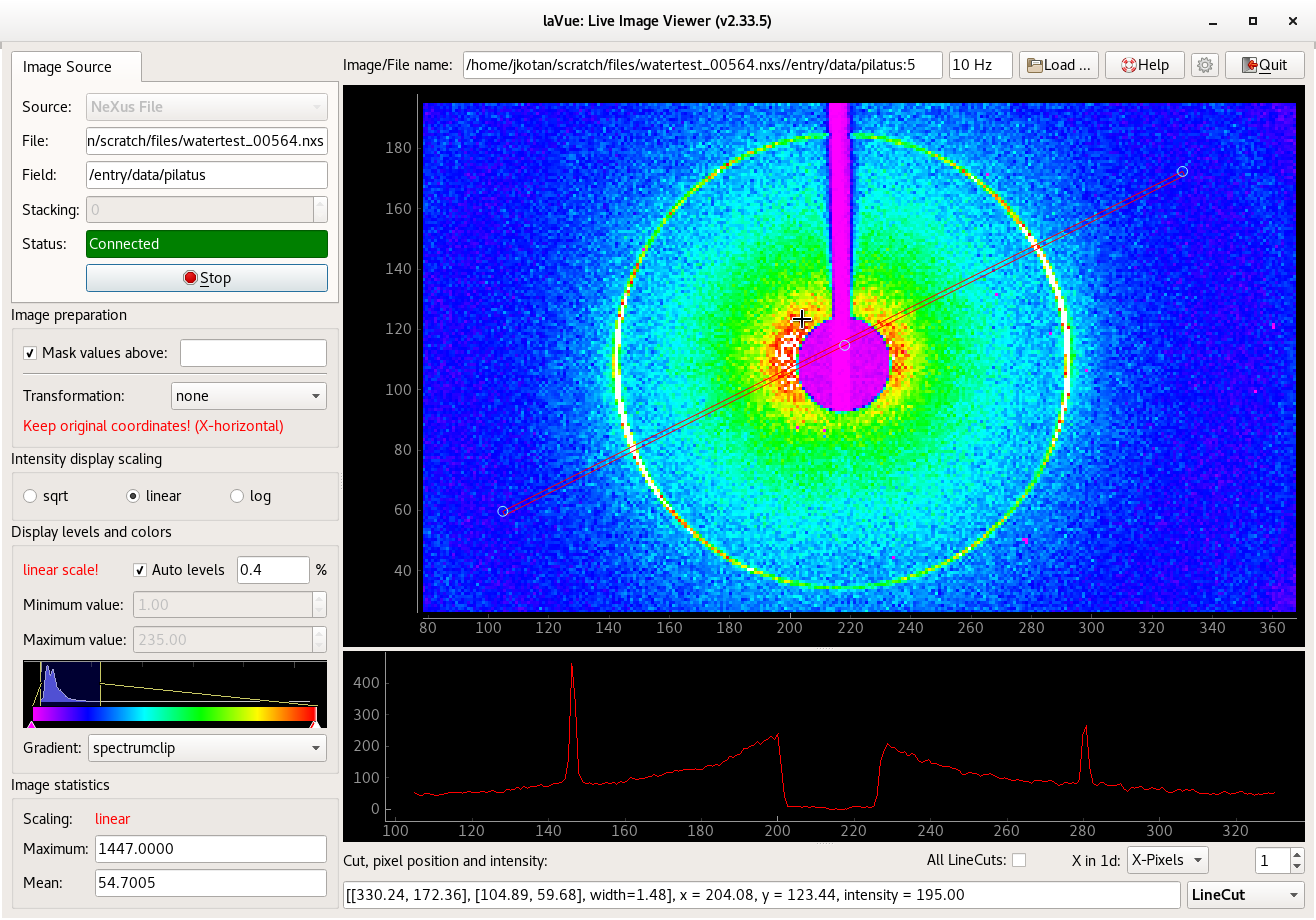
This is a simple implementation of a live viewer front end. It is supposed to show a live image view from xray-detectors at PETRA3 @ desy.de, e.g. Pilatus, Lambda, Eiger, PerkinElmer, PCO, LimaCCD, and others.
Installation
LaVue requires the following python packages: qt5/qt4 pyqtgraph numpy zmq scipy
It is also recommended to install: pytango hidra pil fabio requests h5py pni nxstools
From sources
Download the latest LaVue version from https://github.com/lavue-org/lavue
Extract sources and run
$ python setup.py installThe setup.py script may need: setuptools sphinx numpy pytest python packages as well as qtbase5-dev-tools or libqt4-dev-bin.
Debian packages
Debian trixie, bookworm, bullseye, or Ubuntu questing, noble, jammy packages can be found in the HDRI repository.
To install the debian packages, add the PGP repository key
$ sudo su
$ curl -s http://repos.pni-hdri.de/debian_repo.pub.gpg  | gpg --no-default-keyring --keyring gnupg-ring:/etc/apt/trusted.gpg.d/debian-hdri-repo.gpg --import
$ chmod 644 /etc/apt/trusted.gpg.d/debian-hdri-repo.gpg
and then download the corresponding source list, e.g.
$ cd /etc/apt/sources.list.dand
$ wget http://repos.pni-hdri.de/trixie-pni-hdri.sourcesor
$ wget http://repos.pni-hdri.de/bookworm-pni-hdri.listor
$ wget http://repos.pni-hdri.de/noble-pni-hdri.listor
$ wget http://repos.pni-hdri.de/jammy-pni-hdri.listrespectively.
Finally,
$ apt-get update
$ apt-get install python3-lavue
$ apt-get install lavue-controller
or
$ apt-get install lavue-controller3for python 3 version (for older debian/ubuntu releases).
From pip
To install it from pip you need to install pyqt5 in advance, e.g.
$ python3 -m venv myvenv
$ . myvenv/bin/activate

$ pip install PyQtWebKit
or
$ pip install pyqt5or
$ pip install PyQt5==5.14and then
$ pip install lavueMoreover it is also good to install the following python packages:
$ pip install fabio
$ pip install pillow
$ pip install pyFAI
$ pip install lavuefilters
$ pip install pytango
Start the Viewer
To start LaVue
$ lavueor
$ lavue3for python 3 version (for older debian/ubuntu releases).
Start the Viewer in the expert mode
Changing LaVue settings is available in the expert mode, i.e.
$ lavue -m expertunder an additional button: Configuration.
Launching options
To get all possible command-line parameters
$ lavue -hFurther reading
More information can be found at: LaVue
1 maintainer

Metadata
1 maintainer
Release files for lavue 3.13.0
For a detailed explanation of source distributions (sdists) and built distributions (wheels), please see the package formats documentation.
Built distribution (wheel)
| File | Interpreter | ABI | Platform | Reset |
|---|---|---|---|---|
| lavue-3.13.0-py3-none-any.whl | Python 3 | none | any | Details |
Release files / lavue-3.13.0-py3-none-any.whl
| Download URL | lavue-3.13.0-py3-none-any.whl |
|---|---|
| Size | 13.5 MB |
| Tags | Python 3 |
|
SHA-256 checksum How to use checksums |
48dcdb2b74d1bbe268d61ae9c00281366406a034ee7261e5713d962640dca324
|
|
BLAKE2b-256 checksum How to use checksums |
aaeddebe6893e710366ad4d7bd5ed5116a1a68d49ebc3356dc5d26617130378e
|
| Upload date | |
|
Uploaded using Trusted Publishing? What is trusted publishing? |
No |
| Uploaded via |
twine/4.0.2 CPython/3.11.2
|














