

LCC-Server is a Python framework to serve collections of light curves. The code here forms the basis for the HAT data server. See the installation notes below for how to install and configure the server.
- Features
- Installation
- SQLite requirement
- Using the server
- Documentation
- Changelog
- Screenshots
- License
Features
LCC-Server includes the following functionality:
- collection of light curves from various projects into a single output format (text CSV files)
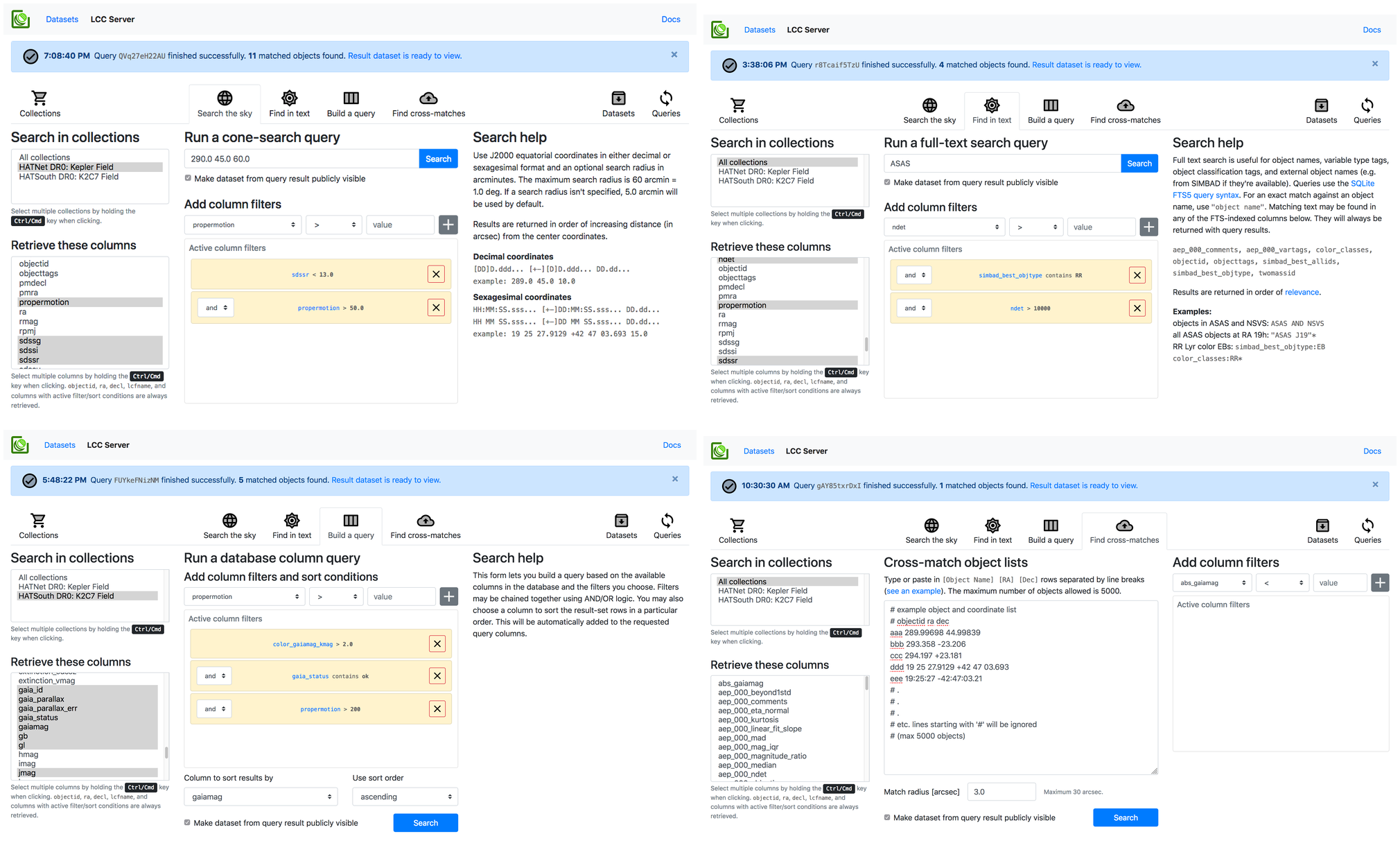
- HTTP API and an interactive frontend for searching over multiple light curve
collections by:
- spatial cone search near specified coordinates
- full-text search on object names, descriptions, tags, name resolution using SIMBAD's SESAME resolver for individual objects, and for open clusters, nebulae, etc.
- queries based on applying filters to database columns of object properties, e.g. object names, magnitudes, colors, proper motions, variability and object type tags, variability indices, etc.
- cross-matching to uploaded object lists with object IDs and coordinates
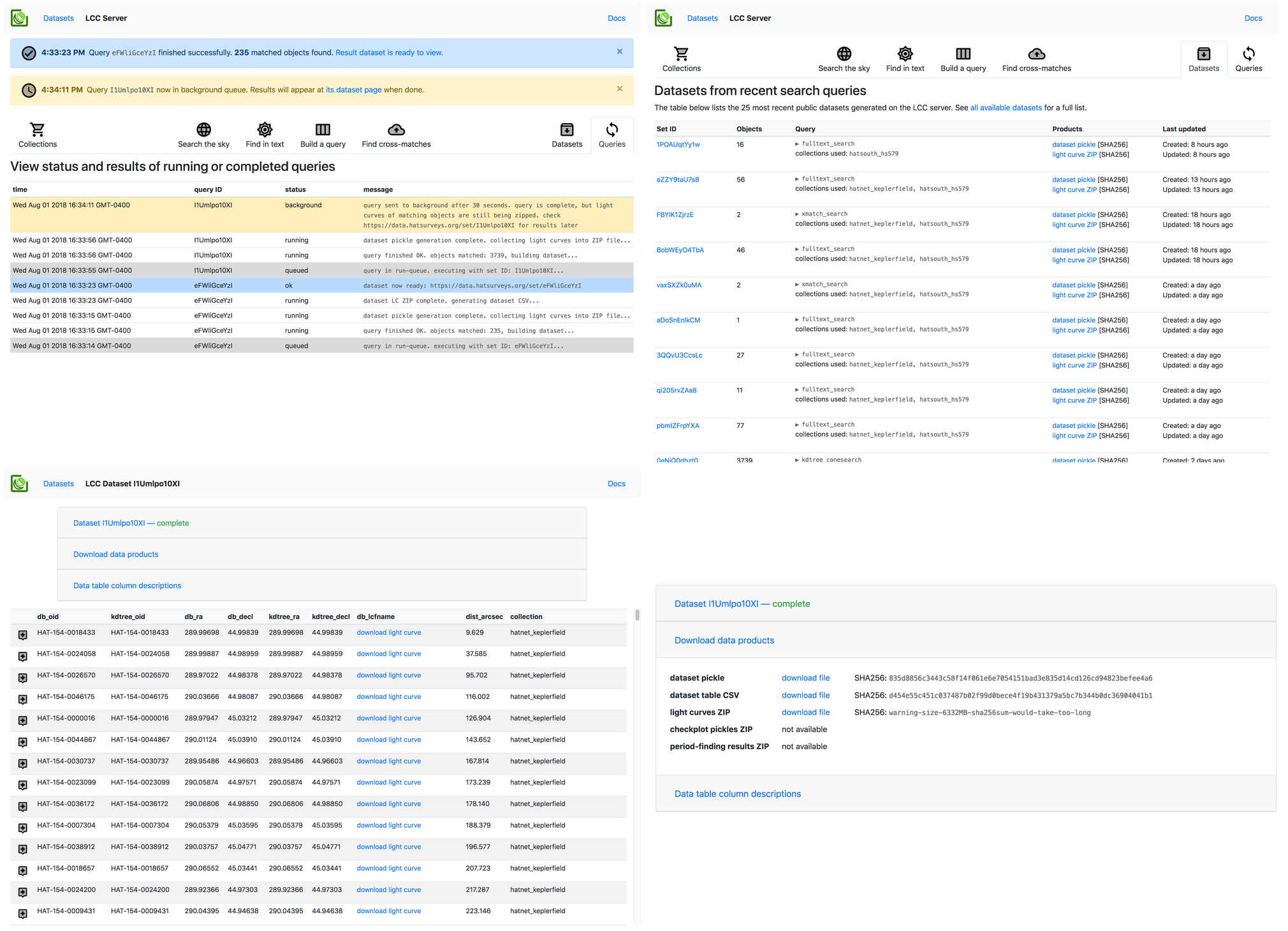
- HTTP API for generating datasets from search results asychronously and interactive frontend for browsing these, caching results from searches, and generating output zip bundles containing search results and all matching light curves
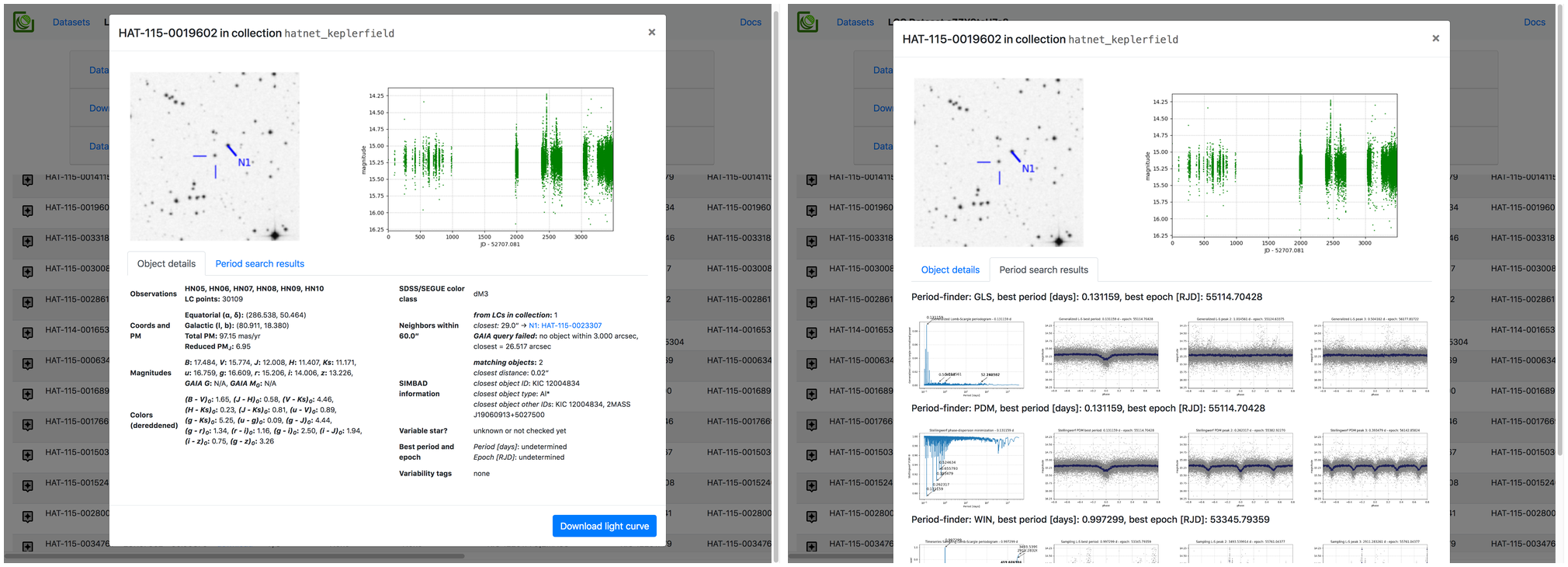
- HTTP API and interactive frontend for detailed information per object, including light curve plots, external catalog info, and period-finding results plus phased LCs if available
- Access controls for all generated datasets, and support for user sign-ins and sign-ups
Installation
NOTE: Python >= 3.6 is required. Use of a virtualenv is recommended; something like this will work well:
$ python3 -m venv lcc
$ source lcc/bin/activate
This package is available on PyPI. Install it with the virtualenv activated:
$ pip install numpy  # to set up Fortran bindings for dependencies
$ pip install lccserver  # add --pre to install unstable versions
To install the latest version from Github:
$ git clone https://github.com/waqasbhatti/lcc-server
$ cd lcc-server
$ pip install -e .
If you're on Linux or MacOS, you can install the uvloop package to optionally speed up some of the eventloop bits:
$ pip install uvloop
SQLite requirement
The LCC-Server relies on the fact that the system SQLite library is new enough
to contain the fts5 full-text search module. For some older Enterprise Linux
systems, this isn't the case. To get the LCC-Server and its tests running on
these systems, you'll have to install a newer version of the SQLite
amalgamation. I recommend downloading the
tarball with autoconf so it's easy to install; e.g. for SQLite 3.27.2, use this
file:
sqlite-autoconf-3270200.tar.gz.
To install at the default location /usr/local/lib:
$ tar xvf sqlite-autoconf-3270200.tar.gz
$ ./configure
$ make
$ sudo make install
Then, override the default location that Python uses for its SQLite library
using LD_LIBRARY_PATH:
$ export LD_LIBRARY_PATH='/usr/local/lib'

# create a virtualenv using Python 3
# here I've installed Python 3.7 to /opt/python37
$ /opt/python37/bin/python3 -m venv env

# activate the virtualenv, launch Python, and check if we've got a newer SQLite
$ source env/bin/activate
(env) $ python3
Python 3.7.0 (default, Jun 28 2018, 15:17:26)
[GCC 4.8.5 20150623 (Red Hat 4.8.5-28)] on linux
Type "help", "copyright", "credits" or "license" for more information.
>>> import sqlite3
>>> sqlite3.sqlite_version
'3.27.2'
You can then run the LCC-Server using this virtualenv. You can use an
Environment directive in the systemd service files to add in the
LD_LIBRARY_PATH override before launching the server.
Using the server
Some post-installation setup is required to begin serving light curves. In particular, you will need to set up a base directory where LCC-Server can work from and various sub-directories.
To make this process easier, there's an interactive CLI available when you
install LCC-Server. This will be in your $PATH as
lcc-server.
A Jupyter notebook walkthough using this CLI to stand up an LCC-Server instance, with example light curves, can be found in the astrobase-notebooks repo: lcc-server-setup.ipynb (Jupyter nbviewer).
Documentation
- Documentation for how to use the server for searching LC collections is hosted at the HAT data server instance: https://data.hatsurveys.org/docs.
- The HTTP API is documented at: https://data.hatsurveys.org/docs/api.
- A standalone Python module that serves as an LCC-Server HTTP API client is available in the astrobase repository: lccs.py (Docs).
Server docs are automatically generated from the server-docs directory in the git repository. Sphinx-based documentation for the Python modules is on the TODO list and will be linked here when done.
Changelog
Please see: https://github.com/waqasbhatti/lcc-server/blob/master/CHANGELOG.md for a list of changes applicable to tagged release versions.
Screenshots
The search interface
Datasets from search results
Per-object information
License
LCC-Server is provided under the MIT License. See the LICENSE file for the full text.
1 maintainer

Metadata
1 maintainer
Release files for lccserver 0.2.7
For a detailed explanation of source distributions (sdists) and built distributions (wheels), please see the package formats documentation.
Source distribution (sdist)
| File | Size | Uploaded | Provenance | Actions |
|---|---|---|---|---|
| lccserver-0.2.7.tar.gz | 6.3 MB | Without provenance | Details for lccserver-0.2.7.tar.gz |
Built distribution (wheel)
| File | Interpreter | ABI | Platform | Actions Reset |
|---|---|---|---|---|
| lccserver-0.2.7-py3-none-any.whl | Python 3 | none | any | Details for lccserver-0.2.7-py3-none-any.whl |
Total release size: 13.1 MB
Release files / lccserver-0.2.7.tar.gz
| Download URL | lccserver-0.2.7.tar.gz |
|---|---|
| Size | 6.3 MB |
| Tags | Source |
|
SHA-256 checksum How to use checksums |
12e2d68464b152f98a2be818b5caed13e7987ef64fb07baf9fb70285f7e9d0c3
|
|
BLAKE2b-256 checksum How to use checksums |
c2e5cac0955771ad43b421778d05c2e336a1807de6dad90b8fa013157084c2b2
|
| Upload date | |
|
Uploaded using Trusted Publishing? What is trusted publishing? |
No |
| Uploaded via |
twine/2.0.0 pkginfo/1.4.2 requests/2.20.0 setuptools/41.4.0 requests-toolbelt/0.8.0 tqdm/4.31.1 CPython/3.7.5
|
Release files / lccserver-0.2.7-py3-none-any.whl
| Download URL | lccserver-0.2.7-py3-none-any.whl |
|---|---|
| Size | 6.7 MB |
| Tags | Python 3 |
|
SHA-256 checksum How to use checksums |
3ca7f4bf45e0d6a10a8f56cc41fce1931f225994a3ea750ce3eecd973c015b7b
|
|
BLAKE2b-256 checksum How to use checksums |
a8f64c90a0e407e58a8ec80bad9915bbedaaf1c77c3378105113e386612be35f
|
| Upload date | |
|
Uploaded using Trusted Publishing? What is trusted publishing? |
No |
| Uploaded via |
twine/2.0.0 pkginfo/1.4.2 requests/2.20.0 setuptools/41.4.0 requests-toolbelt/0.8.0 tqdm/4.31.1 CPython/3.7.5
|
Security for lccserver 0.2.7
Provenance
Provenance describes where a file came from. On PyPI, provenance is shared via attestations, which provide a verifiable record of the build or publishing details. View details, limitations and caveats.
No provenance found
None of the files in this release were uploaded with provenance metadata.
A note on package security
PyPI is a repository for distributing packages, not a service for auditing them. While third-party security researchers and our staff do their best to detect and remove malicious packages, PyPI cannot guarantee the quality, security or suitability of any given package.
To learn more about protecting yourself from malicious actors, visit our package security documentation.














