
 Libre Chat






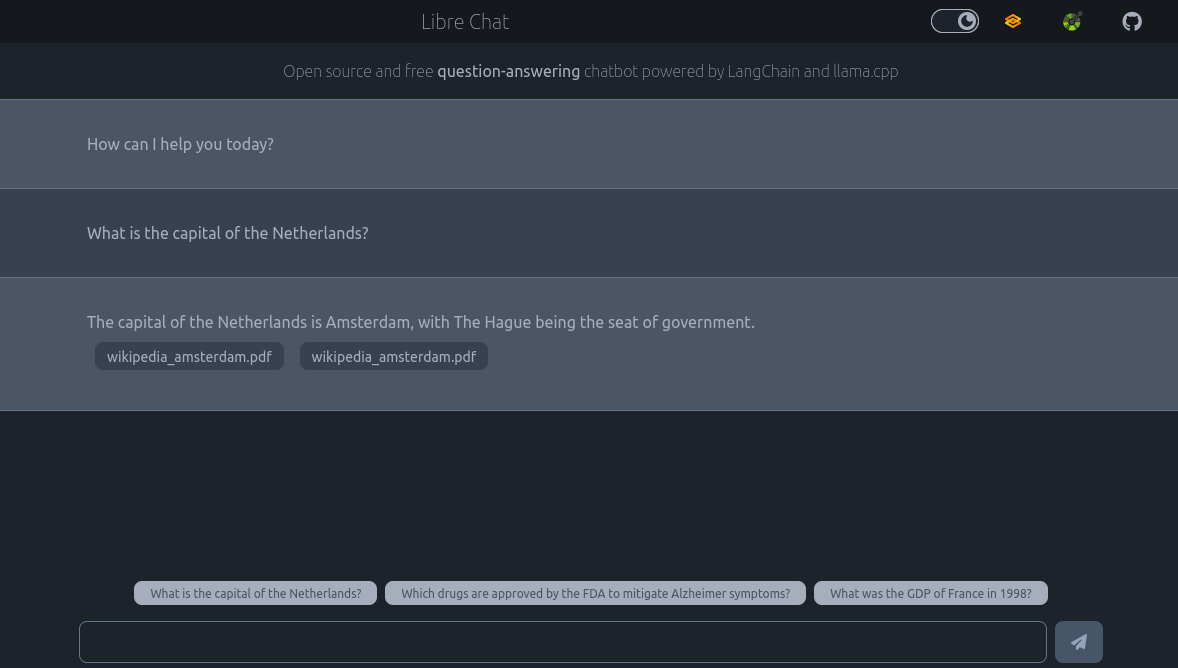
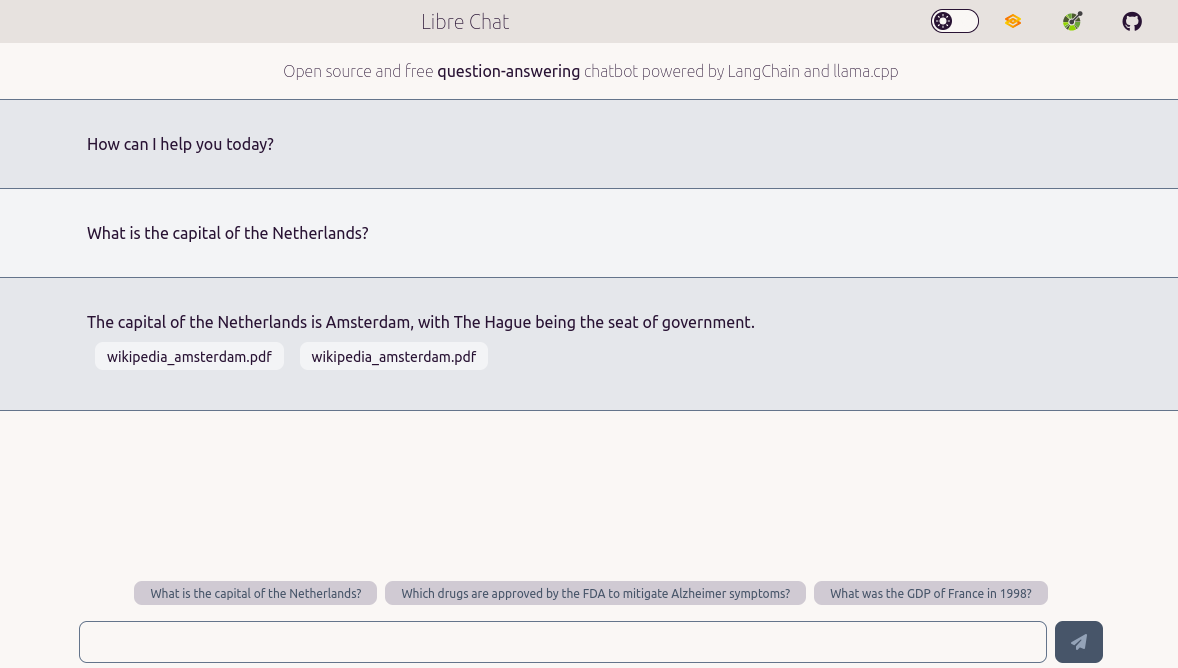
Easily configure and deploy a fully self-hosted chatbot web service based on open source Large Language Models (LLMs), such as Mixtral or Llama 2, without the need for knowledge in machine learning.
- 🌐 Free and Open Source chatbot web service with UI and API
- 🏡 Fully self-hosted, not tied to any service, and offline capable. Forget about API keys! Models and embeddings can be pre-downloaded, and the training and inference processes can run off-line if necessary.
- 🔌 Web API described using OpenAPI specs: GET/POST operations, websocket for streaming response
- 🪶 Chat web UI (Gradio-based, or custom HTML) working well on desktop and mobile, with streaming response, and markdown rendering
- 🚀 Easy to setup, no need to program, just configure the service with a YAML file, and start it with 1 command
- 📦 Available as a
pippackage 🐍, ordockerimage 🐳 - 🐌 No need for GPU, this will work even on your laptop CPU! That said, just running on CPUs can be quite slow (up to 1min to answer a documents-base question on recent laptops).
- 🦜 Powered by
LangChainandllama.cppto perform inference locally. - 🤖 Various types of agents can be deployed:
- 💬 Generic conversation: do not need any additional training, just configure settings such as the template prompt
- 📚 Documents-based question answering (experimental): automatically build similarity vectors from documents uploaded through the API UI, the chatbot will use them to answer your question, and return which documents were used to generate the answer (PDF, CSV, HTML, JSON, markdown, and more supported).
- 🔍 Readable logs to understand what is going on
📖 Documentation
For more details on how to use Libre Chat check the documentation at vemonet.github.io/libre-chat
🏗️ Work in progress
⚠️ This project is a work in progress, use it with caution
Those checkpoints are features we plan to work on in the future, feel free to let us know in the issues if you have any comment or request.
- Stream response to the websocket to show words as they are generated
- Add button to let the user stop the chatbot generation
- Add an admin dashboard web UI to enable users to upload/inspect/delete documents for QA, see/edit the config of the chatbot. Migrate to solidjs or svelte with config retrieved from API?
- Kubernetes deployment (Helm chart?)
- Add authentication mechanisms? (OAuth/OpenID Connect)
🐳 Deploy with docker
If you just want to quickly deploy it using the pre-trained model Mixtral-8x7B-Instruct, you can use docker:
docker run -it -p 8000:8000 ghcr.io/vemonet/libre-chat:main
You can configure the deployment using environment variables. For this using a docker compose and a .env file is easier, first create the docker-compose.yml file:
version: "3"
services:
  libre-chat:
    image: ghcr.io/vemonet/libre-chat:main
    volumes:
      # ⚠️ Share folders from the current directory to the /data dir in the container
      - ./chat.yml:/data/chat.yml
      - ./models:/data/models
      - ./documents:/data/documents
      - ./embeddings:/data/embeddings
      - ./vectorstore:/data/vectorstore
    ports:
      - 8000:8000
And create a chat.yml file with your configuration in the same folder as the docker-compose.yml:
llm:
  model_path: ./models/mixtral-8x7b-instruct-v0.1.Q2_K.gguf
  model_download: https://huggingface.co/TheBloke/Mixtral-8x7B-Instruct-v0.1-GGUF/resolve/main/mixtral-8x7b-instruct-v0.1.Q2_K.gguf
  temperature: 0.01    # Config how creative, but also potentially wrong, the model can be. 0 is safe, 1 is adventurous
  max_new_tokens: 1024 # Max number of words the LLM can generate

prompt:
  # Always use input for the human input variable with a generic agent
  variables: [input, history]
  template: |
    Your are an assistant, please help me

    {history}
    User: {input}
    AI Assistant:

vector:
  vector_path: null # Path to the vectorstore to do QA retrieval, e.g. ./vectorstore/db_faiss
  # Set to null to deploy a generic conversational agent
  vector_download: null
  embeddings_path: ./embeddings/all-MiniLM-L6-v2 # Path to embeddings used to generate the vectors, or use directly from HuggingFace: sentence-transformers/all-MiniLM-L6-v2
  embeddings_download: https://public.ukp.informatik.tu-darmstadt.de/reimers/sentence-transformers/v0.2/all-MiniLM-L6-v2.zip
  documents_path: ./documents # Path to documents to vectorize
  chunk_size: 500             # Maximum size of chunks, in terms of number of characters
  chunk_overlap: 50           # Overlap in characters between chunks
  chain_type: stuff           # Or: map_reduce, reduce, map_rerank. More details: https://docs.langchain.com/docs/components/chains/index_related_chains
  search_type: similarity     # Or: similarity_score_threshold, mmr. More details: https://python.langchain.com/docs/modules/data_connection/retrievers/vectorstore
  return_sources_count: 2     # Number of sources to return when generating an answer
  score_threshold: null       # If using the similarity_score_threshold search type. Between 0 and 1

info:
  title: "Libre Chat"
  version: "0.1.0"
  description: |
    Open source and free chatbot powered by [LangChain](https://python.langchain.com) and [llama.cpp](https://github.com/ggerganov/llama.cpp)

    See also: [📡 API](/docs) | [🖥️ Alternative UI](/ui)
  examples:
  - What is the capital of the Netherlands?
  - Which drugs are approved by the FDA to mitigate Alzheimer symptoms?
  - How can I create a logger with timestamp using python logging?
  favicon: https://raw.github.com/vemonet/libre-chat/main/docs/docs/assets/logo.png
  repository_url: https://github.com/vemonet/libre-chat
  public_url: https://chat.semanticscience.org
  contact:
    name: Vincent Emonet
    email: vincent.emonet@gmail.com
  license_info:
    name: MIT license
    url: https://raw.github.com/vemonet/libre-chat/main/LICENSE.txt
Finally start your chat service with:
docker compose up
📦️ Usage with pip
This package requires Python >=3.8, simply install it with pipx or pip:
pip install libre-chat
⌨️ Use as a command-line interface
You can easily start a new chat web service including UI and API using your terminal:
libre-chat start
Provide a specific config file:
libre-chat start config/chat-vectorstore-qa.yml
For re-build of the vectorstore:
libre-chat build --vector vectorstore/db_faiss --documents documents
Get a full rundown of the available options with:
libre-chat --help
🐍 Use with python
Or you can use this package in python scripts:
import logging

import uvicorn
from libre_chat import ChatConf, ChatEndpoint, Llm

logging.basicConfig(level=logging.getLevelName("INFO"))
conf = ChatConf(
  model_path="./models/mixtral-8x7b-instruct-v0.1.Q2_K.gguf",
  vector_path=None
)
llm = Llm(conf=conf)
print(llm.query("What is the capital of the Netherlands?"))

# Create and deploy a FastAPI app based on your LLM
app = ChatEndpoint(llm=llm, conf=conf)
uvicorn.run(app)
🤝 Credits
Inspired by:
1 maintainer

Metadata
1 maintainer
Release files for libre-chat 0.0.6
For a detailed explanation of source distributions (sdists) and built distributions (wheels), please see the package formats documentation.
Source distribution (sdist)
| File | Size | Uploaded | |
|---|---|---|---|
| libre_chat-0.0.6.tar.gz | 29.1 MB | Details |
Built distribution (wheel)
| File | Interpreter | ABI | Platform | Reset |
|---|---|---|---|---|
| libre_chat-0.0.6-py3-none-any.whl | Python 3 | none | any | Details |
Total release size: 29.6 MB
Release files / libre_chat-0.0.6.tar.gz
| Download URL | libre_chat-0.0.6.tar.gz |
|---|---|
| Size | 29.1 MB |
| Tags | Source |
|
SHA-256 checksum How to use checksums |
a712cc1b3110a6ff059b92478cdd95e37fb79aec56cc0a4228324c3c88fd4ae0
|
|
BLAKE2b-256 checksum How to use checksums |
7042b32f3654253011b7cbdfac68fcc9e24ed3c0f4da60ec162a4c070bece725
|
| Upload date | |
|
Uploaded using Trusted Publishing? What is trusted publishing? |
No |
| Uploaded via |
python-httpx/0.25.2
|
Release files / libre_chat-0.0.6-py3-none-any.whl
| Download URL | libre_chat-0.0.6-py3-none-any.whl |
|---|---|
| Size | 536.5 kB |
| Tags | Python 3 |
|
SHA-256 checksum How to use checksums |
1850faa23b4f20cc31da5b2755953f7d3d9da24f1a51953b06e0a66cf54f388e
|
|
BLAKE2b-256 checksum How to use checksums |
829f1e820204ea7f9d14b3709c39baa9ec727bc362b8732276d8ed0ae8668476
|
| Upload date | |
|
Uploaded using Trusted Publishing? What is trusted publishing? |
No |
| Uploaded via |
python-httpx/0.25.2
|














