
âš¡Listreqs






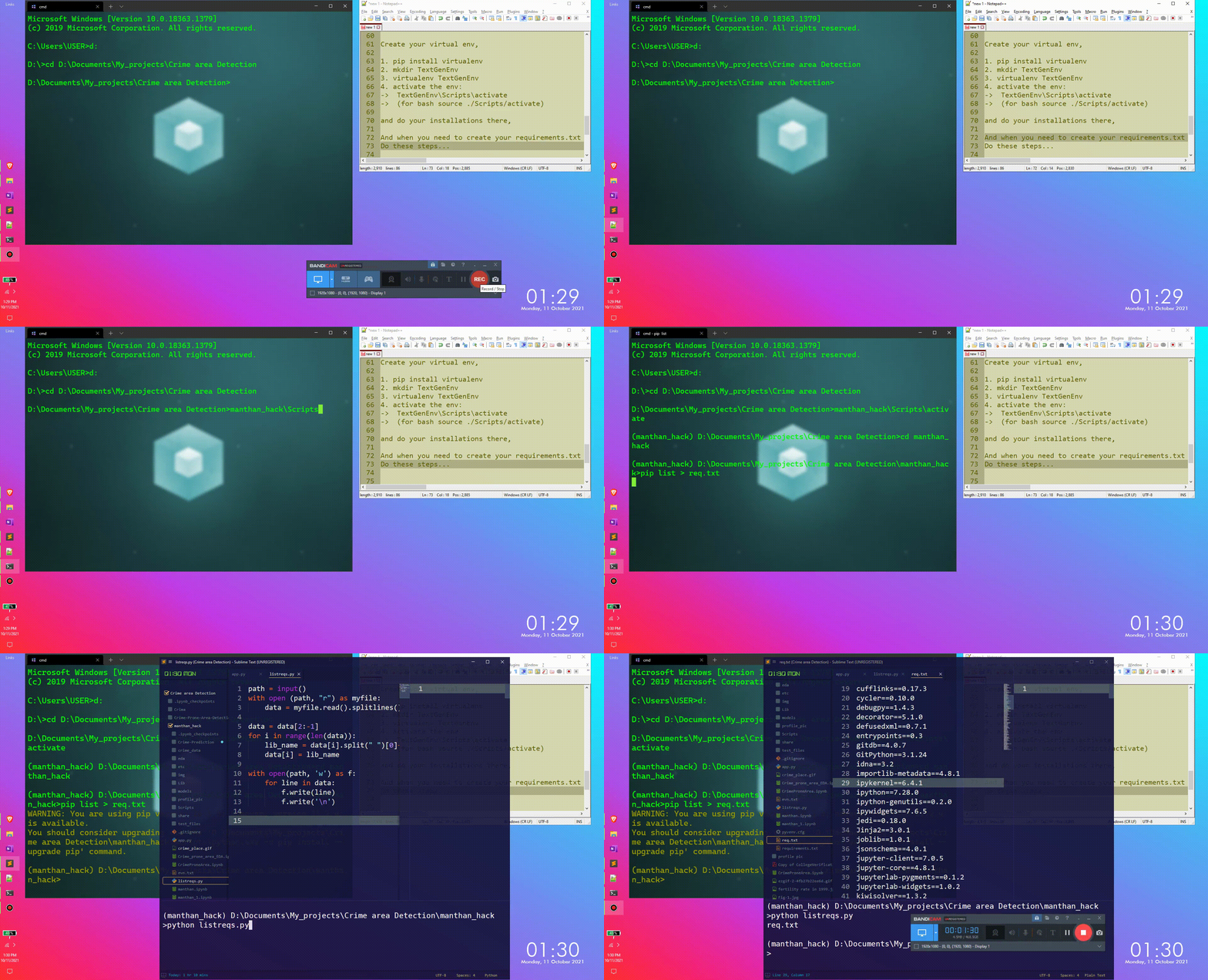
Listreqs is a simple requirements.txt generator. It's an alternative to pipreqs. Where in Pipreqs, it helps you to Generate requirements.txt file for any project based on imports, but in Listreqs you need to create a virtual environment first, and do your required installations there. And when you need to create your requirements.txt use Listreqs.
| Using shell script | Using python script |
|---|---|
 |
 |
How to use:
Use the only python script:
- Create your virtual env,
- pip install virtualenv - mkdir TextGenEnv - virtualenv TextGenEnv - activate the env: + for cmd -> TextGenEnv\Scripts\activate + (for git bash, source ./Scripts/activate) + (for linux terminal, source TextGenEnv/bin/activate) - do your required installations there
- And when you need to create your requirements.txt do these steps,
- activate the environment using above command
pip list > requirements.txt-> it will put the output of thepip listcommand inside therequirements.txtpython listreqs.pyand give the path of the previously createdrequirements.txt
- Boom!!!
Use only shell script:
- Create your virtual env,
- pip install virtualenv - mkdir TextGenEnv - virtualenv TextGenEnv - activate the env: + TextGenEnv\Scripts\activate + (for bash source ./Scripts/activate) - do your required installations there
- And when you need to create your requirements.txt do these steps,
sh listreqs.shand pass the file namerequirements.txt.- Boom!!!
- heads up while using the shell script,
-
Usage:
- Can pass in as a positional(command line) argument:
bash listreqs.sh reqs.txt- Can input the file name from the prompt after running the shell script
bash listreqs.sh Enter the requirements file name : reqs.txt- Not passing any input will lead to the creation of a default file called
requirements.txt.
bash listreqs.sh
Enter the requirements file name :
-
Know more about How to create virtual environment:

todos:
- Create a single shell script to get the job done.
- Use the python script to create a python library:
It should be like a shell command,like doing
Listreqs requirements.txtafter activating the virtual environment should create arequirements.txtwith all the installed package name and verison inside the current directory. - Create
requirements.txtfrom a public repo whererequirements.txtis not given. Usepython poetryfor this. - Create
requirements.txtfrom base environment, using basic regex
1 maintainer

Metadata
1 maintainer
Release files for Listreqs 0.0.5
For a detailed explanation of source distributions (sdists) and built distributions (wheels), please see the package formats documentation.
Source distribution (sdist)
| File | Size | Uploaded | |
|---|---|---|---|
| Listreqs-0.0.5.tar.gz | 3.3 kB | Details |
Built distribution (wheel)
| File | Interpreter | ABI | Platform | Reset |
|---|---|---|---|---|
| Listreqs-0.0.5-py3-none-any.whl | Python 3 | none | any | Details |
Total release size: 8.0 kB
Release files / Listreqs-0.0.5.tar.gz
| Download URL | Listreqs-0.0.5.tar.gz |
|---|---|
| Size | 3.3 kB |
| Tags | Source |
|
SHA-256 checksum How to use checksums |
f0d8d4826e5d05b2b1368210debda3faeef20af881ade9409b26d4e3d722ab3d
|
|
BLAKE2b-256 checksum How to use checksums |
b7a44616ca6bdc55fcd018b850cae952200a43a9e05377c85b23768e6a94f7a3
|
| Upload date | |
|
Uploaded using Trusted Publishing? What is trusted publishing? |
No |
| Uploaded via |
twine/3.4.2 importlib_metadata/4.8.1 pkginfo/1.7.1 requests/2.26.0 requests-toolbelt/0.9.1 tqdm/4.62.3 CPython/3.7.3
|
Release files / Listreqs-0.0.5-py3-none-any.whl
| Download URL | Listreqs-0.0.5-py3-none-any.whl |
|---|---|
| Size | 4.7 kB |
| Tags | Python 3 |
|
SHA-256 checksum How to use checksums |
eb804742557866a73bde5f29fbd0a8175f8b385d9d4d4fb0d60fe663a23c563e
|
|
BLAKE2b-256 checksum How to use checksums |
1b7ce09a788d153e7a0e8a6dce3181c1e2026708791db796832d49f61ab9e818
|
| Upload date | |
|
Uploaded using Trusted Publishing? What is trusted publishing? |
No |
| Uploaded via |
twine/3.4.2 importlib_metadata/4.8.1 pkginfo/1.7.1 requests/2.26.0 requests-toolbelt/0.9.1 tqdm/4.62.3 CPython/3.7.3
|














