
Makerchip-app
DEPRECATION NOTICE
This project has reached its end of life. Makerchip can now be installed to your desktop on most platforms and from most modern browsers. Visit Makerchip.
Overview
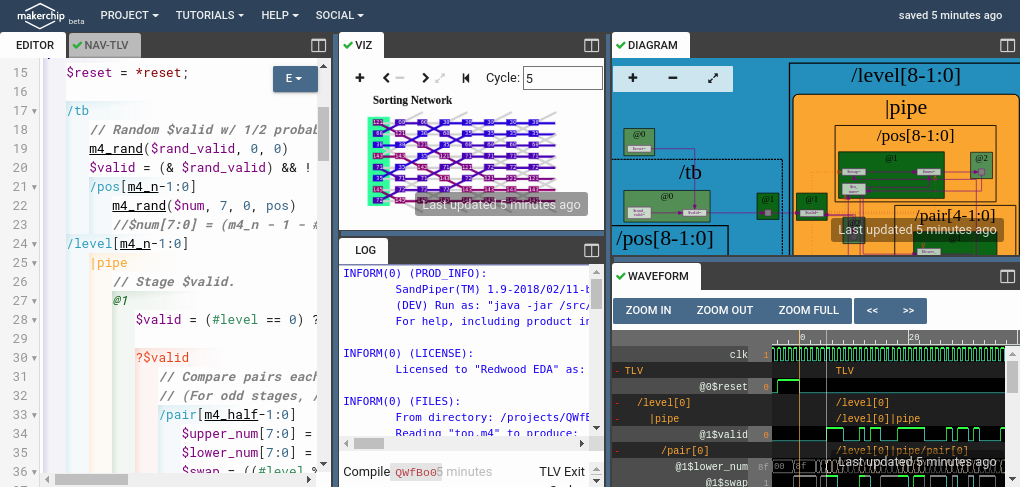
This repository enables open-source Verilog/SystemVerilog/TL-Verilog development using the Makerchip integrated development environment (IDE). Though Makerchip is cloud-based, this project wraps Makerchip with the look, feel, and function of a desktop application for local development, using a "virtual desktop application" model.
It's quick, easy, light-weight, free, and very powerful.
TL;DR
- Install:
pip3 install makerchip-app - Run:
makerchip design.tlv(in the foreground)
What's a "Virtual Desktop Application"?
The Makerchip IDE itself runs as a web application, and your compilations and simulations run on our servers. You edit your code in a browser window (in what browsers refer to as "app mode"--a browser window without browsing). Your code auto-saves to the cloud, and this makerchip script auto-saves from the cloud to your desktop. You get the best of the cloud and local development.
Pros of this virtual model (vs. local application):
- minimal local footprint
- minimal system requirements
- platform independence
- security (a web application does not have access to your system)
- always-latest features
- compute resources and maintenance on us (for compilation and simulation)
- a desktop development use model using an application that is not freely available to run on the desktop (and if you don't care about free, here are some other options)
Cons:
- reliable internet connection required
- not for proprietary code (your code is not protected)
- not for large-scale simulations (you can do integration testing outside of Makerchip)
- platform stability and support is outside of your control and not guaranteed (though we are motivated by our user base)
Dependencies
- Google Chrome
- Python3/Pip3
Install
pip3 install makerchip-app
OR, from the git repository itself:
git clone git@gitlab.com:rweda/makerchip-app.git
cd makerchip-app
pip3 install .
Basic Usage
makerchip design.tlv   # Run first in the foreground to accept license;
                       # subsequently background (with '&' on linux/MacOS) is fine.
For complete usage instructions:
makerchip --help
Code Templates
Makerchip requires certain code structure to interact with the simulation environment. So if you are starting from scratch, you might want to use --from_url to start from one of these starting templates. For example, to start with the default Makerchip template:
makerchip --from_url 'https://gitlab.com/rweda/makerchip-app/-/raw/master/starting_templates/makerchip_default.tlv' design.tlv
Help
Feel free to contact the Makerchip team.
Enjoy!
2 maintainers


Metadata
2 maintainers
Release files for makerchip-app 1.1.6
For a detailed explanation of source distributions (sdists) and built distributions (wheels), please see the package formats documentation.
Built distribution (wheel)
| File | Interpreter | ABI | Platform | Reset |
|---|---|---|---|---|
| makerchip_app-1.1.6-py3-none-any.whl | Python 3 | none | any | Details |
Release files / makerchip_app-1.1.6-py3-none-any.whl
| Download URL | makerchip_app-1.1.6-py3-none-any.whl |
|---|---|
| Size | 10.6 kB |
| Tags | Python 3 |
|
SHA-256 checksum How to use checksums |
f08cd278388e0bfc967b58fd2020dc6bd35924a1f9e1a3fb0216260b9de2fca1
|
|
BLAKE2b-256 checksum How to use checksums |
72a87bf0180e6d0cdfe5111d08ee1a67cc306b83201dccef474ccfde3c6671cd
|
| Upload date | |
|
Uploaded using Trusted Publishing? What is trusted publishing? |
No |
| Uploaded via |
twine/6.2.0 CPython/3.12.3
|














