
This project has been archived by its maintainers, and is no longer receiving any updates.
MazeExplorer
MazeExplorer is a customisable 3D benchmark for assessing generalisation in Reinforcement Learning.
Simply put, MazeExplorer makes it easy to create separate training and test environments for your agents.
It is based on the 3D first-person game Doom and the open-source environment VizDoom.
This repository contains the code for the MazeExplorer Gym Environment along with the scripts to generate baseline results.
By Luke Harries*, Sebastian Lee*, Jaroslaw Rzepecki, Katja Hofmann, and Sam Devlin.
* Joint first author
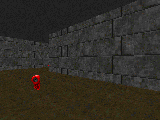
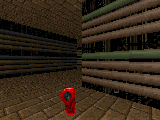

The Mission
The goal is to navigate a procedurally generated maze and collect a set number of keys.
The environment is highly customisable, allowing you to create different training and test environments.
The following features of the environment can be configured:
- Unique or repeated maps
- Number of maps
- Map Size (X, Y)
- Maze complexity
- Maze density
- Random/Fixed keys
- Random/Fixed textures
- Random/Fixed spawn
- Number of keys
- Environment Seed
- Episode timeout
- Reward clipping
- Frame stack
- Resolution
- Action frame repeat
- Actions space
- Specific textures (Wall, ceiling, floor)
- Data Augmentation
Example Usage
from mazeexplorer import MazeExplorer

train_env = MazeExplorer(number_maps=1,
              size=(15, 15),
              random_spawn=True,
              random_textures=False,
              keys=6)

test_env = MazeExplorer(number_maps=1,
              size=(15, 15),
              random_spawn=True,
              random_textures=False,
              keys=6)

# training
for _ in range(1000):
    obs, rewards, dones, info = train_env.step(train_env.action_space.sample())


# testing
for _ in range(1000):
    obs, rewards, dones, info = test_env.step(test_env.action_space.sample())
Installation
- Install the dependencies for VizDoom: Linux, MacOS or Windows.
pip3 install virtualenv pytest- Create a virtualenv and activate it
virtualenv mazeexplorer-envsource maze-env/bin/activate
- Git clone this repo
git clone https://github.com/microsoft/MazeExplorer - cd into the repo:
cd MazeExplorer - Pull the submodules with
git submodule update --init --recursive - Install the dependencies:
pip3 install -e . - Run the tests:
bash test.sh
Baseline experiments
The information to reproduce the baseline experiments is shown in baseline_experiments/experiments.md.
Contributing
This project welcomes contributions and suggestions. Most contributions require you to agree to a Contributor License Agreement (CLA) declaring that you have the right to, and actually do, grant us the rights to use your contribution. For details, visit https://cla.microsoft.com.
When you submit a pull request, a CLA-bot will automatically determine whether you need to provide a CLA and decorate the PR appropriately (e.g., label, comment). Simply follow the instructions provided by the bot. You will only need to do this once across all repos using our CLA.
This project has adopted the Microsoft Open Source Code of Conduct. For more information see the Code of Conduct FAQ or contact opencode@microsoft.com with any additional questions or comments.
1 maintainer

Metadata
1 maintainer
Release files for mazeexplorer 1.0.5
For a detailed explanation of source distributions (sdists) and built distributions (wheels), please see the package formats documentation.
Source distribution (sdist)
| File | Size | Uploaded | Provenance | |
|---|---|---|---|---|
| mazeexplorer-1.0.5.tar.gz | 86.5 kB | Without provenance | Details |
Release files / mazeexplorer-1.0.5.tar.gz
| Download URL | mazeexplorer-1.0.5.tar.gz |
|---|---|
| Size | 86.5 kB |
| Tags | Source |
|
SHA-256 checksum How to use checksums |
0447ff094c68347417558b2b8f659f62ff2817452498e70b9f1973d0413ae370
|
|
BLAKE2b-256 checksum How to use checksums |
cb4e0d4d2a6758d5da7b2c8f5cc4aab9e898e3673aa4d31fe984601cb5c0c8dd
|
| Upload date | |
|
Uploaded using Trusted Publishing? What is trusted publishing? |
No |
| Uploaded via |
twine/1.13.0 pkginfo/1.5.0.1 requests/2.22.0 setuptools/41.0.1 requests-toolbelt/0.9.1 tqdm/4.32.2 CPython/3.7.3
|
Security for mazeexplorer 1.0.5
Provenance
Provenance describes where a file came from. On PyPI, provenance is shared via attestations, which provide a verifiable record of the build or publishing details. View details, limitations and caveats.
No provenance found
None of the files in this release were uploaded with provenance metadata.
A note on package security
PyPI is a repository for distributing packages, not a service for auditing them. While third-party security researchers and our staff do their best to detect and remove malicious packages, PyPI cannot guarantee the quality, security or suitability of any given package.
To learn more about protecting yourself from malicious actors, visit our package security documentation.














