
Framework for creating new Uniswap V3 strategies


Project description
SDK for creating new strategies on Uniswap V3
git clone https://github.com/mellow-finance/mellow-strategy-sdk.git
cd mellow-strategy-sdk
python3 -m venv .venv
source .venv/bin/activate
pip install poetry
poetry install
or
python3 -m venv .venv
source .venv/bin/activate
pip install mellow_strategy_sdk
Getting Started
Import
from mellow_sdk.primitives import Pool, Token, Fee
from mellow_sdk.data import RawDataUniV3
from mellow_sdk.strategies import UniV3Passive
from mellow_sdk.backtest import Backtest
from mellow_sdk.viewers import RebalanceViewer, UniswapViewer, PortfolioViewer
from mellow_sdk.positions import BiCurrencyPosition, UniV3Position
Choose a pool
A typical notebook would start with downloading and preparing data for a specific pool. Let’s choose WBTC/WETH, fee 0.3% pool.
pool = Pool(Token.WBTC, Token.WETH, Fee.MIDDLE)Get data
Аt the first run you need to download the data
data = RawDataUniV3(pool, 'data', reload_data=False).load_from_folder()Use implemented strategy
univ3_passive = UniV3Passive(
    lower_price=data.swaps['price'].min() - 1,
    upper_price=data.swaps['price'].max() + 1,
    pool=pool,
    gas_cost=0.,
    name='passive'
)
Backtest
Next step is to run backtest using your strategy and data
bt = Backtest(univ3_passive)
portfolio_history, rebalance_history, uni_history = bt.backtest(data.swaps)
Visualize
Next visualize results
rv = RebalanceViewer(rebalance_history)
uv = UniswapViewer(uni_history)
pv = PortfolioViewer(portfolio_history, pool)

# Draw portfolio stats, like value, fees earned, apy
fig1, fig2, fig3, fig4, fig5, fig6 = pv.draw_portfolio()

# Draw Uniswap intervals
intervals_plot = uv.draw_intervals(data.swaps)

# Draw rebalances
rebalances_plot = rv.draw_rebalances(data.swaps)

# Calculate df with portfolio stats
stats = portfolio_history.calculate_stats()intervals_plot.show()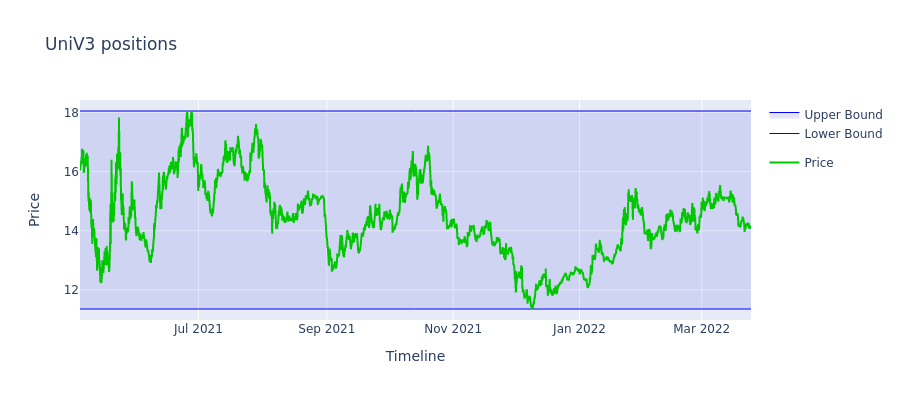
rebalances_plot.show()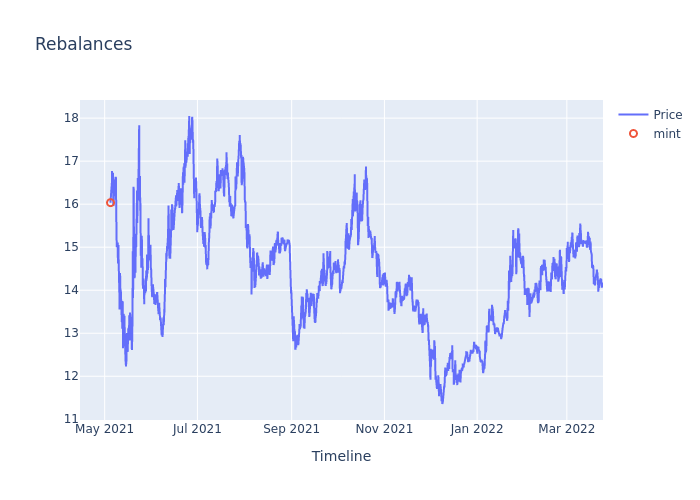
fig2.show()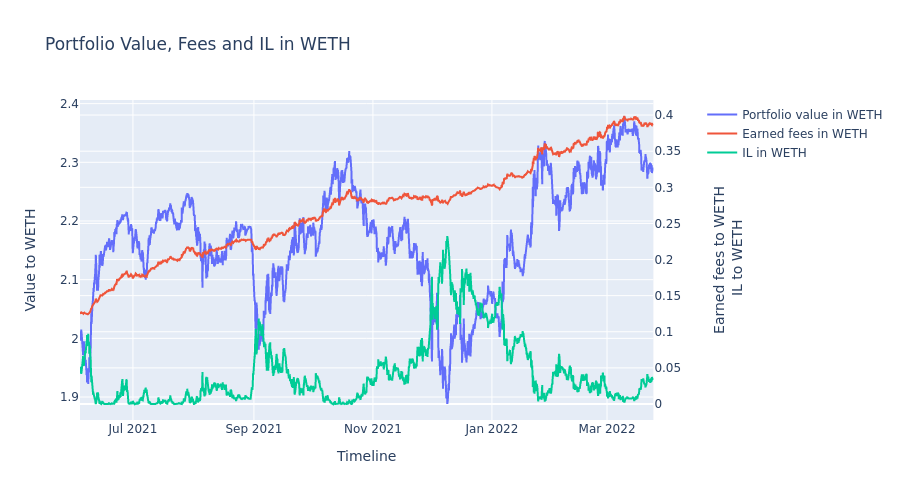
fig4.show()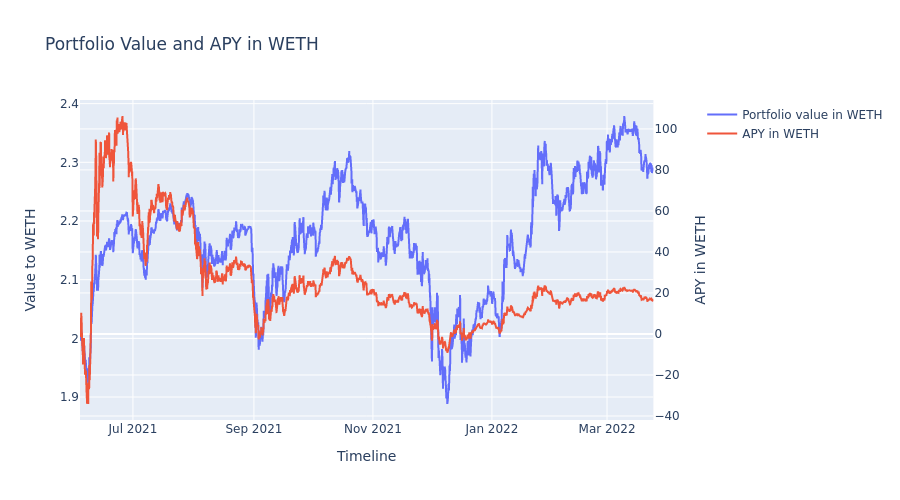
fig6.show()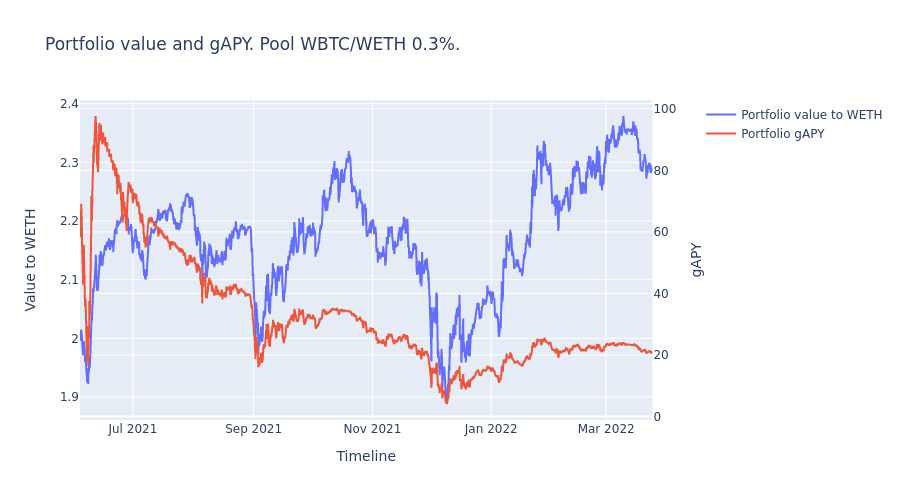
Congratulations! Now you have the results of your strategy backtest on the real UniV3 data!
Release history Release notifications | RSS feed


Download files
Download the file for your platform. If you're not sure which to choose, learn more about installing packages.
Source Distributions
Built Distribution
Filter files by name, interpreter, ABI, and platform.
If you're not sure about the file name format, learn more about wheel file names.
Copy a direct link to the current filters
File details
Details for the file mellow_strategy_sdk-0.1.1-py3-none-any.whl.
File metadata
- Download URL: mellow_strategy_sdk-0.1.1-py3-none-any.whl
- Upload date:
- Size: 26.0 kB
- Tags: Python 3
- Uploaded using Trusted Publishing? No
- Uploaded via: poetry/1.1.13 CPython/3.9.12 Darwin/21.4.0
File hashes
| Algorithm | Hash digest | |
|---|---|---|
| SHA256 |
cefc9c7f8cd4c4af46ec4df8d0f62fe67fee6deebd6e296318ad626cce2d4f9c
|
|
| MD5 |
fb9c718f33704642cd32bea1049a2806
|
|
| BLAKE2b-256 |
c52593a041852e141db8be5b95865e680ac7886144bd94f9381a2c2750a861da
|






