
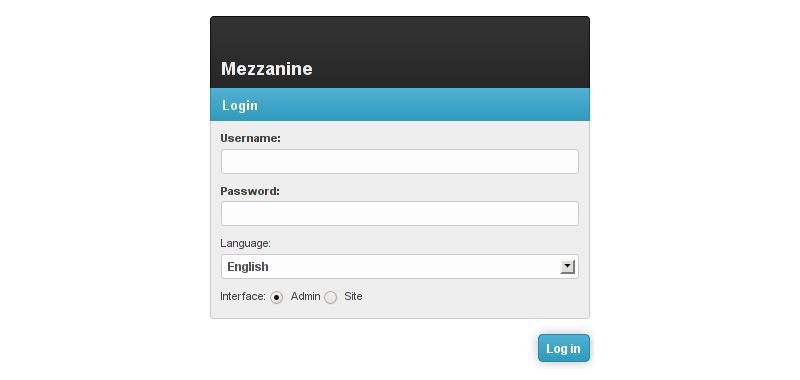
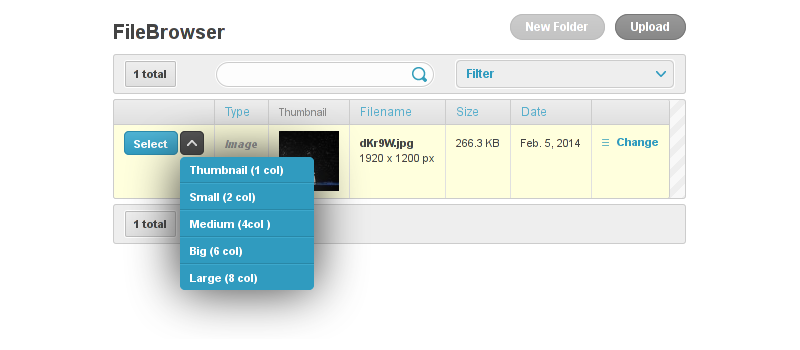
Mezzanine-Grappelli makes Mezzanine ♥ Grappelli.
For compatibility reasons, Mezzanine uses forks of Grappelli and Filebrowser, known as grappelli-safe and filebrowser-safe.
You want the awesomeness of Mezzanine with the sweetness of the latest Grappelli version? This application does exactly that: it allows you to use the full power of the latest vanilla versions of both Grappelli and Filebrowser in your Mezzanine projects.
Installation
First, install mezzanine-grappelli with pip (this will automatically install Grappelli and Filebrowser as well):
pip install mezzanine-grappelli
In your settings.py file, adapt the value of PACKAGE_NAME_FILEBROWSER and PACKAGE_NAME_GRAPPELLI:
PACKAGE_NAME_FILEBROWSER = "filebrowser"
PACKAGE_NAME_GRAPPELLI = "grappelli"
Still in your settings.py file, add mezzanine_grappelli, grappelli and filebrowser to your INSTALLED_APPS (make sure they appear before any mezzanine app):
INSTALLED_APPS = (
    "mezzanine_grappelli",
    PACKAGE_NAME_GRAPPELLI,
    PACKAGE_NAME_FILEBROWSER,
    ...
)
Add Grappelli URLs to your urls.py file:
urlpatterns += patterns("",
    ...
    ("^grappelli/", include("grappelli.urls")),
    ...
)
You’re done!
Rough edges
The project still being in its early days, it has a few rough edges you should be aware of.
TabularDynamicInlineAdmin doesn’t work
Use classic Django TabularInline instead.
Filebrowser error: “Error finding Upload-Folder (site.storage.location + site.directory). Maybe it does not exist?”
That’s because Filebrowser doesn’t automatically create the uploads directory, so just create the MEDIA_ROOT + 'uploads/' directory
FileField doesn’t work
When using FileField fields you need to put the format in lowercase (ie. “image” instead of “Image”) otherwise you’ll get a Filebrowser exception. That’s especially true for already defined Mezzanine models (such as the BlogPost model). To fix the issue for already-defined Mezzanine models, you can add the following to your settings file:
FILEBROWSER_SELECT_FORMATS = {
    'File': ['Folder', 'Image', 'Document', 'Video', 'Audio'],
    'Document': ['Document'],
    'Media': ['Video', 'Audio'],
    'Image': ['Image'],
    'image': ['Image'],
}
TODO
Make TabularDynamicInlineAdmin work or at least fall back to a usable solution
Bugs, contributing
If you find bugs, you’re very welcome to report them using the Github issue tracker.
1 maintainer

Metadata
1 maintainer
Release files for mezzanine-grappelli 0.1.0
For a detailed explanation of source distributions (sdists) and built distributions (wheels), please see the package formats documentation.
Source distribution (sdist)
| File | Size | Uploaded | Provenance | |
|---|---|---|---|---|
| mezzanine-grappelli-0.1.0.tar.gz | 11.8 kB | Without provenance | Details |
Release files / mezzanine-grappelli-0.1.0.tar.gz
| Download URL | mezzanine-grappelli-0.1.0.tar.gz |
|---|---|
| Size | 11.8 kB |
| Tags | Source |
|
SHA-256 checksum How to use checksums |
f0f69cab1c42bf24bf2e6c013430625d575d76affc5818380a62e147a2b78d4d
|
|
BLAKE2b-256 checksum How to use checksums |
04c0cbe278a4ec616f14d65bb7800d569e4895cb663f9f477f13120b341817d0
|
| Upload date | |
|
Uploaded using Trusted Publishing? What is trusted publishing? |
No |
Security for mezzanine-grappelli 0.1.0
Provenance
Provenance describes where a file came from. On PyPI, provenance is shared via attestations, which provide a verifiable record of the build or publishing details. View details, limitations and caveats.
No provenance found
None of the files in this release were uploaded with provenance metadata.
A note on package security
PyPI is a repository for distributing packages, not a service for auditing them. While third-party security researchers and our staff do their best to detect and remove malicious packages, PyPI cannot guarantee the quality, security or suitability of any given package.
To learn more about protecting yourself from malicious actors, visit our package security documentation.













