
A napari plugin for file watching

Project description
File watcher plugin for napari (napari-file-watcher)
This plugin contains two widgets: file watcher and script editor.
Usage: file watcher
The file watcher monitors a folder and displays its images (tiff, ome-zarr or hdf5) as napari layers, watch the following video for a demo:
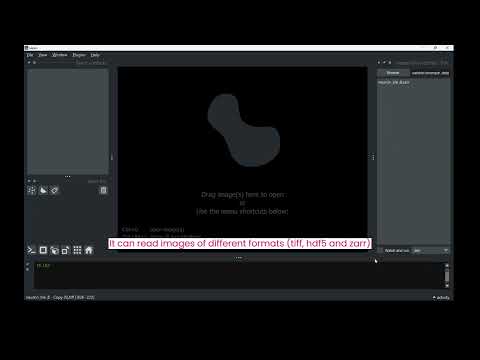
Instructions:
- Select the folder you want to monitor by pressing "Browse".
- Select the extension of the files: "zarr", "hdf5" or "tiff".
- Click "Watch and run" to display the current items & the newly arrived as napari layers.
- If you click in one of the files of the list, the metadata will show (for hdf5 and zarr)
Usage: scripting editor
The script editor is for developing scripts and saving them in the filesystem. We have used this widget in the context of developing scripts for microscopy control software that implements another file watcher.
Instructions:
- Select the folder where you want to save your scripts in "Browse".
- Type the name of the script in the edit box below.
- Click "Add" for saving it into the folder after typing, or "Open" to display an existing file.
Installation
You can install napari-file-watcher via [pip]:
pip install napari-file-watcher
Or if you plan to develop it:
git clone https://github.com/kasasxav/napari-file-watcher
cd napari-file-watcher
pip install -e .
If there is an error message suggesting that git is not installed, run conda install git.
Contributing
Contributions are welcome, tests are run with pytest.
Issues
Issues can be reported at: https://github.com/kasasxav/napari-file-watcher/issues


Download files
Download the file for your platform. If you're not sure which to choose, learn more about installing packages.
Source Distribution
Built Distribution
Filter files by name, interpreter, ABI, and platform.
If you're not sure about the file name format, learn more about wheel file names.
Copy a direct link to the current filters
File details
Details for the file napari-file-watcher-0.1.1.tar.gz.
File metadata
- Download URL: napari-file-watcher-0.1.1.tar.gz
- Upload date:
- Size: 21.0 kB
- Tags: Source
- Uploaded using Trusted Publishing? No
- Uploaded via: twine/4.0.2 CPython/3.10.8
File hashes
| Algorithm | Hash digest | |
|---|---|---|
| SHA256 |
f3f9322b703d0eef93631f70198f861cb2b279ae59e879abc723d9961963bf37
|
|
| MD5 |
0c600e1f2a354fa6eacf0c235c7327f1
|
|
| BLAKE2b-256 |
47e3c2b7805129a03313a8bf767081b9a345424626fbd0e6a6b97d32fd242d3a
|
File details
Details for the file napari_file_watcher-0.1.1-py3-none-any.whl.
File metadata
- Download URL: napari_file_watcher-0.1.1-py3-none-any.whl
- Upload date:
- Size: 23.4 kB
- Tags: Python 3
- Uploaded using Trusted Publishing? No
- Uploaded via: twine/4.0.2 CPython/3.10.8
File hashes
| Algorithm | Hash digest | |
|---|---|---|
| SHA256 |
da9633859c4ca3d60ce97c82cb7cb1031516818aa472a5b50ab16292a5d42ee8
|
|
| MD5 |
27b4d9e47f6f4278188a104ab7e1dd81
|
|
| BLAKE2b-256 |
d43479926136757002fb6191dc237ad694ebce3763dc705c96c64f942c07ca02
|






