
napari-laptrack







Tracking particles in Napari, using the LapTrack library.
This plugin is young and has just limited functionality. Contributions are welcome.
Installation instructions
It is recommended to use this napari-plugin together with devbio-napari.
Install both using mamba-forge (download here) by running these commands line-by line from the terminal:
mamba create --name napari-laptrack-env -c conda-forge python=3.9 devbio-napari
mamba activate napari-laptrack-env
pip install napari-laptrack
Usage
The starting point for napari-laptrack is a 4D image layer and a corresponding labels layer.
The following procedure demonstrates how to start from a 2D+t image stack, convert it in the right format and segment the labels.
Afterwards, napari-laptrack is demonstrated. Depending on your input data, you may skip some of the initial steps.
Example data
We demonstrate the procedure using the example dataset File > Open Samples > clesperanto > CalibZAPWfixed which should be available if you installed devbio-napari.
You can also download it from zenodo.
4D+t input data.
In case your image data comes as 3D-stack, you must convert it in the format 4D+t with shape [t,1,y,x] first.
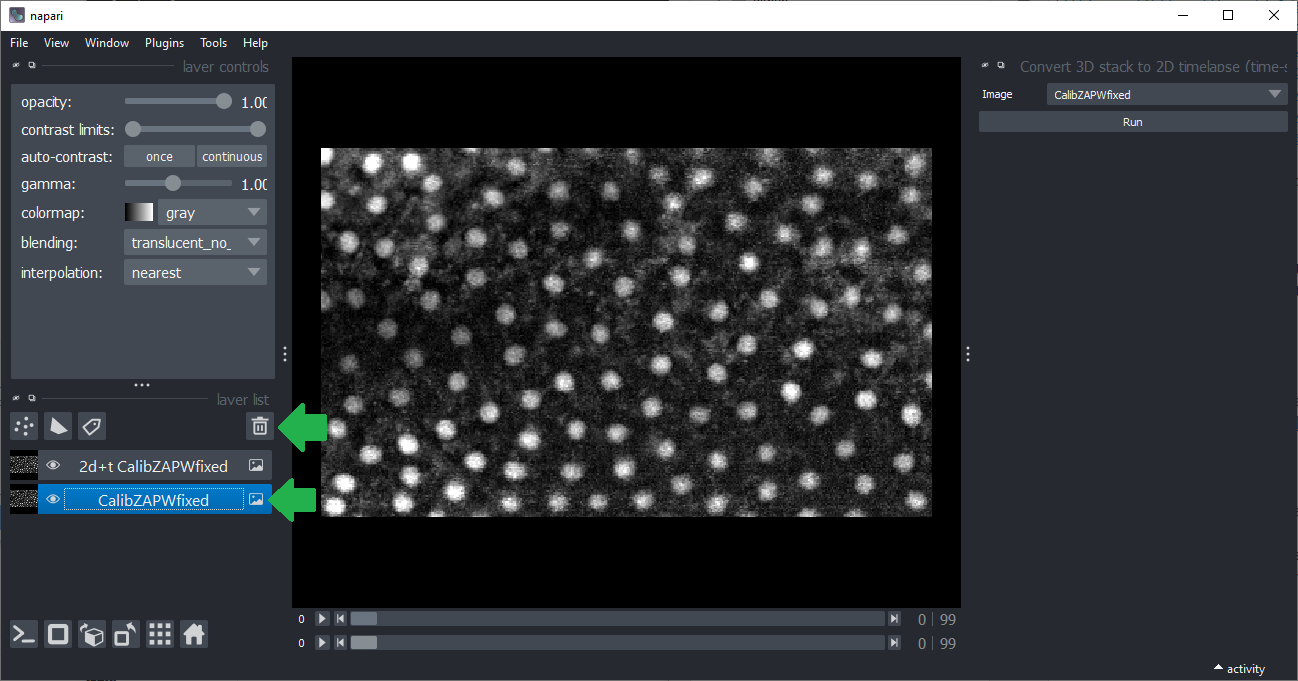
You can do this using the menu Tools > Utilities > Convert 3D stack to 2d+t timelapse, which is part of the napari-time-slicer plugin.
It will create a new layer named 2D+t <original name>. After this conversion, you can delete the original image layer, which is recommended to avoid confusion due to too many layers.
For deleting the original layer, select it and hit the trash-bin button.
Object segmentation
Various segmentation algorithms are available in Napari (see the Napari-hub).
In principle all algorithms are compatible if they produce a 3D+t label image as result.
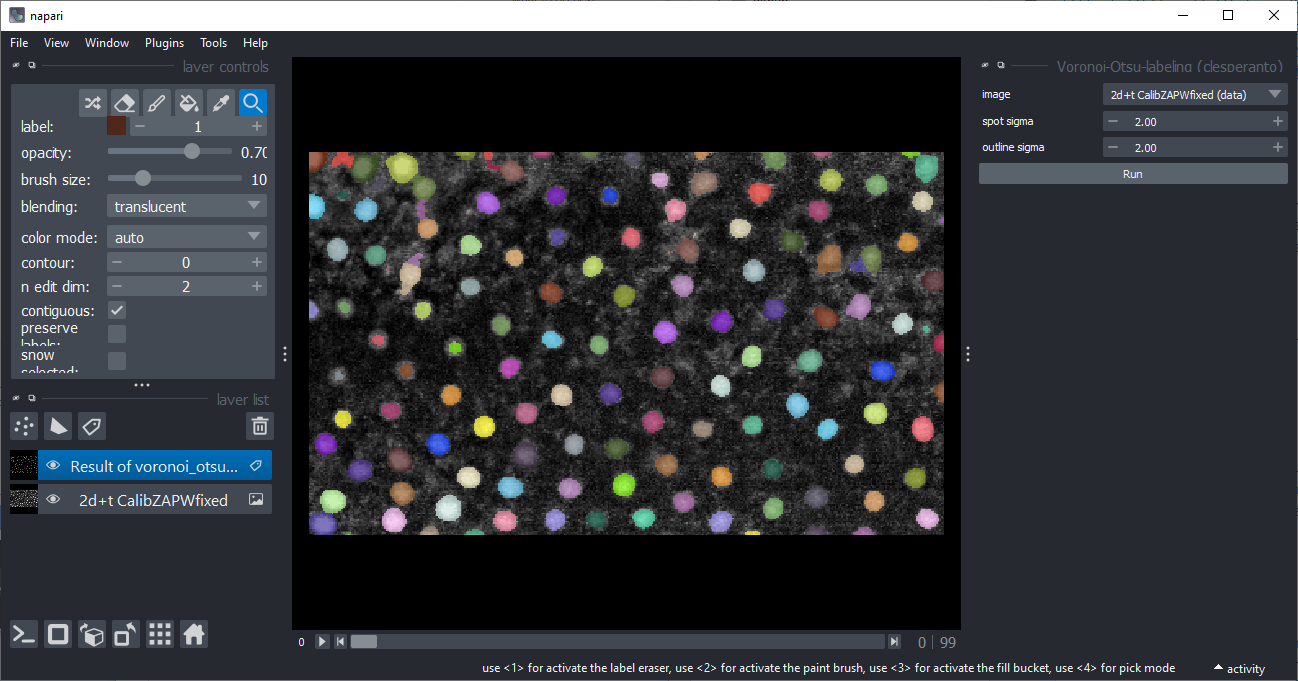
In this tutorial, we use the Voronoi-Otsu-Labeling algorithm implemented using clesperanto.
It is available from the menu Tools > Segmentation / labeling.
Tracking labeled objects
Now that we have a 3D+t image and a corresponding label-image, we can start tracking the objects.
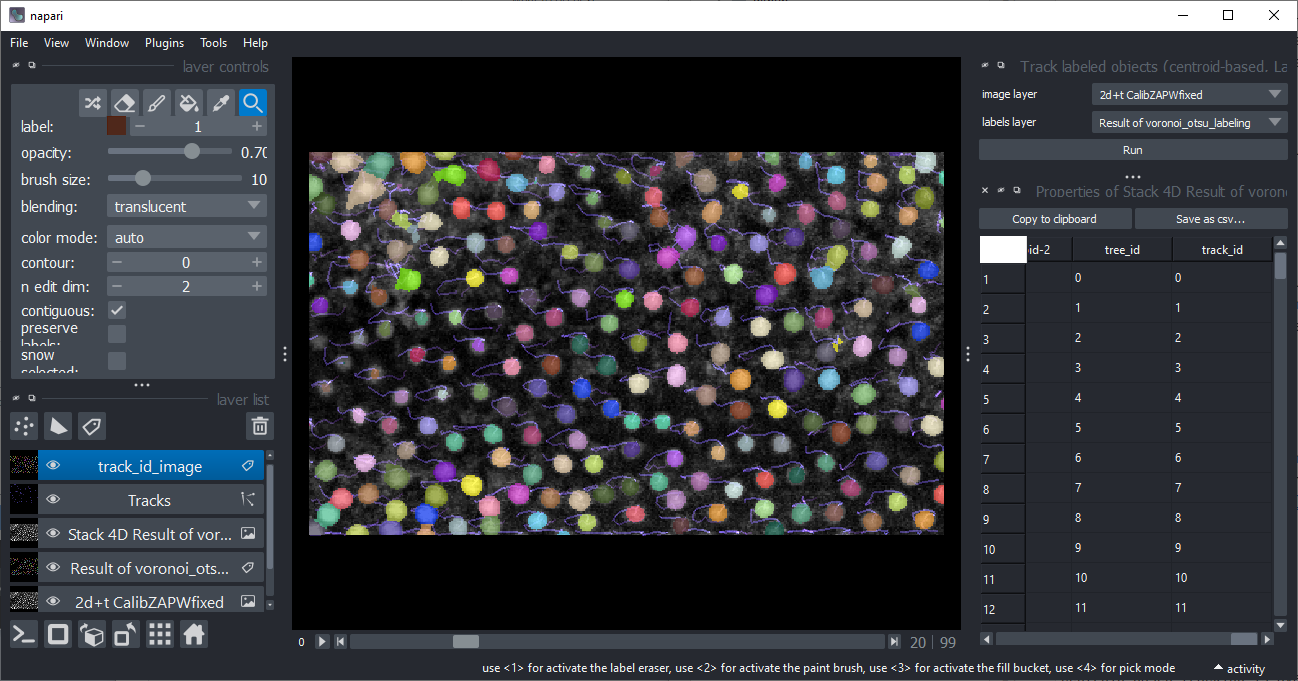
Centroid-based tracking is available from the menu Tracking > Track labeled objects (centroid-based, LapTrack).
After tracking, multiple new layers will be added to Napari, which are explained in detail below.
Furthermore, a table will open containing the columns centroid-0/1/2 with spatial positions of the labels.
The table also contain colums label, frame and track_id.
All labels which belong to the same track, but to different frames, have the same track_id.
In some cases, also layers named Stack 4D <original layer name> are created. This is done to store the labels which were analysed. These layers are technically duplicates of the original layers which were computed on-the-fly.
The Tracks layer
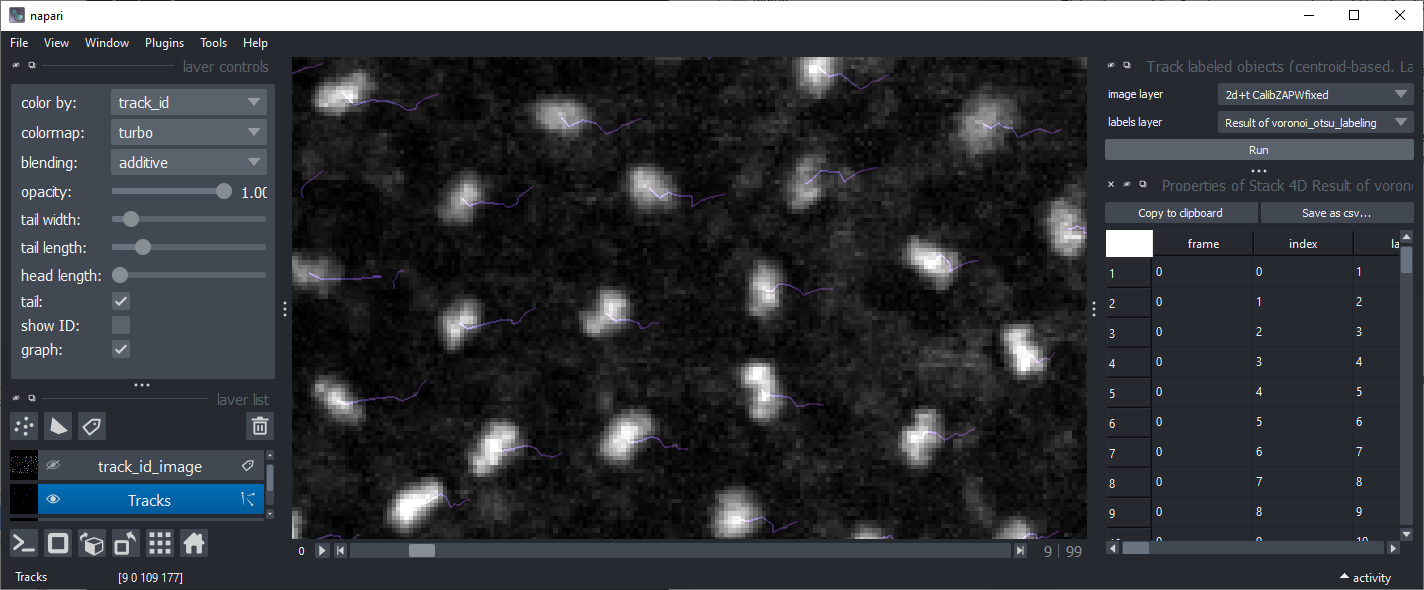
The tracks layer visualizes the travel path of the labels' centroids over time. Read more about the Tracks layer in the Napari documentation.
The Track-ID image
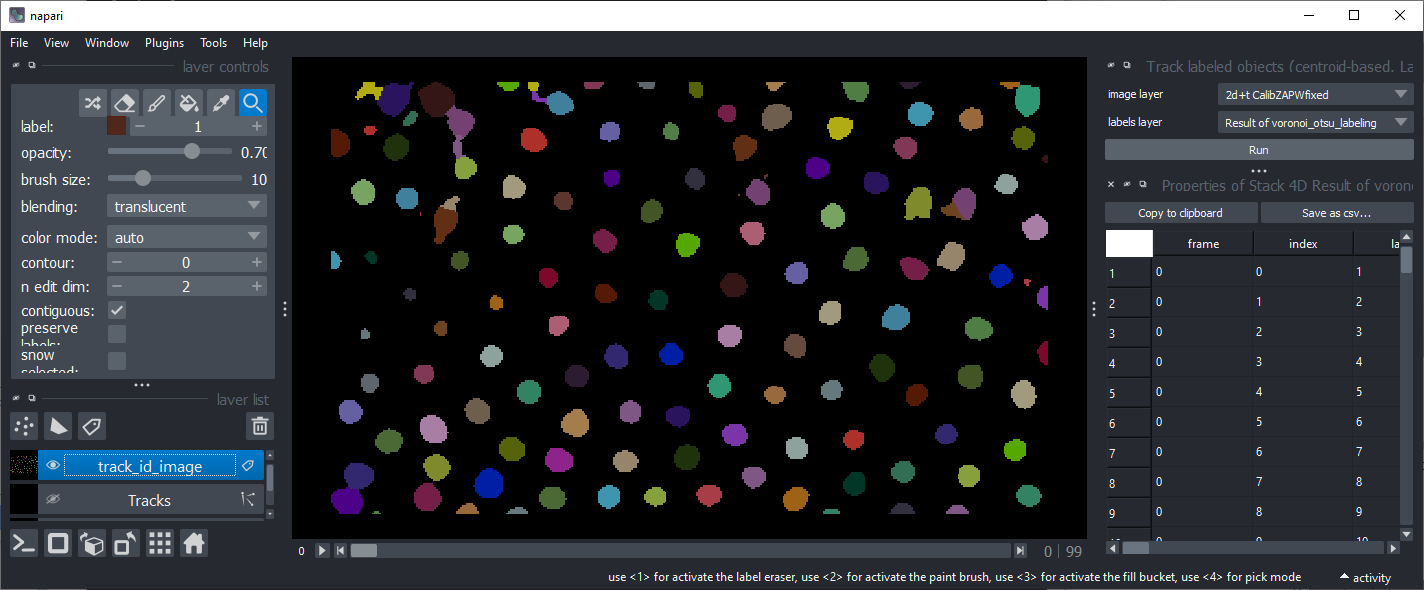
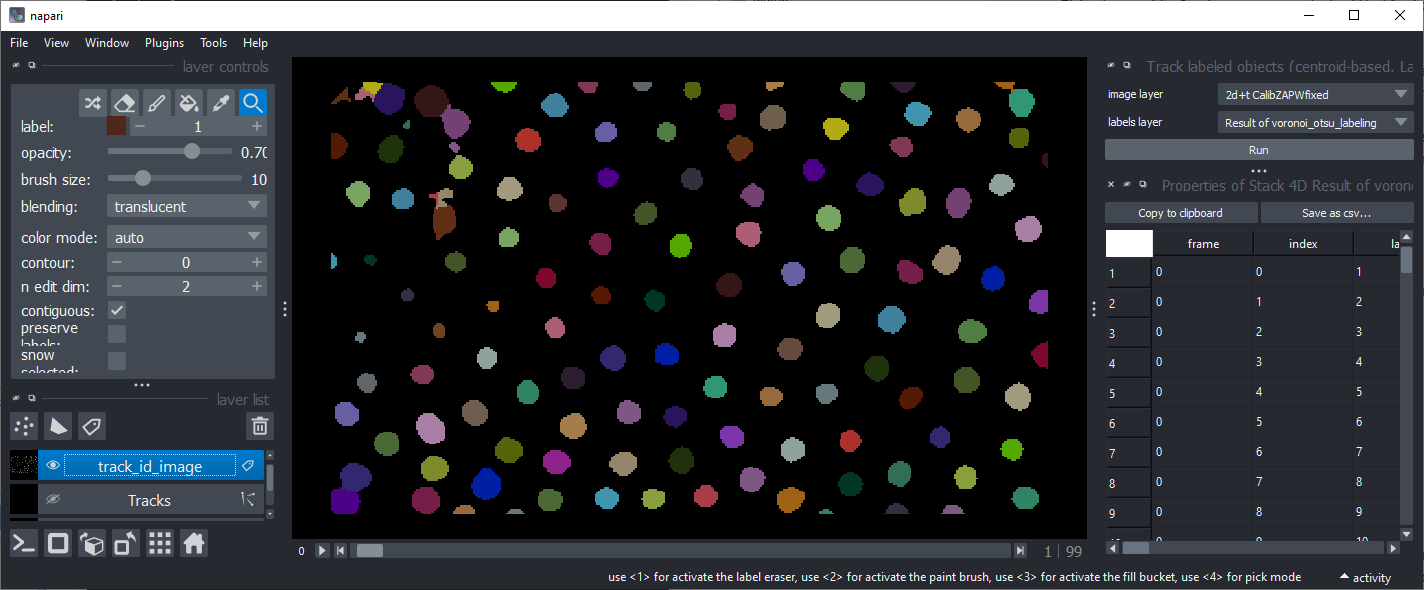
One result of the plugin is a Track-ID image. This is a label image where objects have the same label / color over time.
This image is not suited for many quantitative label-measurment methods because it is non-sequentially labeled.
As example, two subsequent frames are shown:
Similar and related plugins
There are other napari-plugins and python packages which allow tracking particles, visualizing tracking data and quantiative measurements of tracks:
Contributing
Contributions are very welcome. Tests can be run with tox, please ensure
the coverage at least stays the same before you submit a pull request.
License
Distributed under the terms of the BSD-3 license,
"napari-laptrack" is free and open source software
Issues
If you encounter any problems, please file an issue along with a detailed description.
1 maintainer

Metadata
1 maintainer
Release files for napari-laptrack 0.2.0
For a detailed explanation of source distributions (sdists) and built distributions (wheels), please see the package formats documentation.
Source distribution (sdist)
| File | Size | Uploaded | |
|---|---|---|---|
| napari-laptrack-0.2.0.tar.gz | 9.2 MB | Details |
Built distribution (wheel)
| File | Interpreter | ABI | Platform | Reset |
|---|---|---|---|---|
| napari_laptrack-0.2.0-py3-none-any.whl | Python 3 | none | any | Details |
Total release size: 9.2 MB
Release files / napari-laptrack-0.2.0.tar.gz
| Download URL | napari-laptrack-0.2.0.tar.gz |
|---|---|
| Size | 9.2 MB |
| Tags | Source |
|
SHA-256 checksum How to use checksums |
5cf84b735954271e97d98986a73210dbd50aa1c4ae285eadf2bc3c13ae56958f
|
|
BLAKE2b-256 checksum How to use checksums |
63a41e2ae8392f4995ce0fbed676f28b32c74d373e17dc07b91761af0cb62330
|
| Upload date | |
|
Uploaded using Trusted Publishing? What is trusted publishing? |
No |
| Uploaded via |
twine/4.0.2 CPython/3.9.15
|
Release files / napari_laptrack-0.2.0-py3-none-any.whl
| Download URL | napari_laptrack-0.2.0-py3-none-any.whl |
|---|---|
| Size | 8.5 kB |
| Tags | Python 3 |
|
SHA-256 checksum How to use checksums |
a364f0ceccc769d6153fdb841104cbfed2061f8e0888100dd83e900c91ffa793
|
|
BLAKE2b-256 checksum How to use checksums |
bb30fff0fff3fc05bc6375d34ad6b4553d94611982d2715bb771734708d20fee
|
| Upload date | |
|
Uploaded using Trusted Publishing? What is trusted publishing? |
No |
| Uploaded via |
twine/4.0.2 CPython/3.9.15
|














