
napari_nucleaizer





GUI for the nucleaAIzer method in Napari.
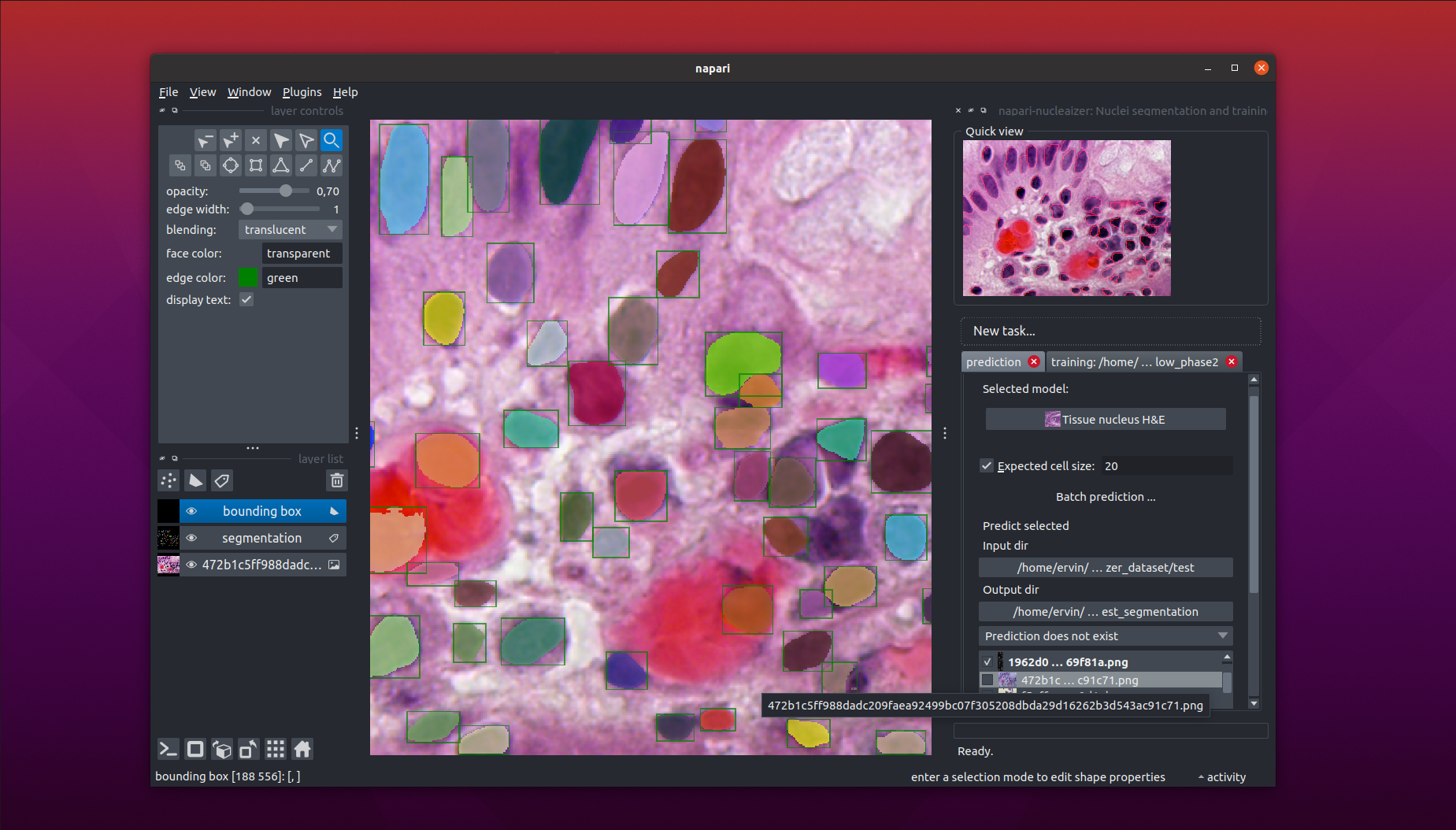
Overview
This is a napari plugin to execute the nucleaizer nuclei segmentation algorithm.
Main functionalities
Using this plugin will be able to
- Load your image into Napar, then outline the nuclei.
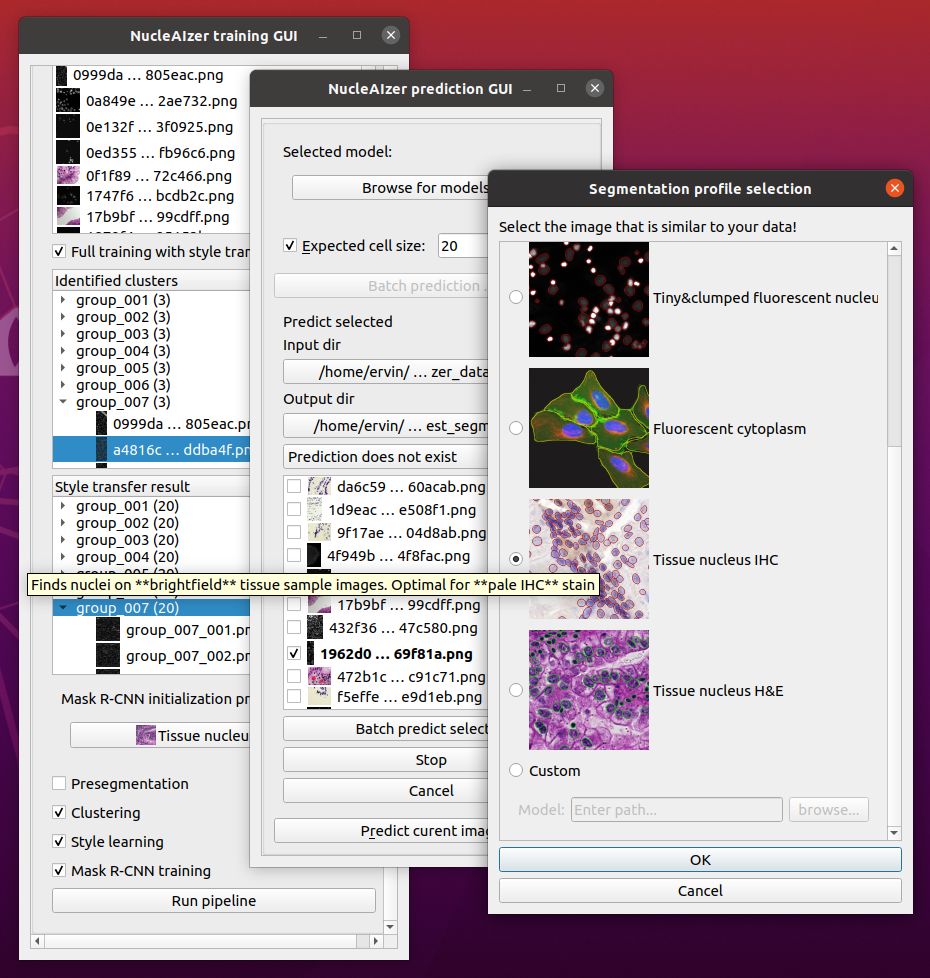
- Specify an image folder containing lots of images and an output folder, and automatically segment all of the images in the input folder.
- If you are not satisfied with the results, you can train your own model:
- You can use our pretrained models and fine tune them on your data.
- You can skip the nucleaizer pipeline and train only on your data.
Supported image types
We have several pretrained models for the following image modelities:
- fluorescent microscopy images
- IHC stained images
- brightfield microscopy images,
among others. For the detailed descriptions of our models, see: https://zenodo.org/record/6800341.
How it works?
For the description of the algorithm, see our paper: "Hollandi et al.: nucleAIzer: A Parameter-free Deep Learning Framework for Nucleus Segmentation Using Image Style Transfer, Cell Systems, 2020. https://doi.org/10.1016/j.cels.2020.04.003"
The original code (https://github.com/spreka/biomagdsb) is partially transformed into a python package (nucleaizer_backend) to actually perform the operations. See the project page of the backend at: https://github.com/etasnadi/nucleaizer_backend.
If you wish to use the web interface, check: http://nucleaizer.org.
Install
-
Create an environment (recommended).
-
Install napari:
pip install "napari[pyqt5]". Other methods: https://napari.org/tutorials/fundamentals/installation.html -
Install the plugin into napari:
-
User mode from PyPI: start Napari (command line:
napari) and select he Install/Uninstall Plugins... under the Plugins menu. In the popup, filter fornapari-nucleaizer. -
Developer mode: clone this project and use
pythhon3 -m pip install -e <path>to install the project locally into the same evnrionment as napari. It has the advantage that you will have the latest version.
-
Run
- Start Napari by calling
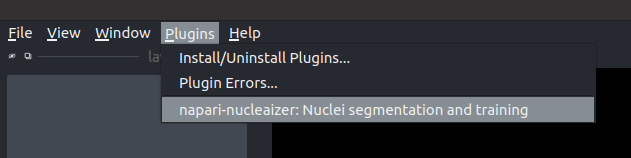
naparifrom the command line. - Then, activate the plugin in the
Pluginsmenu. If you successfully installed the plugin, you have to see something like this:
Further help
See the documentation (work in progress).
Issues
Use the github issue tracker if you experinece unexpected behaviour.
Contact
You can contact me in e-mail where MY-INSTITUTE is brc.hu.
2 maintainers


Metadata
2 maintainers
Release files for napari-nucleaizer 0.2.5
For a detailed explanation of source distributions (sdists) and built distributions (wheels), please see the package formats documentation.
Built distribution (wheel)
| File | Interpreter | ABI | Platform | Reset |
|---|---|---|---|---|
| napari_nucleaizer-0.2.5-py3-none-any.whl | Python 3 | none | any | Details |
Release files / napari_nucleaizer-0.2.5-py3-none-any.whl
| Download URL | napari_nucleaizer-0.2.5-py3-none-any.whl |
|---|---|
| Size | 24.3 kB |
| Tags | Python 3 |
|
SHA-256 checksum How to use checksums |
0a82a0d64544d97bc97f236431adb2322a5ff6b19cb15b8a79e5d54d03136019
|
|
BLAKE2b-256 checksum How to use checksums |
6b5d92d359621c15121f65d56c5722c5e9b7788a5a38eb5ac9462c1f2573104c
|
| Upload date | |
|
Uploaded using Trusted Publishing? What is trusted publishing? |
No |
| Uploaded via |
twine/4.0.2 CPython/3.8.10
|














