
napari-ui-tracer









A plugin to help understand Napari UI components and locate their code definition
This napari plugin was generated with Cookiecutter using @napari's cookiecutter-napari-plugin template.
Installation
You can install napari-ui-tracer via pip:
pip install napari-ui-tracer
Or via conda:
conda install -c conda-forge napari-ui-tracer
To install latest development version :
pip install git+https://github.com/dalthviz/napari-ui-tracer.git
Usage
-
Show the plugin inside the napari interface:
-
You can launch napari with the plugin visible running:
napari -w napari-ui-tracer -
Or select it from
Plugins > Napari UI tracer widget
-
-
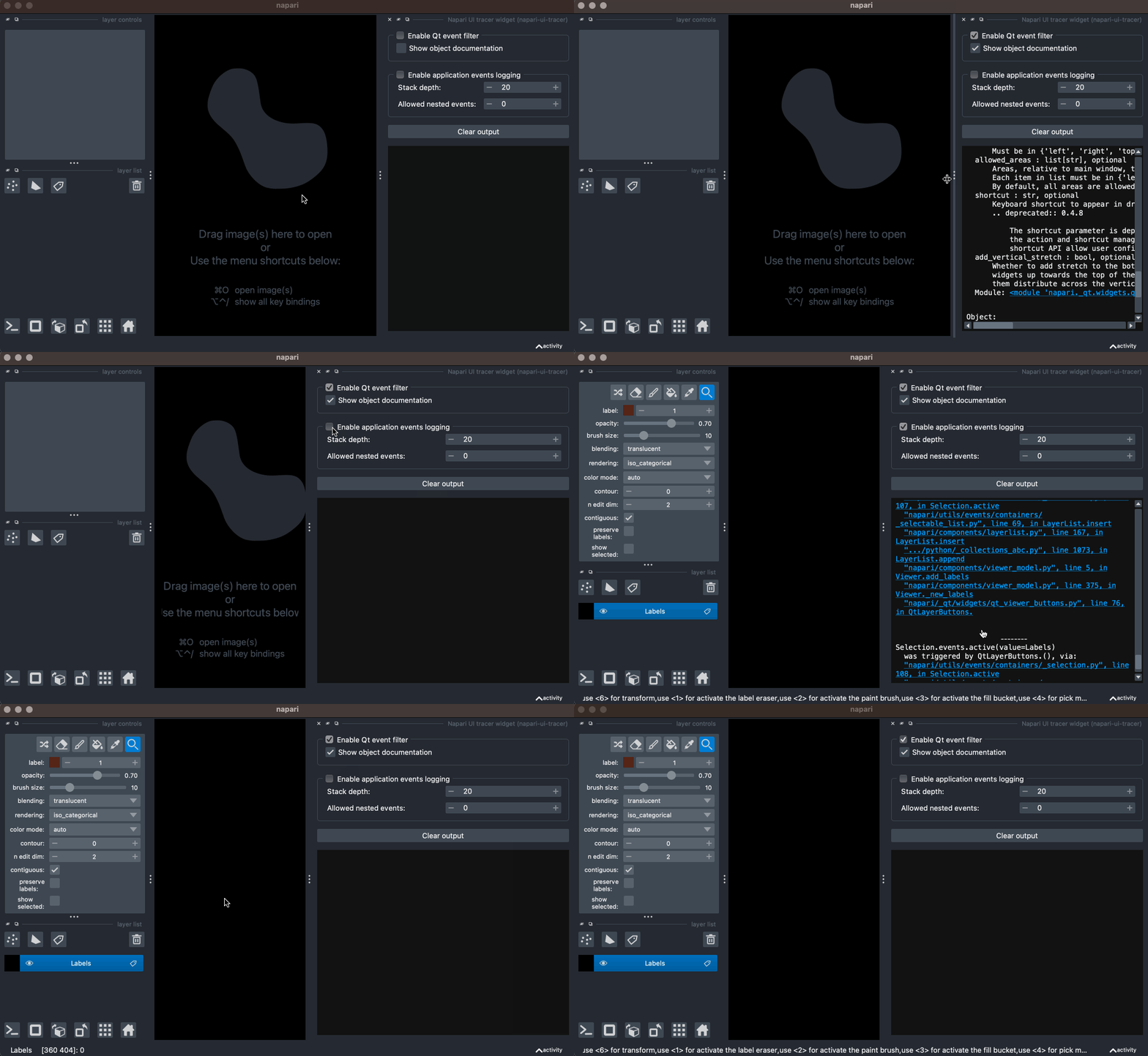
Check the
Enable Qt event filtercheckbox:- Use
Ctrl/Cmd + Mouse button right clickto see the information available about any widget inside napari - An option to show objects documentation (object class docstring) can be used by checking the
Show object documentationcheckbox
- Use
-
Check the
Enable application events loggingcheckbox:- A log like information with the events generated when interacting with the application will appear
- Some configuration options are available:
Stack depth: Stack depth to show. Default to 20Allowed nested events: How many sub-emit nesting levels to show (i.e. events that get triggered by other events). Default to 0
-
If you want to explore the related widget or event module source file, click the link in the output section of the plugin (the module file will open if you have a registered program to open such kind of file)
Contributing
Contributions are very welcome. Pre-commit is used for formatting. Tests can be run with tox, please ensure the coverage at least stays the same before you submit a pull request.
License
Distributed under the terms of the MIT license, "napari-ui-tracer" is free and open source software
Issues
If you encounter any problems, please file an issue along with a detailed description.
1 maintainer

Metadata
1 maintainer
Release files for napari-ui-tracer 0.1.2
For a detailed explanation of source distributions (sdists) and built distributions (wheels), please see the package formats documentation.
Source distribution (sdist)
| File | Size | Uploaded | |
|---|---|---|---|
| napari-ui-tracer-0.1.2.tar.gz | 10.2 kB | Details |
Built distribution (wheel)
| File | Interpreter | ABI | Platform | Reset |
|---|---|---|---|---|
| napari_ui_tracer-0.1.2-py3-none-any.whl | Python 3 | none | any | Details |
Total release size: 19.6 kB
Release files / napari-ui-tracer-0.1.2.tar.gz
| Download URL | napari-ui-tracer-0.1.2.tar.gz |
|---|---|
| Size | 10.2 kB |
| Tags | Source |
|
SHA-256 checksum How to use checksums |
067ae1d03c6609499272b9014a379f9700df979f448e86015046746e6f443fd1
|
|
BLAKE2b-256 checksum How to use checksums |
5dc39eaaf689c0b88a0eb291f6254dc4b3743337bb5065b61293c032b936a7df
|
| Upload date | |
|
Uploaded using Trusted Publishing? What is trusted publishing? |
No |
| Uploaded via |
twine/4.0.2 CPython/3.11.3
|
Release files / napari_ui_tracer-0.1.2-py3-none-any.whl
| Download URL | napari_ui_tracer-0.1.2-py3-none-any.whl |
|---|---|
| Size | 9.4 kB |
| Tags | Python 3 |
|
SHA-256 checksum How to use checksums |
6c63ff88b65b470c7af41c6295d28d373dfc0a991fb121b5b9b02b27b796d3e2
|
|
BLAKE2b-256 checksum How to use checksums |
fc1b6eb1457a523f497dbb20f949bd87866b9864ed1ae5633af2cc132c487293
|
| Upload date | |
|
Uploaded using Trusted Publishing? What is trusted publishing? |
No |
| Uploaded via |
twine/4.0.2 CPython/3.11.3
|














