
Neptune + Optuna integration
Neptune is a lightweight experiment tracker that offers a single place to track, compare, store, and collaborate on experiments and models.
This integration lets you use it as an Optuna visualization dashboard to log and monitor hyperparameter sweeps live.
What will you get with this integration?
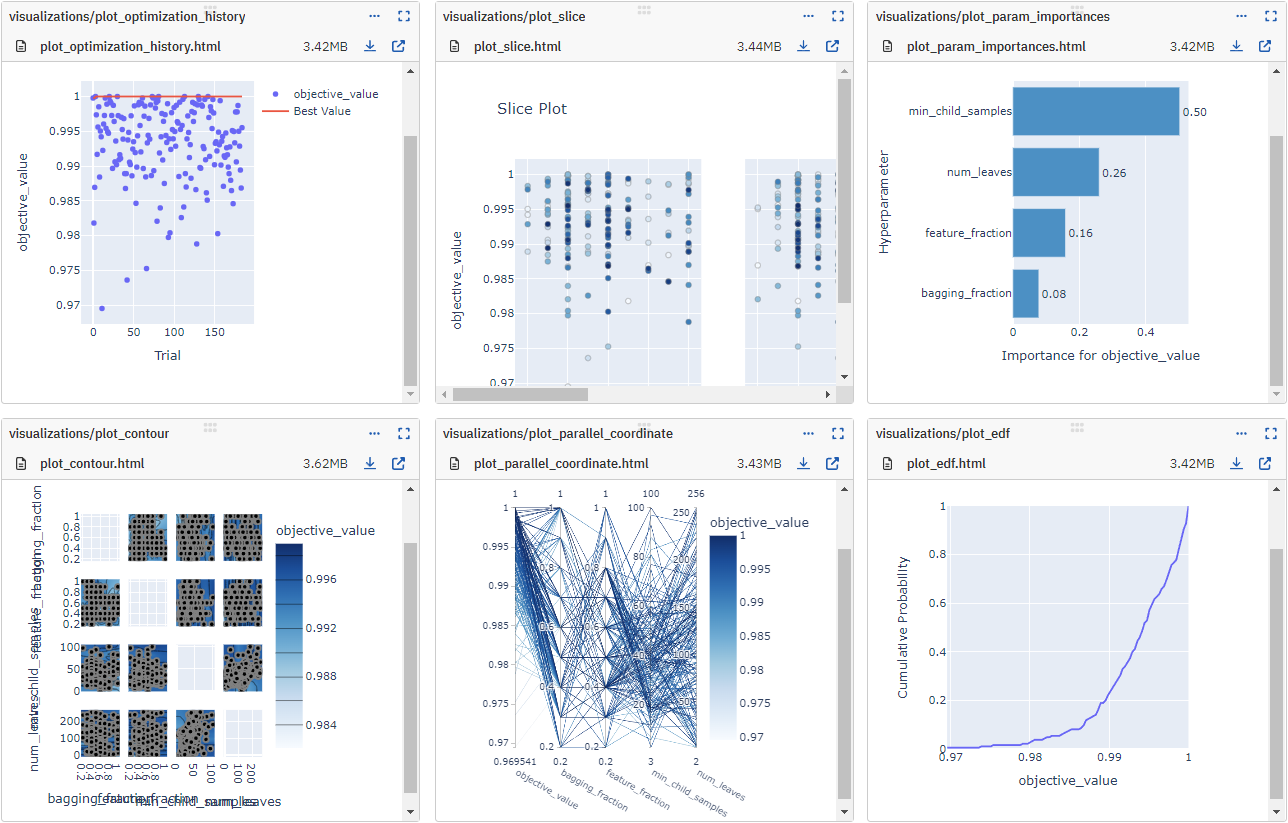
- Log and monitor the Optuna hyperparameter sweep live:
- values and params for each Trial
- best values and params for the Study
- hardware consumption and console logs
- interactive plots from the optuna.visualization module
- parameter distributions for each Trial
- Study object itself for 'InMemoryStorage' or the database location for the Studies with database storage
- Load the Study directly from the existing Neptune run
Resources
Example
On the command line:
pip install neptune-optuna
In Python:
import neptune
import neptune.integrations.optuna as npt_utils

# Start a run
run = neptune.init_run(
    api_token=neptune.ANONYMOUS_API_TOKEN,
    project="common/optuna-integration",
)

# Create a NeptuneCallback instance
neptune_callback = npt_utils.NeptuneCallback(run)

# Pass the callback to study.optimize()
study = optuna.create_study(direction="maximize")
study.optimize(objective, n_trials=100, callbacks=[neptune_callback])

# Watch the optimization live in Neptune
Support
If you got stuck or simply want to talk to us, here are your options:
- Check our FAQ page
- You can submit bug reports, feature requests, or contributions directly to the repository.
- Chat! When in the Neptune application click on the blue message icon in the bottom-right corner and send a message. A real person will talk to you ASAP (typically very ASAP),
- You can just shoot us an email at support@neptune.ai
1 maintainer

Metadata
1 maintainer
Release files for neptune-optuna 1.4.1
For a detailed explanation of source distributions (sdists) and built distributions (wheels), please see the package formats documentation.
Source distribution (sdist)
| File | Size | Uploaded | |
|---|---|---|---|
| neptune_optuna-1.4.1.tar.gz | 14.1 kB | Details |
Built distribution (wheel)
| File | Interpreter | ABI | Platform | Reset |
|---|---|---|---|---|
| neptune_optuna-1.4.1-py3-none-any.whl | Python 3 | none | any | Details |
Total release size: 28.5 kB
Release files / neptune_optuna-1.4.1.tar.gz
| Download URL | neptune_optuna-1.4.1.tar.gz |
|---|---|
| Size | 14.1 kB |
| Tags | Source |
|
SHA-256 checksum How to use checksums |
ca8886eff35986a33650de7091cacd7caa8d5602c2bf22f5a3478c2915a53453
|
|
BLAKE2b-256 checksum How to use checksums |
66787b945c569f3712c8e95a40c7a90e047dd8a2e155aeefc352067e5d40eb4e
|
| Upload date | |
|
Uploaded using Trusted Publishing? What is trusted publishing? |
No |
| Uploaded via |
twine/5.1.1 CPython/3.9.20
|
Release files / neptune_optuna-1.4.1-py3-none-any.whl
| Download URL | neptune_optuna-1.4.1-py3-none-any.whl |
|---|---|
| Size | 14.4 kB |
| Tags | Python 3 |
|
SHA-256 checksum How to use checksums |
569509eafaae9ecac060cce4925f0c4bc5af71fc3e4d536ec0c2da4810b1efdb
|
|
BLAKE2b-256 checksum How to use checksums |
12c200adfd18452e2fe451c3049f5423379ffaf71a4056919e8fe8908467eab5
|
| Upload date | |
|
Uploaded using Trusted Publishing? What is trusted publishing? |
No |
| Uploaded via |
twine/5.1.1 CPython/3.9.20
|














