
NTSC-py






ctypes interfaces to Blargg's NTSC filter libraries.
| NES NTSC | SNES NTSC | SMS NTSC |
|---|---|---|
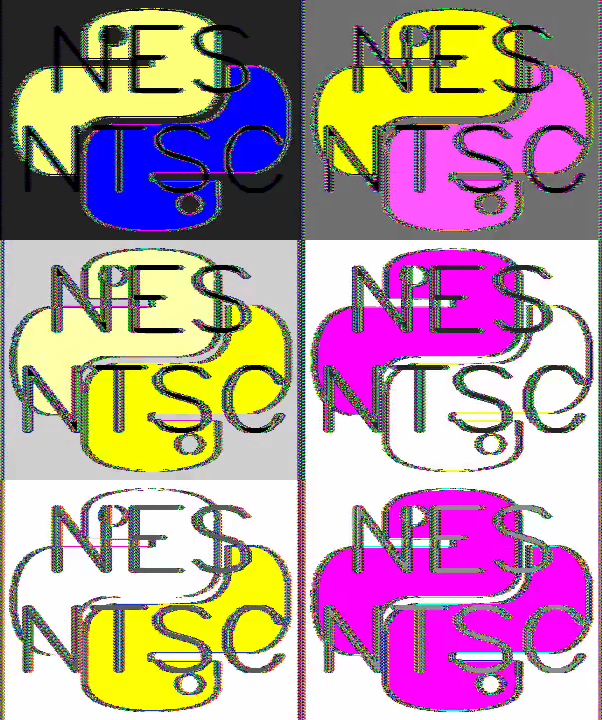
|

|

|
Installation
The preferred installation of ntsc-py is from pip:
pip install ntsc-py
Debian
Make sure you have the clang++ compiler installed:
sudo apt-get install clang
Windows
You'll need to install the Visual-Studio 17.0 tools for Windows installation. The Visual Studio Community package provides these tools for free.
Usage
Python API
NES NTSC
To use the NES NTSC filter, first create an instance:
from ntsc_py import NES_NTSC
ntsc = NES_NTSC()
The setup function can be used to configure the parameters of the filter. The
same parameters of the setup function can be passed to the constructor on
initialization of the filter. See the table below for a description of each of
the parameters for the setup function
ntsc.setup(mode='composite', gamma=1, artifacts=2, sharpness=0.4, ...)
| Parameter | Stable Values | Description |
|---|---|---|
mode |
rgb, composite, svideo, monochrome |
Sets all parameters to a preset value. |
hue |
[-1.0, 1.0] | Controls the hue of the image in degrees [-180, 180]. |
saturation |
[-1.0, 1.0] | Controls the saturation from monochrome to over-saturated. |
contrast |
[-1.0, 1.0] | Controls the contrast of the luminance in the image. |
brightness |
[-1.0, 1.0] | Controls the brightness from dark to bright. |
sharpness |
[-1.0, 1.0] | Controls edge / contrast enhancement and blurring effects. |
gamma |
[-1.0, 1.0] | Adjusts the linearity of the luminance quantizer. |
resolution |
? | Controls the resolution of the image. |
artifacts |
? | Controls influence of artifacts caused by color changes. |
fringing |
? | Controls influence of fringing caused by brightness changes. |
bleed |
? | Controls the amount of color bleed (color resolution reduction) |
merge_fields |
[0, 1] | If true, merges even and off fields to reduce flicker. |
Images can be filtered by assigning them to the input buffer of the image in NES pixel format using the NES palette of 64 unique colors.
ntsc.nes_pixels[:] = np.random.uniform(0, 63, ntsc.nes_pixels.shape)
Alternatively, RGB images can be converted to the NES palette using a mean squared error fit.
from ntsc_py import rgb2nes, nes2rgb
ntsc.nes_pixels[:] = rgb2nes(np.random.uniform(0, 255, ntsc.nes_pixels.shape[:2] + (3, )))
Once nes_pixels has been updated with new pixel data, call process to filter
the image and compute the RGB output in ntsc_pixels.
ntsc.filter()
SNES NTSC
Coming Soon!
SMS NTSC
Coming Soon!
1 maintainer

Metadata
1 maintainer
Release files for ntsc-py 0.2.1
For a detailed explanation of source distributions (sdists) and built distributions (wheels), please see the package formats documentation.
Source distribution (sdist)
| File | Size | Uploaded | |
|---|---|---|---|
| ntsc_py-0.2.1.tar.gz | 55.4 kB | Details |
Built distribution (wheel)
| File | Interpreter | ABI | Platform | Reset |
|---|---|---|---|---|
| ntsc_py-0.2.1-cp39-cp39-macosx_11_0_x86_64.whl | CPython 3.9 | CPython 3.9 | macOS 11.0+ x86-64 | Details |
Total release size: 91.0 kB
Release files / ntsc_py-0.2.1.tar.gz
| Download URL | ntsc_py-0.2.1.tar.gz |
|---|---|
| Size | 55.4 kB |
| Tags | Source |
|
SHA-256 checksum How to use checksums |
dccbed4f13311a5d9a093f018d947053b64f291883fb295924136ca0b20c44d1
|
|
BLAKE2b-256 checksum How to use checksums |
30ab59e83b5ead3be3af08682e364860da187d4b99ae1fbae07c09cd736a8820
|
| Upload date | |
|
Uploaded using Trusted Publishing? What is trusted publishing? |
No |
| Uploaded via |
twine/3.4.1 importlib_metadata/4.0.1 pkginfo/1.7.0 requests/2.25.1 requests-toolbelt/0.9.1 tqdm/4.56.0 CPython/3.9.1
|
Release files / ntsc_py-0.2.1-cp39-cp39-macosx_11_0_x86_64.whl
| Download URL | ntsc_py-0.2.1-cp39-cp39-macosx_11_0_x86_64.whl |
|---|---|
| Size | 35.7 kB |
| Tags | CPython 3.9 macOS 11.0+ x86-64 |
|
SHA-256 checksum How to use checksums |
332265d5781a4fc37f68b55ec746c7bf4f394d1057b85967fe6233c3a8647465
|
|
BLAKE2b-256 checksum How to use checksums |
d276283f0e6984f86d0824c603aa39cb8cc3687394bfd1ef04f18103cbc1237c
|
| Upload date | |
|
Uploaded using Trusted Publishing? What is trusted publishing? |
No |
| Uploaded via |
twine/3.4.1 importlib_metadata/4.0.1 pkginfo/1.7.0 requests/2.25.1 requests-toolbelt/0.9.1 tqdm/4.56.0 CPython/3.9.1
|














