









OctaDist
Octahedral distortion calculator: A tool for calculating distortion parameters in coordination complexes. https://octadist.github.io/
Standard abilities
OctaDist is computer software for inorganic chemistry and crystallography program. OctaDist can be used for studying the structural distortion in coordination complexes. With the abilities of OctaDist, you can:
- analyze the structure and conformation of coordination complexes.
- compute the octahedral distortion parameters.
- explore tilting distortion in perovskite and metal-organic framework.
- display 3D molecule for graphical analysis.
- implement OctaDist's module into your or other program.
- access the program core directly via an interactive scripting language.
Documents
User manual: https://octadist.github.io/manual.html.
Reference manual :
| Version | Status | Docs |
|---|---|---|
| Latest |  |
HTML / PDF / Epub |
| Dev Build |  |
HTML / PDF / Epub |
Download and Install
For Windows users, we strongly suggest a standalone executable:
Click Here to Download OctaDist-2.6.1-Win-x86-64.exe (104 MB)
Click Here to Download OctaDist-3.0.0-Win-x86-64.exe (320 MB)
For Linux or macOS users and already have Python 3 installed on the system,
the easiest way to install OctaDist is to use pip.
Note that OctaDist supports up to Python 3.9.
pip install octadist
or use conda for those who have Anaconda:
conda install -c rangsiman octadist
Starting OctaDist
The following commands can be used to start OctaDist in different ways:
Graphical User Interface (GUI)
To start GUI program:
octadist
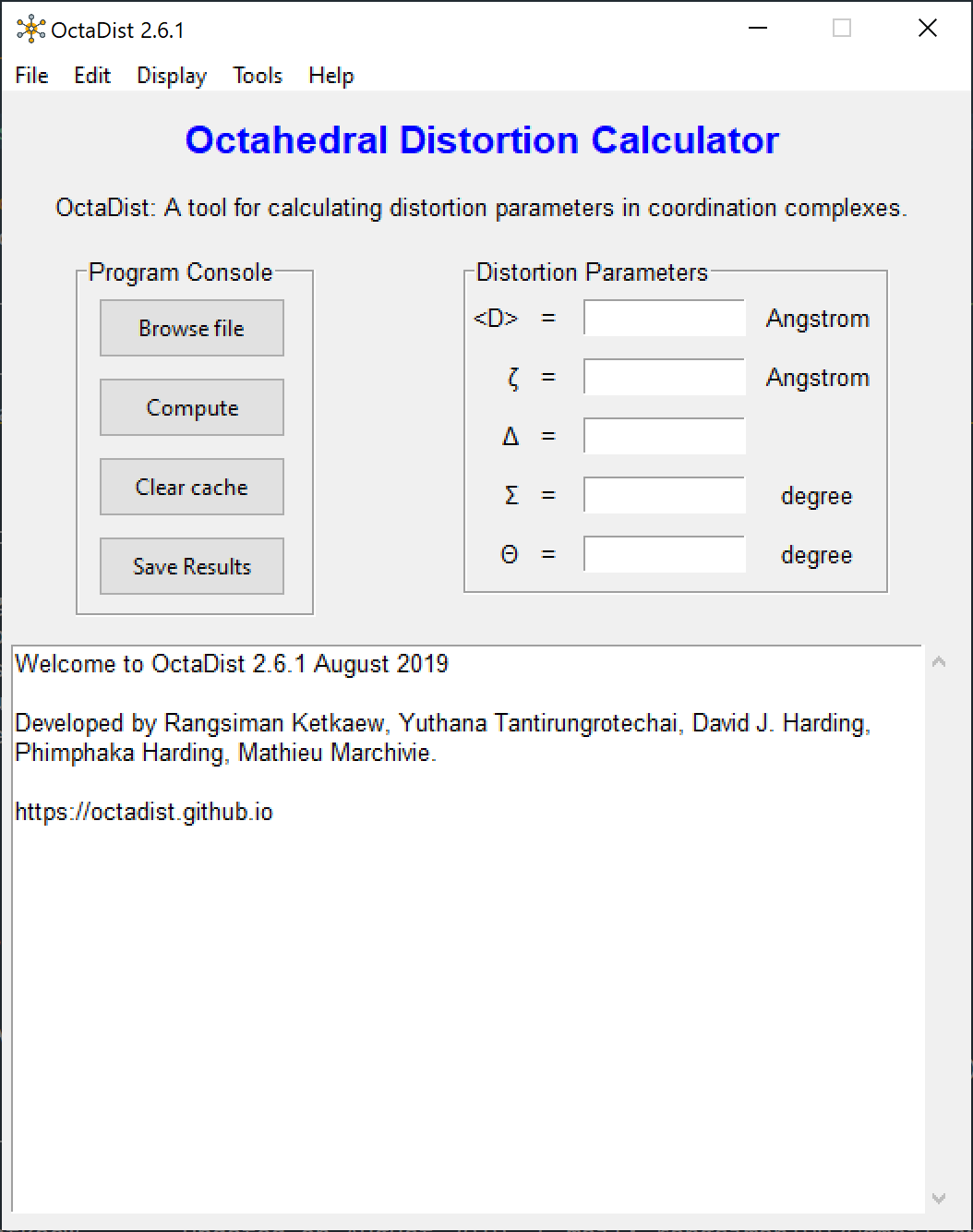
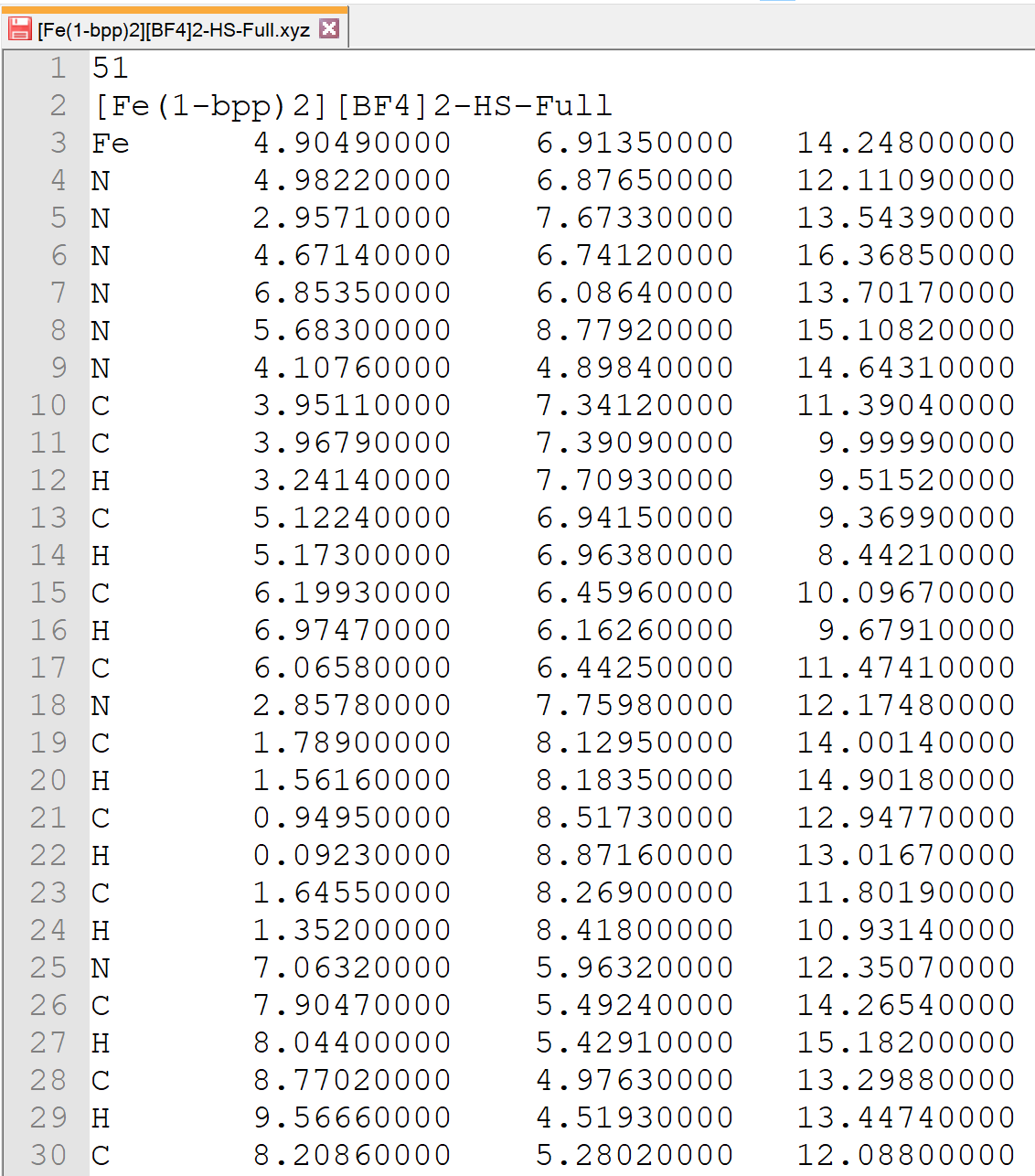
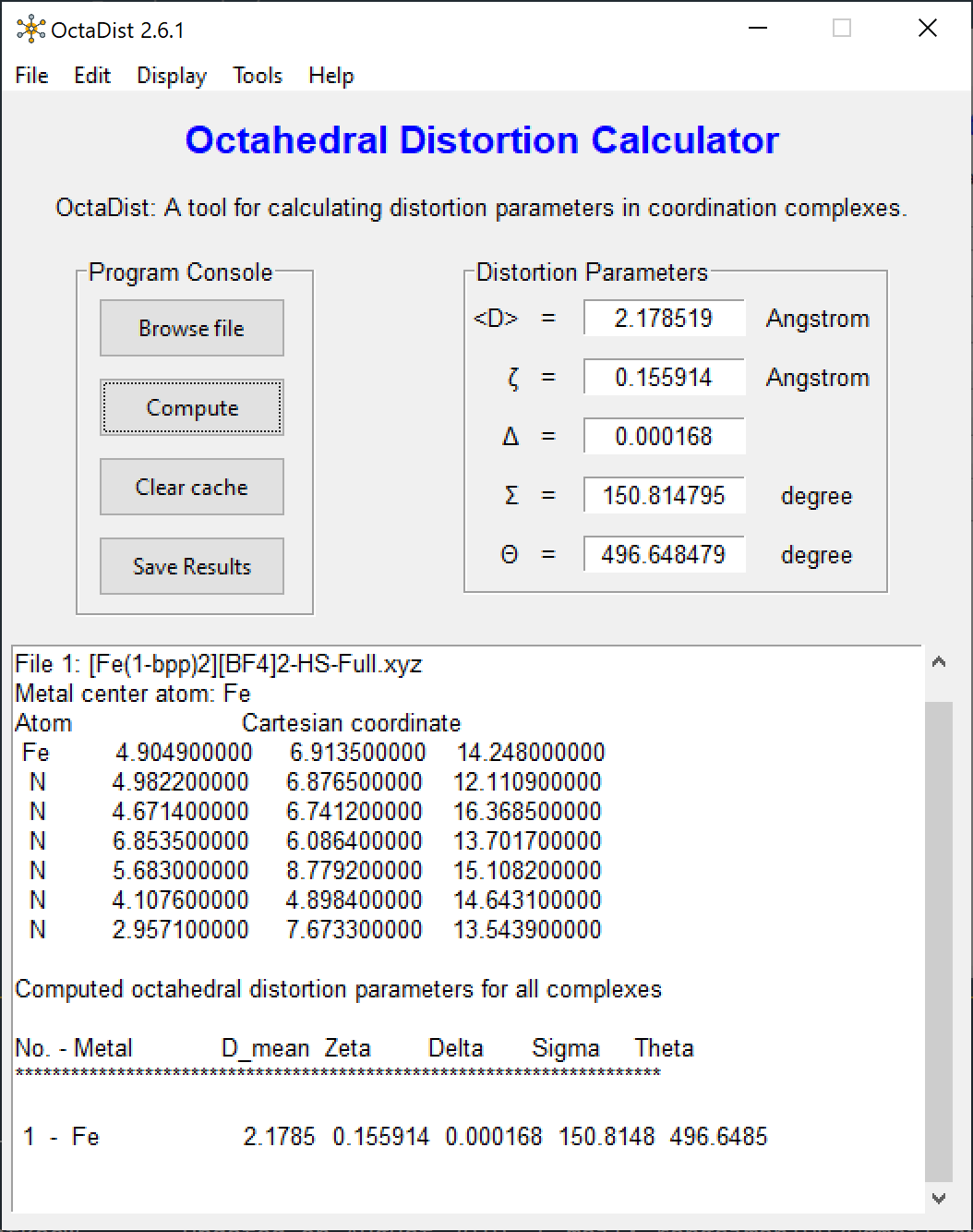
Screenshots of program:
 |
 |
 |
|---|---|---|
| OctaDist GUI | XYZ coordinates | Computed distortion parameters |
Command Line Interface (CLI)
To start program command line:
octadist_cli
To calculate distortion parameters:
octadist_cli --inp EXAMPLE_INPUT.xyz
To calculate distortion parameters and show formatted output:
octadist_cli --inp EXAMPLE_INPUT.xyz --format
Supporting input format
Running the tests: OctaDist as a package
Example 1: Explicitly define atomic label and coordinates
import octadist as oc

# Prepare list of atomic coordinates of octahedral structure:

atom = ['Fe', 'O', 'O', 'N', 'N', 'N', 'N']

coord = [
    [2.298354000, 5.161785000, 7.971898000],  # <- Metal atom
    [1.885657000, 4.804777000, 6.183726000],
    [1.747515000, 6.960963000, 7.932784000],
    [4.094380000, 5.807257000, 7.588689000],
    [0.539005000, 4.482809000, 8.460004000],
    [2.812425000, 3.266553000, 8.131637000],
    [2.886404000, 5.392925000, 9.848966000],
]

dist = oc.CalcDistortion(coord)
zeta = dist.zeta             # 0.228072561
delta = dist.delta           # 0.000476251
sigma = dist.sigma           # 47.92652837
theta = dist.theta           # 122.6889727
Example 2: Load external Cartesian coordinates file
import os
import octadist as oc

# You can also import your input file, like this:

file = "Multiple-metals.xyz"

# Then use coord.extract_file to extract all atomic symbols and coordinates,
# and then use coord.extract_octa for taking the octahedral structure.

atom_full, coord_full = oc.io.extract_coord(file)
atom, coord = oc.io.extract_octa(atom_full, coord_full)

dist = oc.CalcDistortion(coord)
zeta = dist.zeta              # 0.0030146365519487794
delta = dist.delta            # 1.3695007180404868e-07
sigma = dist.sigma            # 147.3168033970211
theta = dist.theta            # 520.6407679851042
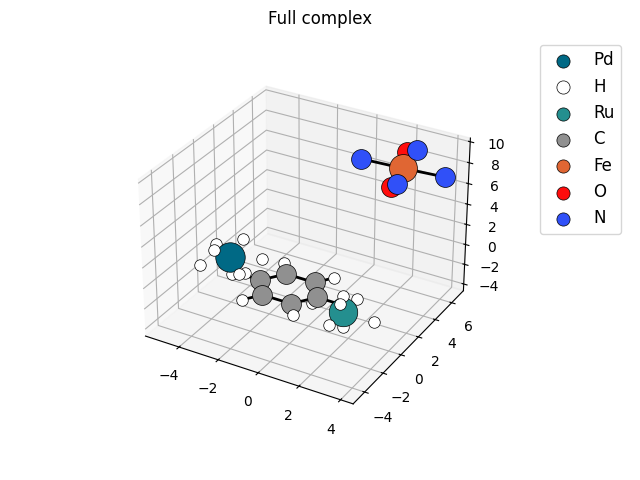
Example 3: Display 3D structure of molecule
import os
import octadist as oc

file = "Multiple-metals.xyz"

atom_full, coord_full = oc.io.extract_coord(file)

my_plot = oc.draw.DrawComplex_Matplotlib(atom=atom_full, coord=coord_full)
my_plot.add_atom()
my_plot.add_bond()
my_plot.add_legend()
my_plot.save_img()
my_plot.show_plot()

# Figure will be saved as Complex_saved_by_OctaDist.png by default.
Other example scripts and octahedral complexes are available at example-py and example-input, respectively.
Development and Release
OctaDist is written entirely in Python 3 binding to Tkinter GUI toolkit. It is cross-platform program which can work on multiple operating systems. The stable version and development build of OctaDist are released at here. A standalone executable for graphical user interface (GUI) and source code for command line interface (CLI) are available for as follows:
| Platform | Description |
|---|---|
| Windows |  |
| Linux |  |
| macOS | |
| PyPI library | |
| Anaconda cloud |  |
| Nightly build | Development build |
Branch:
Git Clone
git clone https://github.com/OctaDist/OctaDist.git
git checkout nightly-build
git pull origin nightly-build
Register for OctaDist
To get notified when we release new version of OctaDist, please register at https://cutt.ly/regis-octadist.
OctaDist Forum
The users can post questions in our Google Groups: OctaDist Forum
Citation
Please cite this project when you use OctaDist for scientific publication.
Ketkaew, R.; Tantirungrotechai, Y.; Harding, P.; Chastanet, G.; Guionneau, P.; Marchivie, M.; Harding, D. J.
OctaDist: A Tool for Calculating Distortion Parameters in Spin Crossover and Coordination Complexes.
Dalton Trans., 2021,50, 1086-1096. https://doi.org/10.1039/D0DT03988H
BibTeX
@article{Ketkaew2021,
  doi = {10.1039/d0dt03988h},
  url = {https://doi.org/10.1039/d0dt03988h},
  year = {2021},
  publisher = {Royal Society of Chemistry ({RSC})},
  volume = {50},
  number = {3},
  pages = {1086--1096},
  author = {Rangsiman Ketkaew and Yuthana Tantirungrotechai and Phimphaka Harding and Guillaume Chastanet and Philippe Guionneau and Mathieu Marchivie and David J. Harding},
  title = {OctaDist: a tool for calculating distortion parameters in spin crossover and coordination complexes},
  journal = {Dalton Transactions}
}
Bug report
If you found issues in OctaDist, please report it to us at here.
Project team
- Rangsiman Ketkaew (Thammasat University, Thailand)
- E-mail: rangsiman1993@gmail.com
- Yuthana Tantirungrotechai (Thammasat University, Thailand)
- E-mail: yt203y@gmail.com
- Phimphaka Harding (Walailak University, Thailand)
- E-mail: kphimpha@mail.wu.ac.th
- Guillaume Chastanet (University of Bordeaux, France)
- Philippe Guionneau (University of Bordeaux, France)
- E-mail: Philippe.Guionneau@icmcb.cnrs.fr
- Mathieu Marchivie (University of Bordeaux, France)
- E-mail: mathieu.marchivie@icmcb.cnrs.fr
- David J. Harding (Walailak University, Thailand)
- E-mail: hdavid@mail.wu.ac.th
1 maintainer

Metadata
1 maintainer
Release files for octadist 3.1.0
For a detailed explanation of source distributions (sdists) and built distributions (wheels), please see the package formats documentation.
Source distribution (sdist)
| File | Size | Uploaded | Provenance | |
|---|---|---|---|---|
| octadist-3.1.0.tar.gz | 79.6 kB | Without provenance | Details |
Built distribution (wheel)
| File | Interpreter | ABI | Platform | Reset |
|---|---|---|---|---|
| octadist-3.1.0-py3-none-any.whl | Python 3 | none | any | Details |
Total release size: 167.4 kB
Release files / octadist-3.1.0.tar.gz
| Download URL | octadist-3.1.0.tar.gz |
|---|---|
| Size | 79.6 kB |
| Tags | Source |
|
SHA-256 checksum How to use checksums |
d432df3355e9a0011e01b32a14859a5ef6caab622f634a3dcab12e1b5328c0b9
|
|
BLAKE2b-256 checksum How to use checksums |
6c1d2a606e39f8e4a963bd6d45f8612632503e0803ea0944c1a42b554680271c
|
| Upload date | |
|
Uploaded using Trusted Publishing? What is trusted publishing? |
No |
| Uploaded via |
twine/5.0.0 CPython/3.9.18
|
Release files / octadist-3.1.0-py3-none-any.whl
| Download URL | octadist-3.1.0-py3-none-any.whl |
|---|---|
| Size | 87.8 kB |
| Tags | Python 3 |
|
SHA-256 checksum How to use checksums |
3f6d0f7657cf6012a66e170370b8b9f77bacf8c5ef0795d662a859d11bc5ab86
|
|
BLAKE2b-256 checksum How to use checksums |
7c416d7578279e9f81928d767c0fb4cab1a82e86120ba5d58f3c466369585211
|
| Upload date | |
|
Uploaded using Trusted Publishing? What is trusted publishing? |
No |
| Uploaded via |
twine/5.0.0 CPython/3.9.18
|
Security for octadist 3.1.0
Provenance
Provenance describes where a file came from. On PyPI, provenance is shared via attestations, which provide a verifiable record of the build or publishing details. View details, limitations and caveats.
No provenance found
None of the files in this release were uploaded with provenance metadata.
A note on package security
PyPI is a repository for distributing packages, not a service for auditing them. While third-party security researchers and our staff do their best to detect and remove malicious packages, PyPI cannot guarantee the quality, security or suitability of any given package.
To learn more about protecting yourself from malicious actors, visit our package security documentation.














